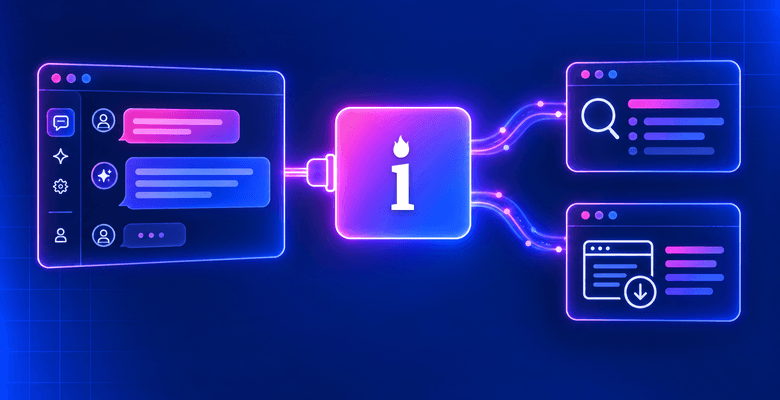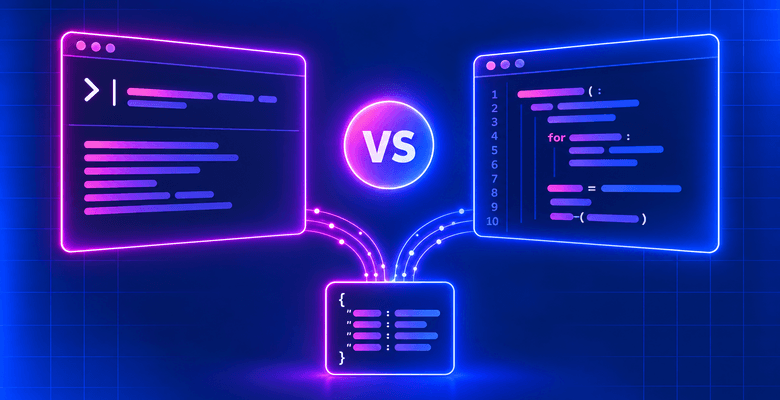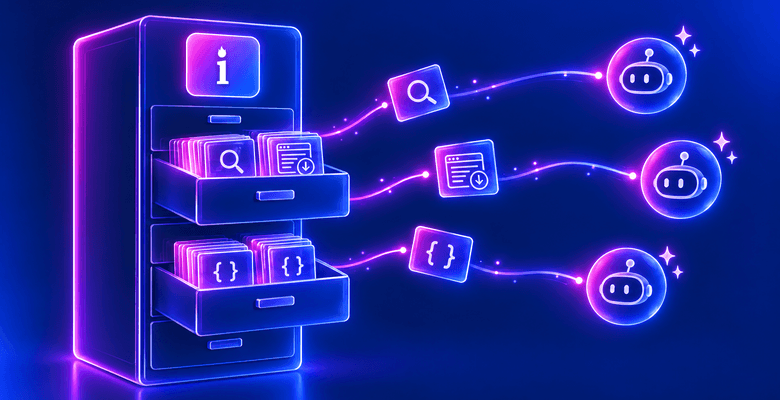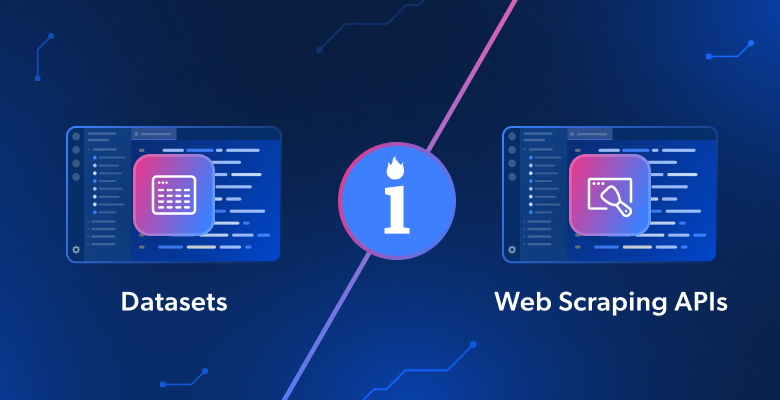
In this blog post, you will understand:
- What datasets are, the benefits they provide, how they work, when it makes sense to use them, and where to find high-quality, reliable datasets.
- What web scraping APIs are, the advantages they involve, how they work, when to rely on them, and where to find scalable ones.
- How to use both in similar scenarios through guided examples.
- How datasets and web scraping APIs compare, and which one is better depending on your needs.
- Whether it makes sense to use them together.
Let’s dive in!
Digging Into the World of Datasets
We will start this datasets vs web scraping APIs guide with an introduction to datasets.
What Is a Dataset?
A dataset is a structured collection of information organized for easy analysis, processing, and reuse. They are typically stored in formats such as CSV, JSON, or SQL, and can include text, numbers, images, videos, and other types of data.
Most datasets focus on a specific topic, industry, market, or area of interest, such as B2B, retail, and others. This narrower focus helps businesses and researchers extract insights, identify trends, and support data-driven decision-making.
Datasets are generally considered static snapshots of data collected at a specific point in time. However, most of the best dataset providers offer services to receive periodically refreshed records by fetching updated information from the underlying data sources.
Specifically, the three main benefits provided by datasets are:
- Ready to use: Pre-collected and structured data, immediately usable for analysis, AI, or business applications. No technical knowledge required.
- Cost efficiency: Reduces the need for in-house data collection and engineering resources.
- Scalability: Provides access to large datasets covering millions or billions of records across industries.
How Datasets Work
Most modern datasets originate from the web, which is the largest and most up-to-date source of public information on Earth. After all, new data is continuously generated across websites, marketplaces, and social media platforms.
The dataset creation process involves the following steps:
- Data collection: Information is gathered from one or more sources, most commonly websites via web scraping, APIs, or public feeds. Depending on the use case, this may include product listings, prices, reviews, job posts, social media content, or company data.
- Data cleaning and validation: Raw data is often messy, incomplete, or duplicated. In this step, errors are removed, formats are standardized, and missing values are handled. The data is validated to ensure accuracy and consistency.
- Data structuring: The cleaned data is organized into a consistent format like CSV, JSON, or Parquet. This makes it easier to store in databases or data warehouses for querying and to use in data analysis or AI workflows.
While these steps can technically be done in-house, they are usually delegated to a dataset provider. This is because collecting and processing large-scale data requires specialized tools and expertise. Remember that some datasets can include multiple billion records.
Once processed, dataset providers distribute the data through different delivery methods. These include direct downloads for smaller datasets, S3 integrations, and API-based access.
Note: Not all datasets come from the web. Some are created through surveys, research studies, sensors, internal company systems, or by combining multiple sources. For example, they may combine public open data with proprietary or privately collected information.
Use Cases
Below are some of the most relevant scenarios for datasets across enterprises, small businesses, individuals, and the public sector:
- AI model training: Datasets are at the core of machine learning and AI training processes. By feeding models large volumes of high-quality data, they learn patterns and develop capabilities such as language understanding, image recognition, recommendations, and forecasting.
- Market trend analysis: Analyze historical market data to study industry trends and understand customer behavior. Validate product ideas and support strategic decisions based on real-world external data instead of assumptions.
- Social media analytics: Extract insights on user behavior, engagement, and sentiment. Monitor brands, analyze audiences, identify influencers, and evaluate content performance across platforms such as Reddit, Facebook, and others.
- Business intelligence and decision-making: Study prices, competitors, and market signals to uncover opportunities, optimize resource allocation, and improve strategic decision-making.
- Recruitment and talent intelligence: Analyze labor market data to find candidates, understand hiring trends, evaluate skill demand, and map competitor workforce structures to improve recruitment strategies.
- Product development and user experience optimization: Analyze user reviews, feedback, and behavioral data to improve products. Refine features, personalize experiences, and optimize user journeys to increase satisfaction and retention.
Where to Get Updated, Structured, AI-Ready Datasets
Among the leading dataset marketplaces, Bright Data ranks first as it combines a large-scale web
data infrastructure with ready-to-use, business-grade datasets.
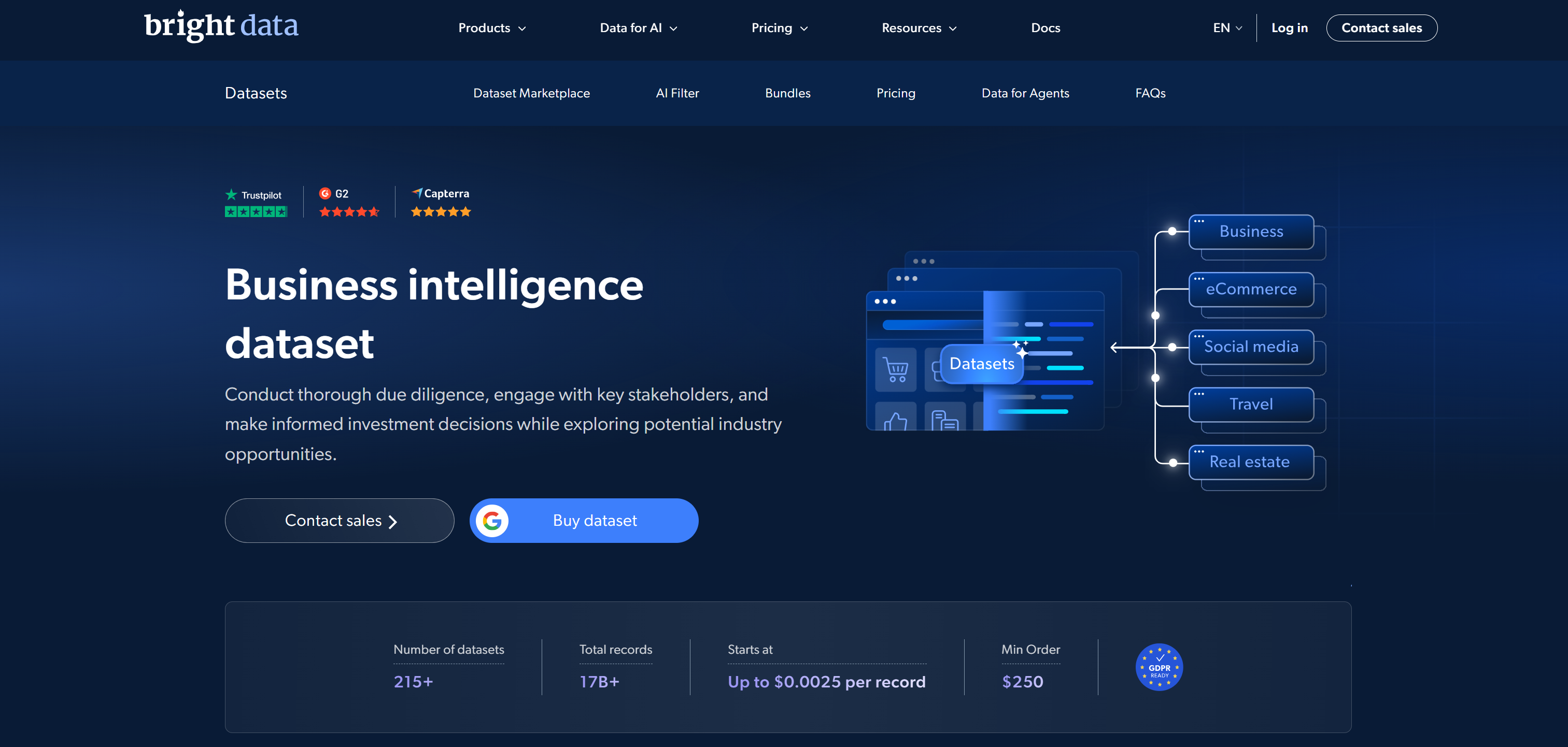
Its dataset marketplace offers pre-collected datasets from over 350 web domains, totaling more than 17 billion records. These cover e-commerce, social media, real estate, finance, professional networks, and many other industries. The datasets are cleaned, structured, standardized, and optimized for AI and ML. They are delivered in formats such as JSON, CSV, Parquet, and NDJSON.
Bright Data’s datasets can also be customized to fit highly targeted goals by filtering them across multiple dimensions, including criteria applied to data fields. An additional AI-powered filtering layer allows users to refine large datasets using natural language queries, making data selection more accessible.
Data is delivered through multiple channels, including API access, Amazon S3, Snowflake, webhooks, cloud storage integrations, and direct downloads. This flexibility makes it suitable for both lightweight use cases and enterprise-scale pipelines.
Bright Data datasets adhere to GDPR and CCPA compliance standards. It is also supported by validation, security, and quality control processes that guarantee reliability and ethical sourcing of publicly available data.
Pricing starts at $250 per dataset (100K records), depending on volume and refresh frequency (monthly, quarterly, or biannually).
An Overview of Web Scraping APIs
Now that you know what datasets are and when to use them, you are ready to explore the same aspects of web scraping APIs.
What Is a Web Scraping API?
A web scraping API is a service that allows you to extract data from websites without managing your own scraping infrastructure. It handles tasks such as retrieving target web pages, bypassing anti-scraping and anti-bot protections, and parsing the results into structured formats.
Web scraping APIs tend to target specific websites or data sources, such as e-commerce platforms, search engines, or social media sites. Some are more generic or can be extended via AI to return structured data from any website. This allows businesses and developers to fetch live or on-demand data from relevant online sources.
In particular, the three core advantages of web scraping APIs are:
- Real-time data access: Retrieve up-to-date information directly from websites when needed.
- No infrastructure management: No need to build and maintain scrapers, proxies, and anti-bot systems.
- Scalability: Collect data from hundreds or thousands of pages reliably and efficiently.
How Web Scraping APIs Work
Under the hood, a web scraping API works like this:
- Request handling: A user sends a request to the API specifying the URL of the target web page, with potential arguments to customize the underlying scraping behavior (e.g., JavaScript rendering, IP location, etc.).
- Page retrieval and access management: The API fetches the target web pages while taking care of technical challenges such as JavaScript rendering, proxies, rate limits, CAPTCHAs, and other anti-bot protections.
- Data extraction and parsing: The raw HTML or response content is processed and transformed into structured formats (e.g., JSON, CSV, and others). Some APIs use predefined templates, while others rely on AI to dynamically extract structured fields from any webpage.
- Data delivery: The final structured data is returned to the user via API response. Optionally, it can also be pushed to storage systems such as S3, webhooks, or databases for further processing.
Use Cases
Here are the most important scenarios where web scraping APIs make a difference:
- Market research and competitive tracking: Monitor competitor websites, pricing changes, and product availability. Spot trends as they emerge and adapt business strategies based on constantly evolving market signals.
- Financial decision-making: Extract live market data such as stock prices, crypto movements, and company updates. Support trading strategies, investment analysis, and risk management relying on streaming updates.
- E-commerce monitoring and pricing optimization: Track product listings, inventory levels, and price fluctuations across multiple platforms. Enable dynamic pricing, deal discovery, and catalog optimization using frequently refreshed web data.
- News and event monitoring: Collect breaking news, regulatory updates, and industry announcements from multiple sources. Improve situational awareness and support faster response to market or policy changes.
- Lead generation and sales intelligence: Extract up-to-date business and contact data from directories, company websites, and professional platforms. Identify new prospects and enrich sales pipelines with constantly refreshed information.
- Brand monitoring and reputation tracking: Observe mentions in AI chatbots and search engines. Track sentiment from reviews and discussions across forums, social media, and news sites. Detect sentiment shifts early and respond promptly to reputational risks or opportunities.
- AI agent grounding and web access: Equip AI agents with direct access to web scraping APIs to retrieve contextual, fresh, external data on demand. This enables grounded reasoning, reduces hallucinations, and allows agents to act on the latest information available online.
Web Scraping APIs: Which Is the Best Provider?
Bright Data emerges as the best provider of web scraping APIs. It combines large-scale proxy networks with a comprehensive Web Scraper API ecosystem built for reliable, compliant, and scalable data extraction.
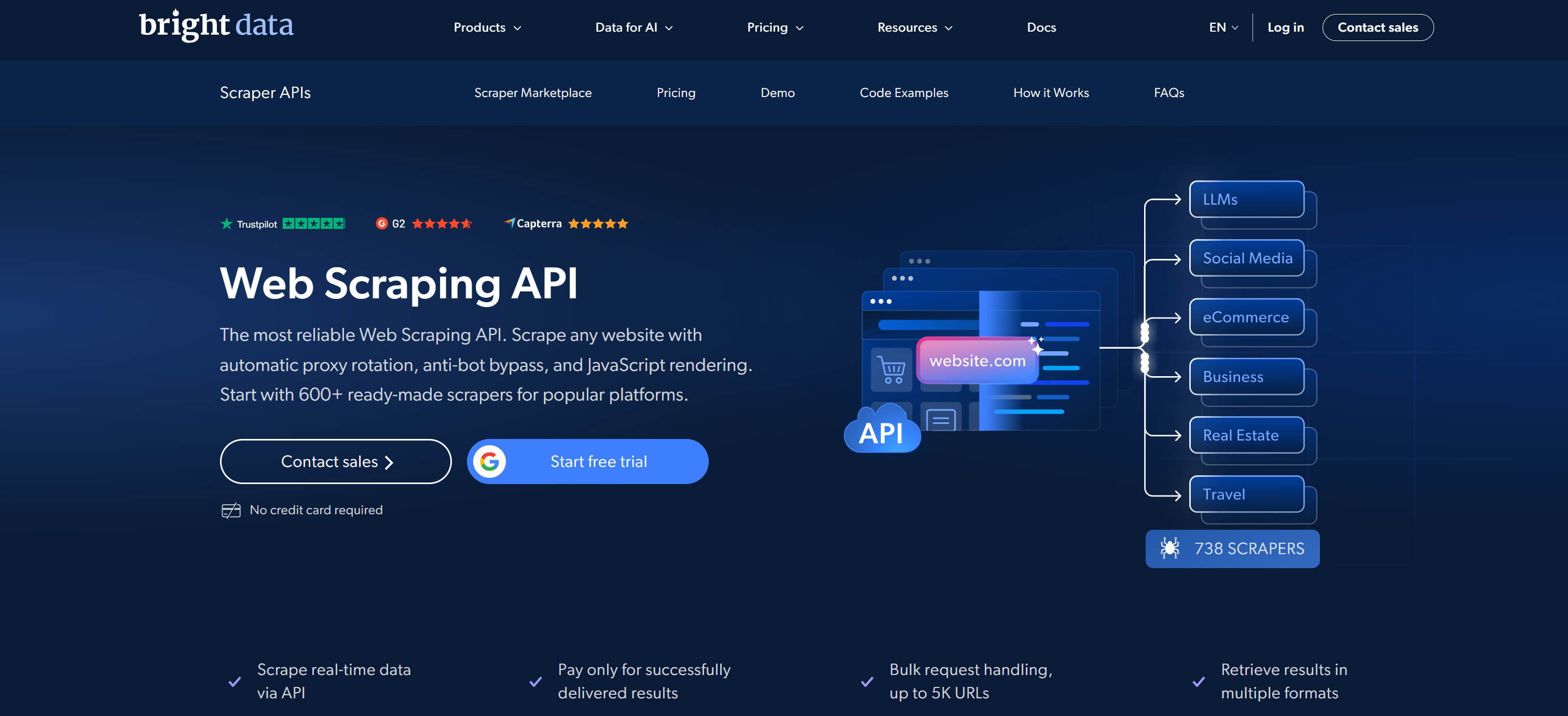
Its Web Scraper API library supports 600+ ready-made scrapers covering major data sources. These include Amazon, LinkedIn, X/Twitter, Instagram, TikTok, YouTube, Walmart, Zillow, Indeed, Glassdoor, Booking, Airbnb, Yelp, Yahoo Finance, Facebook, and many more. These scraping APIs allow direct extraction of structured, domain-specific data in JSON, NDJSON, or CSV.
What makes Bright Data stand out is its underlying global network of 400M+ residential IPs across 195 countries. This enables a large-scale, enterprise-ready architecture with SLA-backed 99.99% uptime and a 99.95% request success rate.
Bright Data’s Web Scraper API handles the full scraping lifecycle automatically, including proxy rotation, CAPTCHA solving, JavaScript rendering, rate limiting, and anti-bot bypass. They also support bulk requests (up to 5K URLs per job), scheduled scraping, and flexible delivery pipelines.
Pricing is usage-based, and you only pay for successful requests. The pay-as-you-go model starts at $1.5 per 1K records, with several subscription-based plans available for companies and enterprises.
Datasets and Web Scraping APIs in a Real-World Scenario
To understand how to retrieve data using either datasets or web scraping APIs, consider the same high-level use case. You want to extract company data from Crunchbase, in one case for client prospecting and in the other for AI-powered live company analysis.
The first use case requires a Crunchbase dataset, while the second requires a Crunchbase web scraping API. In the next two chapters, you will see how to access both types of data using Bright Data’s solutions.
Note: The prerequisite for the guided sections below is that you already have a Bright Data account. Otherwise, create a new one.
Get Started with Bright Data’s Datasets
In this step-by-step section, you will see how to retrieve a turnkey Crunchbase dataset from Bright Data.
Step #1: Access the Crunchbase Dataset
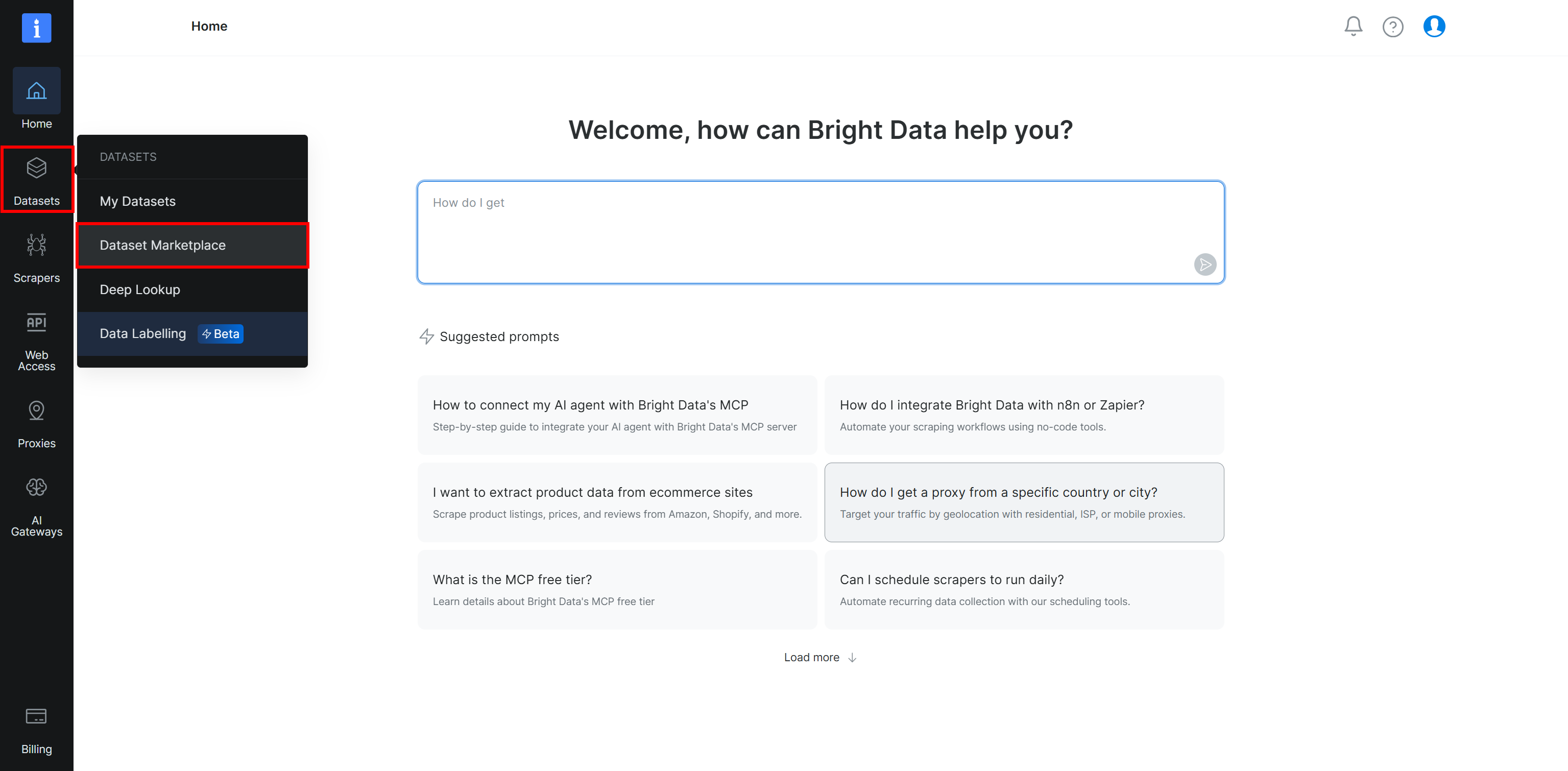
Start by logging in to your Bright Data account. In the control panel, select the “Dataset Marketplace” option under the “Datasets” menu.
On the “My datasets” page, navigate to the “Dataset Marketplace” tab, and you will reach this page:
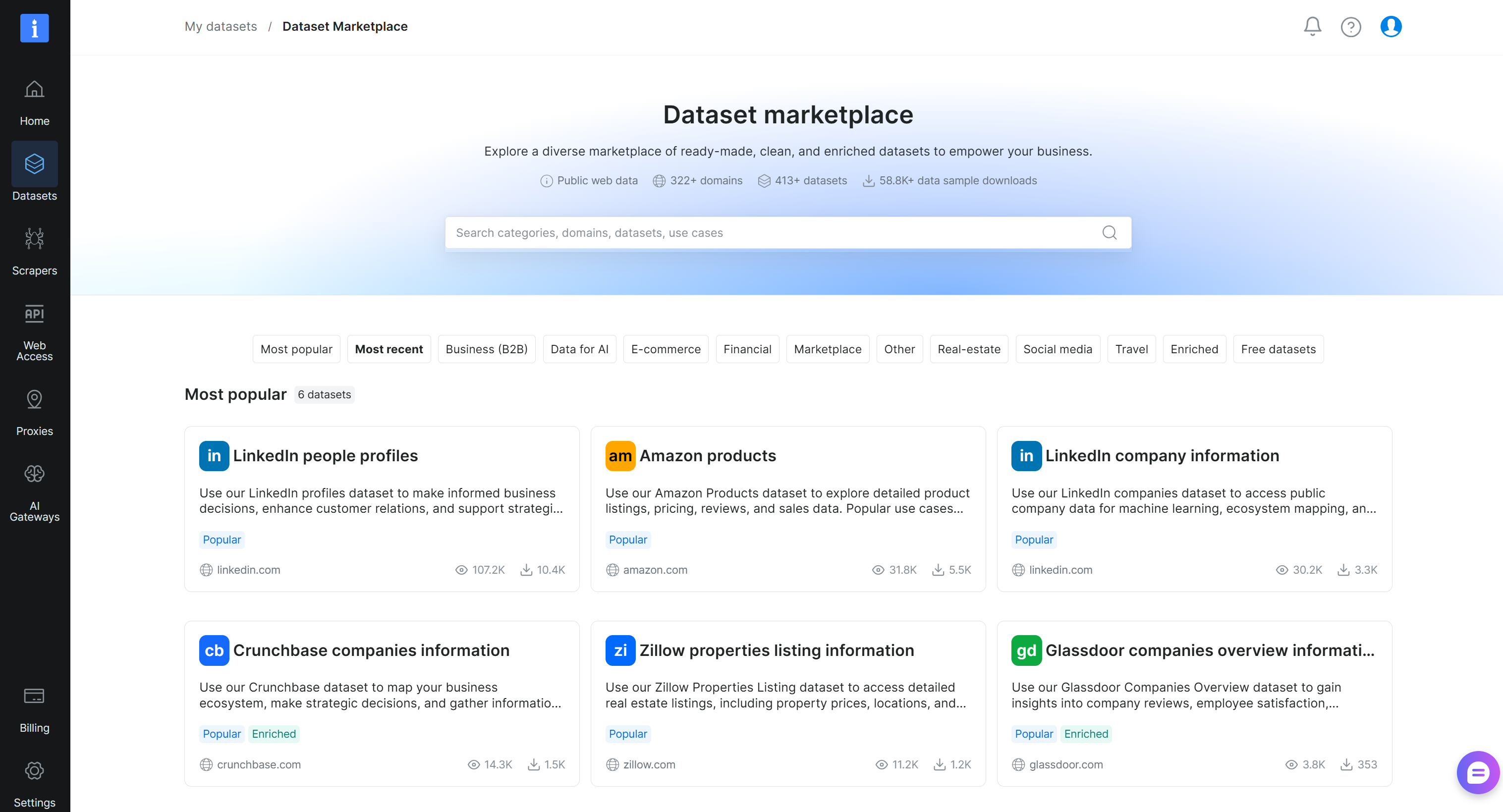
Search for “crunchbase” and select the “Crunchbase companies information” dataset:
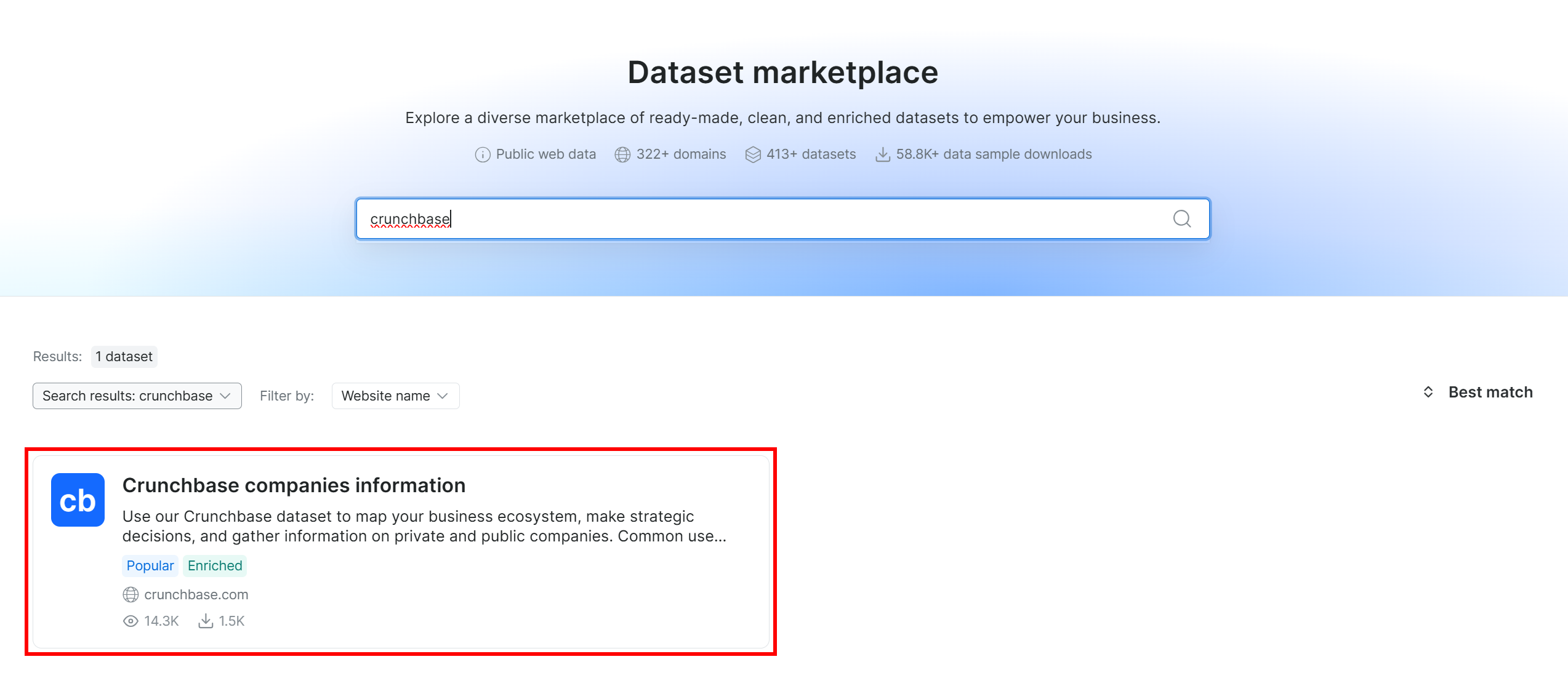
You will then be taken to the “Crunchbase companies information” dataset page. Great!
Step #2: Get Familiar With the Dataset
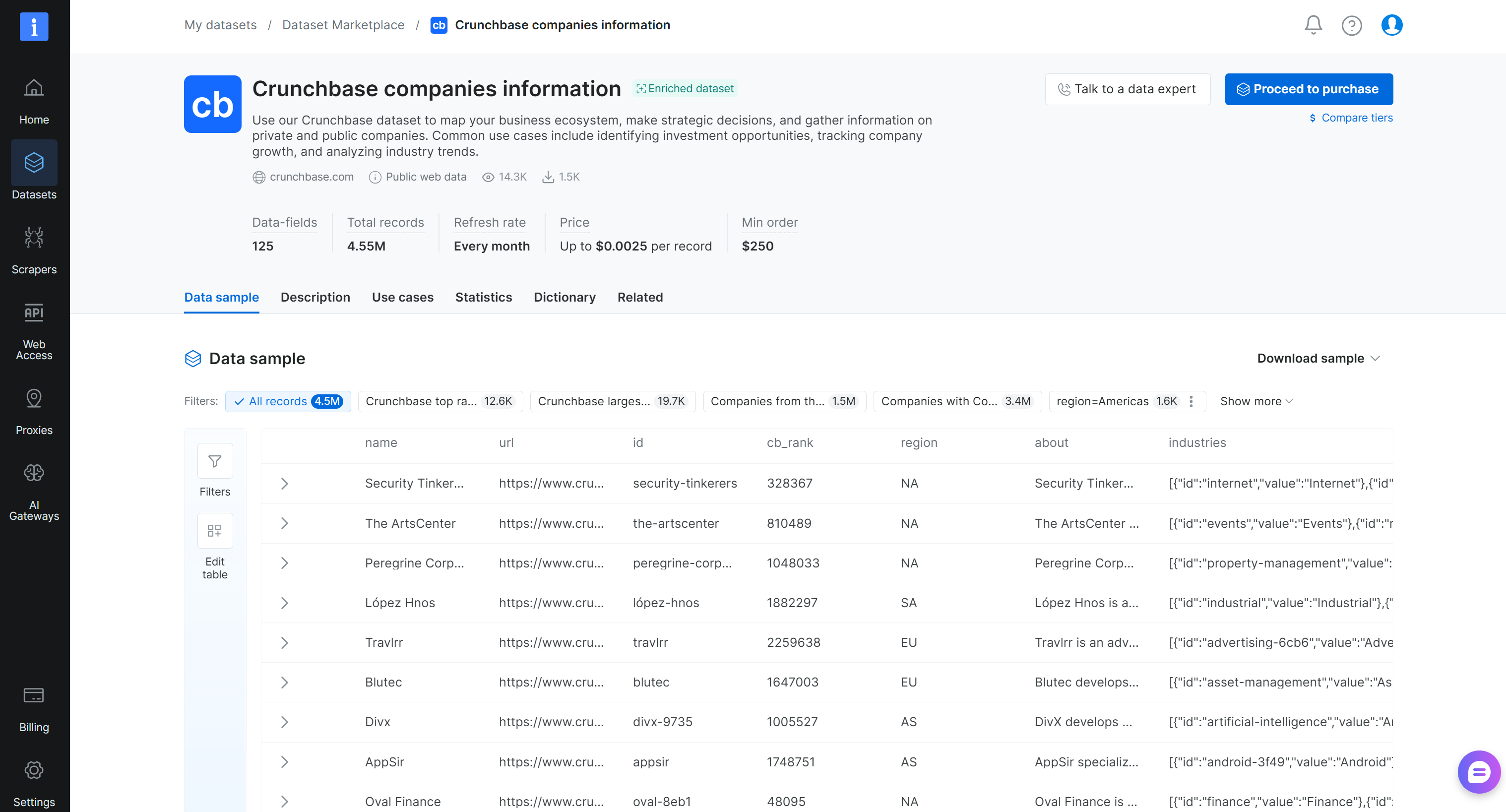
On the “Crunchbase companies information” dataset page, you can explore the dataset. In detail, you can access sample records, browse ready-made subsets (for example, top-ranked Crunchbase companies), and review key statistics such as field fill rates. You can also view the full data dictionary, including field names, types, and descriptions, and apply filters to refine the dataset.
If you click the “Filters” button on the left, the following modal will open:
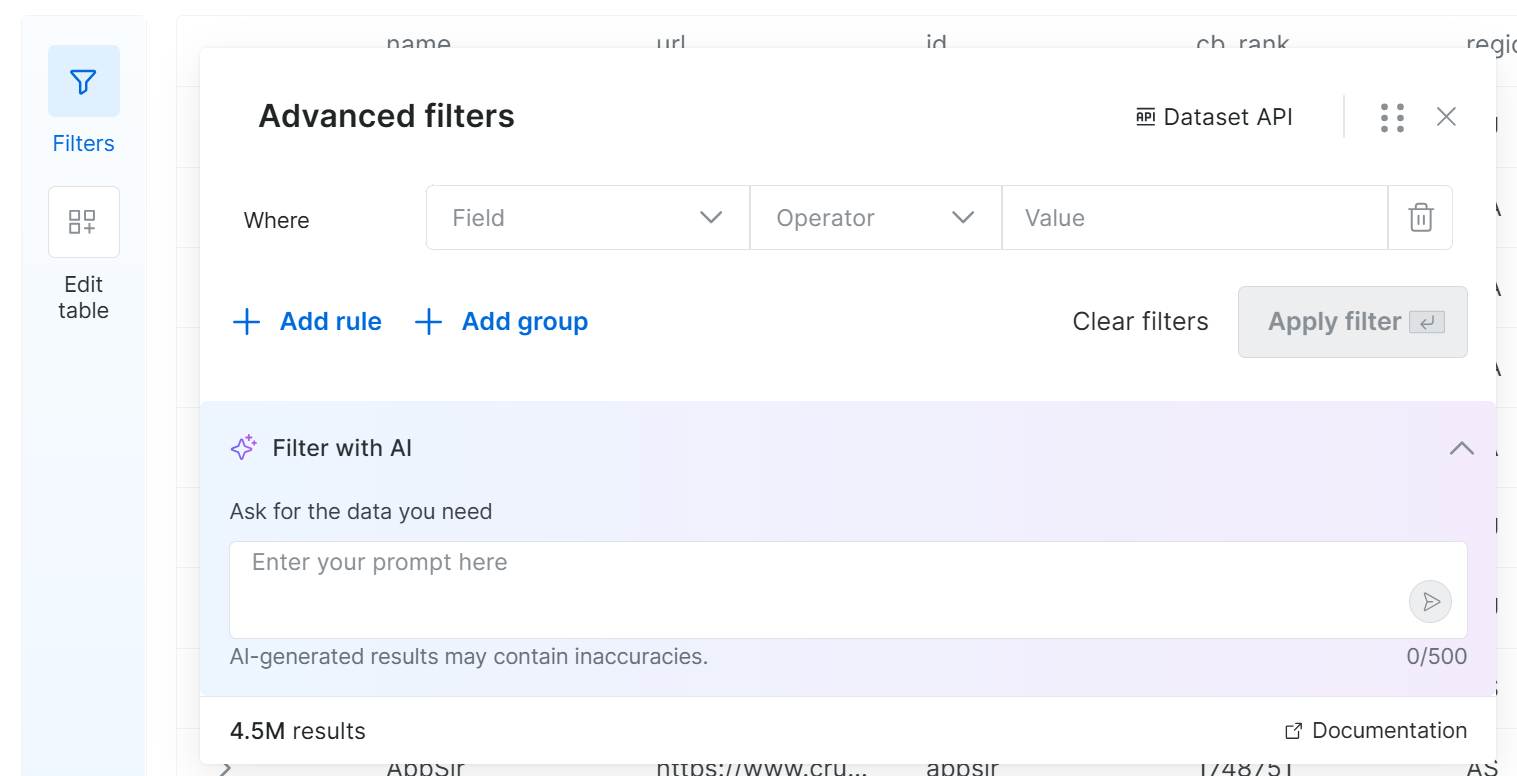
Thanks to this feature, you can define filters by setting one or more criteria on selected fields. Otherwise, simply write a prompt in natural language and let the system generate the filters for you. Awesome!
Step #3: Buy the Dataset
After filtering the data for your specific use case (or leaving it as-is), press the “Proceed to purchase” button:

Next, define the dataset snapshot size and select the update frequency:
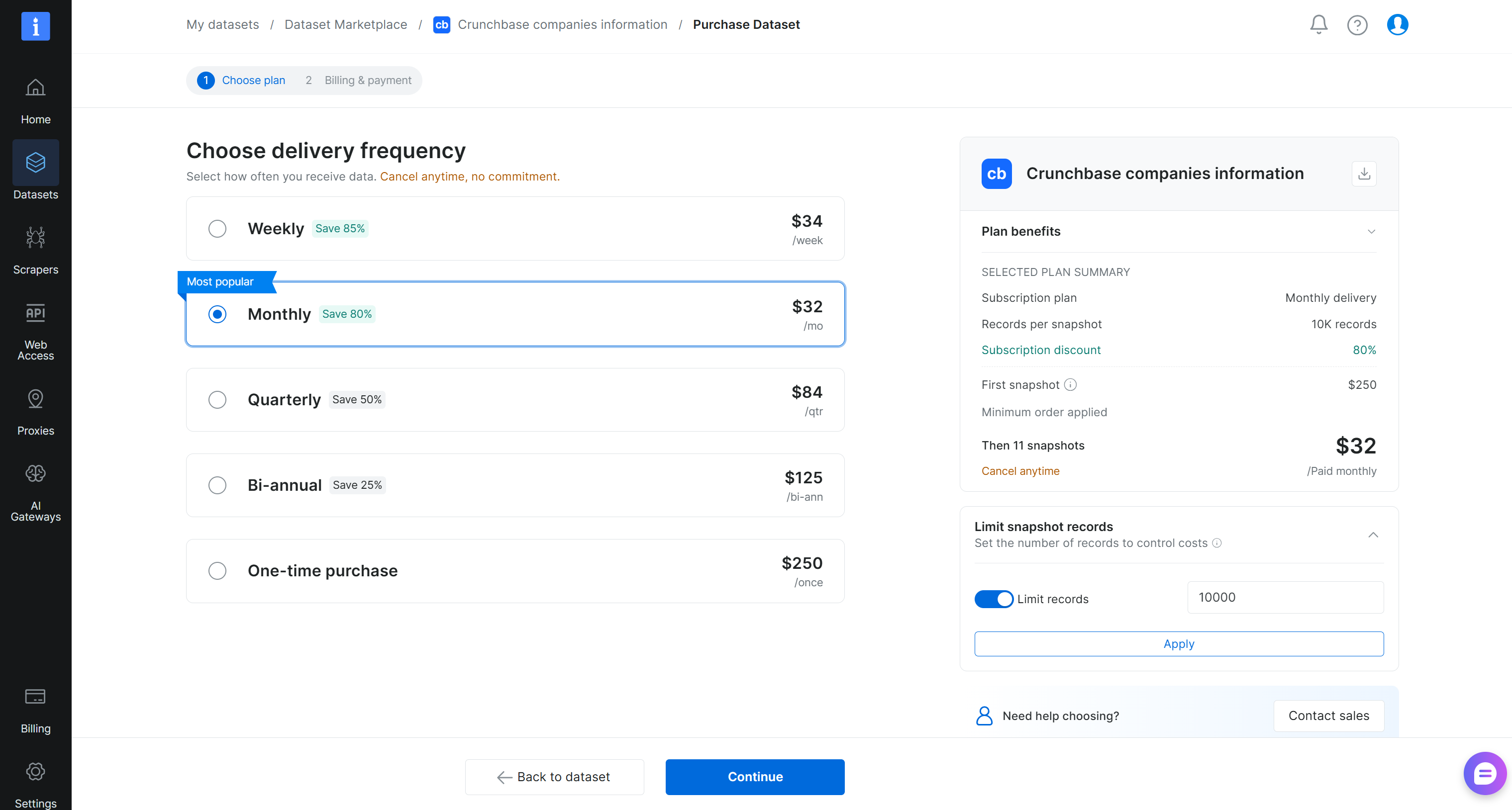
In this example, we configured the delivery to include 10,000 records immediately, followed by 11 ongoing monthly updates. Click “Continue” and complete the checkout process by adding your payment details. Cool!
Step #4: Explore the Received Dataset
When the dataset is ready, you will receive an email notification and can download it from the Bright Data control panel. From there, you can define in which format to download the dataset and set up your preferred delivery method (file download, S3, etc.).
In the case of flat-file delivery in CSV, you will receive a file like this:
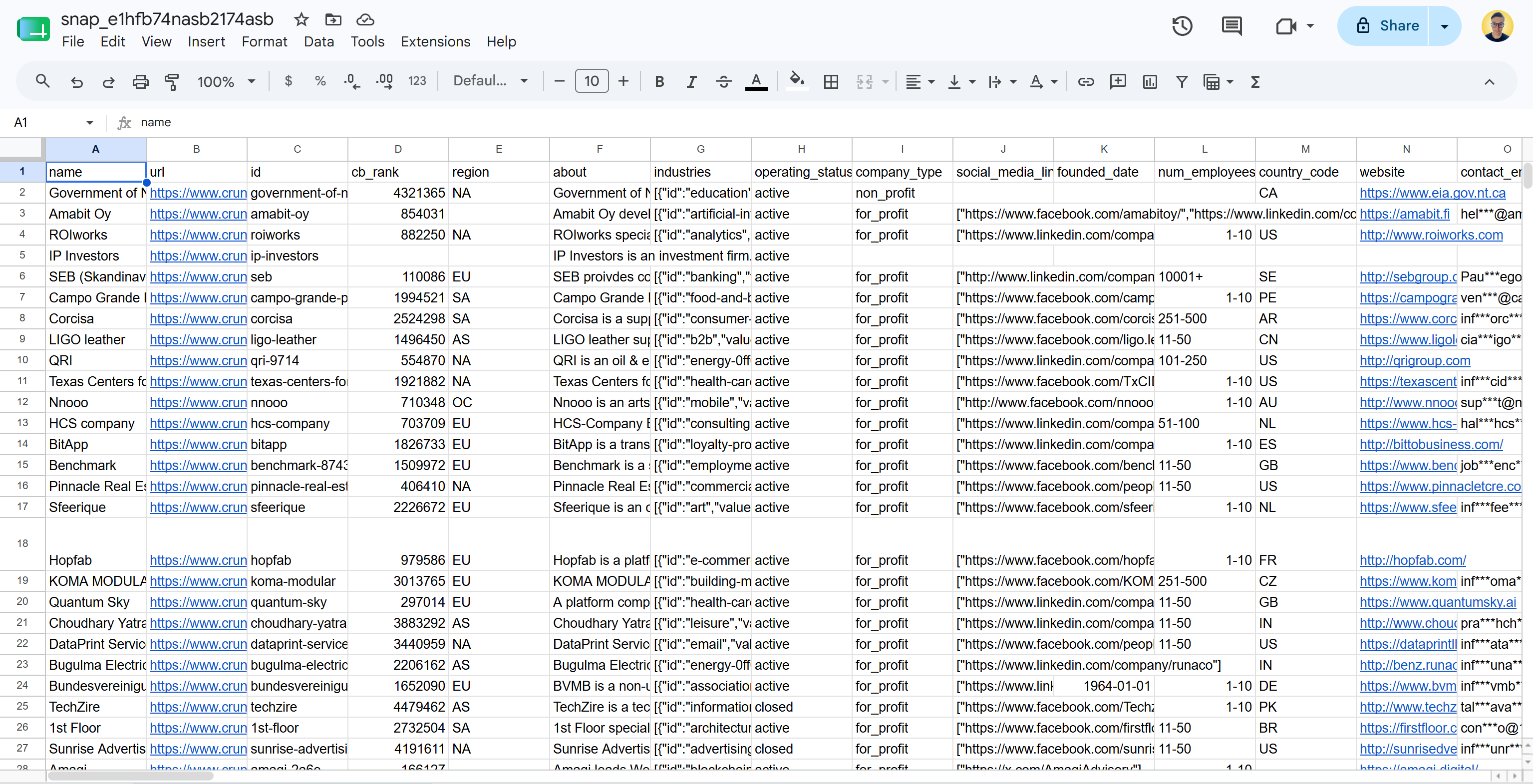
Note that this includes real-world, ready-to-analyze Crunchbase data in a structured format. Mission complete!
Next Steps
With the dataset ready, ingest it into your data warehouse or database for simplified querying. You can also integrate it into your data analysis and processing pipelines.
For example, you could:
- Use it to fine-tune an AI model.
- Feed it into an AI system for analysis, trend detection, or predictions.
- Integrate it into BI dashboards for reporting and monitoring.
- Combine it with other datasets to enrich your internal data.
These are just some ideas to turn raw data into actionable insights for your specific use case.
Collect Fresh, Structured Data via Bright Data’s Web Scraping APIs
Here, you will learn how to get started with Web Scraping APIs. You will see how to retrieve structured, up-to-date data from Crunchbase using Bright Data’s Crunchbase Scraper API.
Note: The prerequisite for this section is that you already have a Bright Data API key in place. If that is not the case, follow the official guide to generate your Bright Data API key.
Step #1: Reach the Crunchbase Web Scraper API
Begin by logging in to your Bright Data account. Next, select the “Scrapers Library” page from the menu:
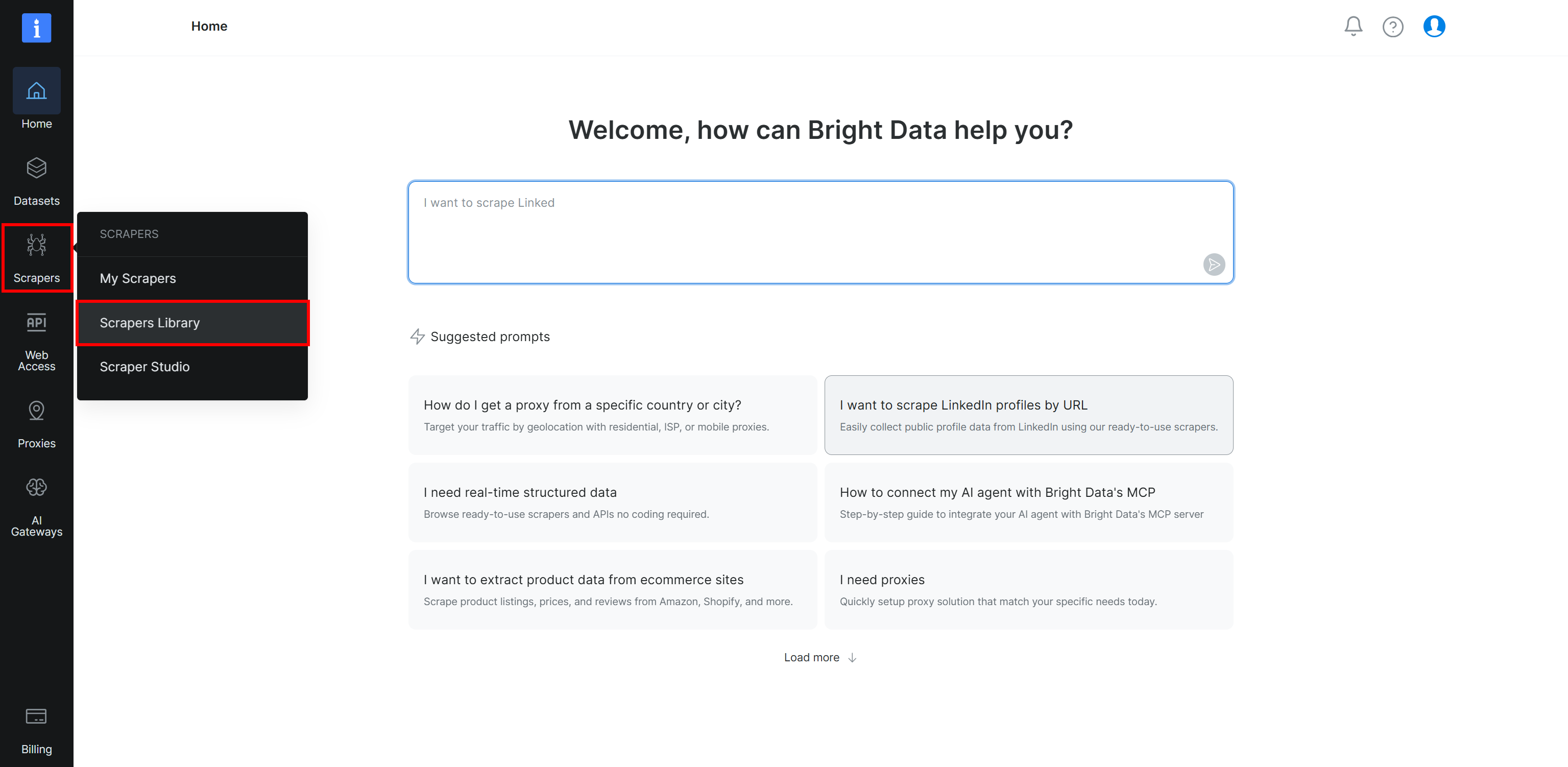
You will land on the “Scrapers Library” page, where you can explore all available Bright Data Web Scraper APIs:
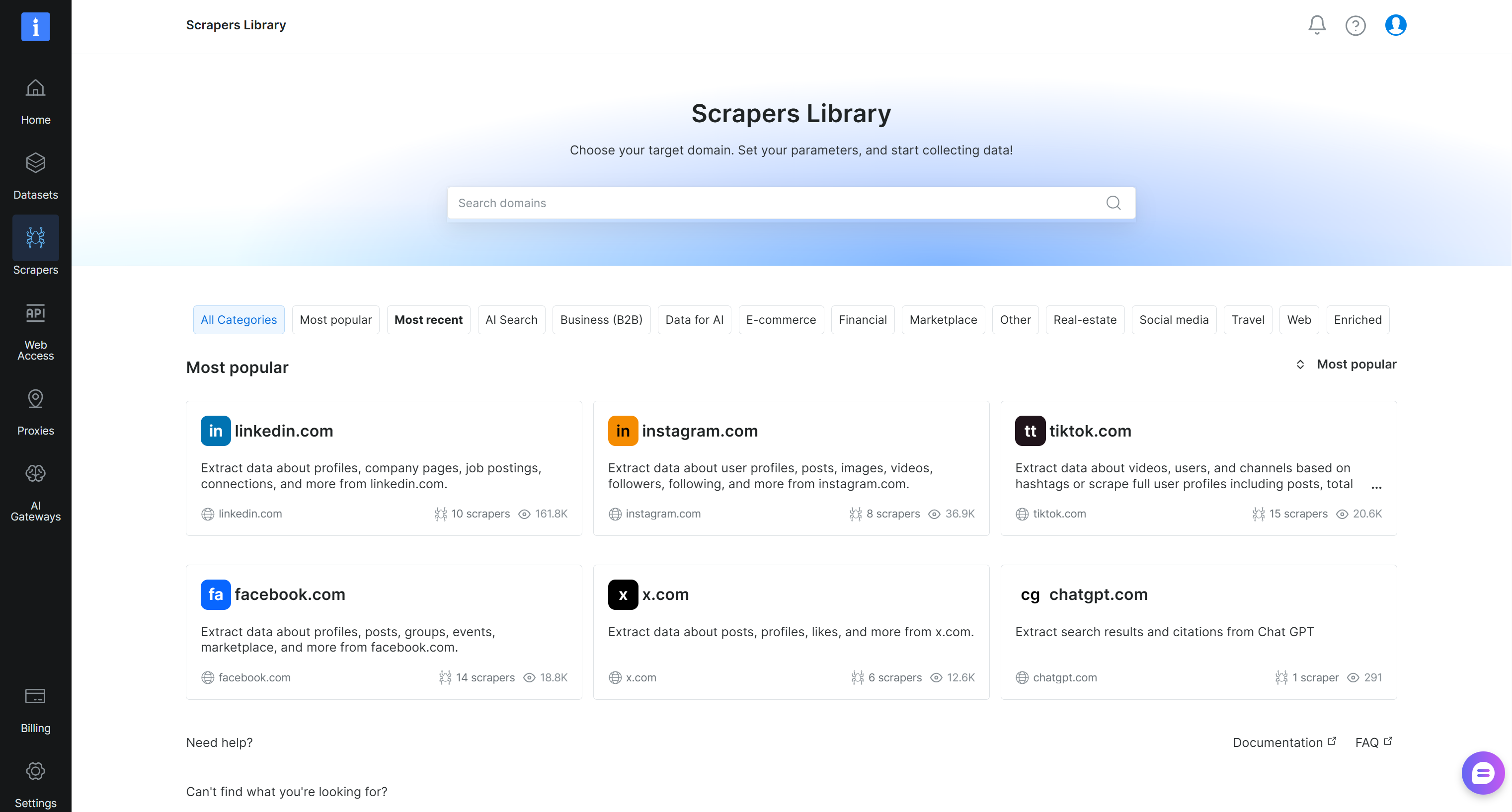
Search for “crunchbase.com” and select the “crunchbase.com” scraper:
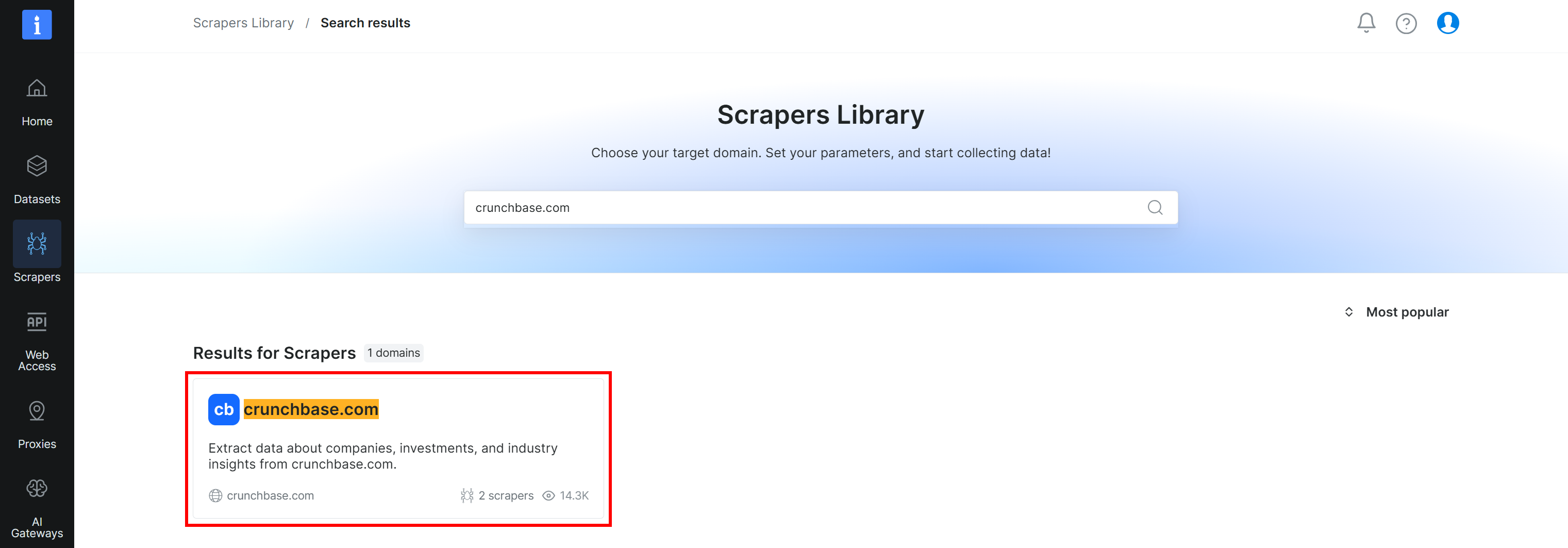
You will then reach the “crunchbase.com Scraper API” page in the control panel. Excellent!
Step #2: Understand the Scraper API Options
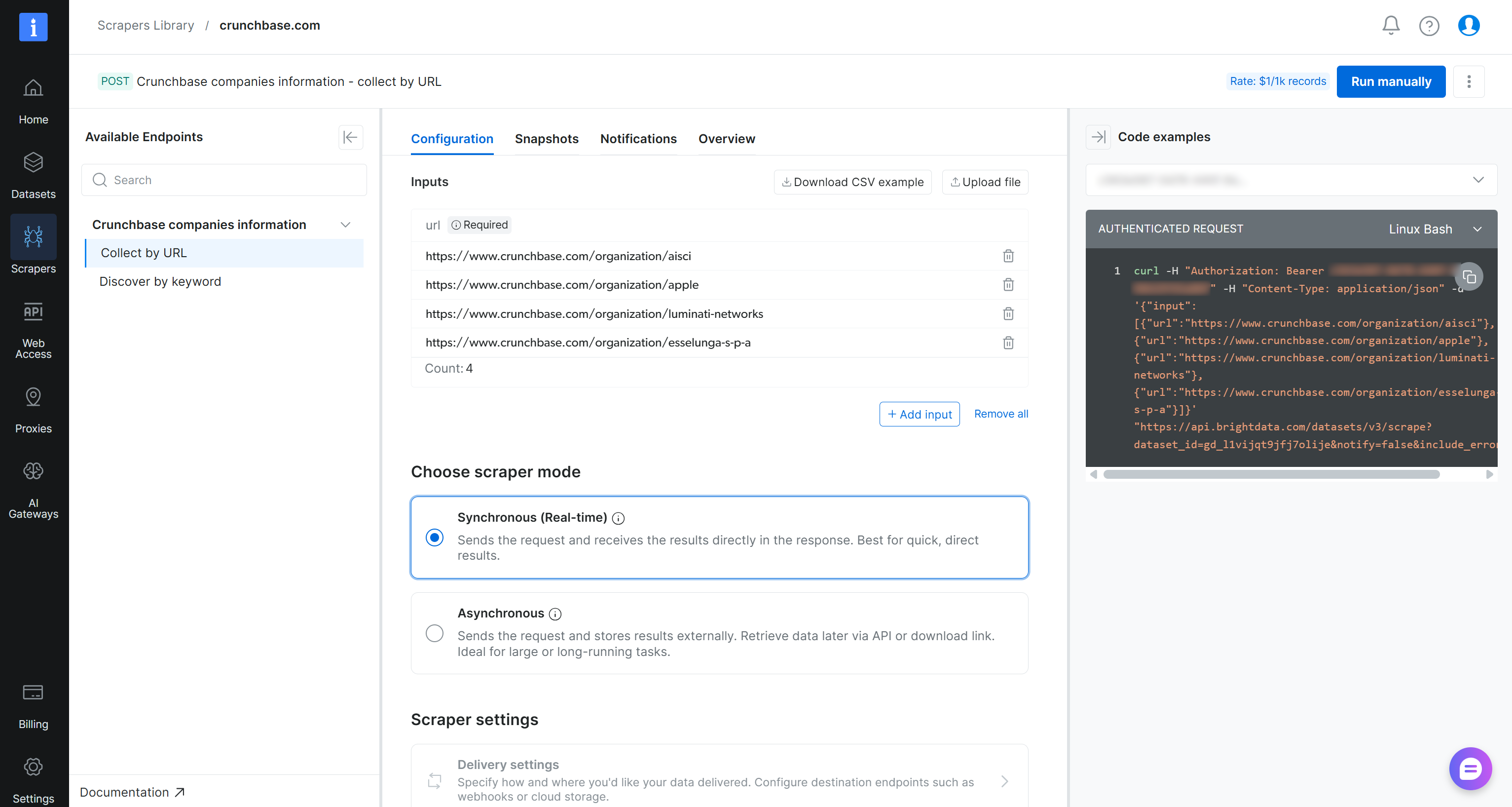
On the “crunchbase.com” Scraper API page, you can access all available scraping endpoints in the left panel. For each endpoint, you can configure an API call by adding the target URLs. You can also choose the scraping mode (sync or async) and set up data delivery options.
Important: Run the API directly by clicking the “Run manually” button. Once ready, you will be able to access the extracted data from the “Snapshots” tab. This workflow makes the API accessible to non-technical users.
Terrific! Time to configure a specific API call to get fresh Crunchbase data.
Step #3: Configure the API Call
On the right side of the page, you can access pre-defined code snippets to call the Web Scraping API. These are automatically configured with your Bright Data API key.
For example, if you want to retrieve Crunchbase company data for Anthropic using Python, paste the target URL into the Inputs section (i.e., https://www.crunchbase.com/organization/anthropic). Choose the “Synchronous (Real-time) mode, and then select the “Python (requests)” snippet from the available options:
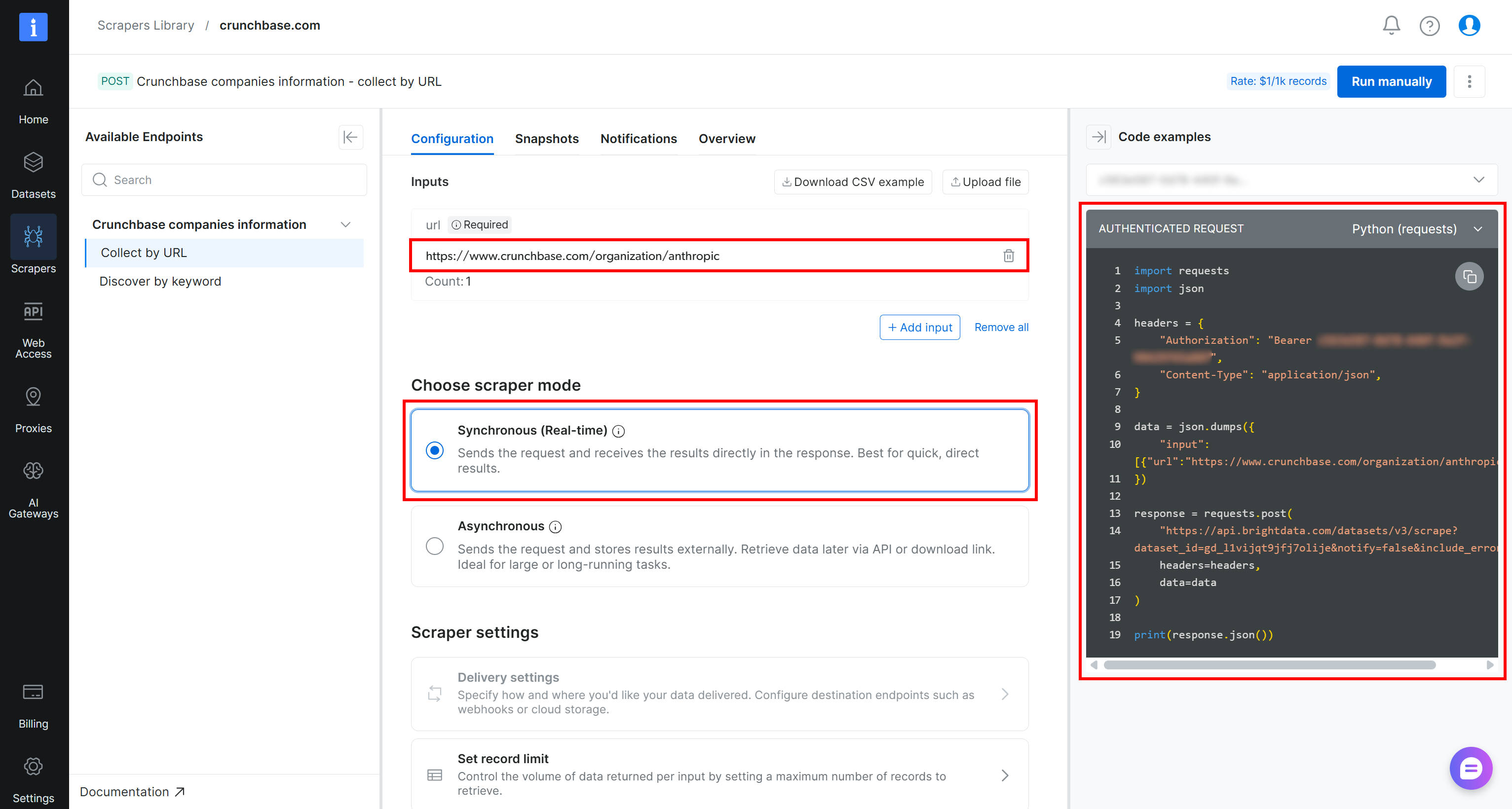
This is the script you will receive:
import requests
import json
headers = {
"Authorization": "Bearer <YOUR_BRIGHT_DATA_API_KEY>",
"Content-Type": "application/json",
}
data = json.dumps({
"input": [{"url":"https://www.crunchbase.com/organization/anthropic"}],
})
response = requests.post(
"https://api.brightdata.com/datasets/v3/scrape?dataset_id=gd_l1vijqt9jfj7olije¬ify=false&include_errors=true",
headers=headers,
data=data
)
print(response.json())Time to run it to get the results!
Step #4: Explore the Results
Store the snippet from the Bright Data control panel locally in a file such as script.py.
Assuming you have Python installed locally, install the required dependency:
pip install requestsNext, execute the script with:
python script.pyThe result will look like this:
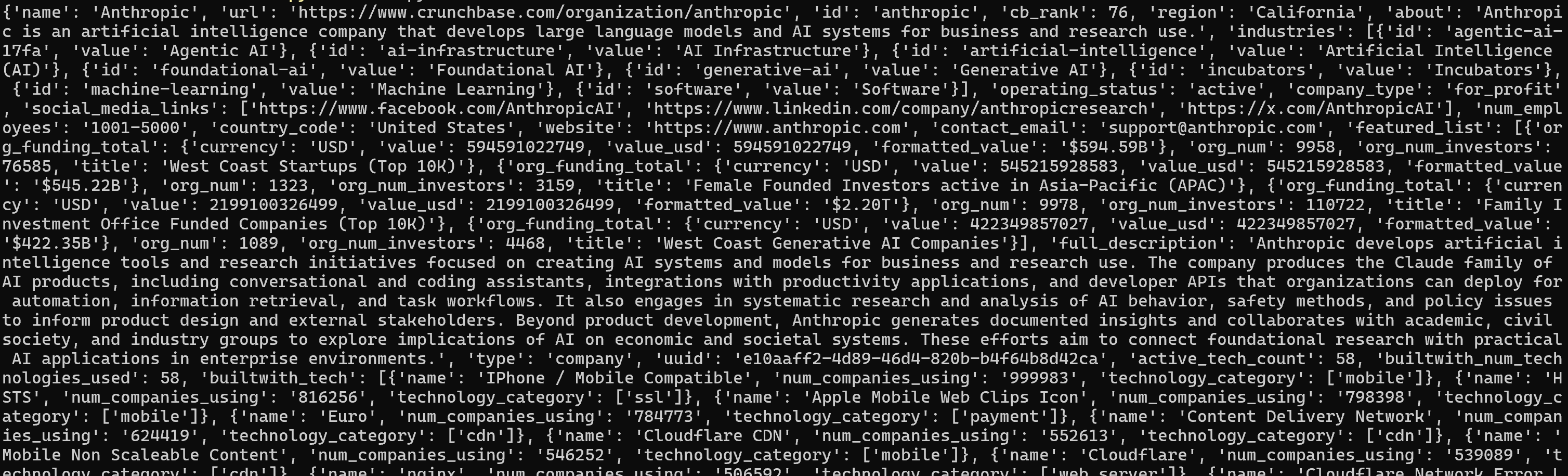
For a better view, paste the output into a JSON viewer:
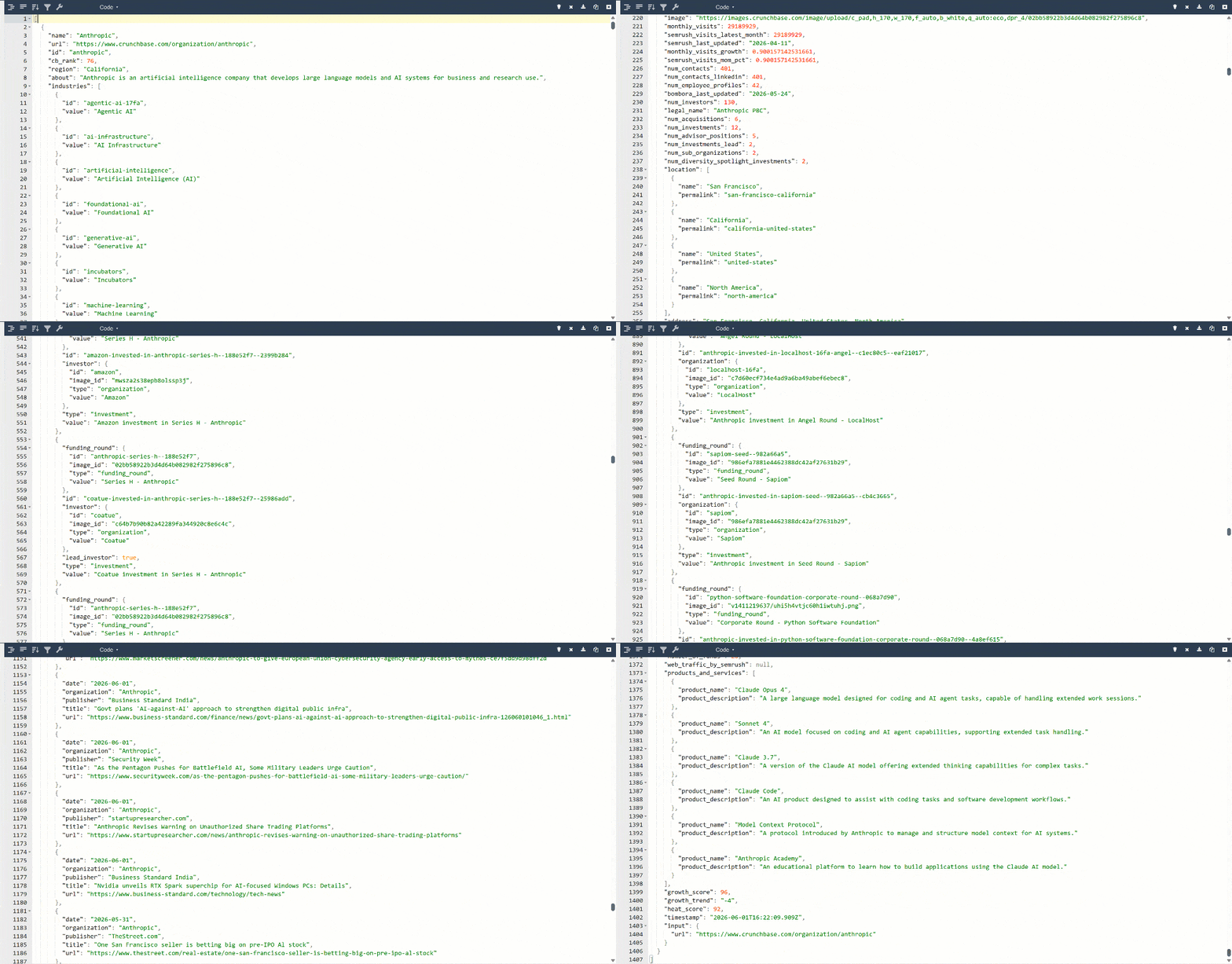
This is the same data extracted from the target page, but in a structured format:
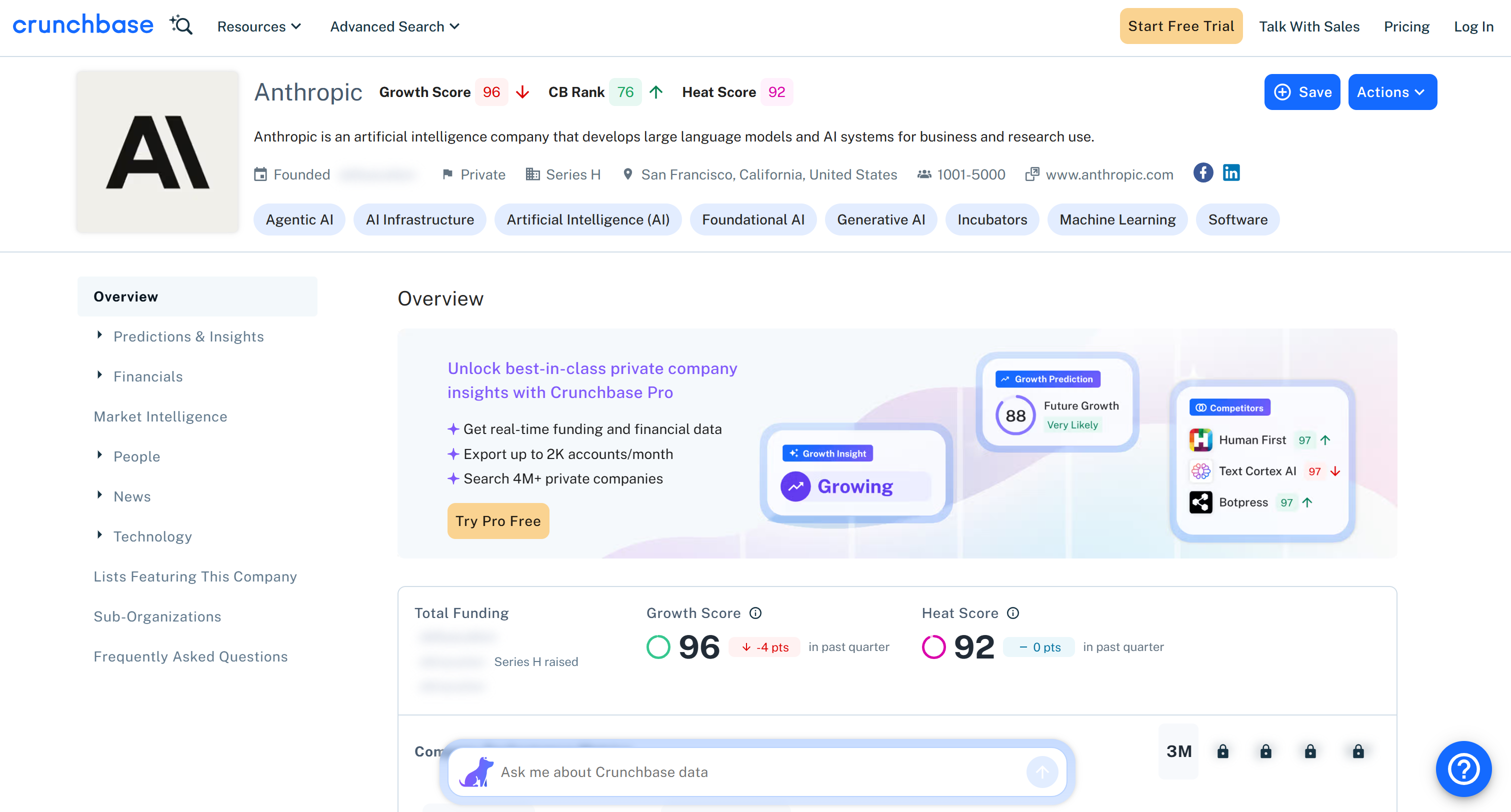
Note that all information returned by the Bright Data Crunchbase Scraper API matches the content on the target page. This is because the data is retrieved on the fly via web scraping, so it is always up to date.
Et voilà! You have successfully retrieved data using the Bright Data Web Scraping API.
Next Steps
The chapter above showed a simple example of how to call a Bright Data Web Scraping API in Python. However, Web Scraping APIs can do much more than that. Thanks to them, you can stream structured, up-to-date data directly into your applications, systems, or AI workflows.
For AI agent use cases in particular, these APIs act as a live grounding layer, continuously feeding fresh external context into your systems. For instance, you can:
- Power AI agents with real-world, up-to-date web data for retrieval and reasoning (for example, via Bright Data MCP).
- Ground LLM outputs with live information from sources like Crunchbase, e-commerce platforms, or social media.
- Build real-time RAG pipelines where scraped web data is injected into prompts or vector databases.
- Support financial or business agents that rely on current prices, company updates, market signals, etc.
In general, Bright Data Web Scraping APIs are a core infrastructure layer for building dynamic, data-aware systems that rely on fresh web intelligence.
Datasets or Web Scraping APIs: Final Comparison Table
Compare the two approaches to data retrieval at a glance in the datasets vs web scraping APIs comparison table below:
| Datasets | Web Scraping APIs | |
|---|---|---|
| Description | Pre-collected, structured collections of data | APIs that extract and return live web data from target websites on demand |
| Data formats | CSV, JSON, Excel, Parquet, NDJSON, etc. | JSON, CSV |
| Data freshness | Static or periodically refreshed snapshots | Real-time |
| Update model | Daily, monthly, quarterly refresh cycles | Real-time |
| Scalability | Billions of records | High, depending on the API provider’s rate limits and infrastructure |
| Infrastructure required | None (managed by provider) | None (managed by provider) |
| Coverage | Broad but bounded by dataset scope | Potentially any website or domain |
| Complexity for user | Very low | Low to medium (API integration required) |
| AI usage | Mainly for training | Real-time grounding and more (supported via Bright Data MCP) |
Choose Datasets When…
- You need clean, structured data immediately ready for analysis or ML training.
- Your use case relies on historical or aggregated information, with no need for real-time updates.
- You prefer to avoid any data engineering or scraping complexity.
- You want cost-efficient access to large-scale curated data.
- You prefer a batch-oriented workflow (download → store → query).
Prefer Web Scraping APIs When…
- You need fresh, real-time data from the web.
- Your system must react to live changes or events (prices, news, company updates, etc.).
- You are building AI agents that require external grounding.
- You want web data without maintaining a scraping infrastructure in-house.
- You require continuous or repeated extraction of evolving data.
Datasets + Web Scraping APIs: Is It Possible?
Using datasets together with web scraping APIs is not only possible, but it is often the most practical setup for modern data and AI systems.
Datasets give you clean, structured, and ready-to-use historical snapshots. They are perfect when you need consistency, repeatability, and large-scale analysis without worrying about infrastructure.
On the other hand, web scraping APIs provide fresh, on-demand data directly from the web. They are better suited for real-time applications and fast-changing sources.
In practice, the two approaches are highly complementary. A common pattern is to start with a dataset to define the baseline state of a domain. Then use web scraping APIs to enrich or refresh specific parts of it. This combination is especially useful in scenarios where stable background knowledge and live context are both required.
For a real-world example on Crunchbase, see our article “Filter a Crunchbase Dataset and Process It with AI for Prospecting New Clients”. It explains how to build an AI-powered client prospecting workflow by first filtering a Crunchbase dataset and then using web scraping APIs to fetch live company websites and score potential clients with AI.
Conclusion
In this blog post, you understood what datasets and web scraping APIs bring to the table. You learn that datasets are ideal for scenarios where you need large volumes of static, structured data. Instead, web scraping APIs are better when you need fresh data retrieved directly from the web.
In both cases, regardless of the approach you choose, you need a reliable web data provider. Bright Data supports you with:
- Dataset marketplace: Pre-built, filtered public web data across 350+ domains in JSON, CSV, or Parquet, and other formats. It gives you access to a collection of over 17 billion data records.
- Web Scraping APIs: A collection of 600+ scraping endpoints that automate real-time web data extraction on over 250 domains. They handle IP rotation, CAPTCHAs, and anti-bot systems, and return structured data without infrastructure overhead.
Create a Bright Data account today and try our web data solutions for free!



Technical Writer
 5.5 years experience
Antonello Zanini is a technical writer, editor, and software engineer with 5M+ views. Expert in technical content strategy, web development, and project management.