In this article, you will learn:
- What Akamai is and how its anti-bot system works.
- How to verify whether a site uses Akamai.
- High-level approaches to handling Akamai bot detection bypass.
- How to use open-source tools for passing Akamai challenges.
- How to more reliably handle Akamai bypass with Bright Data, both in static requests and browser automation scenarios.
Let’s dive in!
How Akamai’s Anti-Bot Mechanism Works
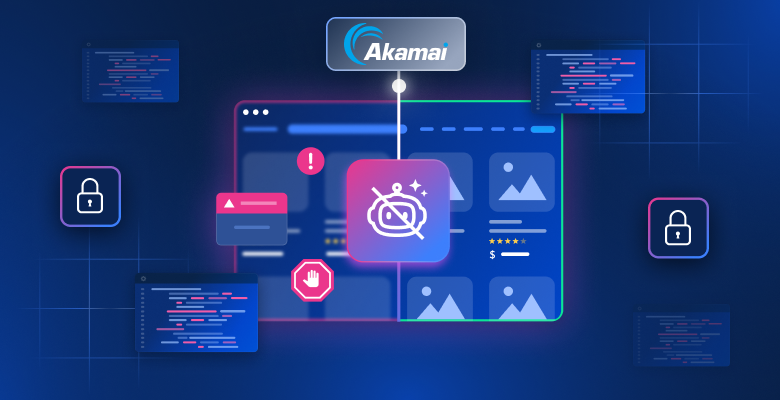
Akamai operates as both a CDN and a bot management layer positioned between users and origin servers. Every request passes through its edge network, where it is inspected and either allowed, challenged, or blocked.
From an anti-bot perspective, Akamai relies on a multi-layered detection system:
- Layer #1 – Network and request analysis: Evaluates IP reputation and protocol-level patterns (such as TLS fingerprinting).
- Layer #2 – Fingerprinting and client-side analysis: Akamai injects JavaScript challenges that run in the browser to collect signals such as device characteristics, browser configuration, and execution environment behavior. These fingerprints help distinguish real browsers from headless or automated ones, even when HTTP requests appear valid.
- Layer #3: Behavioral analysis: Includes mouse movement, keystroke patterns, navigation flow, and timing between actions. This is where more advanced bots attempt to mimic humans to avoid detection and fall into a “gray area” of uncertainty.
Based on these signals, Akamai assigns a risk score (Bot Score) and classifies traffic into categories such as legitimate users, known bots, and suspicious traffic. Responses vary accordingly: traffic may be allowed, rate-limited, challenged with mechanisms like CAPTCHAs, or fully blocked.
How to Check Whether a Website Is Protected by Akamai
To determine whether a website relies on Akamai, you should look for a combination of network-level and browser-level indicators.
For example, consider a Zalando product page, which is widely known to sit behind Akamai’s CDN and anti-bot layer. Open the browser DevTools, navigate to the “Network” tab, and reload the page. Inspect the request made by the browser, focusing on the response headers: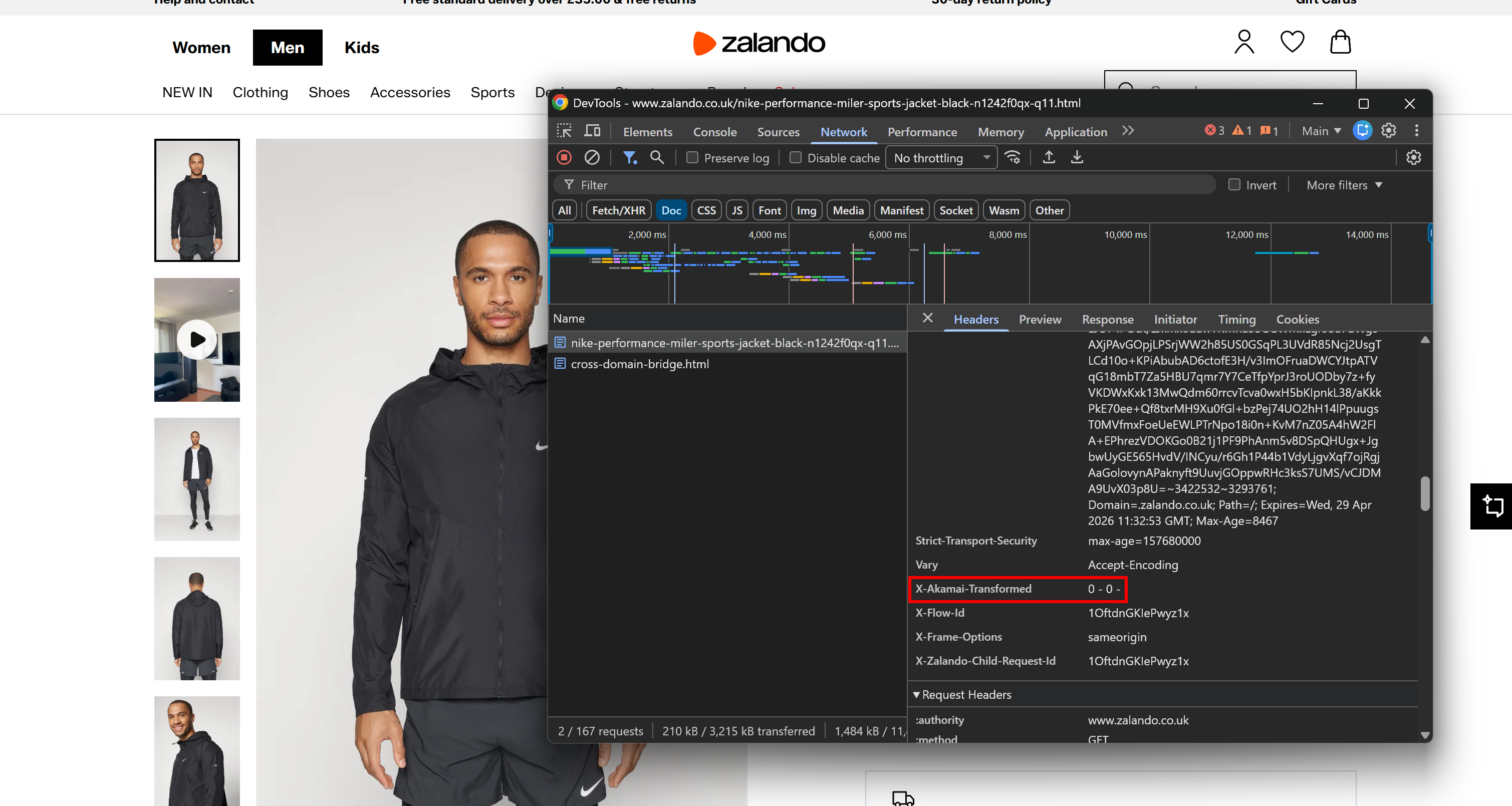
You may notice an X-Akamai-Transformed header. The presence of X-Akamai-* headers indicates that the traffic is being processed through Akamai’s CDN layer.
Another strong signal comes from the cookies set by the server. You can find them in the “Cookies” section under the “Application” tab. On Akamai-backed pages, you will notice as _abck and ak_bmsc.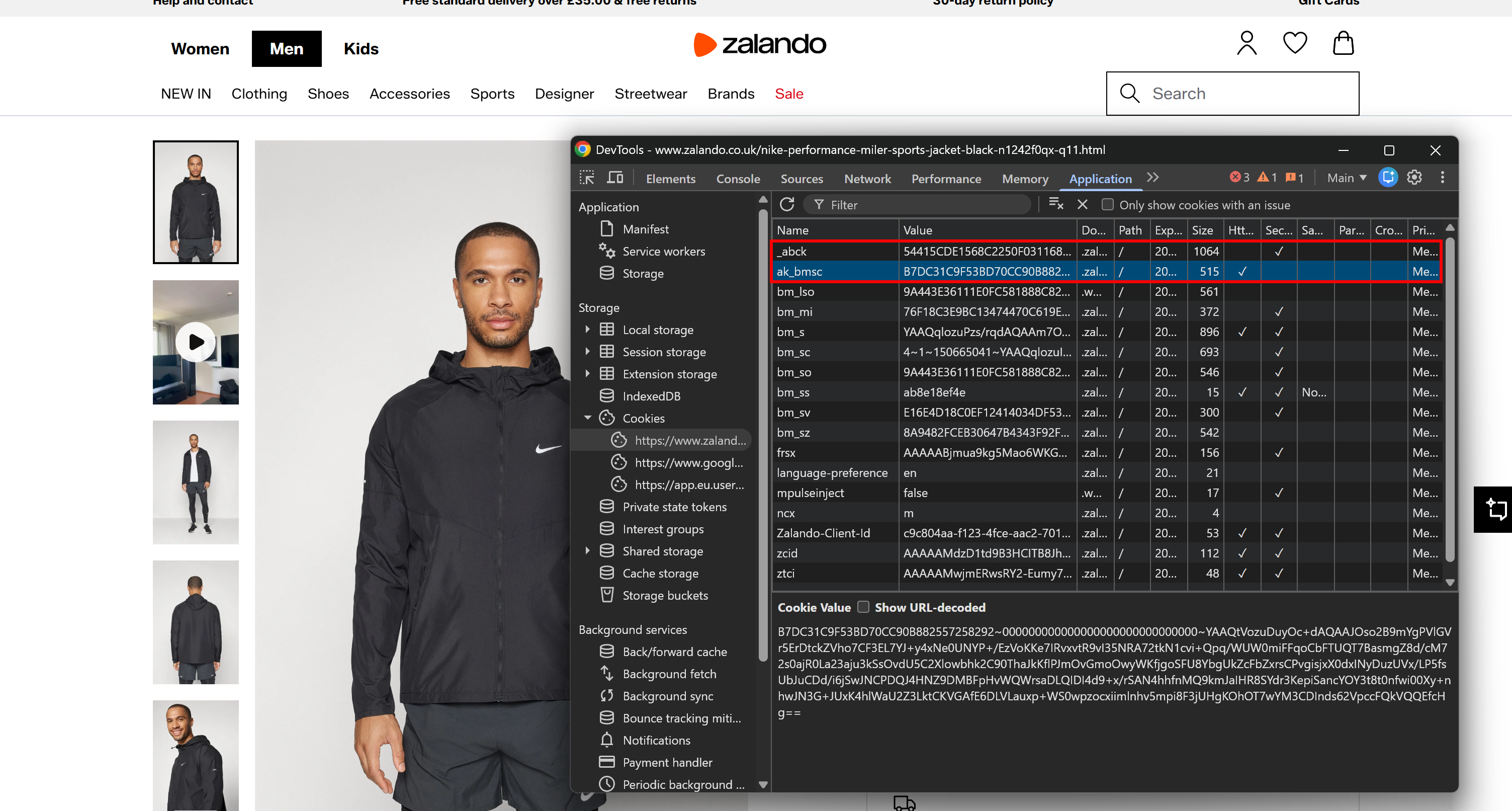
Those are the essential cookies set by Akamai’s bot detection systems:
_abck: A long-lived cookie used for behavioral tracking and risk scoring (can persist for months).ak_bmsc: A short-lived session cookie used to detect anomalies in browsing behavior (expires within a few hours).
While there may be additional signals, these are sufficient to identify most Akamai-backed websites.
Akamai Bot Detection in Action
To understand how Akamai’s anti-bot mechanisms behave in an automation scenario, consider two common approaches:
- Send a direct request to the target server with an HTTP client like Requests.
- Render the page in headless mode using a browser automation tool like Playwright.
Note: The target page remains the same Zalando product page mentioned earlier.
Akamai vs Requests
Try to retrieve an Akamai-managed page via the requests library:
# pip install requests

import requests

url = "https://www.zalando.co.uk/nike-performance-miler-sports-jacket-black-n1242f0qx-q11.html"

response = requests.get(url)

print("Status code:", response.status_code)
print("\nPage HTML:\n")
print(response.text[:2500])
The script will print:
Status code: 403This shows that the server rejected the request with a 403 Forbidden response. The returned HTML will return an error page instead of the expected product content.
Thus, a basic requests call is not sufficient to access an Akamai-managed page. The same result will occur with most standard HTTP clients.
Akami vs Playwright
Visit the target page using Playwright in headless mode. Then, print the HTTP status code and take a screenshot:
# pip install playwright
# python -m playwright install

from playwright.sync_api import sync_playwright

url = "https://www.zalando.co.uk/nike-performance-miler-sports-jacket-black-n1242f0qx-q11.html"

with sync_playwright() as p:
    # Visit the target page in headless mode
    browser = p.chromium.launch(headless=True)
    context = browser.new_context()
    page = context.new_page()
    response = page.goto(url)

    # Print the response's HTTP status code
    if response:
        print("Status code:", response.status)
    else:
        print("No response received")

     # Take a screenshot of the page
    page.screenshot(path="zalando.png")

    browser.close()
Again, the request is blocked, and the output will be:
Status code: 403The resulting screenshot will contain an access denial page instead of the expected product content: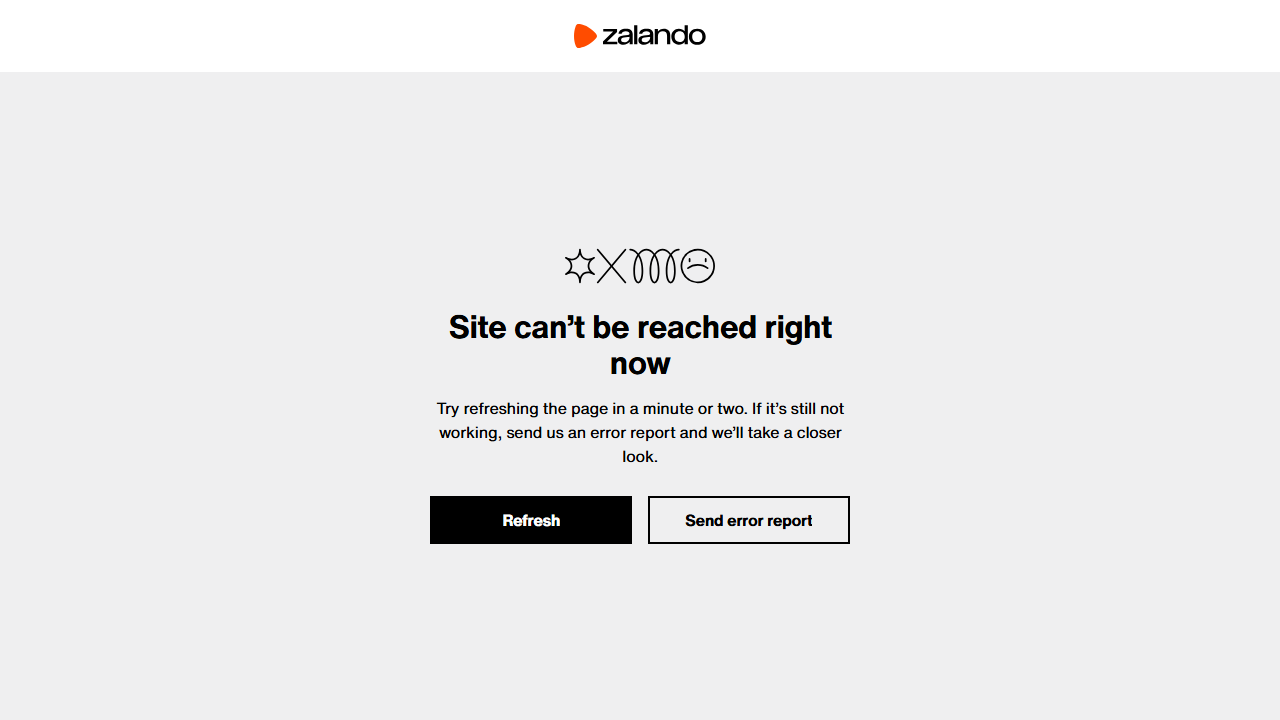
The error page indicates that access is not allowed without providing detailed information.
Note: Unlike other anti-bot systems (e.g., Cloudflare), Akamai error responses usually change across websites.
High-Level Approaches to Akamai Bot Detection Bypass
In this chapter, you will explore the main approaches to bypassing Akamai bot detection. If you are in a hurry, refer to the summary table below.
| Approach | Short description | Pros | Cons |
|---|---|---|---|
| Direct-to-origin access | Attempts to bypass the CDN by sending requests directly to the origin server if its IP is exposed | No additional tools required | Rarely works in practice |
| Open-source browser automation bypass tools | Uses specific automation frameworks to simulate real user browser sessions | Free | Detectable due to reverse engineering and IP-based blocking |
| Premium anti-bot scraping tools | Uses managed cloud-based services that handle everything for you | Highly reliable, scalable, minimal setup, handles full anti-bot stack | Paid |
Approach #1: Direct-to-Origin Access
At the end of the day, Akamai is a CDN. That means it sits between the target origin server and you (the user), caching and protecting content while routing traffic through its distributed edge network.
In theory, if the origin server’s IP address were exposed (e.g., through historical DNS records or misconfigurations), you might attempt to send requests directly to it. That would mean bypassing the Akamai network directly, as your traffic would now be routed outside the CDN layer.
In practice, this approach is unreliable for several reasons:
- Origin access restrictions: Properly configured origin servers only accept traffic from the CDN’s IP ranges or require authenticated requests (e.g., signed headers or tokens).
- Network-level controls: Firewalls and security groups typically block direct public access.
- Limited exposure: Discovering the origin IP behind a CDN is uncommon, as modern setups are designed to prevent this kind of leakage.
Because of these limitations, direct-to-origin access is generally not feasible in well-configured environments. This is more of a theoretical concept than a practical approach.
Approach #2: Rely on Open-Source Browser Automation Bypass Tools
Various open-source browser automation libraries produce automated sessions that resemble real user behavior. These include tools such as Camoufox, SeleniumBase, NODRIVER, and other anti-bot-oriented automation frameworks. Also, some all-in-one scraping frameworks like Scrapling offer similar capabilities.
These tools tweak the underlying browser to achieve realistic fingerprints, while providing a Selenium-like or Playwright-like browser automation API. This applies even when running the browser automation in headless mode.
However, this Akamai bot detection bypass approach has two main limitations:
- Open-source visibility: Because these tools are open source, their implementation details are publicly available. As a result, anti-bot providers such as Akamai can reverse-engineer them, temporarily blocking or degrading their effectiveness (until updates are released). This creates an ongoing cat-and-mouse cycle between detection systems and automation tools.
- IP-based enforcement: This approach is great at bypassing fingerprint-based checks. However, scraping requests still originate from your IP address. So, Akamai can still block you through rate limiting or IP reputation-based mechanisms. To mitigate that, you must integrate a third-party premium proxy rotation service.
Approach #3: Integrate Premium Akamai Bypass Scraping Tools
The most reliable and scalable way to bypass Akamai bot protection is to use premium web scraping tools. These services handle the full stack of challenges, including browser fingerprinting, automation detection, IP management, CAPTCHA solving, and infrastructure scaling.
Instead of managing requests directly, you provide a target URL and receive back the unlocked content. This may be delivered either through standard HTTP responses or, in some cases, via browser automation sessions.
Since these solutions are deployed in the cloud, there is no risk of reverse engineering, unlike with open-source libraries. Additionally, they are typically built on large-scale proxy networks, enabling enterprise-level scalability.
The main downside is cost, as these services are commercial products. Still, the cost per successful request is often very low (sometimes fractions of a cent).
How to Bypass Akamai with Open-Source Solutions
The direct-to-origin access is more of a theoretical approach than a practical one. So, let’s start by demonstrating the use of anti-bot-specific browser automation tools to bypass Akamai protections.
In this section, we will test Camoufox and SeleniumBase, although other tools can also be trusted. The target test will be to visit the protected Zalando product page mentioned earlier and attempt to take a screenshot of it.
Note: The result below refers to a single script run using a residential IP. The same script, when executed from a server or at scale, is likely to fail due to rate limiting or IP reputation issues.
See Camoufox and SeleniumBase in action against Akamai-protected content!
Akamai Bypass Test with Camoufox
First, install Camoufox in your Python project:
pip install camoufoxThen retrieve the browser binaries:
python -m camoufox fetchCamoufox is built on top of Playwright, so its API is very similar. Visit the target page, print the HTTP status code, and take a screenshot with:
# pip install camoufox
# python -m camoufox fetch

from camoufox.sync_api import Camoufox

url = "https://www.zalando.co.uk/nike-performance-miler-sports-jacket-black-n1242f0qx-q11.html"

with Camoufox(headless=True) as browser:
    # Visit the target page
    page = browser.new_page()
    response = page.goto(url)

    # Print the response's HTTP status code
    if response:
        print("Status code:", response.status)
    else:
        print("No response received")

    # Take a screenshot of the page
    page.screenshot(path="camoufox_zalando.png")
For more information on this library, read our guide on web scraping with Camoufox.
Even in headless mode, the expected result should be:
Status code: 200And the generated camoufox_zalando.png file should contain the rendered page: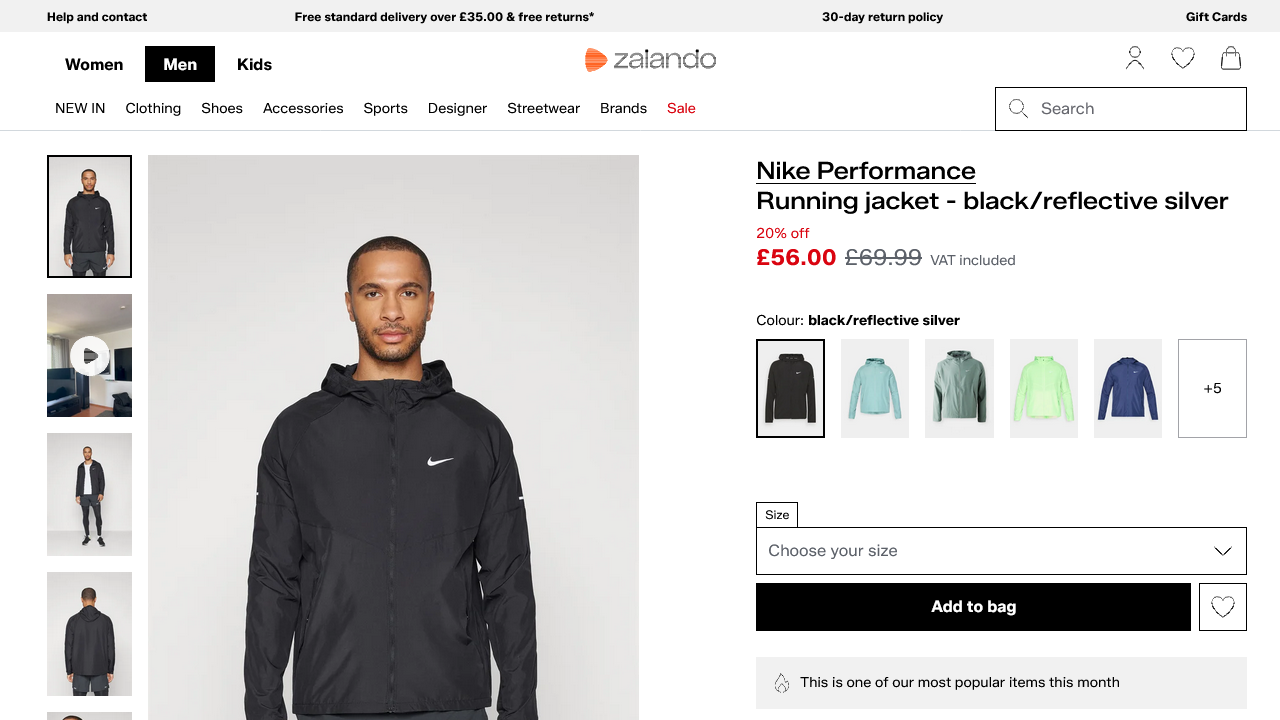
Wonderful! Camoufox managed to bypass Akamai.
Akamai Bypass Test with SeleniumBase
Install SeleniumBase with:
pip install seleniumbaseNext, employ it to visit the target page in UC Mode and take a screenshot:
# pip install seleniumbase

from seleniumbase import SB

url = "https://www.zalando.co.uk/nike-performance-miler-sports-jacket-black-n1242f0qx-q11.html"

with SB(uc=True, headless=True) as sb:
    # Open the page
    sb.open(url)

    # Get status code via JS (as  Selenium does not expose it directly)
    status = sb.execute_script(
        "return window.performance.getEntries()[0]?.responseStatus || 'unknown';"
    )
    print("Status code:", status)

    # Wait for page load
    sb.sleep(3)

    # Take a screenshot
    sb.save_screenshot("seleniumbase_zalando.png")
For more information on how UC mode works and how to configure it, refer to the SeleniumBase scraping guide.
The expected result should be:
Status code: 200And the produced seleniumbase_zalando.png file should show: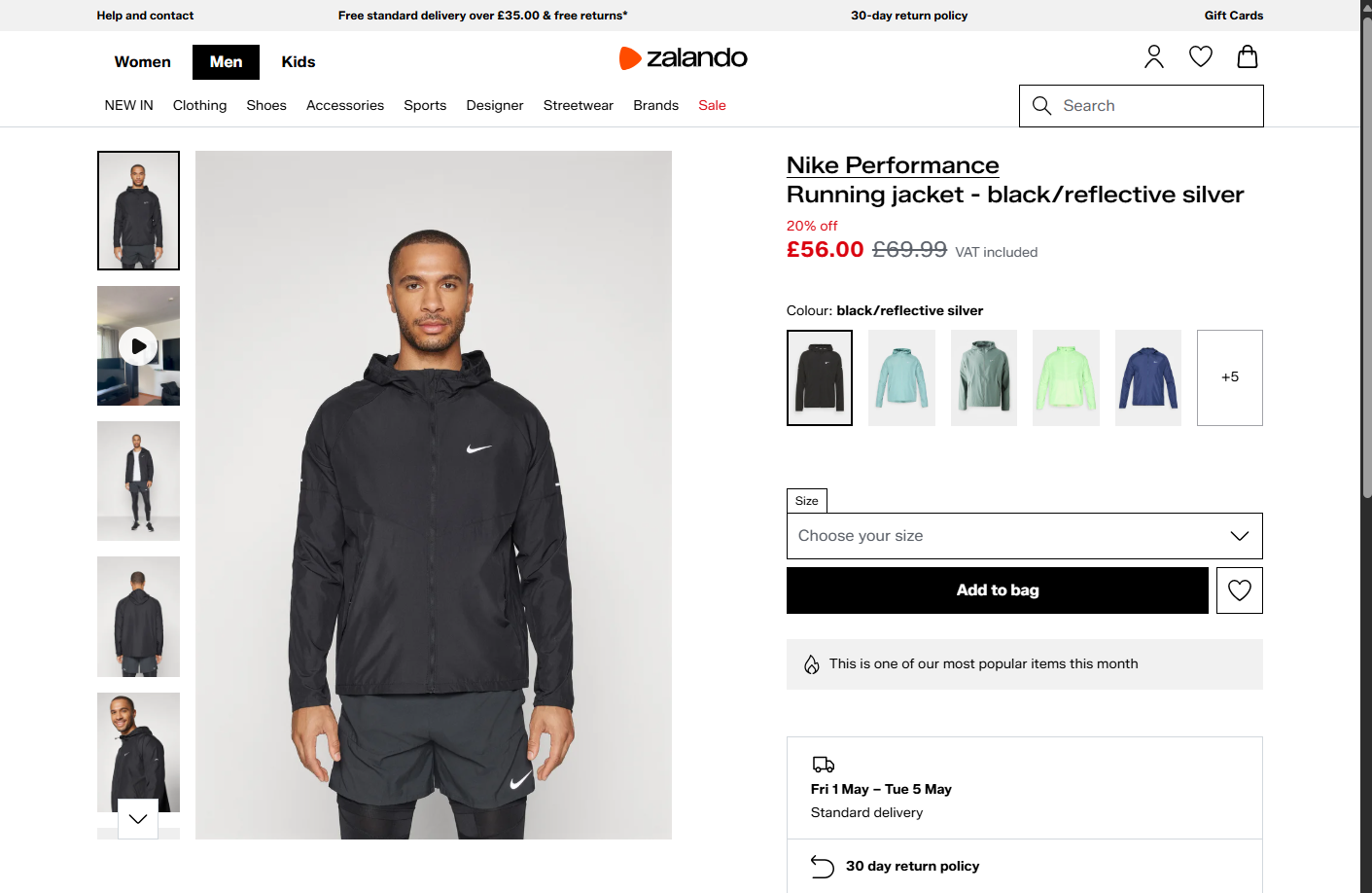
Cool! SeleniumBase also bypassed Akamai anti-bot protections.
How to Bypass Akamai at Scale with Bright Data
Bright Data allows you to access virtually any web page, regardless of whether it is protected by Akamai, Cloudflare, or other anti-bot systems.
In particular, all Bright Data scraping services are backed by a dedicated Akamai Bot Bypass system. This automatically handles Akamai’s anti-bot challenges for you.
A key advantage of Bright Data is that it is powered by one of the largest proxy networks in the world, with over 400 million IPs. This enables unlimited concurrency, with 99.99% uptime and a 99.95% request success. Also, thanks to this, it is not affected by IP-related or rate-limiting blocks, unlike open-source browser automation tools.
Below, we will demonstrate how to bypass Akamai protection using:
- Web Unlocker API: A scraping API that handles proxy rotation, anti-bot challenges (including Akamai), and CAPTCHA solving in a single request.
- Browser API: A cloud-based, anti-bot-optimized browser session that can be controlled via Playwright, Selenium, Puppeteer, or any CDP-compatible automation tool.
Follow the instructions in the next chapters!
Bypassing Akamai with Bright Data’s Web Unlocker API
Experience Akamai bot detection bypass using the Bright Data Web Unlocker API in a static scraping scenario.
Prerequisites
To follow this section, make sure you have:
- A Bright Data account with an API key configured.
- A Web Unlocker API zone set up in your account.
- A scraping script based on an HTTP-client approach.
For setting up your Bright Data account for Web Unlocker API usage, follow the official “Create Your First Unlocker API” guide.
Example
If you are instead interested in retrieving the Akamai-unlocked HTML of a page, use the Web Unlocker API like this:
import requests

# Replace with your Bright Data API key and Web Unlocker API zone name
BRIGHT_DATA_API_KEY = "<YOUR_BRIGHT_DATA_API_KEY>"
BRIGHT_DATA_WEB_UNLOCKER_API_ZONE = "<YOUR_WEB_UNLOCKER_API_ZONE_NAME>"

target_url = "https://www.zalando.co.uk/nike-performance-miler-sports-jacket-black-n1242f0qx-q11.html"

payload = {
    "zone": BRIGHT_DATA_WEB_UNLOCKER_API_ZONE,
    "url": target_url,
    "format": "raw"
}

headers = {
    "Authorization": f"Bearer {BRIGHT_DATA_API_KEY}",
    "Content-Type": "application/json"
}

# Perform a request to the Bright Data Web Unlocker API
response = requests.post(
  "https://api.brightdata.com/request",
  json=payload,
  headers=headers
)

print("Status code:", response.status_code)

html = response.text
print("\nPage HTML:\n")
print(html)
# Perform web scraping on the returned HTML...
The result will be:
Status code: 200Then, the html variable will then contain the full page source. You can easily parse it with an HTML parser and extract the data you want from it in a web scraping workflow. For large scale scraping, check our Zalando Scraper.
Bypassing Akamai with Bright Data’s Browser API
Here, you will see how to pass Akamai anti-bot checks using the Bright Data Browser API in a browser automation scenario.
Prerequisites
To go through this section, ensure you have:
- A Browser API zone configured in your Bright Data account.
- A browser automation scraping script.
For getting the Browser API connection URL, read the official “Create Your First Browser API” guide.
Here, we will show a Playwright example, so the Browser API connection URL will look like this:
wss://<BRIGHT_DATA_BROWSER_API_USERNAME>:<BRIGHT_DATA_BROWSER_API_PASSWORD>@brd.superproxy.io:9222Example
Connect your Playwright automation script to Bright Data’s Browser API and repeat the screenshot logic shown earlier:
# pip install playwright
# python -m playwright install

from playwright.sync_api import sync_playwright

url = "https://www.zalando.co.uk/nike-performance-miler-sports-jacket-black-n1242f0qx-q11.html"

BRIGHT_DATA_BROWSER_API_CDP_URL = "wss://<BRIGHT_DATA_BROWSER_API_USERNAME>:<BRIGHT_DATA_BROWSER_API_PASSWORD>@brd.superproxy.io:9222"

with sync_playwright() as p:
    # Connect to Bright Data CDP endpoint
    browser = p.chromium.connect_over_cdp(BRIGHT_DATA_BROWSER_API_CDP_URL)

    # Create a new context and page
    context = browser.new_context()
    page = context.new_page()

    # Visit the target page in headless mode
    response = page.goto(url)

    # Print the response's HTTP status code
    if response:
        print("Status code:", response.status)
    else:
        print("No response received")

    # Take a screenshot of the page
    page.screenshot(path="zalando.png")

    browser.close()
When executed, the script will return:
Status code: 200The resulting screenshot will contain the rendered page content: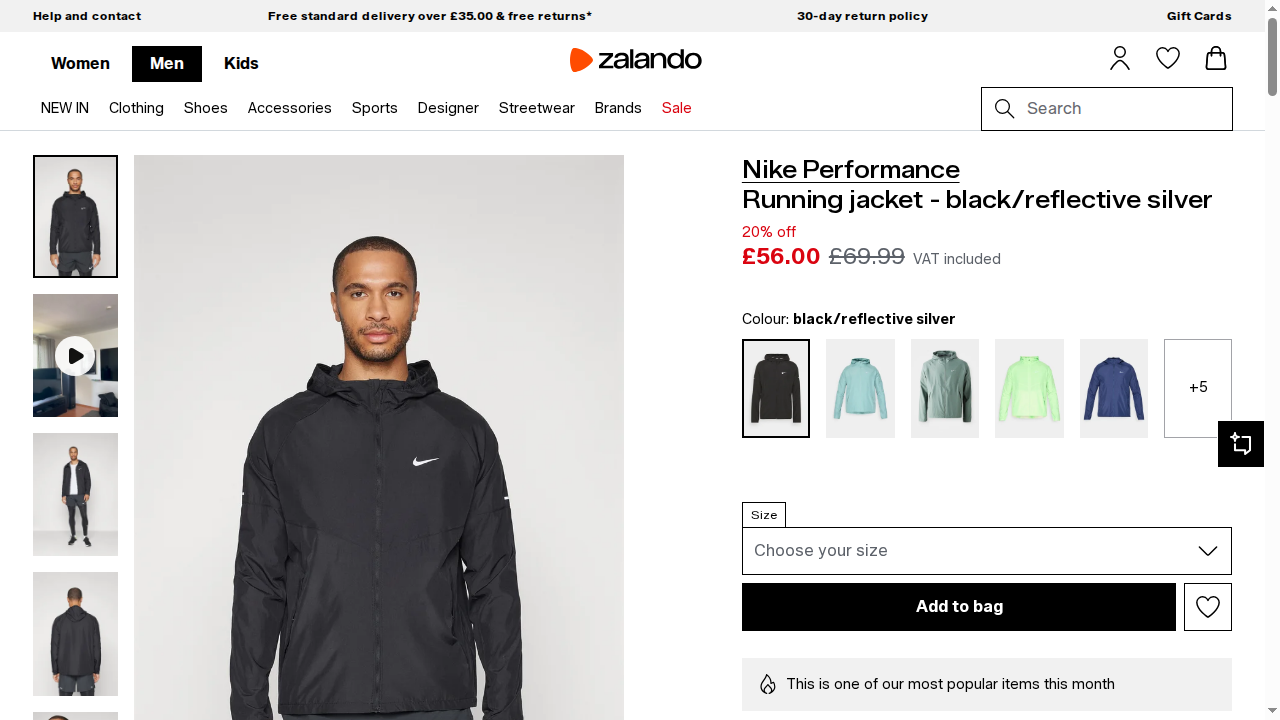
Fantastic! This time, thanks to the Browser API integration, the Playwright script worked correctly. Browser API handles the automation in real browser sessions managed in the Bright Data cloud infrastructure.
You can now build automated workflows to interact with the page without restrictions!
Conclusion
In this article, you learned how Akamai’s anti-bot system works and explored practical approaches for handling it in automation and scraping workflows.
Regardless of the method you choose, the process becomes easier with professional, fast, and reliable enterprise solutions, such as:
- Web Unlocker API: An API endpoint that automatically handles rate limiting, fingerprinting challenges, and other anti-bot mechanisms.
- Browser API: A managed cloud anti-detection browser that lets you automate interactions with any website at scale.
Like other Bright Data scraping products, these services are powered by the Akamai Bot Solver.
Create a new Bright Data account for free today and explore our scraping solutions!



Technical Writer
 5.5 years experience
Antonello Zanini is a technical writer, editor, and software engineer with 5M+ views. Expert in technical content strategy, web development, and project management.