In this article, you will see:
- What CloakBrowser is, what it provides, and how it works.
- What Bright Data Browser API is, what features it offers, and the infrastructure benefits it comes with.
- How the two solutions approach stealth browsing and fingerprint management.
- The different infrastructure models the two tools rely on.
- The supported integrations and tools that both CloakBrowser and Browser API can be used with.
- A final CloakBrowser vs Bright Data Browser API table comparing them at a glance.
Let’s dive in!
Overview of CloakBrowser
Before diving into the CloakBrowser vs Bright Data Browser API comparison, understand what CloakBrowser brings to the table.
What Is CloakBrowser?
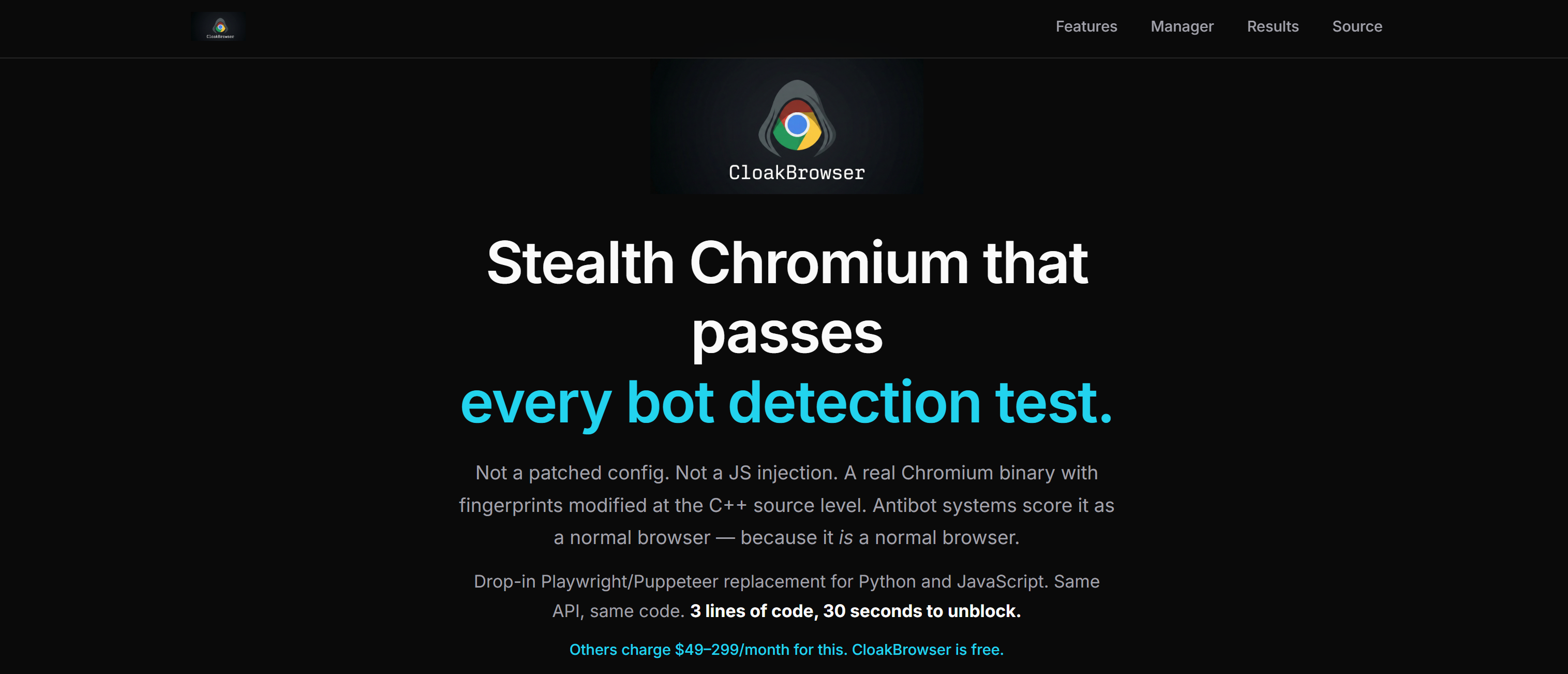
CloakBrowser is an open-source stealth browser built on a custom Chromium binary. It operates as a browser automation and web scraping solution.
Unlike traditional stealth plugins that rely on JavaScript injections, browser patches, or configuration tweaks, CloakBrowser modifies browser fingerprints directly at the Chromium C++ source level. This approach aims to produce more consistent and realistic browser behavior.
This tool works as a drop-in replacement for Playwright and Puppeteer. It includes built-in fingerprint management, human-like interaction simulation, proxy support, persistent browser profiles, and integrations with AI agents and automation frameworks.
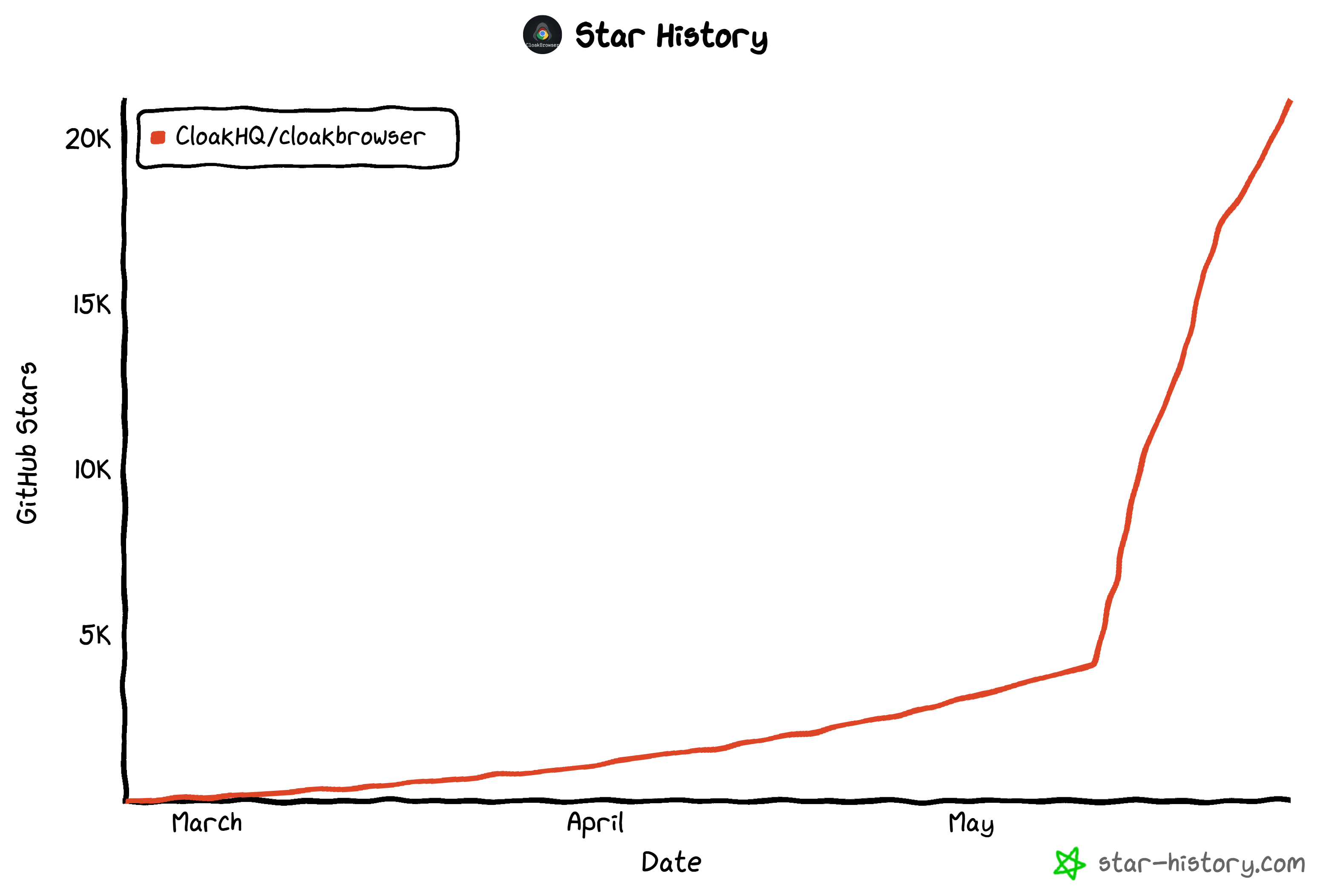
In recent weeks, the project has gained significant traction. It grew from a few thousand GitHub stars to more than 21.2k stars at the time of writing.
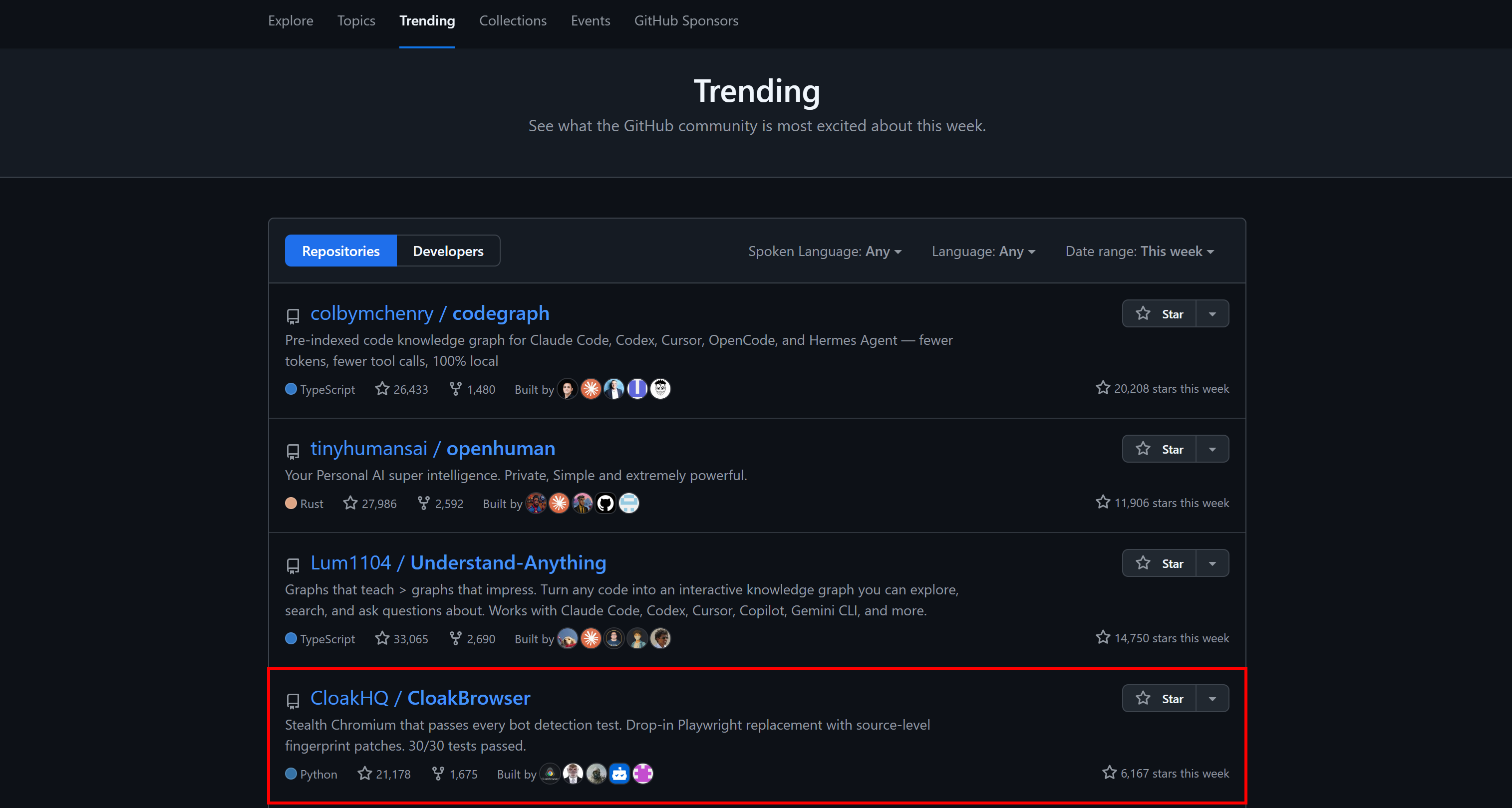
It even appeared in GitHub’s weekly trending repositories across the platform:
Main Features
These are the main features provided by the CloakBrowser project:
- Source-level Chromium fingerprint patching: Applies 58+ C++ modifications to GPU, canvas, WebGL, audio, fonts, and timing signals directly in the browser engine.
- Automatic binary management: Automatically downloads the custom Chromium build for you, with zero manual setup required.
- Drop-in Playwright and Puppeteer replacement: Keeps the same API, so existing automation code works by only changing a couple of lines of code.
- Human-like interaction engine: Simulates realistic mouse movements, keyboard timing, scroll behavior, and click dynamics via a single
humanize=Trueflag. - Advanced proxy support: Supports HTTP and SOCKS5 proxies with authentication, plus optional GeoIP-based timezone and locale alignment.
- Persistent browser profiles: Can maintain cookies,
localStorage, and cache across sessions to enable long-lived authenticated workflows. - Fingerprint control system: Uses deterministic or random seeds to generate consistent or rotating browser identities across sessions.
- High bot-detection success rate: Passes major systems like reCAPTCHA v3, Cloudflare Turnstile, FingerprintJS, and BrowserScan in benchmark tests.
How CloakBrowser Works
CloakBrowser operates as a thin automation layer on top of a custom Chromium-based browser. Here is how it works:
- You install CloakBrowser using
pipornpm. - On the first run, it automatically downloads a prebuilt Chromium binary for your operating system.
- Every subsequent session launches in this custom browser.
- Your existing code remains unchanged and continues to use standard Playwright or Puppeteer APIs.
Note: CloakBrowser can also be set up via Docker and connected through standard tools such as Playwright, Puppeteer, Selenium, or any CDP-compatible framework.
The Chromium binary includes dozens of low-level C++ modifications that adjust or mask browser fingerprint signals. It also reduces automation detection by altering internal browser and CDP-level signals. These changes are compiled directly into the downloaded Chromium binaries.
A key implication of this design is that only the wrapper layer is open source, while the browser binary is distributed as a precompiled artifact. This limits direct inspection or reverse engineering of the fingerprinting logic (by companies behind WAFs and other anti-bot solutions), since the critical modifications are embedded in compiled code.
Getting Started
Start by installing CloakBrowser. In Python, run:
pip install cloakbrowserOr in a Node.js project, install it with:
npm install cloakbrowserOnce installed, you can use the standard Playwright or Puppeteer APIs. For example, below is a Playwright-style Python example:
# pip install cloakbrowser

from cloakbrowser import launch

browser = launch()
page = browser.new_page()

page.goto("https://example.com")
print(page.title()) # Expected result: "Example Domain"

browser.close()
Or, equivalently, in JavaScript:
// npm install cloakbrowser

import { launch } from "cloakbrowser";

const browser = await launch();
const page = await browser.newPage();

await page.goto("https://example.com");
console.log(await page.title()); // Expected result: "Example Domain"

await browser.close();
Note that the automation logic stays identical to regular Playwright or Puppeteer. CloakBrowser only changes how the browser is launched, not how you write automation code.
The only difference is the launch() function, which initializes a CloakBrowser session. By default, it starts a headless browser session with the default stealth configuration. For more control, see the available arguments supported by the launch() function.
When you run your script for the first time, CloakBrowser:
- Detects your operating system.
- Downloads a prebuilt Chromium-based binary for your platform.
- Caches it locally for future use.
From that point on, every launch() call starts the custom Chromium binary through Playwright or Puppeteer.
Pricing
CloakBrowser has no subscription fees, usage limits, or paid tiers. Thus, you can install and use it freely. However, real-world costs come from the surrounding infrastructure.
For scalable usage, you must rely on integrations with trusted third-party proxy providers. Proxies are essential for distributed automation workloads and can become the main operational cost, depending on traffic volume and geographic coverage.
Also, CloakBrowser is often deployed across multiple servers using Docker in production environments. This enables horizontal scaling, but it also introduces additional overhead, including container orchestration, instance management, monitoring, and ongoing maintenance.
As a result, even though the CloakBrowser itself is free, operational complexity and infrastructure costs increase as you scale.
An Introduction to Bright Data’s Browser API
Continue this CloakBrowser vs Bright Data Browser API comparison by diving into the Browser API.
What Is Browser API?
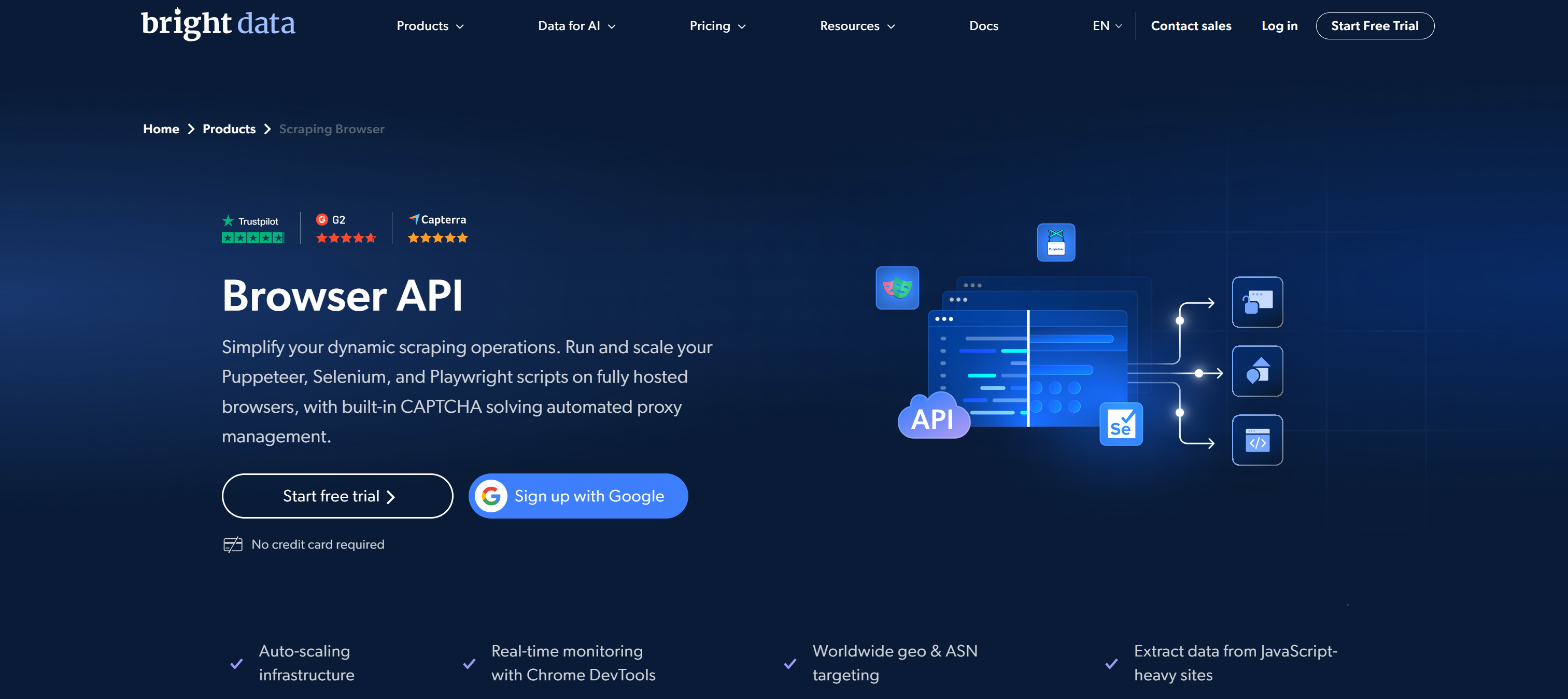
Bright Data’s Browser API is a cloud-managed browser automation optimized for large-scale, production-grade web interaction and data collection.
Instead of running and maintaining local browser infrastructure, it allows you to connect your existing Playwright, Puppeteer, or Selenium scripts to fully hosted stealth browsers. These browsers are automatically scaled and maintained in the cloud.
At its core, it is built for scenarios where reliability, unblocking capability, and scale matter. Common use cases include dynamic web scraping, automated QA/testing, lead generation, and more.
It is backed by Bright Data’s massive proxy network of 400M+ IPs, enabling strong geo-distribution, IP rotation, and unlimited concurrency and scalability. The solution handles CAPTCHA solving, fingerprinting, session management, and JavaScript rendering out of the box. Thanks to those features, it achieves high success rates against heavily protected websites.
Browser API supports all CDP-compatible tools, as well as modern AI agent workflows via Bright Data MCP. That means it is also suitable for autonomous agents that need to browse, click, and extract information in real time.
Main Features
These are the key features of the Bright Data Browser API:
- Cloud-managed browser infrastructure: Fully hosted browsers run in the cloud, eliminating local setup, proxy management, and infrastructure maintenance.
- Playwright, Puppeteer, Selenium compatibility: Direct integration with most browser automation frameworks allows reuse of existing scripts with minimal changes, enabling fast migration.
- Built-in CAPTCHA solving: Automatically detects and resolves CAPTCHAs and challenge-response systems, reducing scraping interruptions and removing the need for external services.
- Large-scale proxy network access: Leverages a residential IP pool of 400M+ addresses to enable geo-distributed requests, reduce blocking and detection.
- Browser fingerprinting emulation: Simulates real-user browser characteristics to reduce detection risk and improve reliability against advanced anti-bot systems.
- Auto-scaling infrastructure: Dynamically provisions browser sessions based on demand, supporting high concurrency workloads without manual scaling.
- Chrome DevTools debugging: Provides session inspection using DevTools, allowing you to monitor logs, network requests, and browser behavior during scraping execution.
- Geolocation targeting: Enables precise country, city, or ASN-level targeting to access localized content, test regional experiences, and scrape geo-restricted data accurately.
- Automatic recovery: Restores sessions to maintain continuity, reducing downtime and improving robustness in unstable or blocked environments.
- AI agent compatibility (via Bright Data MCP): Supports autonomous browser agents capable of navigating, clicking, scrolling, and extracting web data, enabling advanced AI-driven automation workflows.
- Data integrity validation: Ensures extracted data is consistent and reliable through built-in validation mechanisms, improving quality for downstream analytics and production pipelines.
For more information, explore the official documentation.
How Browser API Works
Browser API works by running your browser automation scripts inside fully managed cloud-based browsers. You connect using a single CDP endpoint, and your code is executed remotely in real browser environments. Basically, you interact with the browser as if it were local, but execution, scaling, and unblocking are fully managed and happens in the cloud.
Behind the scenes, the platform handles all infrastructure complexity. It automatically manages proxy rotation, browser fingerprinting, session handling, CAPTCHA solving, and more. Each session runs in a scalable cloud environment that can dynamically allocate resources based on demand. That means high concurrency without manual setup.
Getting Started
First, you need to configure a Browser API zone in your Bright Data account. If you have not done so yet, create a Bright Data account. Otherwise, simply log in.
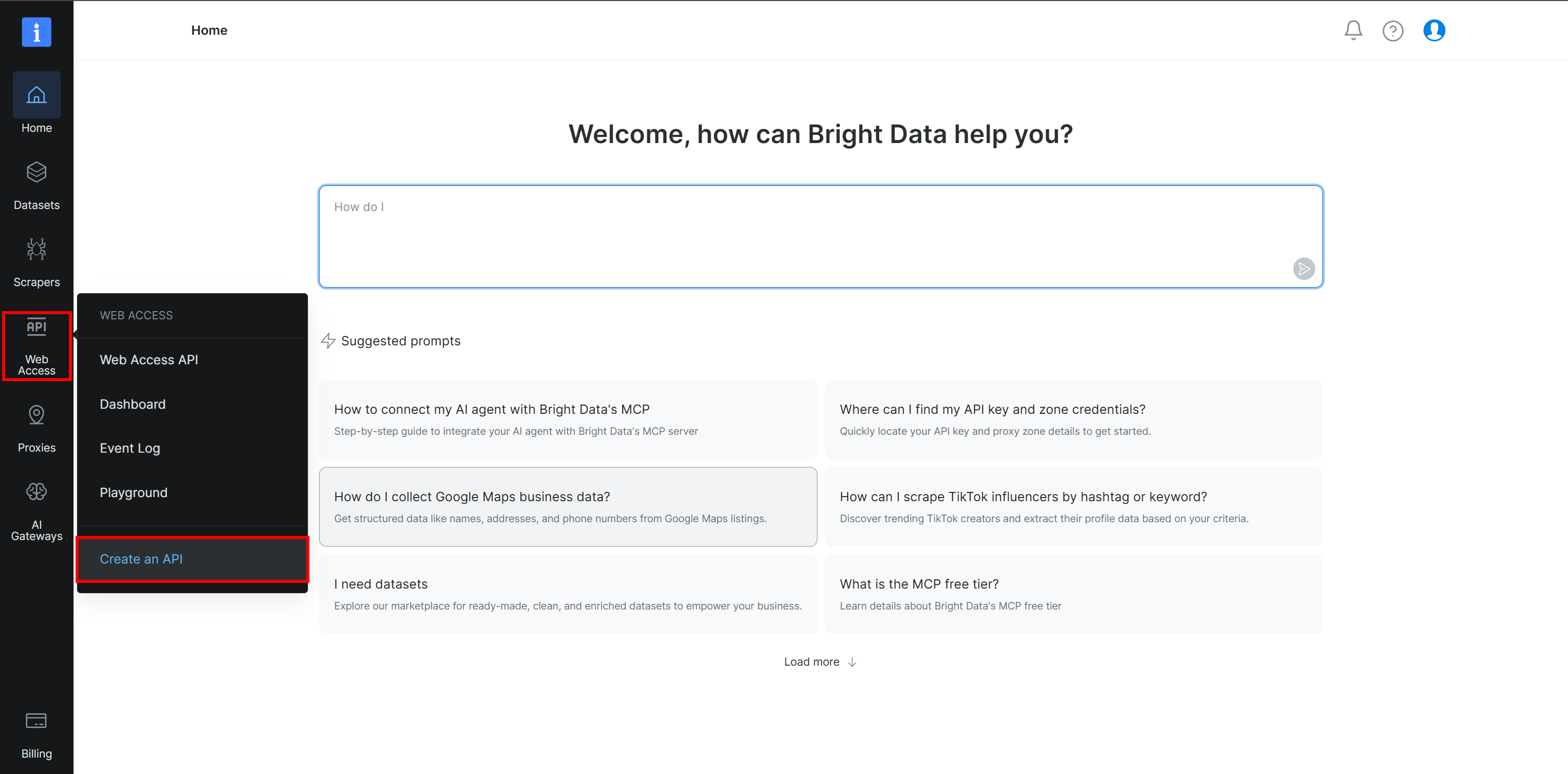
In the Bright Data Control Panel, select the “Web Access > Create an API” option:
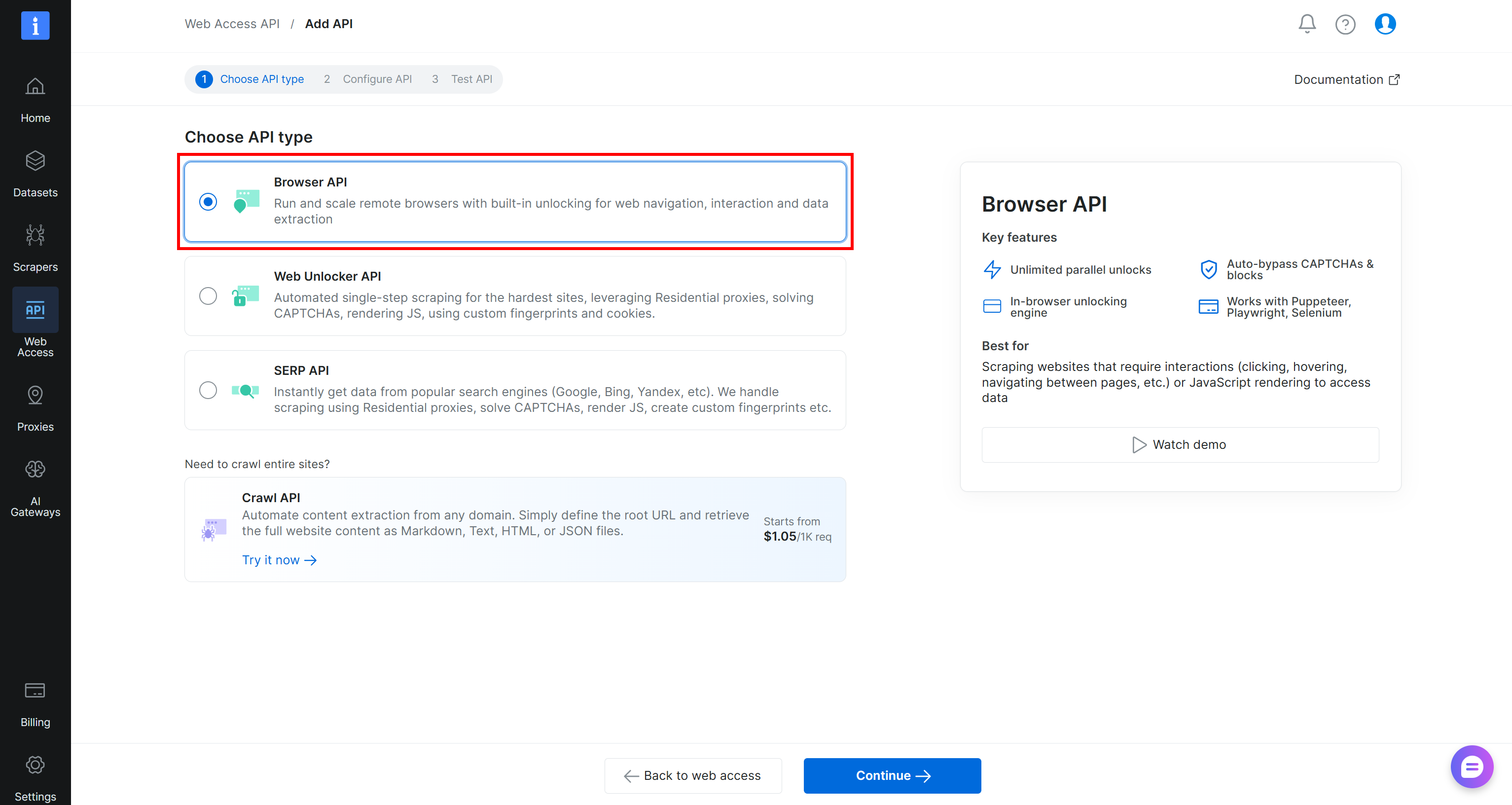
On the “Web Access API > Add API” page, select the “Browser API” type:
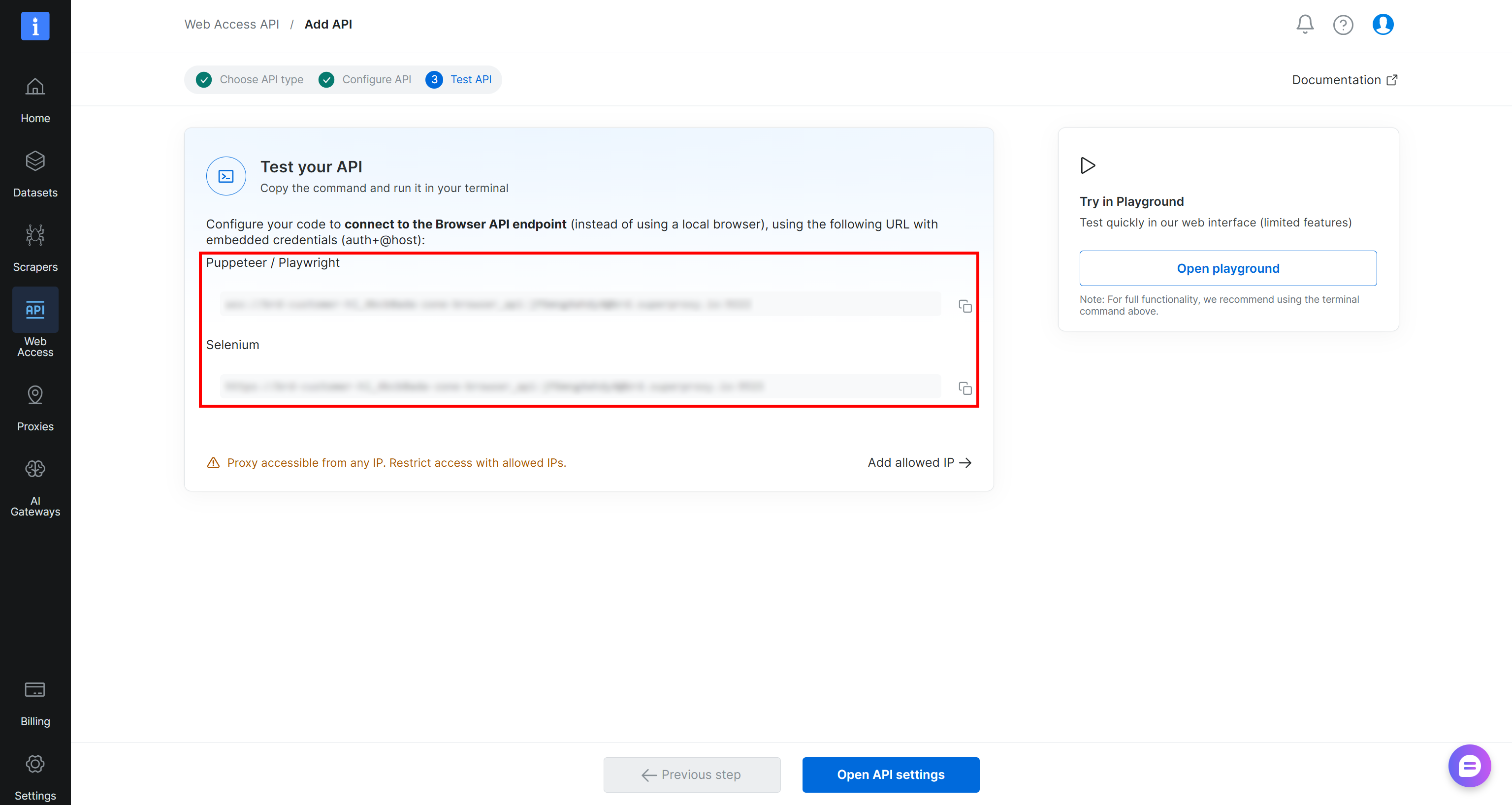
Follow the wizard, give your Browser API zone a name (e.g., browser_api), and configure it as required. Complete the setup flow, and you will receive your Puppeteer, Playwright, and Selenium connection URLs:
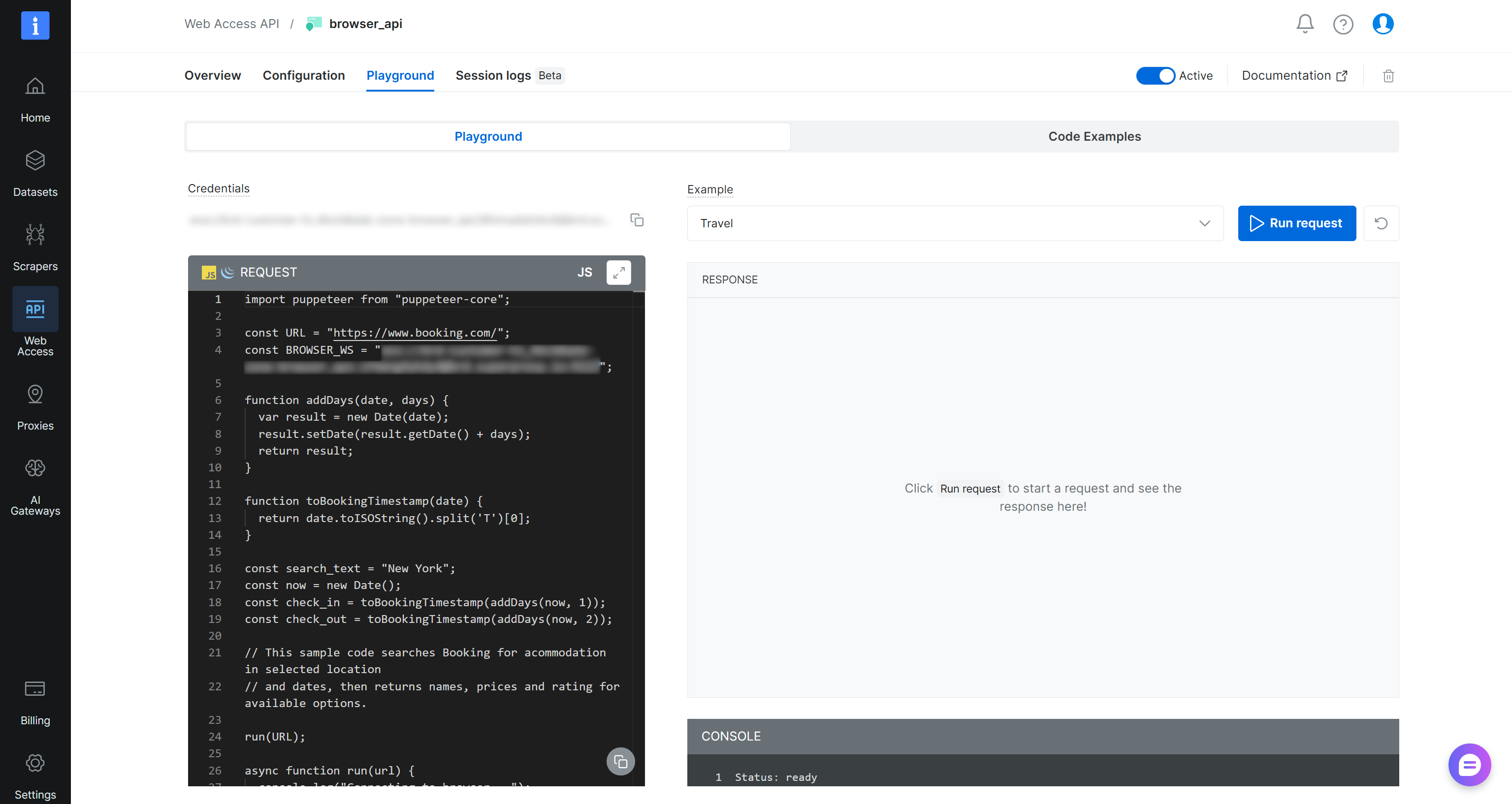
Then, press the “Open API settings” button to access the Browser API Playground. Here, you can access ready-to-use snippets for integrating with popular browser automation frameworks and programming languages:
Use the remote connection URL to connect over CDP in Playwright using Python like this:
# pip install playwright

from playwright.sync_api import sync_playwright

# Replace with your Browser API connection URL
BROWSER_API_CDP = "wss://brd-customer-USER-zone-BROWSER_API_ZONE_NAME:[email protected]:9222"

with sync_playwright() as p:
    browser = p.chromium.connect_over_cdp(BROWSER_API_CDP)
    page = browser.new_page()

    page.goto("https://example.com")
    print(page.title()) # Expected result: "Example Domain"

    browser.close()
Or equivalently, in JavaScript:
// npm install playwright

const { chromium } = require("playwright");

# Replace with your Browser API connection URL
const BROWSER_API_CDP = "wss://brd-customer-USER-zone-BROWSER_API_ZONE_NAME:[email protected]:9222";

(async () => {
    const browser = await chromium.connectOverCDP(BROWSER_API_CDP);
    const page = await browser.newPage();

    await page.goto("https://example.com");
    console.log(await page.title()); // Expected result: "Example Domain"

    await browser.close();
})();
The automation logic remains identical to standard Playwright or Puppeteer. The only change is how you connect to the browser. By using connect_over_cdp()/connectOverCDP(), you redirect execution to fully managed Browser API cloud instances (instead of relying on a local browser).
Pricing
Browser API relies on a pay-per-traffic model, where you are billed only for the GB of data transferred through the cloud browser infrastructure. In detail, Browser API pricing follows these plans:
| Plan | Price |
|---|---|
| Pay as you go (no commitment, usage-based billing) | $8/GB |
| 71 GB included | $499/mo ($7/GB) |
| 166 GB included | $999/mo ($6/GB) |
| 399 GB included | $1,999/mo ($5/GB) |
There are no charges for browser instances, execution time, or concurrency. All countries are billed at the same rate, making pricing predictable across geographies. The only exception is premium domains, which incur higher per-GB costs due to additional unlocking complexity.
Note: You can also test the Browser API on the free tier, which includes 5,000 credits per month (about 1 GB of Browser API traffic) with no credit card.
Since pricing depends directly on traffic, optimizing bandwidth is important for cost efficiency and performance. Read the official guide on bandwidth optimization.
Approach Differences to Stealth Browsing
Both CloakBrowser and Browser API aim to reduce bot detection. Yet, they take two fundamentally different approaches to stealth browsing and fingerprint management.
CloakBrowser achieves anti-bot bypass through a modified Chromium binary running locally. It generates a coherent browser fingerprint at launch, spoofing detectable signals such as GPU, screen size, fonts, canvas, WebGL, audio, and hardware specifications.
You can also control identity persistence through deterministic fingerprint seeds and fine-tune specific attributes via launch flags. This makes CloakBrowser particularly suitable when you need precise fingerprint control and reproducible browser identities across sessions.
On the contrary, Browser API delivers stealth through fully managed cloud browsers. Rather than exposing low-level fingerprint flags, it handles browser fingerprinting behind the scenes. At the same time, it exposes configurations and custom CDP actions to control advanced behavior. These let you emulate specific devices, change geolocation, block ads, configure CAPTCHA solving, and more.
The Infrastructure Gap
CloakBrowser gives you a stealthy local Chromium binary. However, everything around it remains your responsibility. That means if you want to run automation at scale, you need to provision machines, manage browser concurrency, configure and rotate proxies, monitor failures, and more.
Sure, you are provided with Docker images exposing the CloakBrowser environment and browser servers for connection via CDP. But going from a Docker image to a truly scalable browser infrastructure available is a different challenge. This requires engineering skills, infrastructure expertise, and a budget that not all teams have.
Bright Data’s Browser API takes a very different approach. Instead of giving you a browser to manage, it provides a fully managed browser infrastructure in the cloud. Proxy rotation, browser orchestration, scaling, concurrency, and monitoring are all managed. You just connect your browser automation script or AI agent to a remote endpoint, and Bright Data handles all the operational complexity for you.
In particular, Browser API is backed by Bright Data’s SLA-backed enterprise-grade infrastructure. It offers 99.99% uptime, unlimited concurrency, 99.95% success rate, unlimited scalability, and compliance with GDPR, CCPA, and other privacy and security regulations.
This distinction is the key point of the entire CloakBrowser vs Browser API comparison. CloakBrowser is undoubtedly a great tool. Still, Browser API is the only one of the two that can truly be considered a complete browser automation infrastructure.
That is also the biggest benefit of Browser API when compared to CloakBrowser. By reducing operational burden from day one, it lets you focus on the automation logic, which is what matters most.
Supported Integrations
CloakBrowser natively supports Playwright and Puppeteer scripts. However, it requires an extra dependency (cloakbrowser) while still relying on standard Playwright system dependencies.
Beyond native APIs, CloakBrowser exposes a CDP-compatible browser through a Docker-based server setup. That way, it can integrate with any CDP-compliant tool. It also natively supports some AI agent frameworks like CrawAI, Browser Use, and LangChain.
Browser API supports Playwright, Puppeteer, and Selenium, but with no additional dependencies required. In addition, it is fully compatible with all CDP-based tools, including Browser Use, Stagehand, Agent Browser, and similar AI-based automation frameworks.
Plus, Bright Data’s Browser API is exposed via Bright Data MCP tools. These include:
| Tool | Description |
|---|---|
scraping_browser_navigate |
Open or reuse a session and navigate to a URL, resetting network tracking |
scraping_browser_go_back |
Navigate back and return updated URL and title |
scraping_browser_go_forward |
Navigate forward and return updated URL and title |
scraping_browser_snapshot |
Capture ARIA snapshot with interactive element refs |
scraping_browser_click_ref |
Click an element using its ARIA ref |
scraping_browser_screenshot |
Capture page or full-page screenshot |
scraping_browser_wait_for_ref |
Wait for element visibility by ARIA ref |
scraping_browser_get_text |
Extract visible text from page body |
scraping_browser_get_html |
Retrieve page HTML content |
scraping_browser_scroll |
Scroll to the bottom of the page |
scraping_browser_scroll_to_ref |
Scroll to a specific referenced element |
The MCP support makes Browser API an agentic browser, extending compatibility to a wide ecosystem of AI agent frameworks. The supported solutions include LangChain, Agno, OpenClaw, LlamaIndex, CrewAI, Dify, Mastra, Claude Code, Codex, Claude Desktop, and 70+ others.
Bright Data Browser API vs CloakBrowser: Side-by-Side Comparison
Compare the two solutions in the final CloakBrowser vs Bright Data Browser API table below:
| Aspect | CloakBrowser | Bright Data Browser API |
|---|---|---|
| Core concept | Local stealth Chromium binary | Fully managed cloud browser infrastructure |
| Nature | Open-source wrapper + Proprietary patched browser binaries | Proprietary |
| Dependencies | Requires cloakbrowser + system deps |
No extra dependencies |
| CDP support | ✔️ (via Docker server) | ✔️ (native cloud CDP endpoint) |
| Stealth approach | Source-level Chromium fingerprint patching | Managed fingerprinting |
| Fingerprint control | High control via seeds and launch flags | Controlled via CDP actions for device emulation |
| Proxy management | External proxy provider required | Built-in 400M+ IP proxy network |
| CAPTCHA handling | Not native | Built-in CAPTCHA solving |
| Framework support | Playwright, Puppeteer, CDP-compatible tools | Playwright, Puppeteer, Selenium, CDP-compatible tools |
| AI agent integration | Supports some AI frameworks (Browser Use, LangChain, CrawAI) | Broad ecosystem via Bright Data MCP (LangChain, LlamaIndex, CrewAI, Agno, Claude, and 70+ others) |
| Infrastructure responsibility | User-managed | Fully managed by Bright Data |
| Scaling | Manual horizontal scaling required | Automatic elastic scaling, with unlimited concurrency |
| Uptime guarantees | Depends on user infra | 99.99% SLA-backed uptime |
| Cost model | Software is free, infra is separate cost | Pay-per-GB traffic-based pricing |
Final Verdict
Both CloakBrowser and Browser API are powerful, stealth-ready browser automation solutions. CloakBrowser, with its open-source nature, is best when you need maximum local control over browser fingerprints and a fully self-managed infrastructure. It is especially useful for experimental or highly customized setups.
For production-scale scraping, reliable automation, or integration with AI agents, Bright Data’s Browser API should be the go-to choice. Its fully managed infrastructure, built-in unblocking capabilities, and elastic scaling remove operational overhead. That makes it significantly more practical for teams that want to focus on automation logic rather than infrastructure management.
Conclusion
In this Bright Data Browser API vs CloakBrowser comparison article, you learned what both tools are, what features they provide, and how they work, as well as how much they cost.
CloakBrowser is an open-source browser automation solution that is excellent when you want low-level control. Instead, Browser API is better suited for more reliable, enterprise-level, or agentic browser automation integrations.
Explore the Browser API today and start integrating it into your automation scripts.
Create a Bright Data account and explore our AI-ready web data automation solutions!



Technical Writer
 5.5 years experience
Antonello Zanini is a technical writer, editor, and software engineer with 5M+ views. Expert in technical content strategy, web development, and project management.