In this article, you will learn:
- What Bright Data Browser API and Vercel Agent Browser are, and how they differ architecturally
- Why infrastructure plays a critical role in agentic browser performance
- How each solution handles anti-bot systems, CAPTCHAs, and IP blocking
- The key differences in scaling, pricing, and AI integration
- When to use each tool based on your specific use case
Let’s dive in!
Bright Data Browser API
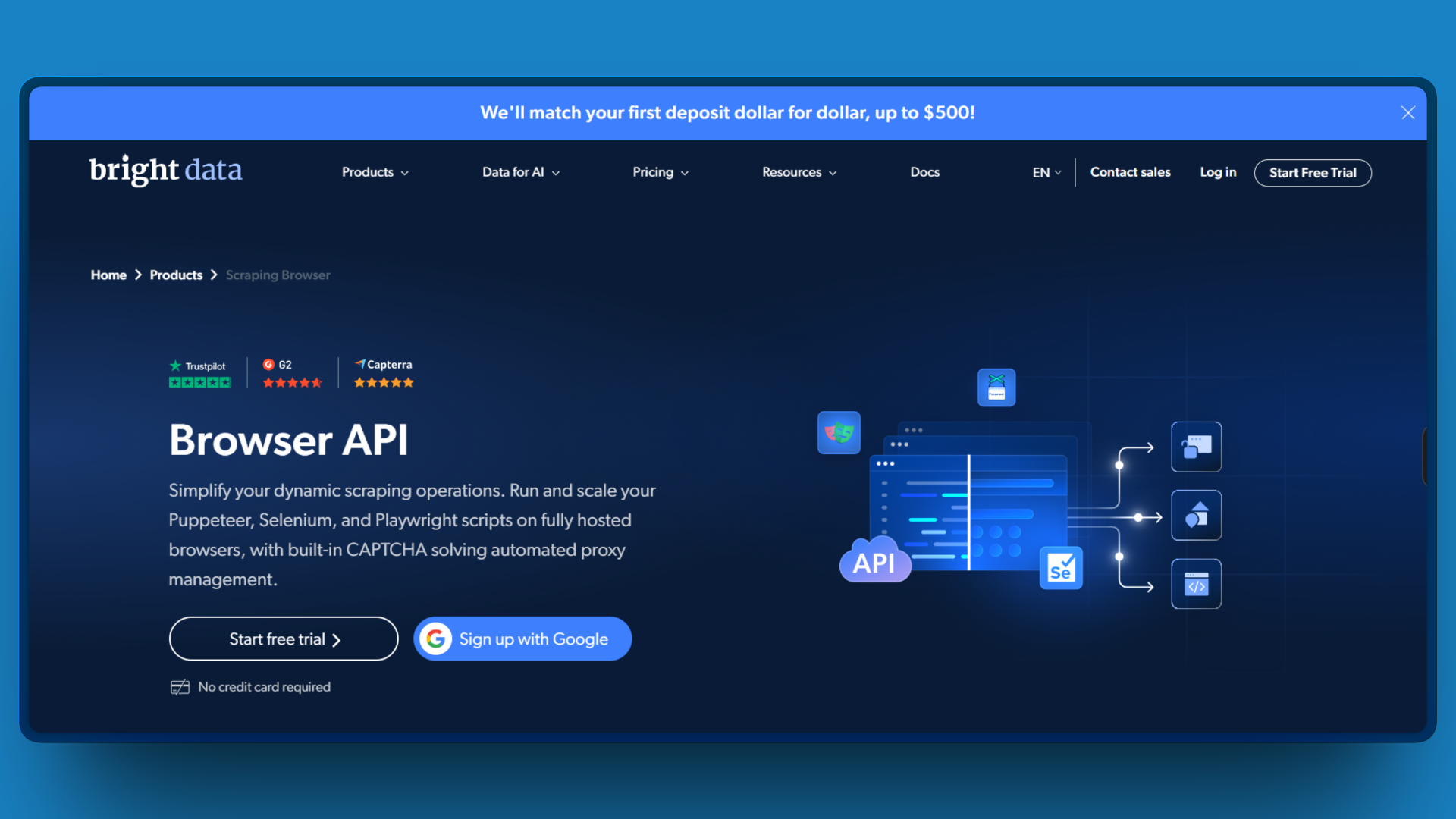
Bright Data’s Browser API (also called Agent Browser) is a cloud-hosted browser solution built on enterprise-grade proxy infrastructure. It runs real GUI Chromium browsers on Bright Data’s managed servers, accessible via the standard Chrome DevTools Protocol (CDP).
That sounds like a lot, but essentially, Bright Data’s scraping browser gives you:
- 400M+ rotating IPs across residential, datacenter, mobile, and ISP networks in 195 countries. I’ve targeted city-level geolocation for price comparison tests without configuring a single proxy manually.
- Automatic CAPTCHA solving that handles reCAPTCHA v2/v3, hCaptcha, Cloudflare Turnstile, DataDome, PerimeterX, AWS WAF, and GeeTest. In three months of testing, I haven’t written a single line of CAPTCHA-handling code.
- Full fingerprint management covering canvas, WebGL, audio context, fonts, and device enumeration. The “automation detected” errors I kept hitting with vanilla Playwright disappeared completely.
- TLS fingerprint rotation matching real browser signatures. This solved blocks I couldn’t even diagnose before, where requests failed at the network level before reaching the page.
The setup takes five minutes. I swap my local browser connection for Bright Data’s WebSocket endpoint, and everything else stays the same. My Puppeteer, Playwright, or Selenium code runs unchanged.
For CAPTCHAs, I can either let the system solve them automatically (my default) or listen for detection events when I need explicit control. Most of the time, I don’t even notice CAPTCHAs happening because they resolve server-side before my script continues.
Vercel Agent Browser
Vercel built Agent Browser to solve a specific problem most developers kept hitting: context window bloat when AI agents process browser state.
Standard Playwright returns full accessibility trees with thousands of nodes. When I was running browser automation through Claude, a single page snapshot consumed 15,000+ tokens. Complex workflows burned through my context window before completing the task.
Agent Browser’s snapshot + refs system compresses that same page to around 1,400 tokens. Instead of getting verbose HTML with classes, IDs, ARIA labels, and nested structures, I get:
- button "Sign In" [ref=e1]
- textbox "Email" [ref=e2]
- textbox "Password" [ref=e3]
Then I tell the agent to click @e1 or fill @e2. That 93% reduction means 5 to 6 times more browser interactions before hitting token limits. In one independent benchmark, six browser tests consumed roughly 31,000 characters (~7,800 tokens) with Playwright MCP versus just ~5,500 characters (~1,400 tokens) with Agent Browser, allowing 5.7x more test cycles in the same context budget.
The tool is a Rust CLI wrapping Playwright. It boots in under 50ms, supports 108+ commands covering everything from basic navigation to video recording, and integrates directly with Claude Code, Cursor, and other CLI-executing AI agents. For my development workflows where I’m iterating on generated code, the context efficiency genuinely matters.
The main tradeoff: no infrastructure. Agent Browser runs locally using my IP, exposes navigator.webdriver, and has zero CAPTCHA solving or fingerprint management. For protected sites, I need to bring external providers via the -p flag, which adds cost and complexity that defeats the “lightweight” advantage.
Testing Bright Data Scraping
Since this is a comparison article, I ran a few tests with both tools.
The First Test: Cloudflare Protected Sites
I pointed both tools at a Cloudflare-protected e-commerce site. Simple task: extract product prices.
Vercel Agent Browser: Worked the first time, but on multiple iterations, it generally failed. Agent Browser will not work reliably against Cloudflare-protected sites. Success rates depend on the protection level:
| Cloudflare Setting | Will Agent Browser work? |
|---|---|
| No Cloudflare | Yes |
| Basic (low security) | Maybe |
| Bot Fight Mode | No |
| Turnstile CAPTCHA | No |
Bright Data Browser API: Loaded the page in 3 seconds. No CAPTCHA, no challenge. The residential IP rotation and fingerprint management handled everything automatically. That 3-second difference represents the core infrastructure gap I kept hitting throughout testing.
| Cloudflare Setting | Will Bright Data work? |
|---|---|
| No Cloudflare | Yes |
| Basic (low security) | Yes |
| Bot Fight Mode | Yes |
| Turnstile CAPTCHA | Yes |
The difference here is straightforward: Bright Data’s proxy infrastructure solves anti-bot challenges at the network level, while Agent Browser was never designed to address them.
This aligns with independent benchmarks: Bright Data achieved a 98.44% average success rate across seven challenging domains in Proxyway’s testing, the highest among all providers tested. On specific targets like Indeed, Zillow, Capterra, and Google, it hit 100% success rates, with 98% on Amazon and 97% on Google Shopping.
The Second Test: Token Efficiency on Cooperative Sites
To keep the comparison fair, I also tested where Agent Browser has the advantage: unprotected, cooperative sites. On a standard documentation site with no bot protection, Agent Browser’s snapshot system compressed pages to roughly 10% of what Playwright’s raw accessibility tree produced.
In concrete terms, a typical page that would consume 7,000 to 8,000 tokens through standard Playwright fit into a few hundred tokens with Agent Browser’s ref system. Over a multi-step workflow (navigating docs, extracting code samples, verifying outputs), this meant I could complete the entire session within a single context window, running 5 to 6 times more interactions before hitting limits.
With Bright Data’s Browser API, I got the same data, but the raw page output consumed significantly more tokens. Bright Data was not built to optimize for LLM context windows, and that showed here. If your bottleneck is token budget rather than site access, Agent Browser is the better tool.
The Third Test: AI Integration
Both tools integrate with modern AI stacks, but differently.
Bright Data connects directly with browser-use, LangChain, and LlamaIndex. Here’s my standard setup:
from browser_use import Agent
from browser_use.browser.browser import Browser, BrowserConfig
from langchain_openai import ChatOpenAI

browser = Browser(
    config=BrowserConfig(
        cdp_url="wss://brd-customer-XXX-zone-YYY:[email protected]:9222"
    )
)

agent = Agent(
    task="Extract all product prices from the homepage",
    llm=ChatOpenAI(model="gpt-4o"),
    browser=browser
)
Vercel Agent Browser works through CLI execution. Perfect for Claude Code and Cursor where the AI runs bash commands directly:
npx skills add vercel-labs/agent-browserThen Claude can run agent-browser navigate, agent-browser click @ref, etc. The context efficiency here genuinely helps for long coding sessions.
The Final Test: Scaling
With Browser API, scaling is largely abstracted away. The connection string stays the same whether you are running 5 concurrent sessions for testing or 2,000 for a production crawl. Load balancing, session recovery, and geographic distribution are all handled on Bright Data’s side.
The infrastructure supports unlimited concurrent browser sessions, maintains 99.99% network uptime, and handles over 2 billion daily requests across the platform. Average response times land around 0.7 seconds for residential proxies and 0.24 seconds for datacenter proxies.
Agent Browser’s scaling is your responsibility. For serverless deployment, you can use the lightweight Chromium package (50MB vs 684MB full) and configure Vercel Fluid Compute to minimize cold starts. Multiple isolated sessions run through the --session flag.
This works well for moderate workloads and development use. But when scaling past a few hundred concurrent sessions, you will find yourself managing retry logic, session isolation, and geographic distribution that Bright Data handles by default. For high-volume production workloads, that operational overhead adds up.
Pricing
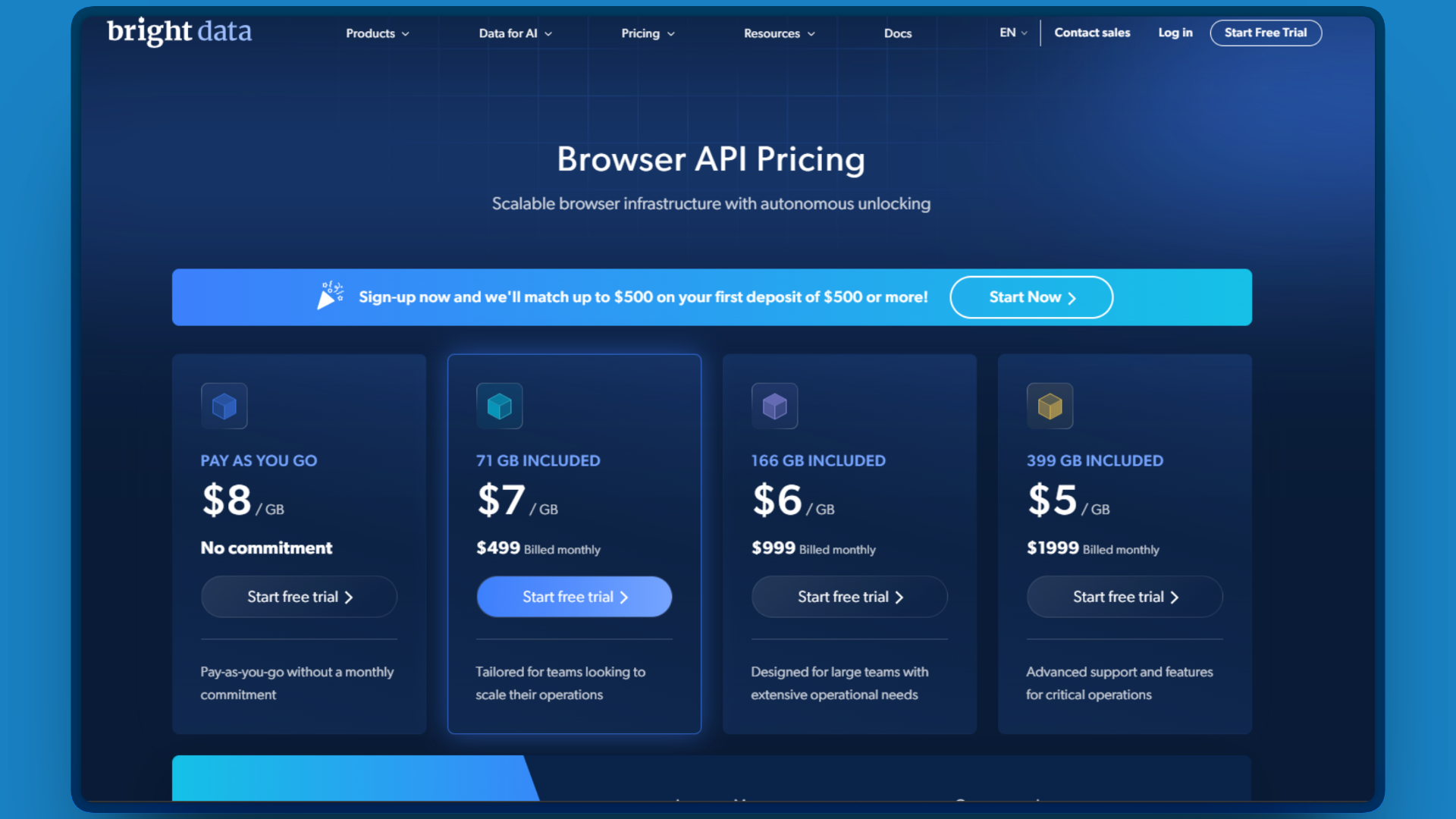
Browser API bills by bandwidth:
| Plan | Monthly Cost | Data Included | Effective $/GB |
|---|---|---|---|
| Pay as you go | $0 | 0 | $8.00 |
| Growth | $499 | 71 GB | ~$7.00 |
| Business | $999 | 158 GB | ~$6.00 |
| Scale | $1,999 | 400 GB | ~$5.00 |
Agent Browser is free under Apache 2.0. You pay nothing for the CLI itself.
However, if your use case involves protected sites, you will likely need to add external services. One realistic example of what that might look like:
- Browserbase for cloud browsers with anti-bot: ~$150/month
- 2Captcha for CAPTCHAs Browserbase can’t solve: ~$47/month
- Residential proxy addon for sites that still block you: ~$120/month
That totals roughly $317/month plus the integration effort of wiring together three separate services and debugging across three dashboards when something breaks.
For development workflows on unprotected sites, Agent Browser costs genuinely nothing. For production access to protected sites, Bright Data’s bundled infrastructure can end up cheaper than assembling a comparable stack from individual providers.
The Infrastructure Gap
After testing both tools extensively, I’ve concluded that infrastructure determines success rate for web-accessing AI agents.
The truth is that Vercel built an excellent context-optimization tool. For development workflows on cooperative sites, you can use it daily. However, its critical limitation is that Agent Browser has no built-in anti-bot capabilities. It runs locally or in serverless environments using standard Chromium, which means:
- No proxy rotation (your IP gets blocked)
- No CAPTCHA solving (manual intervention required)
- No fingerprint management (detected by
navigator.webdriver) - No TLS fingerprint optimization (blocked at network level)
To access protected websites, you must integrate external services like Browserbase, Browser Use, or Kernel via the -p flag. This adds complexity, cost, and potential points of failure.
Bright Data built web access infrastructure. For production agents hitting real websites, the 400M+ IP network, automatic CAPTCHA solving, and fingerprint management aren’t features. They’re requirements.
The “free vs paid” framing misses the point. The question is: what does your agent need to access, and what success rate do you need? For protected sites at scale, teams running production workloads consistently find that piecing together solutions adds more cost and complexity than it saves. Bright Data’s bundled infrastructure costs more and delivers more.
Side-by-Side Comparison
Here is how the two solutions compare across key dimensions:
| Aspect | Bright Data Browser API | Vercel Agent Browser |
|---|---|---|
| Primary Focus | Anti-bot bypass and web access | Context efficiency for AI agents |
| Infrastructure | Managed cloud with 400M+ IPs | Local or serverless (bring your own) |
| Proxy Network | Built-in, 195 countries | None (requires external provider) |
| CAPTCHA Solving | Automatic, 8+ types supported | None built-in |
| Fingerprint Management | Full browser signature control | None (detectable) |
| Context Efficiency | Standard (full page state) | 93% reduction via snapshot + refs |
| Pricing | $5-8/GB bandwidth | Free (Apache 2.0 license) |
| Scaling | Unlimited concurrent sessions | Limited by local/serverless resources |
| AI Integrations | LangChain, LlamaIndex, MCP Server | CLI-based (Claude Code, Cursor, etc.) |
Conclusion
Bright Data Browser API and Vercel Agent Browser are built for different layers of the same problem: giving AI agents reliable, efficient access to the web.
Vercel Agent Browser is the right choice when your agents operate on cooperative sites and token efficiency is the bottleneck. Its 93% context reduction and sub-50ms boot time make it a genuinely useful tool for development workflows, coding assistants, and self-verifying agents. For that use case, it’s hard to beat.
But development and production are different environments. When your agents need to access real, protected websites at scale, the conversation shifts from token budgets to success rates. Bright Data Browser API delivers 98%+ success rates on challenging domains, automatic CAPTCHA solving across 8+ types, and unlimited concurrent sessions backed by 400M+ IPs in 195 countries. That infrastructure is not optional for production agents. It’s the foundation they run on.
For teams building AI agents that need to work reliably on the open web, Bright Data Browser API provides that foundation out of the box.
Further Reading
- Bright Data Browser API Documentation
- Vercel Agent Browser on GitHub
- Web Unblocker vs Browser API: Which to Use?
- Best CAPTCHA Solvers for Web Scraping
- Build AI Agents with browser-use and Browser API
- Self-Verifying AI Agents: Agent Browser Benchmark (Pulumi)
- Browser API vs Headless Browsers: Complete Guide



Technical Writer
Arindam Majumder is a developer advocate, YouTuber, and technical writer who simplifies LLMs, agent workflows, and AI content for 5,000+ followers.