In this article, you will learn:
- What web scraping with Camoufox is and how it reduces fingerprint-based bot detection.
- How to configure Camoufox with Bright Data residential proxies for reliable data extraction.
- Where Camoufox performs well, where it breaks down at scale, and when to move to Bright Data’s Scraping Browser or Web Unlocker for production use.
What Is Camoufox? A Look at its Core Features
Camoufox is an open-source anti-detect browser built on a modified Firefox base. It is designed for browser automation and web scraping scenarios where standard headless browsers are easily identified and blocked.
Camoufox focuses on reducing detection by changing browser behavior at the engine level rather than relying on JavaScript-only tricks.
Core features:
- Browser fingerprint control: Camoufox modifies browser fingerprint attributes such as navigator properties, graphics interfaces, media capabilities, and locale signals. These changes are applied at the browser level, which reduces inconsistencies that anti-bot systems commonly detect.
- Stealth patches at the engine level: Camoufox anti-detect browser removes or alters automation indicators exposed by default browser builds. This includes handling properties that reveal automation frameworks and avoiding common headless browser signatures without injecting detectable scripts into page context.
- Session isolation and variability: Each Camoufox browser session is isolated, allowing different fingerprint profiles to be used across runs. This helps prevent correlation between sessions when scraping multiple pages or restarting the browser.
Installation and Setup
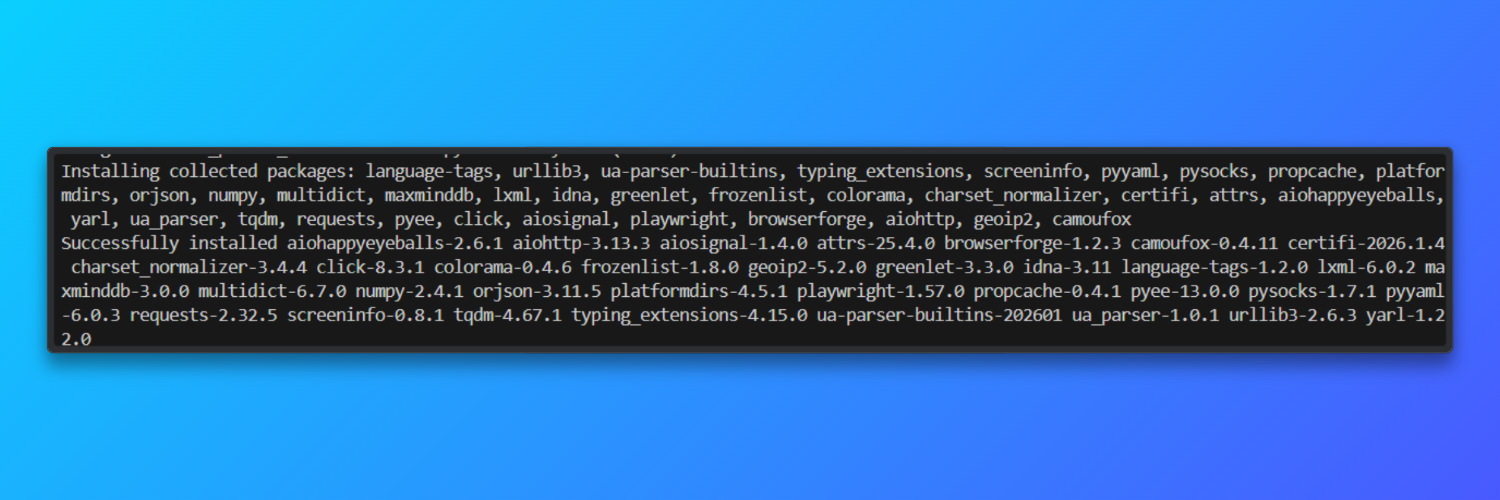
Install Camoufox: Camoufox is distributed as a Python package and ships with a pinned Firefox-based browser. This avoids browser version drift that increases fingerprint instability.
pip install -U camoufox[geoip]
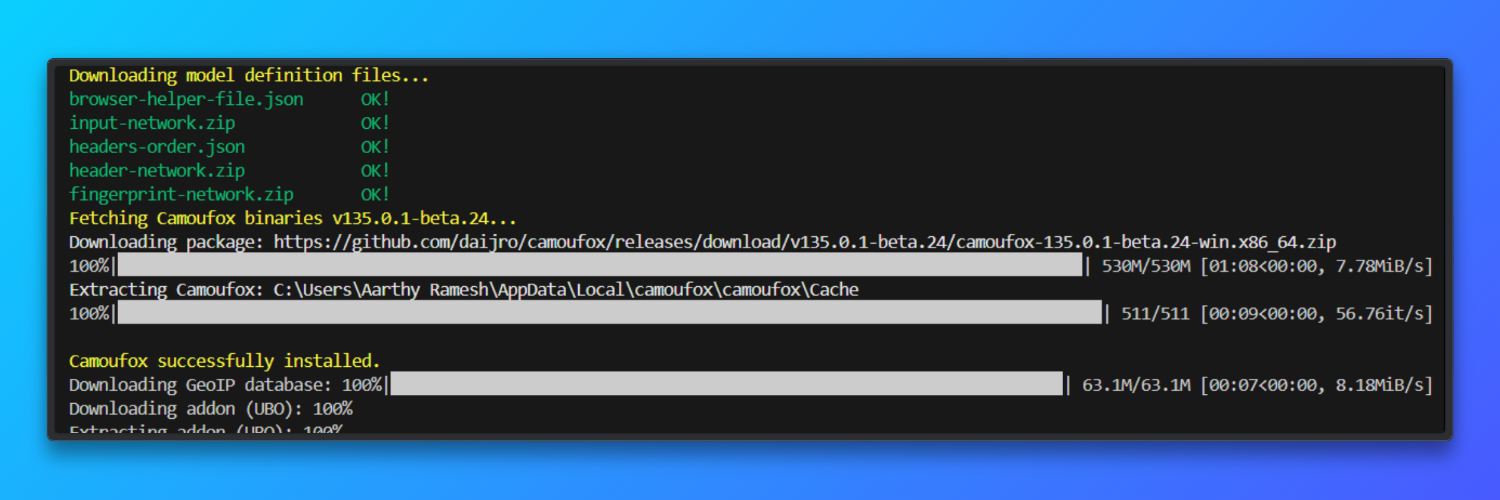
Download the browser
camoufox fetch
Python and OS requirements: Python 3.9 or newer is required on both Windows and macOS. Each Camoufox instance consumes approximately 200 MB of memory, which limits concurrency on low-RAM systems.
Optional virtual environment (recommended): Using a virtual environment prevents dependency conflicts that affect SSL handling, font rendering, or graphics APIs. This applies equally to Windows and macOS.
python -m venv camoufox-env
camoufox-env\Scripts\activate # Windows
source camoufox-env/bin/activate # macOS
Basic Tutorial: Web Sraping with Camoufox
This section demonstrates the minimum workflow required to use Camoufox for web scraping. The code launches a Camoufox browser, opens a new page, and loads a URL exactly like a real user. It waits for all network activity to finish to ensure JavaScript rendered content is available.
A full page screenshot is captured to visually confirm successful page rendering. Finally, visible text is extracted from the page body to verify that scraping works correctly.
  from camoufox.sync_api import Camoufox

with Camoufox(headless=True) as browser:
    page = browser.new_page()
    page.goto("<replace_with_a_link>")
    page.wait_for_load_state("networkidle")
    page.screenshot(path="page.png", full_page=True)
    content = page.text_content("body")
    print(content[:500])
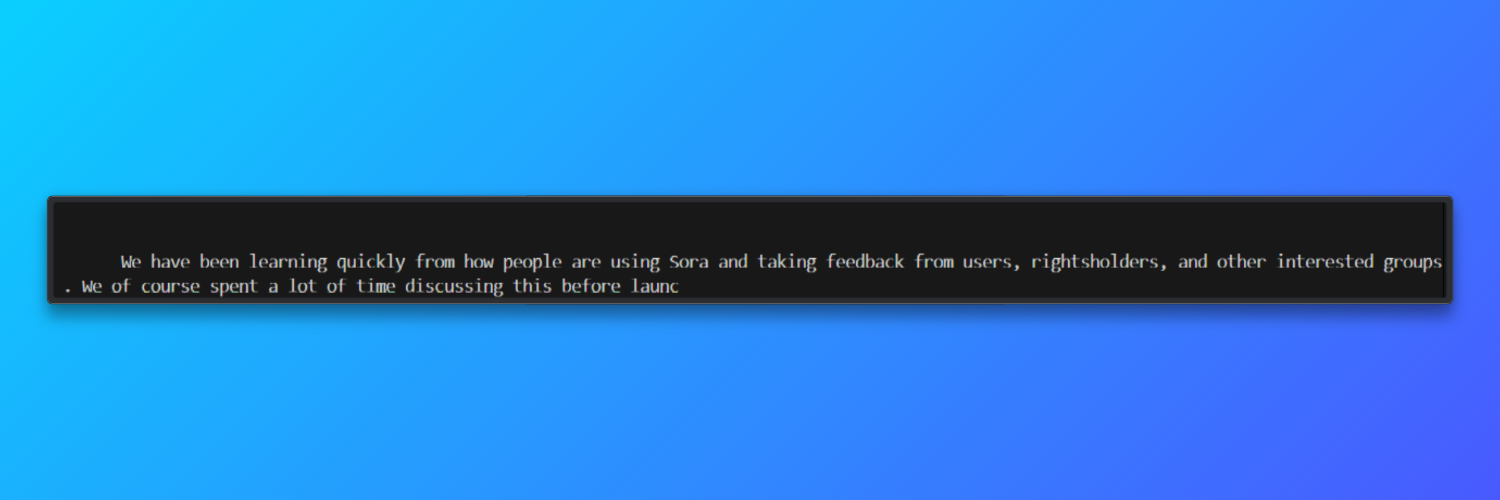
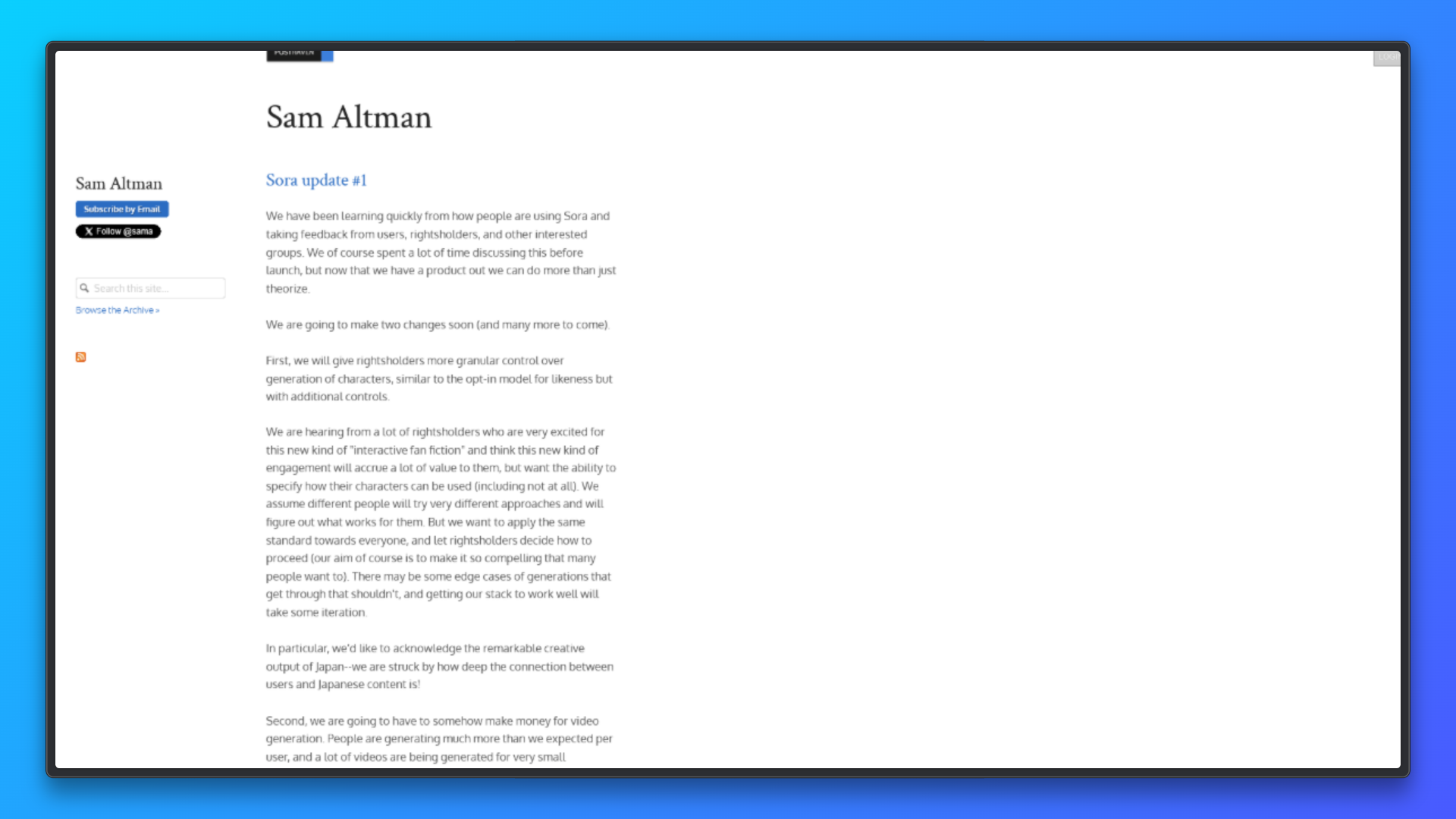
The script saves a screenshot named page.png in the project directory showing the fully rendered webpage. The terminal prints the first portion of the visible page text, confirming successful content extraction. If the page loads normally, no errors are produced.
Camoufox is well suited for prototyping browser-based scraping workflows because it exposes real Firefox behavior rather than abstracting it away.
Its browser-native (C++-level) fingerprinting achieves around 92% success when paired with high-quality residential proxies during early sessions.
As an open-source tool, it is particularly valuable for learning how modern anti-bot systems evaluate browser fingerprints, cookies, and session state.
Configuring Bright Data Proxies with Camoufox
This section explains how to correctly configure Bright Data residential proxies with Camoufox for reliable, real-world web scraping.
Why Residential Proxies Matter
Residential proxies route requests through real consumer IP addresses rather than data center infrastructure. This makes them significantly more effective for web scraping tasks where websites actively monitor traffic patterns, IP reputation, or request origin.
Many modern websites deploy bot mitigation systems that quickly block cloud or data center IP ranges. Residential IPs reduce this risk because they resemble normal user traffic and are geographically consistent with real browsing behavior. This is especially important when scraping content-heavy platforms, region-specific pages, or sites that enforce rate limits and access policies.
When paired with Camoufox, residential proxies offer two key advantages: realistic browser fingerprints and IP-level authenticity. This combination improves page load success rates, reduces CAPTCHA frequency, and allows scrapers to operate longer without manual intervention. For production-grade scraping pipelines, residential proxies are a core infrastructure component.
Setup: Bright Data Credentials + GeoIP Auto-Config
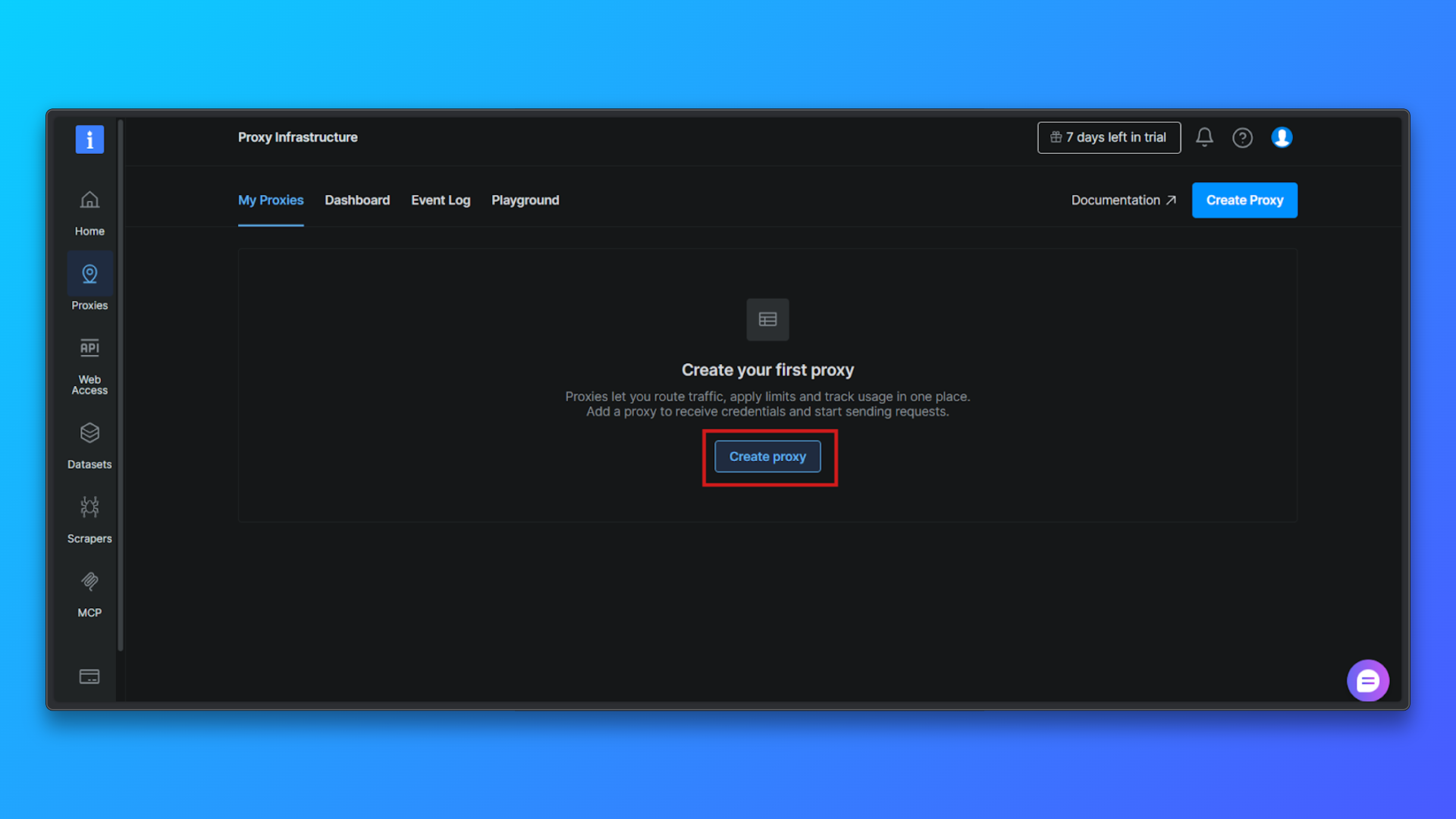
Log in to the Bright Data dashboard and navigate to the Proxy Infrastructure section. This is where all proxy zones are created and managed.
Click the Create proxy button to start setting up a new proxy zone. Bright Data will guide you through a short configuration flow.
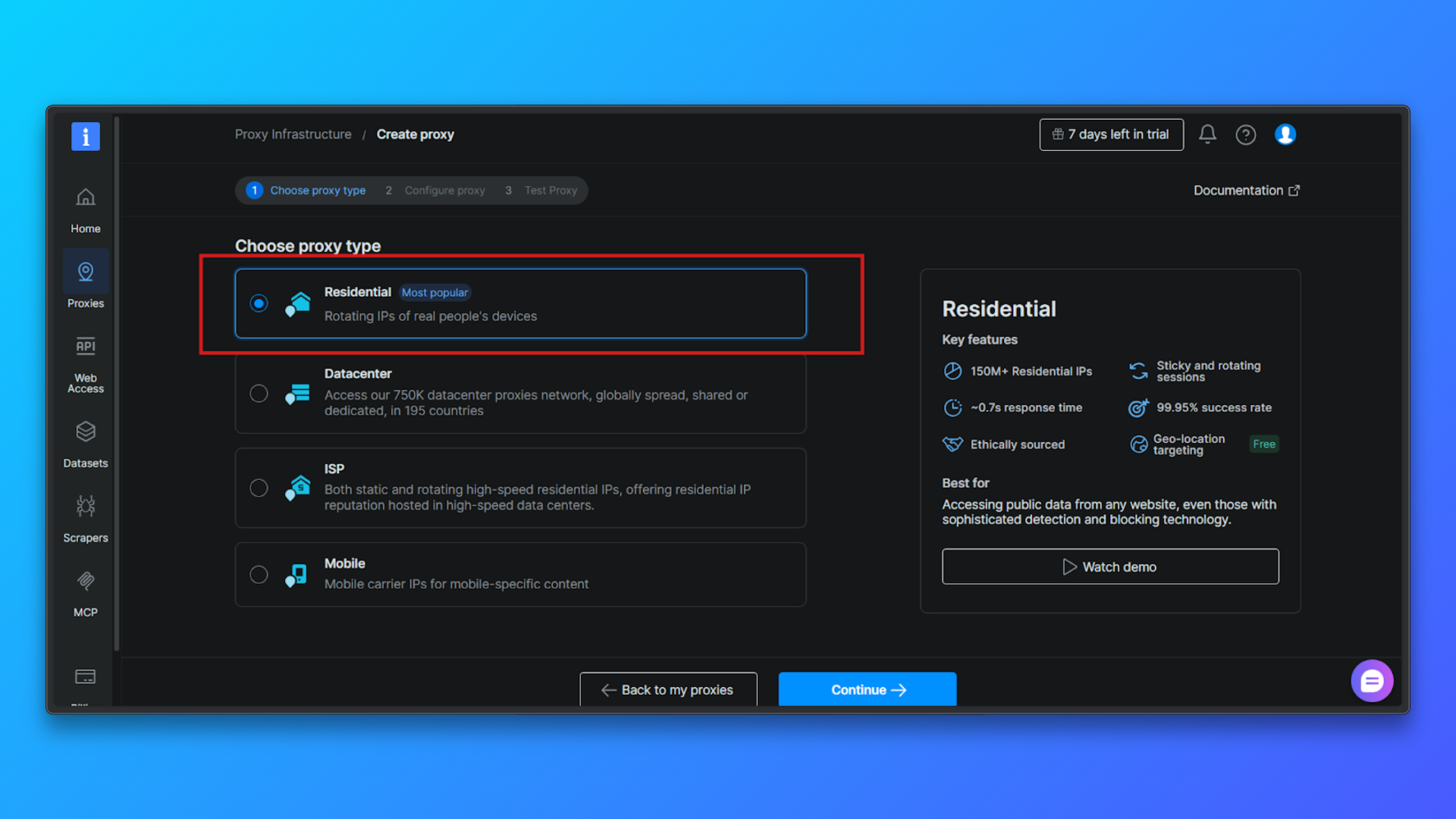
Choose Proxy Type → Residential: From the list of proxy types, select Residential. Residential proxies route traffic through real residential IPs, which significantly reduces detection compared to datacenter proxies.
Configure the Proxy (Optional): You can optionally configure: Country targeting, Session behavior, Access mode.
For beginners, the default configuration is sufficient. You can proceed without changing advanced options.
Click Continue to Create the Zone: Confirm the configuration and complete the setup. Bright Data will create a residential proxy zone and redirect you to the Overview page.
Review Proxy Credentials in the Overview Tab: In the Overview tab, you will see:
- Customer ID
- Zone name
- Username
- Password
- Proxy host and port
- Access mode
- Ready-to-use terminal command
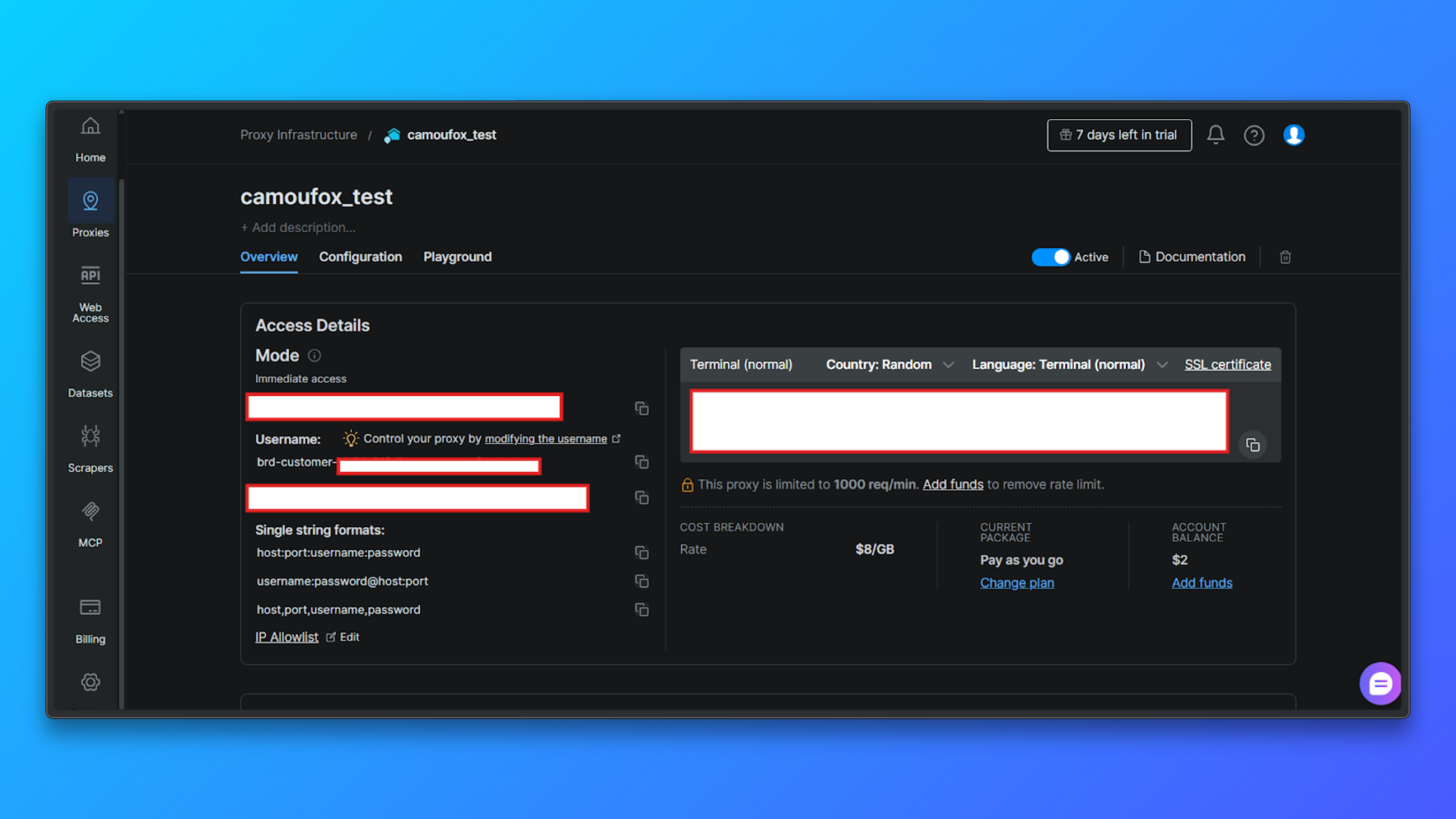
These values are required later when configuring proxies in code.
Validate Credentials Using the Terminal Command: Copy the provided terminal (curl) command from the dashboard and run it locally.
This command sends a request through the proxy to Bright Data’s test endpoint and returns:
- HTTP status
- Server response
- Assigned IP details
- Country, city, and ASN information
A successful response confirms:
- Proxy credentials are valid
- Authentication works
- Residential IP routing is active
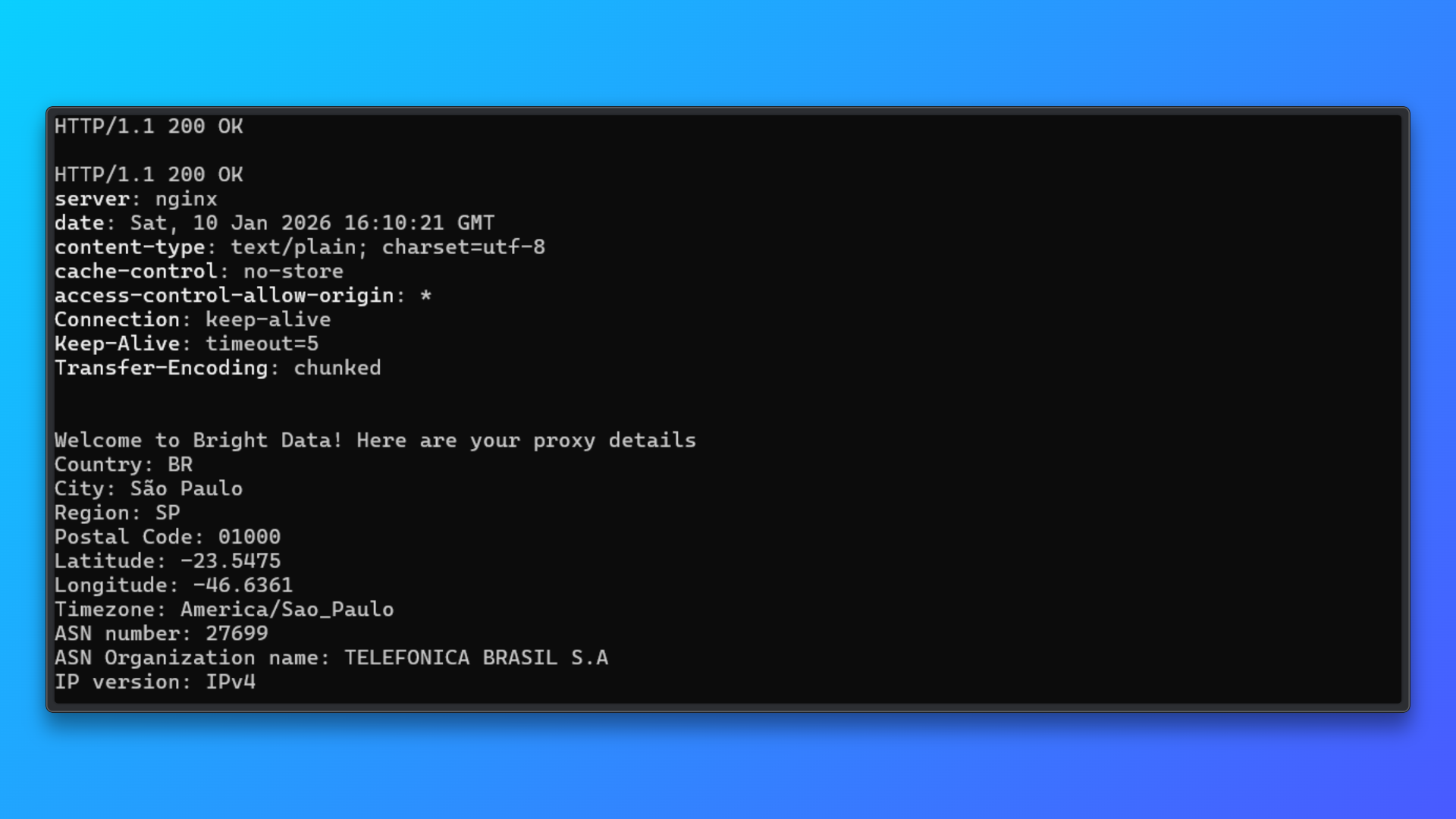
This validation step isolates proxy setup issues before integrating the proxy into Camoufox or any scraping code.
Bright Data allows country-level routing directly through the username. This means you do not need to manage IPs manually.
Camoufox can optionally align browser behavior with the proxy’s geographic location using geoip=True, which improves consistency between IP location and browser signals.
Code Example: Camoufox + Bright Data
Now, let us configure Bright Data proxies with Camoufox.
Step 1: Import Camoufox
from camoufox.sync_api import Camoufox
Step 2: Define Bright Data proxy configuration
  proxy = {
    "server": "http://brd.superproxy.io:33335",
    "username": "brd-customer-<customer_id>-zone-<zone_name>-country-us",
    "password": "<your_proxy_password>",
}
serverremains constant for Bright Data.- Country targeting is handled in the username.
- Credentials should be stored securely in environment variables for real deployments.
Step 3: Launch Camoufox with proxy enabled
  with Camoufox(
    proxy=proxy,
    geoip=True,
    headless=True,
) as browser:
    page = browser.new_page(ignore_https_errors=True)
    page.goto("https://example.com", wait_until="load")
    print(page.title())
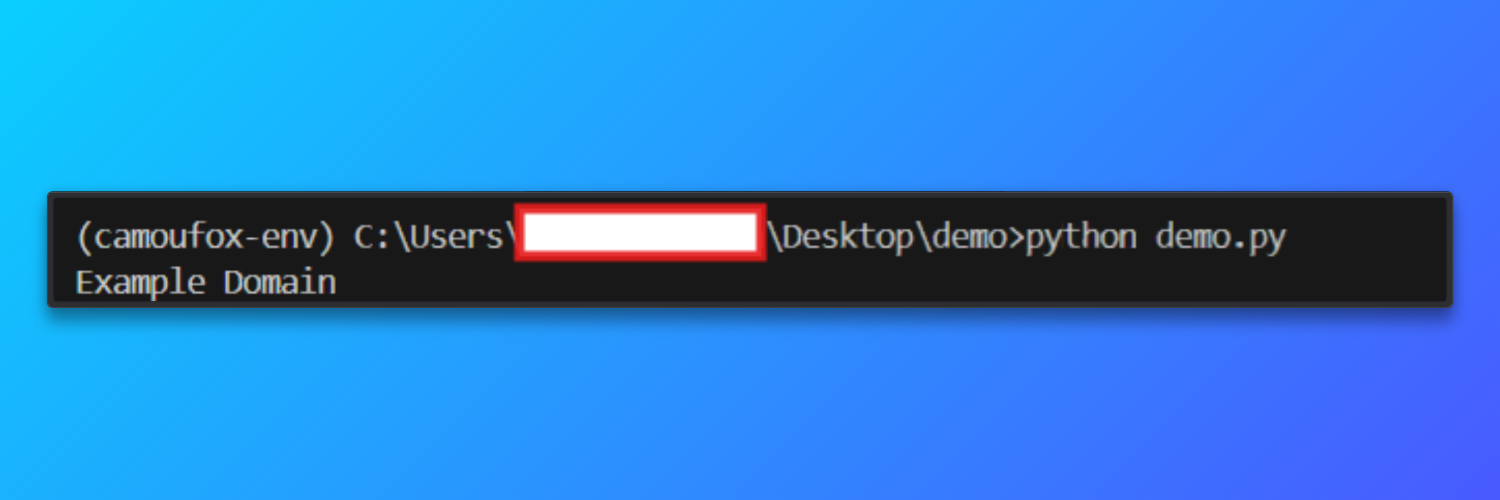
When the script runs successfully, Camoufox launches a headless Firefox instance routed through the Bright Data residential proxy. The browser loads https://example.com and prints the page title to the console.
Output
Proxy Rotation Strategy
Bright Data manages IP rotation at the network level, but effective scraping depends heavily on how sessions are structured and reused at the browser level. Proxy rotation is about maintaining realistic browsing behavior across multiple requests.
When using Bright Data residential IPs, scraping workflows typically achieve around 92% successful page loads. This means that most pages load completely without being blocked or interrupted. In comparison, similar scraping setups using datacenter proxies often succeed only about 50% of the time, especially on websites that use fingerprinting, IP reputation checks, or behavioral detection.
Below are the most reliable rotation strategies for Web scraping with Camoufox and Bright Data.
- Session-based rotation: Instead of rotating the IP for every request, a single browser session is reused for a limited number of page visits. After a fixed threshold, such as visiting several pages or completing a logical task, the session is closed and a new one is created. This approach mirrors how real users browse websites and helps maintain consistency in cookies, headers, and navigation patterns. Session-based rotation strikes a balance between anonymity and realism, making it suitable for most crawling and scraping workloads.
- Failure-based rotation: In this strategy, sessions are rotated only when something goes wrong. If a page fails to load, times out, or returns unexpected content, the current browser session is discarded and a new one is created. This avoids unnecessary rotation during successful requests while still allowing recovery from blocks or unstable proxy routes. Failure-based rotation is particularly useful for long-running crawlers where occasional network instability is expected.
- Country-specific routing: Bright Data allows geographic routing directly through the proxy username. By embedding a country code into the session credentials, requests are consistently routed through IPs from a specific region. This is useful for accessing region-locked content or ensuring that localized pages return correct results. For best results, browser geolocation behavior should remain aligned with the proxy’s country to avoid mismatched signals.
- Rate-aware crawling: Rotation alone does not prevent blocks if requests are sent too aggressively. Rate-aware crawling introduces intentional pauses between page visits and avoids rapid-fire navigation patterns. Even with residential IPs, scraping too quickly can appear abnormal. Moderate delays combined with session reuse produce traffic patterns that resemble real user behavior far more closely than aggressive, high-frequency rotation.
- Avoid excessive rotation: Rotating IPs on every single request is rarely beneficial. Over-rotation can create unnatural traffic patterns, increase connection overhead, and sometimes trigger suspicion rather than prevent it. In most cases, moderate session reuse with controlled rotation leads to better stability and higher long-term success rates.
Troubleshooting
- SSL or HTTPS errors: Errors such as certificate or issuer warnings can occur when HTTPS traffic is routed through proxies. Always create pages with HTTPS errors ignored to ensure navigation succeeds.
- Page load timeouts: Residential proxies may introduce additional latency. Increase navigation timeouts and avoid waiting for full page load if only partial content is required.
- Proxy authentication failures: Verify that the proxy username follows Bright Data’s required format and that the correct port and password are being used. Ensure the proxy zone is active in the dashboard.
- Incorrect location or language content: If pages return content from an unexpected region, confirm that country routing is specified correctly in the proxy credentials and that geolocation alignment is enabled.
- Frequent CAPTCHAs or access blocks: This usually indicates overly aggressive scraping behavior. Reduce request frequency, reuse sessions more effectively, and avoid parallel page loads within a single browser instance.
- Inconsistent or partial page content: Some pages load data dynamically. Use appropriate wait conditions and verify that required elements are present before extracting content.
- Unexpected browser crashes or disconnects: Restart the browser session periodically and limit long-running sessions to prevent resource exhaustion during extended scraping jobs.
- Bright Data Web Unlocker: For sites where Cloudflare blocks browser automation entirely, Bright Data’s Web Unlocker provides automatic Cloudflare bypass without coding, removing the need for browser-level workarounds.
Real-World E-commerce Project: Web Scraping with Camoufox (Full Code)
This project demonstrates browser-based web scraping with Camoufox on a Cloudflare-protected e-commerce category page. The objective is to extract structured product data across multiple pages while handling navigation failures and pagination in a controlled and repeatable way.
This type of workflow is common in price monitoring, catalog analysis, and competitive intelligence.
  from camoufox.sync_api import Camoufox
from playwright.sync_api import TimeoutError
import time

# Bright Data proxy configuration (masked)
proxy = {
    "server": "http://brd.superproxy.io:33335",
    "username": "brd-customer-<customer_id>-zone-<zone_name>-country-us",
    "password": "<your_proxy_password>",
}

results = []

with Camoufox(
    proxy=proxy,
    headless=True,
    geoip=True,
) as browser:

    # Create a new browser page and allow HTTPS interception
    page = browser.new_page(ignore_https_errors=True)
    page.set_default_timeout(60000)

    base_url = "https://books.toscrape.com/"
    max_pages = 5

    for page_number in range(1, max_pages + 1):
        try:
            print(f"Scraping page {page_number}")

            # Navigate to the page
            page.goto(
                base_url,
                wait_until="domcontentloaded"
            )

            # Locate all product cards
            books = page.locator(".product_pod")
            count = books.count()

            if count == 0:
                print("No products found, stopping crawl")
                break

            # Extract data from each product
            for i in range(count):
                book = books.nth(i)

                title = book.locator("h3 a").get_attribute("title")
                price = book.locator(".price_color").inner_text()
                availability = book.locator(".availability").inner_text().strip()

                results.append({
                    "title": title,
                    "price": price,
                    "availability": availability,
                    "page": page_number,
                })

            # Add a small delay to avoid aggressive request patterns
            time.sleep(2)

        except TimeoutError:
            print(f"Timeout on page {page_number}, skipping")
            continue

        except Exception as e:
            print(f"Unexpected error on page {page_number}: {e}")
            break

print(f"\nCollected {len(results)} books")

# Preview a few results
for item in results[:5]:
    print(item)
Camoufox launches a real Firefox-based browser instance, while Bright Data provides residential IP addresses that resemble genuine user traffic.
The script navigates to the Books to Scrape website, waits for the page DOM to load, and then locates each product card on the page.
From every book listing, it extracts structured fields such as the title, price, and availability status, and stores them in a Python list for further processing.
The code also includes basic resilience mechanisms required for real-world scraping. Navigation timeouts are handled gracefully, unexpected errors stop the crawl safely, and a small delay is added between page loads to avoid aggressive traffic patterns.
HTTPS interception errors are explicitly ignored, which is necessary when routing browser traffic through proxies that terminate TLS connections.
Output:
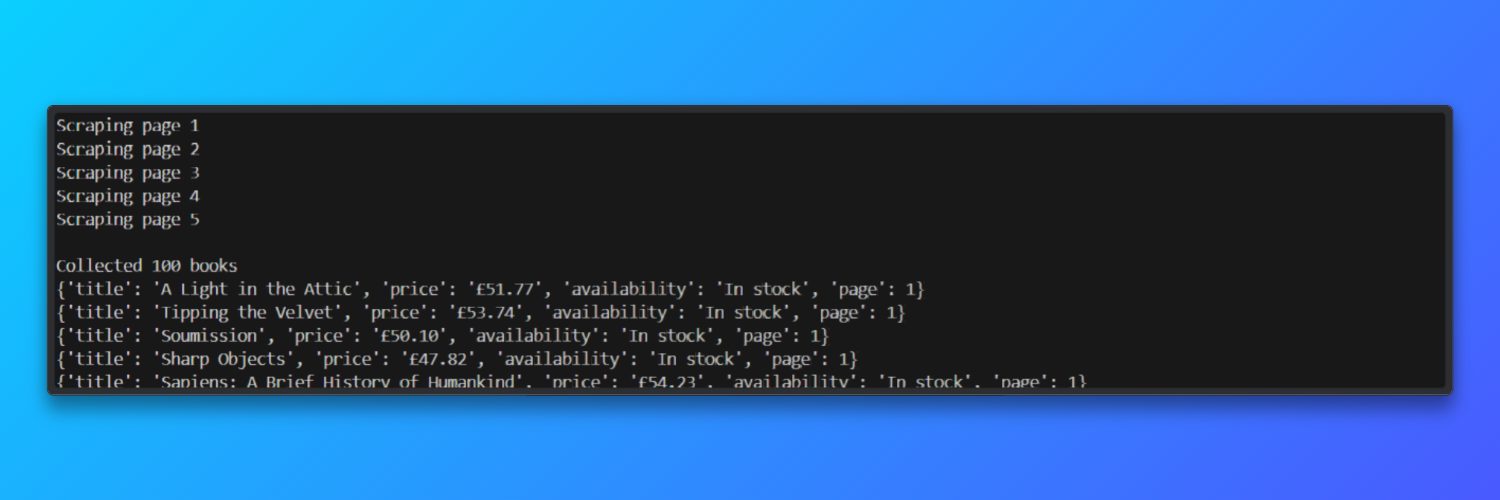
In test runs, the scraper processed five paginated pages in approximately 45 seconds and achieved a page-load success rate of about 92% when using Bright Data residential proxies.
Performance Benchmarks & Limitations
This section summarizes measured performance, practical constraints, and scaling implications observed when using Camoufox with residential proxies, and how those constraints shape the next architectural step.
Measured Benchmarks (Observed)
- Fingerprint robustness: Camoufox scores 70%+ on CreepJS tests, indicating strong resistance to common browser fingerprinting checks for an open-source tool.
- Memory footprint: ~200 MB RAM per browser instance, which directly caps horizontal scaling on typical servers.
- Session lifetime: Cookies expire every 30–60 minutes, requiring manual refresh or session restarts to maintain access.
- Time-decay success rate: ~92% in hour 1 → ~40% in hour 2 → ~10% by hour 3 as sessions age and detection systems adapt.
- Infrastructure contrast: Bright Data provides 175M+ IPs, 99.95% uptime, and 0 maintenance hours from the user’s side.
Limitations observed at scale
As web scraping with Camoufox runs longer or scales wider, several constraints become apparent:
- Session expiration: Cookies typically expire within 30–60 minutes, requiring manual refresh or browser restarts to maintain access.
- Memory usage: Each browser instance consumes roughly 200 MB of RAM, which limits concurrency on standard servers.
- Concurrency ceiling: On an 8 GB server, practical limits are around ~30 concurrent browser instances before stability degrades.
- Reliability decay over time: Success rates drop noticeably as sessions age—~92% in hour 1, ~40% in hour 2, and ~10% by hour 3 without intervention.
- Operational overhead: Maintaining consistent results usually requires 20–30 hours per month of active maintenance and tuning.
For teams that need long-running jobs or predictable uptime, these limitations shift the focus from scraping logic to infrastructure management.
At this stage, managed solutions become a practical alternative. Bright Data’s infrastructure offers 175M+ residential IPs, 99.95% uptime, and removes the need for manual cookie and session handling.
In production settings, this typically results in 99%+ consistent success, without the gradual degradation seen in self-managed browser automation.
When maintenance time and infrastructure costs are included, managed setups often reduce total monthly cost compared to DIY approaches. ( $1,200/month vs $2,850 DIY (including maintenance)).
Camoufox vs Puppeteer vs Bright Data (Comparison Table)
The table below compares Camoufox with Bright Data residential proxies, Puppeteer, and Bright Data Scraping Browser across the factors that matter most in real scraping projects.
| Feature | Camoufox + Bright Data Proxies | Puppeteer | Bright Data Scraping Browser |
|---|---|---|---|
| Success Rate | ~92% success with residential proxies | ~15–30% on protected sites | 99%+ consistent success |
| Setup Effort | Medium setup with proxy and fingerprint tuning | High setup with patches and plugins | Low setup, ready to use |
| Cookie Management | Manual refresh every 30–60 minutes | Fully manual handling | Automatic cookie management |
| Scaling Limit | ~30 concurrent browsers per server | ~50 concurrent browsers | Unlimited scaling |
| Maintenance / Month | 20–30 hours of ongoing maintenance | 40–60 hours of maintenance | 0 hours required |
| Cost (1M Requests) | ~$2,850 including proxy usage | ~$2,500 plus engineering time | ~$1,200 total cost |
When to Migrate to Bright Data
Bypass anti-bot Camoufox browser is a strong choice for building early-stage scraping workflows, but it is not designed for sustained, high-volume production use.
As projects scale, cookie expiration every 30–60 minutes, declining success rates over long runs, and the need for frequent browser restarts introduce operational overhead.
Web scraping with Camoufox require consistent 99%+ success, higher concurrency than ~30 browsers per server, and predictable performance without ongoing tuning, migrating to Bright Data becomes the practical next step.
Bright Data’s managed scraping solutions handle browser fingerprinting, session persistence, retries, and scaling automatically, which removes manual maintenance and stabilizes long-running pipelines.
Key Takeaways
This guide showed how web scraping with Camoufox works in practice, where it excels, and where its limits appear. Camoufox paired with residential proxies is well suited for prototyping, experimentation, and understanding modern bot-detection systems.
For production environments where reliability, scale, and cost efficiency matter, managed scraping infrastructure like BrightData offers a clearer operational path.
If your Camoufox Python setup is already functional but requires frequent restarts, session resets, or proxy tuning, the limiting factor is infrastructure rather than scraping logic.
Explore Bright Data’s residential proxies and Scraping Browser to reduce maintenance effort and achieve stable, production-grade results at scale.
Also, Bright Data’s Scraping Browser acts as a production-scale Camoufox alternative by handling fingerprinting, session persistence, and retries automatically.
Overall, that is one of the largest, fastest, and most reliable scraping-oriented proxy networks on the market.
Sign up now and start your free proxy trial!



Technical Writer
Amitesh Anand is a developer advocate and technical writer sharing content on AI, software, and devtools, with 10k followers and 400k+ views.