In this blog post, you will see:
- What Convex is, how its mental model works, and how it compares to other databases.
- How it works in detail and the core components it builds upon.
- Why Convex shines when employed to store real-time web data.
- The main obstacles and challenges in sourcing live data from the web.
- How Bright Data helps tackle those challenges by providing structured, real-time web data ready for Convex storage.
- How to get started with a full demo combining Bright Data for web data retrieval and Convex for data storage and seamless UI updates.
Let’s dive in!
An Introduction to Convex
The first step is exploring Convex to understand what it is, what it brings to the table, and the core mental model behind it.
What Is Convex?
Convex is an open-source, reactive backend platform engineered to keep your web and mobile apps in sync.
Under the hood, it combines a database, serverless functions, authentication, and client libraries in a single system. Like React components responding to state changes, Convex queries automatically react to database updates, making it ideal for live, dynamic applications.
Queries are written in TypeScript and executed directly in the database, simplifying development while enabling fast, reactive applications with minimal infrastructure overhead. The solution also supports modular components, real-time data sync, scheduling, and AI-assisted code generation. It integrates with frameworks like React, Next.js, Vue, Svelte, and Nuxt, while also interoperating with Python, Swift (for iOS), Kotlin (for Android), and Rust applications.
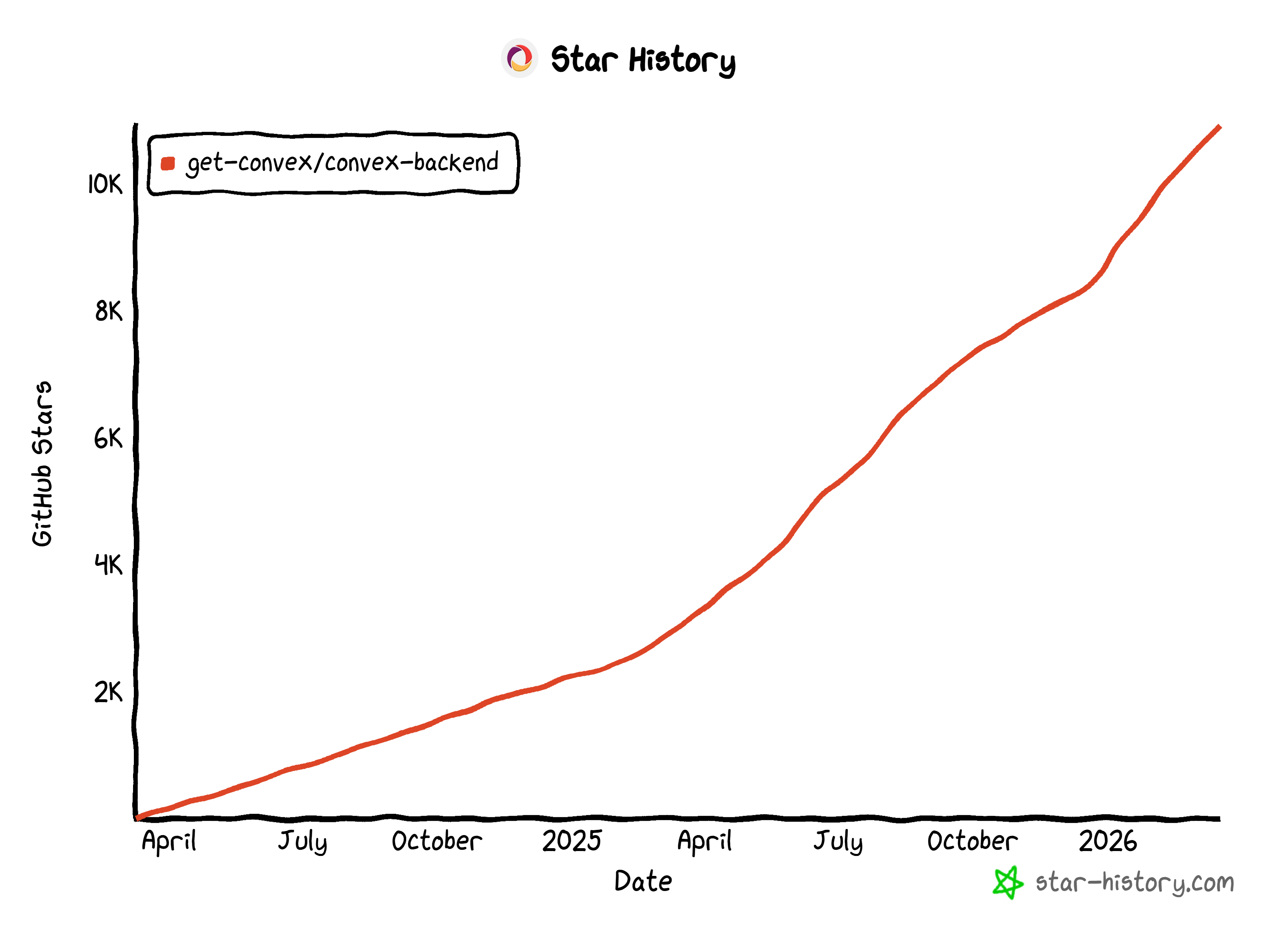
Its flexibility has made it popular among developers, earning 10.9k+ stars on GitHub and 400k+ weekly npm downloads.
The Core Idea Behind Convex: Understanding Its Mental Model
Unlike traditional databases, Convex treats the database as a live, reactive system rather than just passive data storage. Every time data is added, updated, or deleted, the change is recorded in an immutable transaction log. That is a permanent, time-stamped history of all operations. At the same time, queries do not just fetch data. They automatically track which pieces of data they have read, known as their “read sets.”
That lets Convex immediately detect when any of the data a query depends on changes, enabling the system to update results in real time. This architecture supports real-time subscriptions and maintains strong consistency through deterministic transactions and an optimistic concurrency control mechanism. Thanks to these characteristics, multiple users can interact concurrently with the database without conflicts.
Convex vs Other Databases
To better understand how Convex positions itself against other popular databases, refer to the comparison table below:
| Feature | Convex | Firebase | Supabase | Traditional SQL databases |
|---|---|---|---|---|
| Database type | Transactional document store | NoSQL / Firestore | PostgreSQL | Relational SQL |
| Real-time | ✔️ (Built-in, automatic subscriptions) | ✔️ (Built-in) | ➖ (Optional, via separate server) | ❌ (Not native) |
| Transactions | Always transactional | Limited | Supported | Supported |
| Schema | Optional, gradual, auto-generated from TypeScript | Flexible / schema-less | Enforced (Postgres) | Strict, manual |
| SQL support | ❌ | ❌ | ✔️ | ✔️ |
| TypeScript integration | Full | Limited | Partial, server-side | Depends on ORM |
| Auth/OAuth | Standard + native | Standard + Firebase Auth | Standard + native | Custom setup |
| Database responsibility | Fully handled by Convex | Shared | Shared | Fully developer-managed |
How Convex Works: Architecture, Components, and Data Flow
Convex architecture is based on a full-stack backend platform with three main components:
- Database: A reactive, document-relational store where JSON-like objects are organized in tables. The Convex database is automatically provisioned in the cloud for each project, requiring no manual connection setup or cluster management.
- Server functions: Queries and mutations are written as TypeScript functions, eliminating the need for SQL or ORMs. Queries are pure and read-only, while mutations run in fully managed transactions with ACID guarantees, serializable isolation, and optimistic concurrency control.
- Client libraries: Framework-specific libraries (Next.js, React, Vue, Svelte, etc.) that subscribe to server functions, automatically syncing results and managing mutation queues. They ensure consistent, real-time UI updates without manual subscription or state management.
With these three components, data flows reactively from the database to the client via server functions. Queries automatically track dependencies, rerunning when data changes and pushing updates in real time. Mutations run as fully managed transactions, updating the database and dependent queries, ensuring clients always see the up-to-date state without manual synchronization.
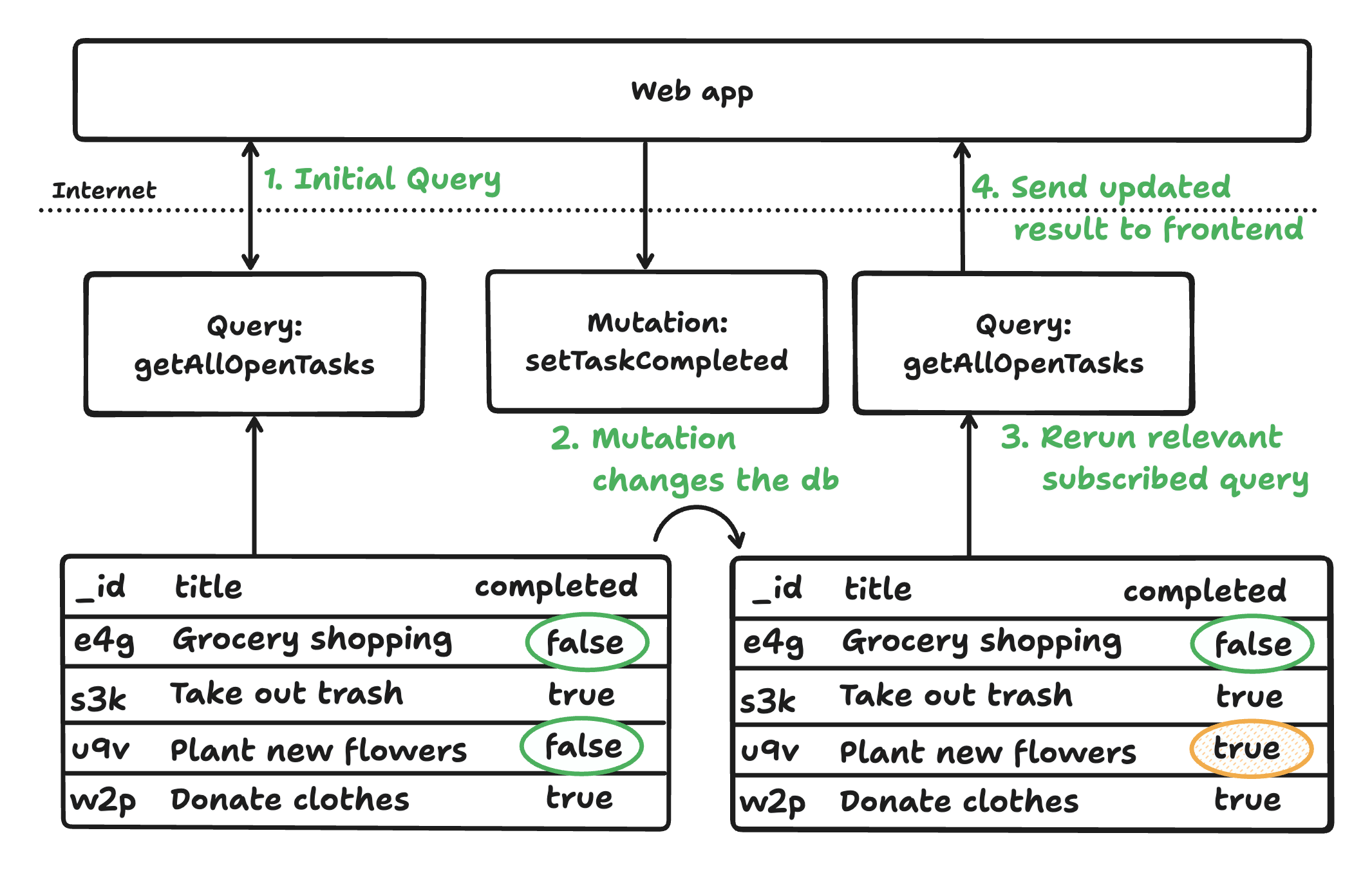
Convex’s cohesive architecture guarantees reactive, consistent, and type-safe applications with minimal boilerplate. It supports rapid development for both human and AI-generated code, abstracting away database tuning and synchronization. Convex also offers authentication, scheduling, and more.
Why Convex + Real-Time Web Data Is the Perfect Match
A real-time database like Convex only reaches its full potential when the data source itself is real-time. In other words, its reactive architecture is perfect for applications that need to reflect live conditions (e.g., stock prices, social media feeds, news updates, or e-commerce inventories).
Now, what is the largest source of dynamic, constantly changing data on the planet? The web! Web data flows from millions of sources in real time, making it the ideal input for a Convex-based reactive application.
By connecting Convex to real-time web data streams, your app can react immediately to updates without complex polling, manual synchronization, or state management. This eliminates latency between the information and the user interface, creating a seamless, always-fresh user experience.
Challenges in Connecting Web Data to a Convex Application
Now, you understand why real-time web data is a great match for a solution like Convex. The next question is: how do you actually retrieve it? The answer is web scraping, the process of programmatically extracting information from web pages.
Web scraping is a powerful approach, but it comes with several challenges. These range from technical hurdles to operational complexity, including:
- Dynamic content: Modern sites rely on JavaScript, AJAX, and complex navigation and interaction patterns, making structured data extraction more difficult.
- Anti-bot measures: Many websites use CAPTCHAs, rate limits, fingerprints, and other defenses to detect and block automated access.
- Frequent changes: Layouts, HTML structures, and URLs often change, breaking scrapers and requiring ongoing monitoring and maintenance.
- Scalability: Gathering data at scale demands solid infrastructure, integration with a trusted proxy provider for IP rotation, and robust error handling.
- Data consistency: Ensuring accuracy, completeness, and freshness is challenging, especially for frequently updated data.
As a result, building a fully reactive Convex application on top of web data is a daunting task. Instead of handling these obstacles yourself, the perfect approach is to rely on an enterprise-ready provider of real-time web data, such as Bright Data.
Bright Data + Convex for Reactive Apps Based on Real-Time Web Data
When developing reactive applications powered by live web data, the combination of Bright Data and Convex stands out. Together, they create a clean separation of responsibilities: Bright Data focuses on large-scale data collection, while Convex handles live state synchronization and UI updates.
Bright Data enables you to programmatically search and extract information from the web in real time. The scraped data is returned as structured JSON, which can be easily ingested into Convex. This will then take care of instantly propagating it to all connected clients through reactive queries.
What makes Bright Data particularly compelling is its enterprise-grade infrastructure. It operates on one of the largest proxy networks in the world, with 400M+ IPs across 195 countries, achieving unlimited concurrency. This foundation supports high reliability, with 99.99% uptime, a 99.95% success rate, and 24/7 support.
All of Bright Data’s real-time data retrieval solutions are built on top of that infrastructure. The main offerings include:
- Web Scraper APIs: Ready-made API endpoints for extracting structured live data from popular websites.
- Unlocker API: Automatically handles CAPTCHAs, blocking mechanisms, and anti-bot systems, giving you access to unblocked page content.
- SERP API: Provides real-time search results from multiple engines, with response times of up to sub-second latency.
- Crawl API: Converts entire websites into structured datasets.
The Convex + Bright Data setup enables a continuous flow of fresh data from the web to your users, without the typical operational overhead of scraping. The result is a scalable, maintainable, and fully reactive system built on real-time web data.
Architecture Example
Below is an example of the architecture for a reactive web or mobile application built with Convex, with real-time web data provided by Bright Data:
- Triggering data retrieval (Bright Data): When a user performs a specific action (e.g., clicking a button), the frontend sends a request to your backend. The server then calls a Bright Data API to fetch fresh data from the web. The scraped data can be product prices, news articles, job listings, etc.
- Backend processing (Convex): Once the structured JSON data is received, it is passed into Convex through a mutation. At this stage, the data is ingested, normalized, validated, and stored in the Convex database. You can also enrich or transform the data here based on your application’s logic.
- Live UI updates (Convex reactivity): The frontend subscribes to queries in Convex. As soon as the database is updated, the relevant queries automatically re-run. The updated results are pushed instantly to the client, and the UI refreshes in real time without any manual intervention.
How to Build a Real-Time AI Market Research Terminal with Convex and Bright Data
To illustrate the possibilities unlocked by the Convex + Bright Data integration, let’s consider a real-world demo: Bright Data’s AI Market Research Terminal.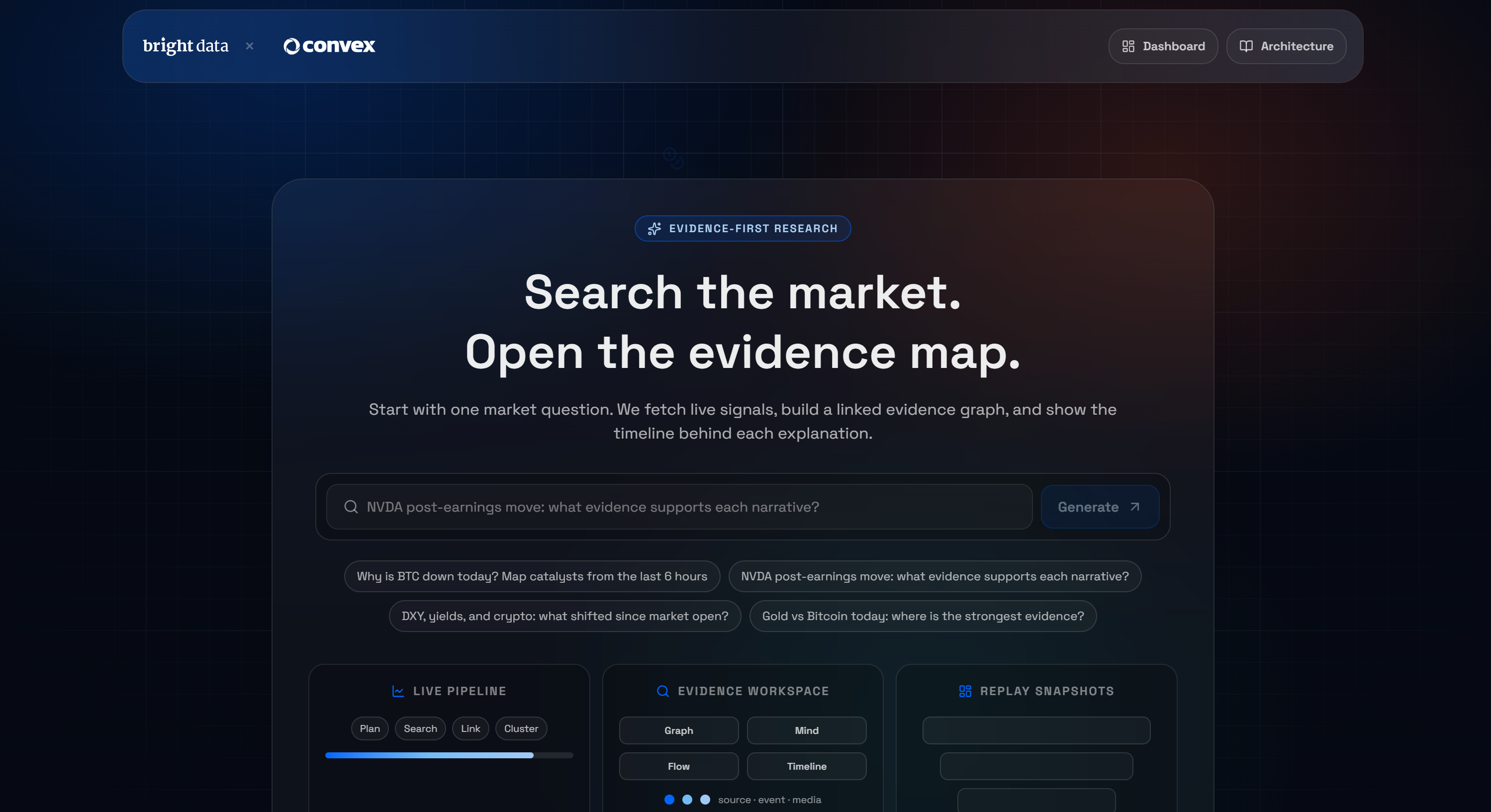
This is a Next.js application built on Convex that lets you ask a question and receive a live, web-scraped evidence graph. If you are not familiar with that concept, an evidence graph is a structured representation showing the relationships between data, claims, and supporting evidence.
Under the hood, the application follows a pipeline that consists of eight stages:
- Plan: An LLM creates 4–6 focused search queries based on your topic.
- Search: Sends 4–6 Bright Data SERP API requests concurrently.
- Scrape: Extracts the top URLs into Markdown using Bright Data Web Unlocker API.
- Extract: Combines SERP snippets and Markdown into structured evidence items.
- Summaries: The LLM pulls out key bullets, entities, catalysts, and sentiment for each item.
- Artifacts: Builds knowledge graph nodes and edges with confidence scores.
- Link: Applies heuristic enrichment, including connectivity fixes, domain tagging, and tape events.
- Render → Ready: Streams the final artifacts to the client while persisting the session in Convex.
Time to explore this demo and test it locally! See how a real-world Convex + Bright Data application collects, processes, and delivers live web data in a reactive workflow.
Prerequisites
To follow along with this tutorial section, make sure you have:
- Node.js 20+ installed locally.
- An OpenRouter API key.
- A Bright Data account with SERP and Web Unlocker zones configured.
- A Convex project set up (the free tier is sufficient).
- Git installed locally.
Do not worry about setting up Bright Data and Convex just yet. You will be guided through both in two dedicated subchapters.
Step #1: Prepare Your Bright Data Account
As mentioned in the introduction, the demo application relies on two Bright Data products:
- SERP API
- Web Unlocker API
Below, you will be guided through setting them up in your account. For more detailed instructions, you can also refer to Bright Data’s official documentation:
If you do not already have an account, create one. Otherwise, log in. Once logged in, navigate to the “Proxies & Scraping” page in the control panel. In the “My Zones” section, look for a row labeled “SERP API” and another for “Web Unlocker API”: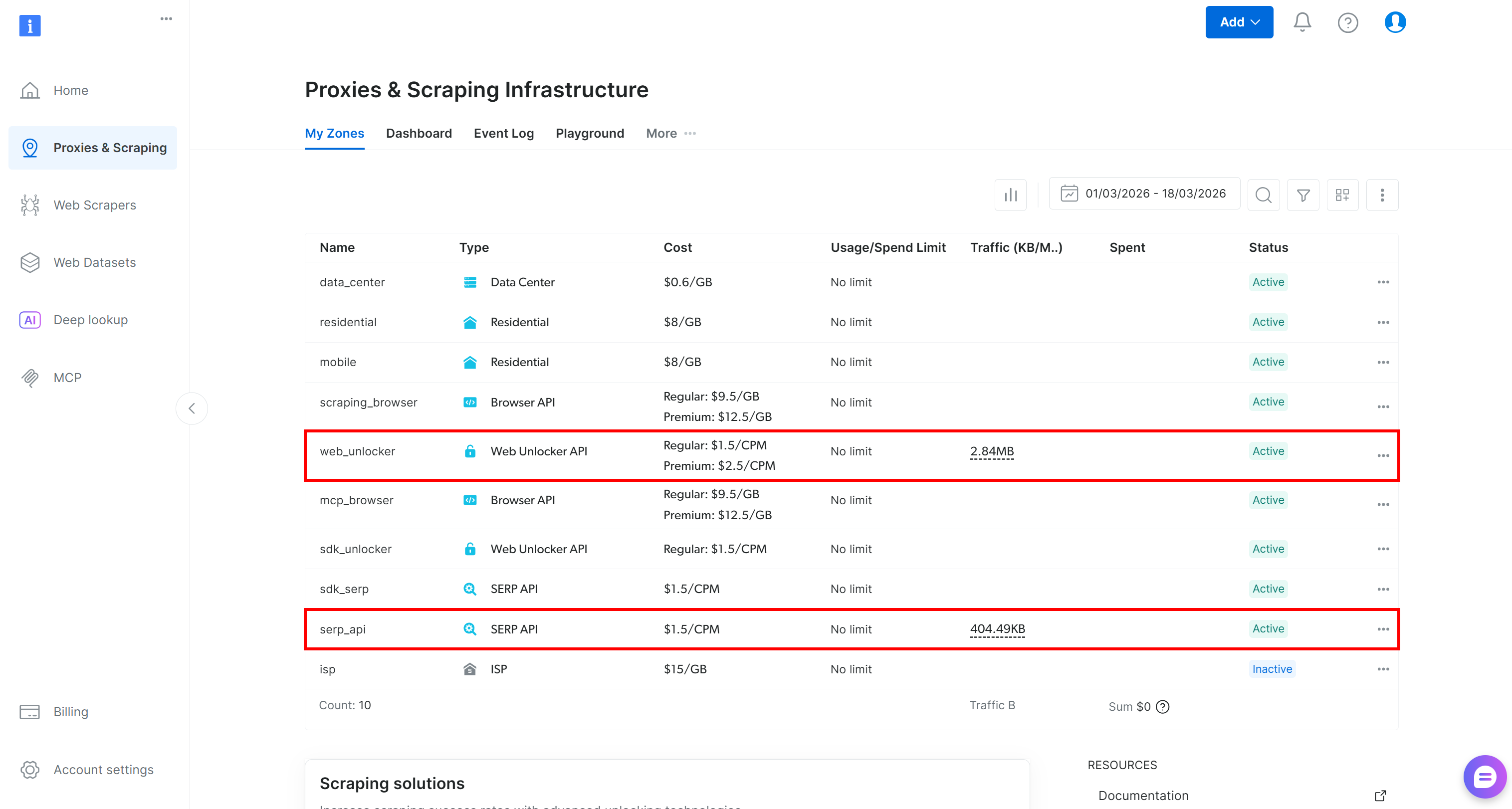
If either row is missing, it means the corresponding zone has not been set up yet. For example, to create a SERP API zone, scroll down to the “SERP API” section and click “Create Zone”: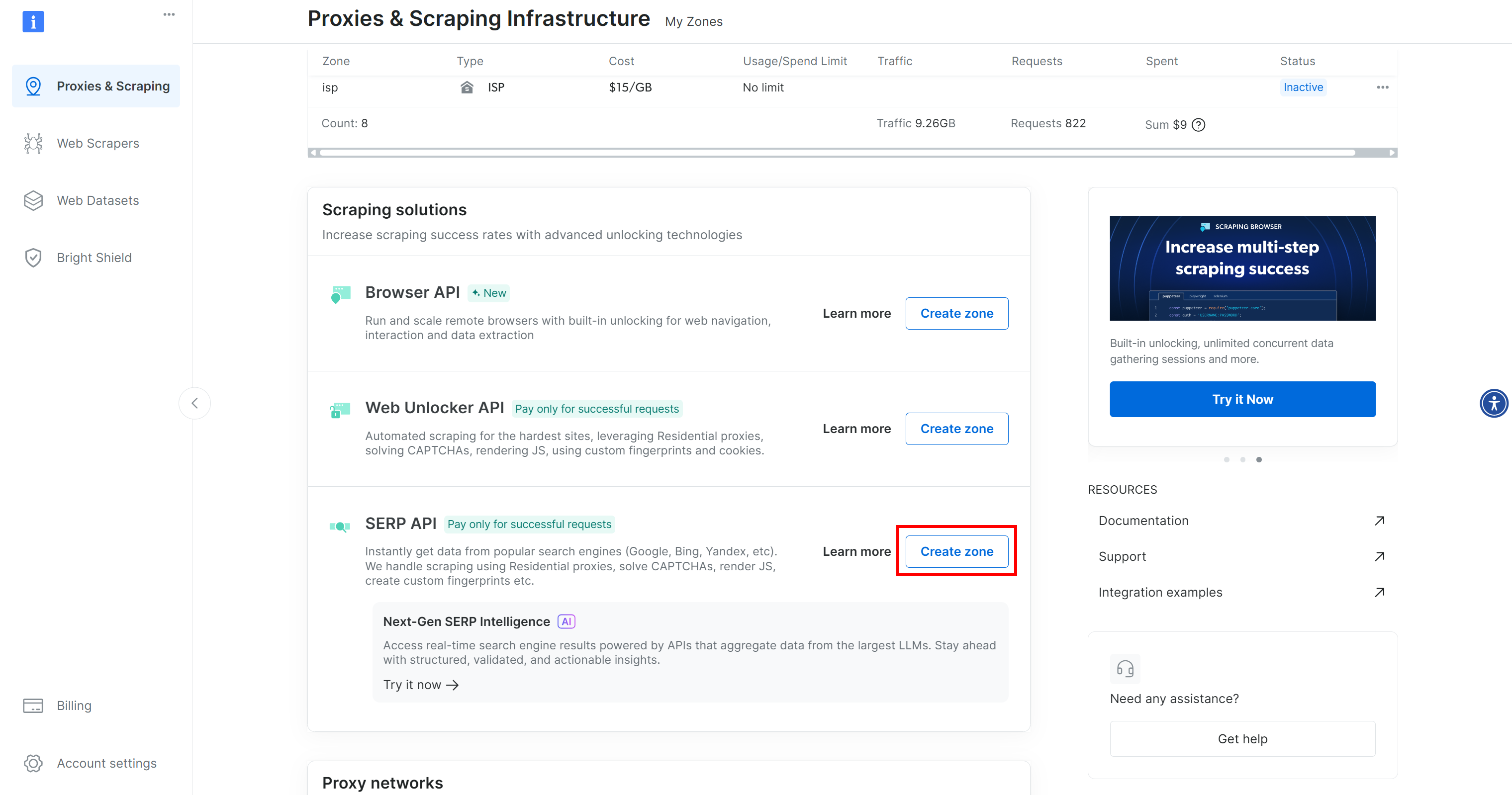
Create a SERP API zone and give it a name, such as serp_api (or any name you prefer). Keep a note of the zone name, as you will need it later.
Repeat the same process for the Web Unlocker API. For this tutorial, we will assume your Web Unlocker zone is named web_unlocker.
Finally, follow the official tutorial to generate your Bright Data API key. Store it safely, as it will be needed to authenticate API requests from the Convex-powered Next.js app to the SERP API and Web Unlocker.
Amazing! Your Bright Data account is now fully configured and ready to be integrated into the AI Market Research Terminal demo.
Step #2: Set Up Your Convex Account
Start by logging into Convex, or create a new account if you have not done so yet. You will arrive at your Convex dashboard: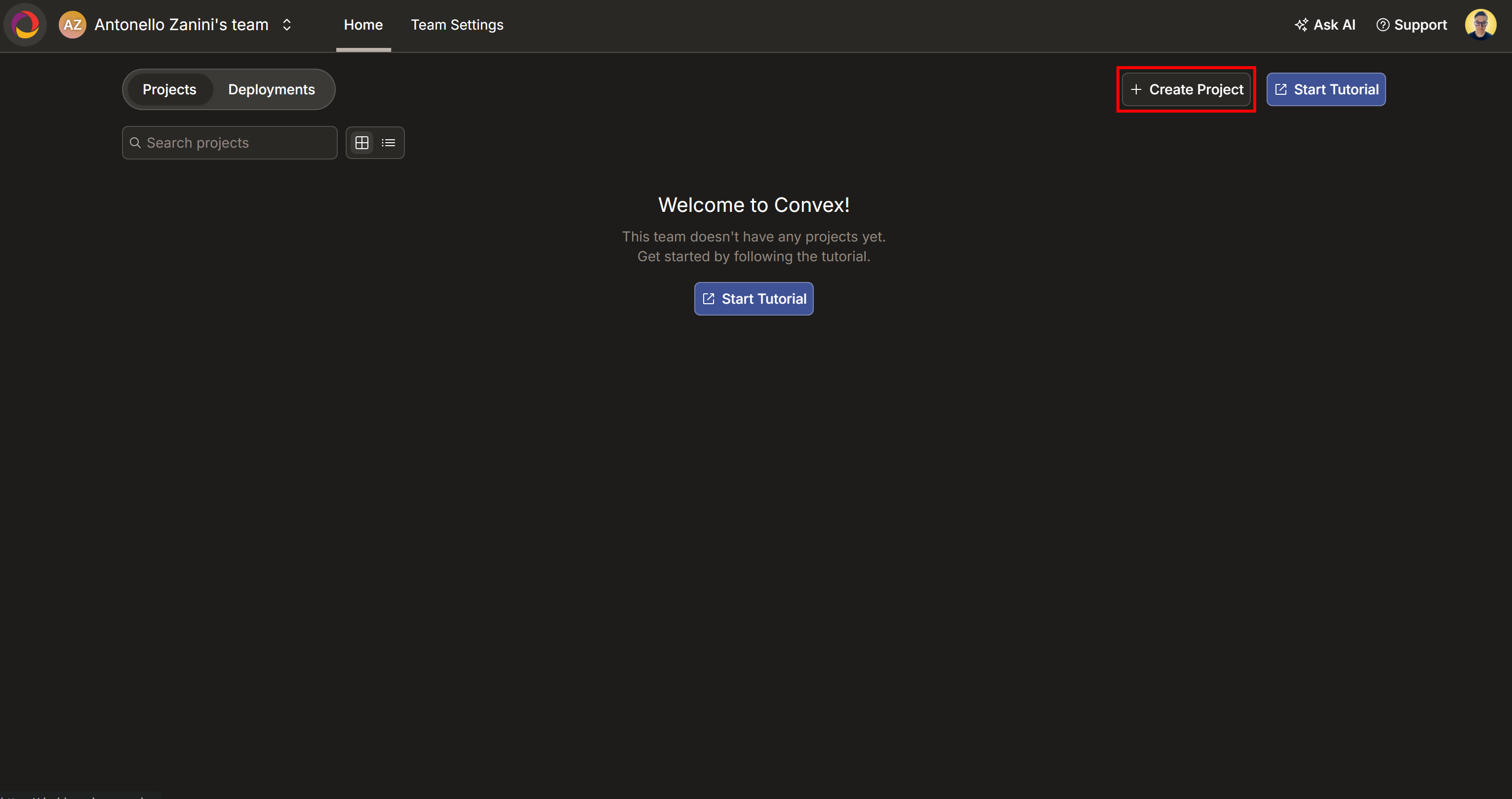
Here, press the “Create Project” button. Name your project “AI Market Research Terminal” (or any name you prefer) and then click “Create”: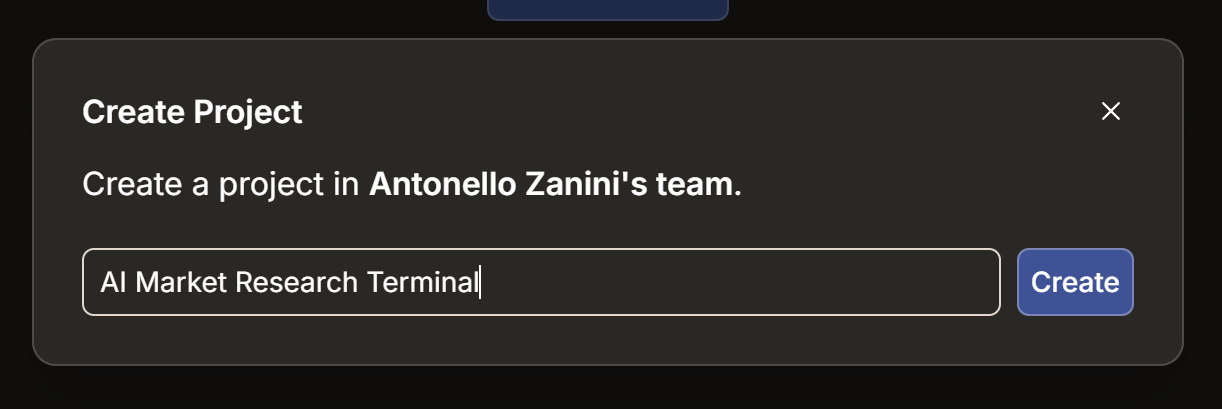
Wait for the project to initialize, then select a deployment region: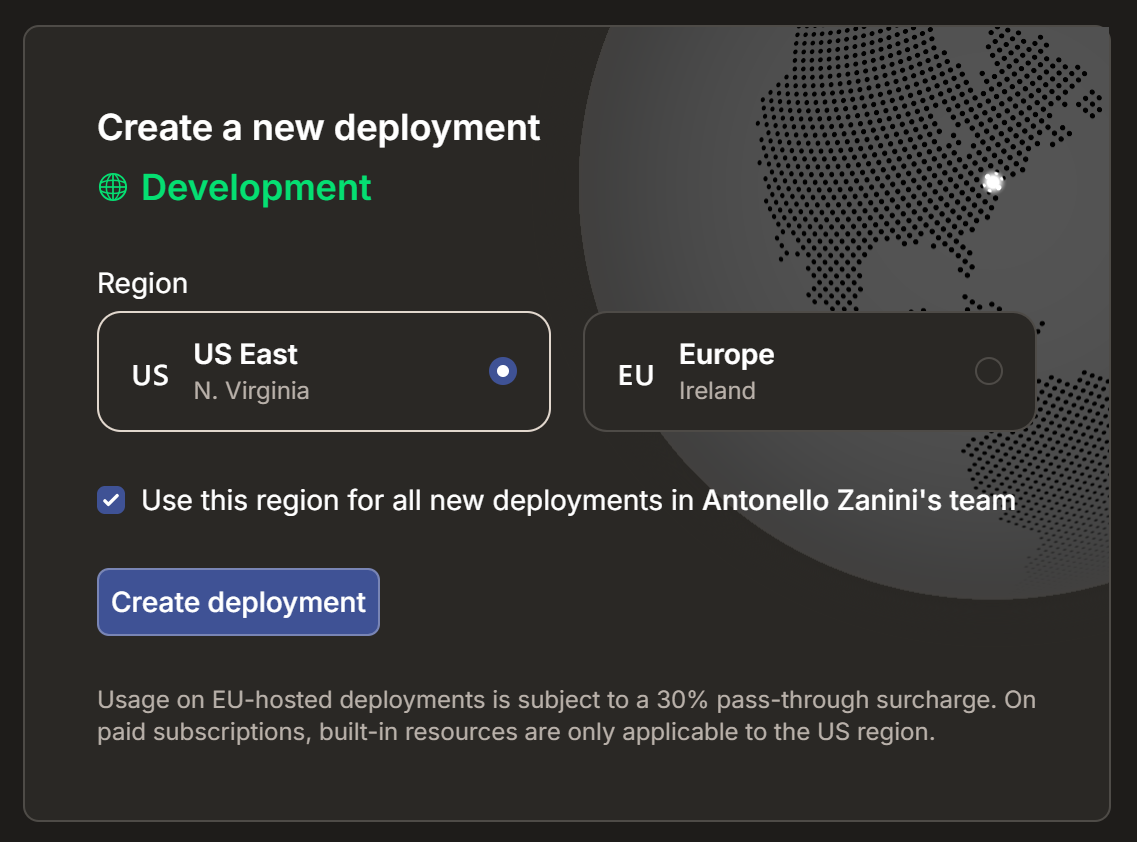
Confirm by pressing “Configure Deployment”. After a few seconds, your project should be ready: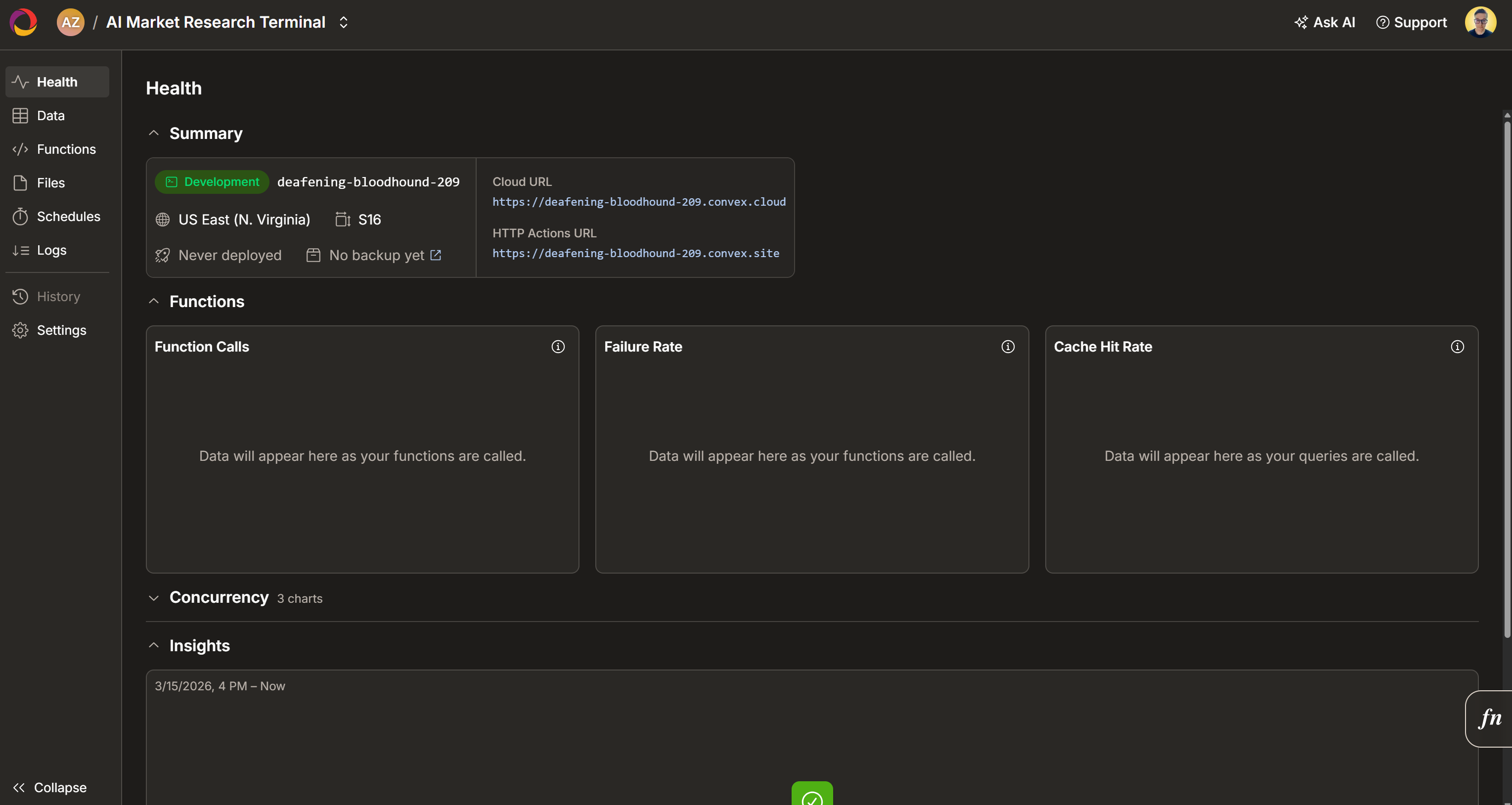
Great! You now have all the building blocks needed to clone and run the project locally.
Step #3: Set Up the Project
Begin by cloning the demo repository into a local folder called ai-market-research-terminal/:
git clone https://github.com/brightdata/market-terminal ai-market-research-terminalYour ai-market-research-terminal/ project folder should now contain all the files listed in the official repository.
Navigate into the project directory:
cd ai-market-research-terminalNext, install the project dependencies:
npm installWonderful! You can now open the project in your favorite JavaScript IDE, such as Visual Studio Code. Explore it and get familiar with it to see how it works. For more information and the behind-the-scenes details, read the dedicated deep dive on DEV.
Step #4: Configure the Application
The application reads all its configuration from a .env.local file. The repository includes a sample file called .env.local.example. Copy it to create your own .env.local file:
cp .env.local.example .env.local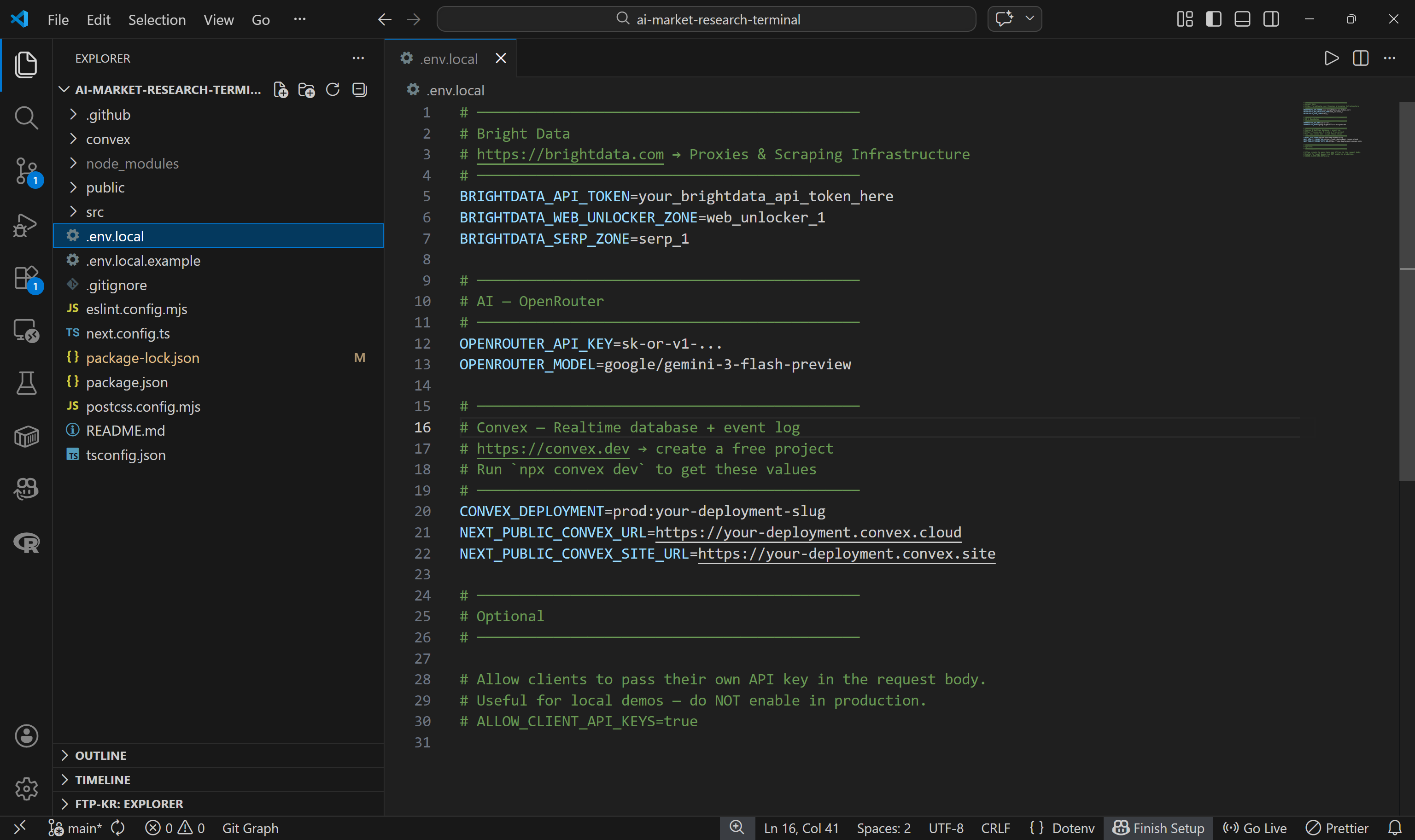
Next, set up the Convex connector by running the following command in your project’s root folder:
npx convex devFollow the instructions, connect your device to your Convex account in the browser. Then, select the existing “AI Market Research Terminal” project you created in step #2. Convex will automatically update your .env.local file with the necessary environment variables. In this case, it will add:
CONVEX_DEPLOYMENT=dev:deafening-bloodhound-209
NEXT_PUBLIC_CONVEX_URL=https://deafening-bloodhound-209.convex.cloud
NEXT_PUBLIC_CONVEX_SITE_URL=https://deafening-bloodhound-209.convex.site
These values allow your application to connect to your Convex project.
By default, two new tables (sessionEnvts and session) will be added to your Convex project: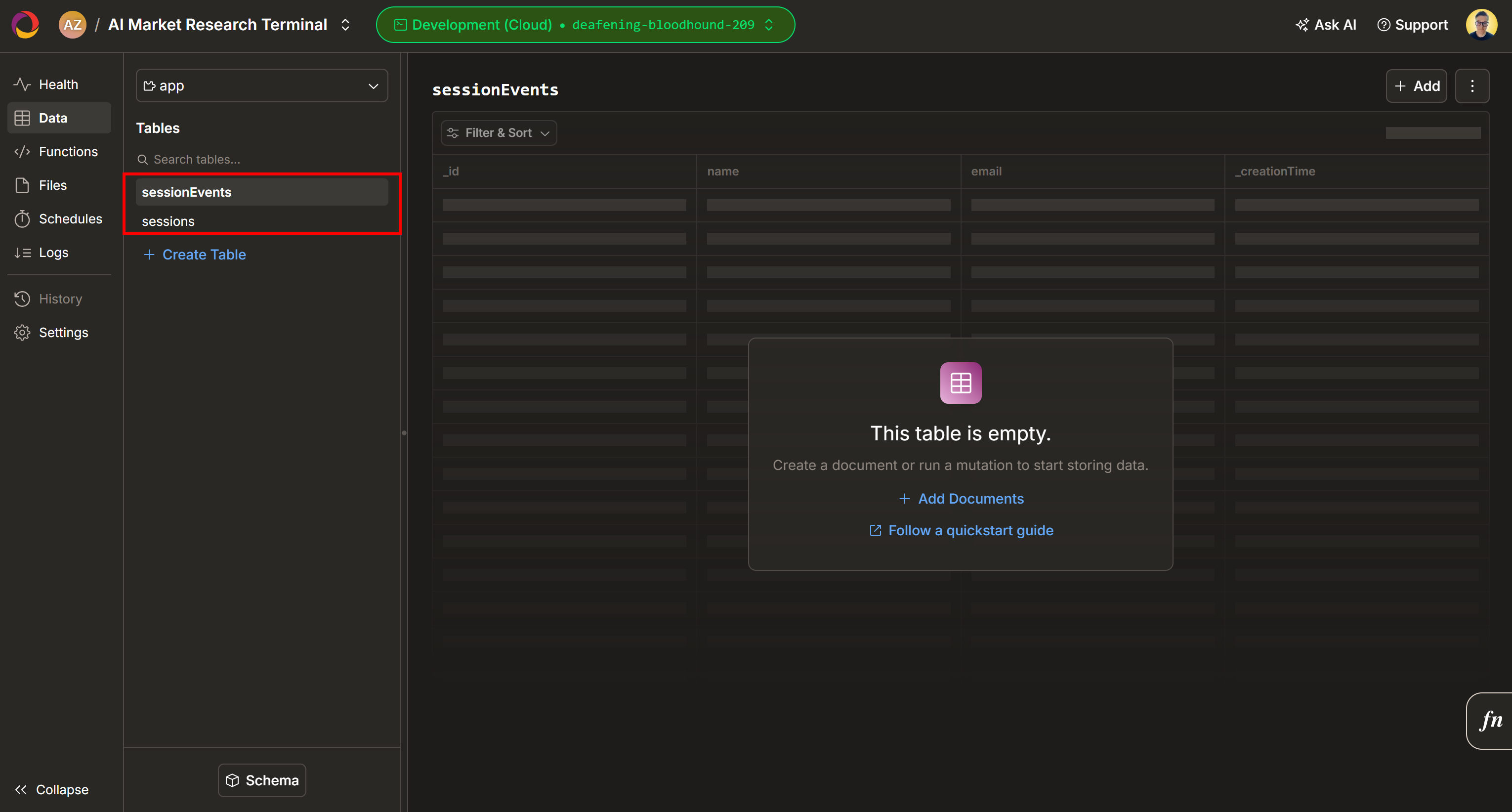
Next, fill out the remaining environment variables in .env.local:
BRIGHTDATA_API_TOKEN=<YOUR_BRIGHTDATA_API_KEY>
BRIGHTDATA_WEB_UNLOCKER_ZONE=<YOUR_BRIGHTDATA_WEB_ULOCKER_API_NAME> # e.g., "web_unlocker"
BRIGHTDATA_SERP_ZONE=<YOUR_BRIGHTDATA_SERP_API_NAME> # e.g., "serp_api"

OPENROUTER_API_KEY=<YOUR_OPENROUTER_API_KEY>
OPENROUTER_MODEL=google/gemini-3-flash-preview
Replace the placeholders with your Bright Data API token, Web Unlocker zone name, SERP API zone name, and OpenRouter API key. Note that the default LLM is Gemini 3 Flash, but you can use any other supported model if preferred.
Awesome! Your demo is now fully configured and ready to run locally.
Step #5: Run the Application Locally
Launch the demo locally with:
npm run devOpen http://localhost/market-terminal in your browser to access the local AI Market Research Terminal app. You should see: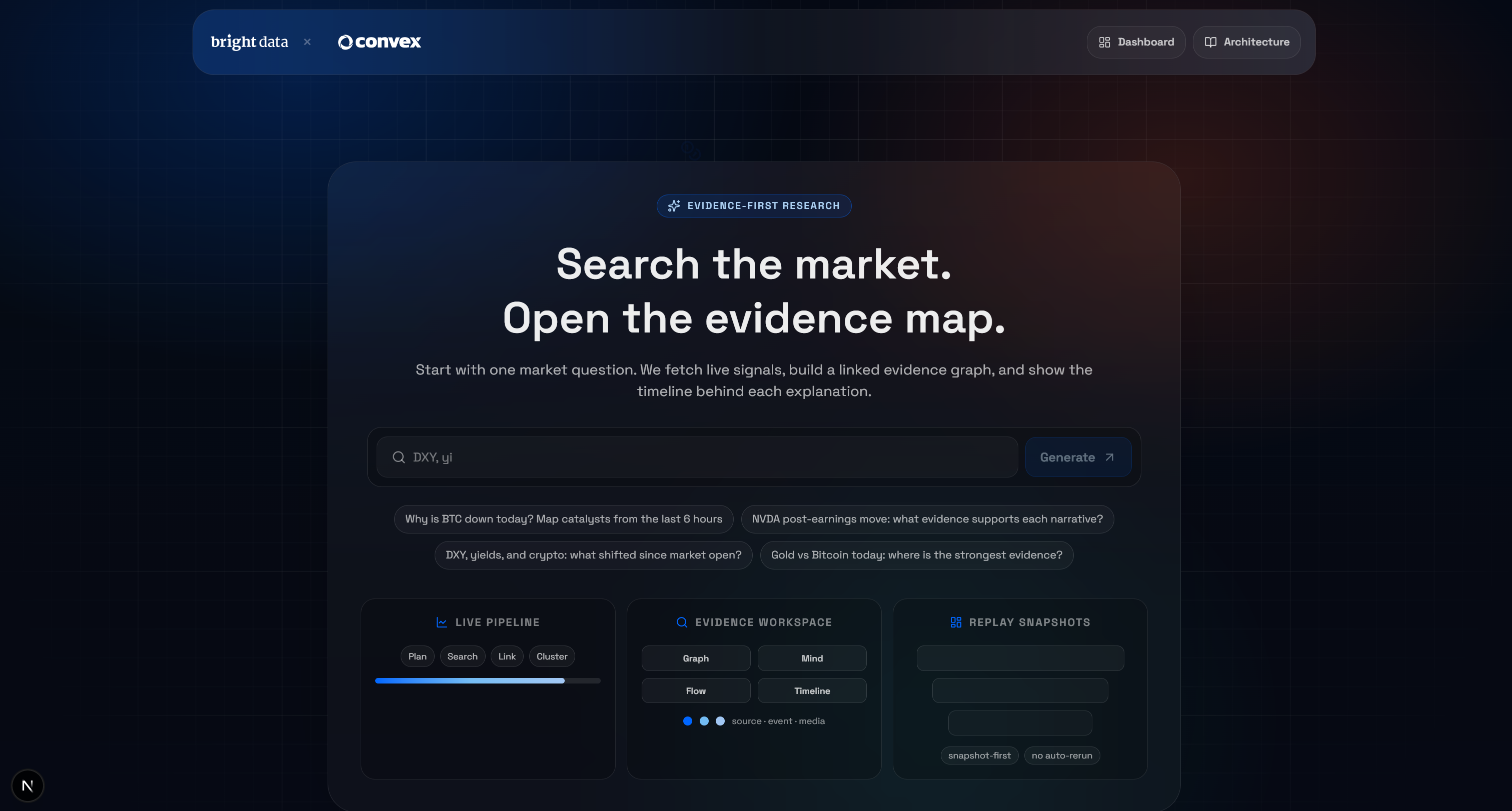
Test the application by entering a query, for example:
Why is BTC down today?Press the “Generate” button, and you will receive a result like this: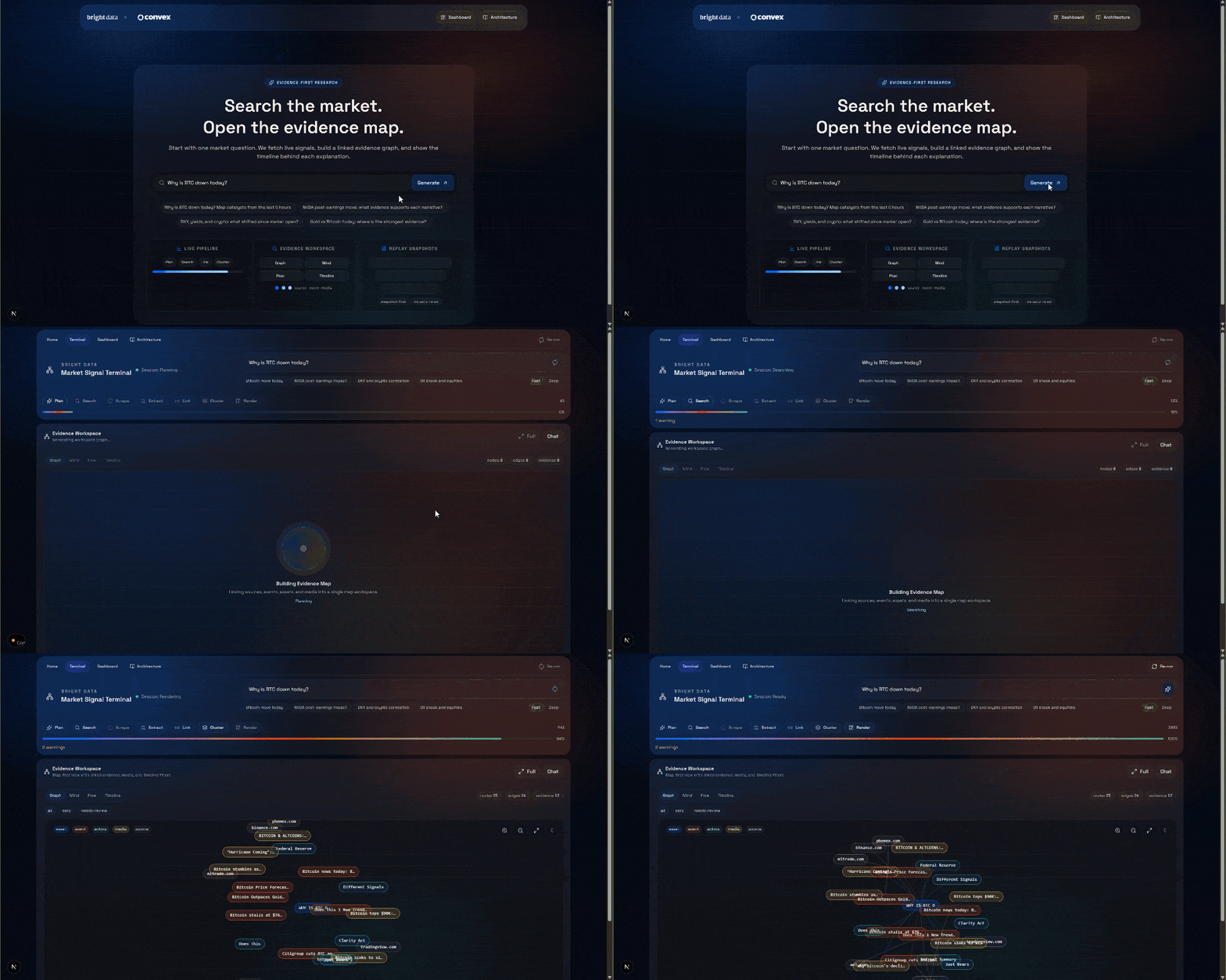
Now, check out the “Evidence Workspace” section. This view contains all the data retrieved in real time via web scraping, aggregated, processed, and stored in Convex. Your Convex database will now contain data for this run: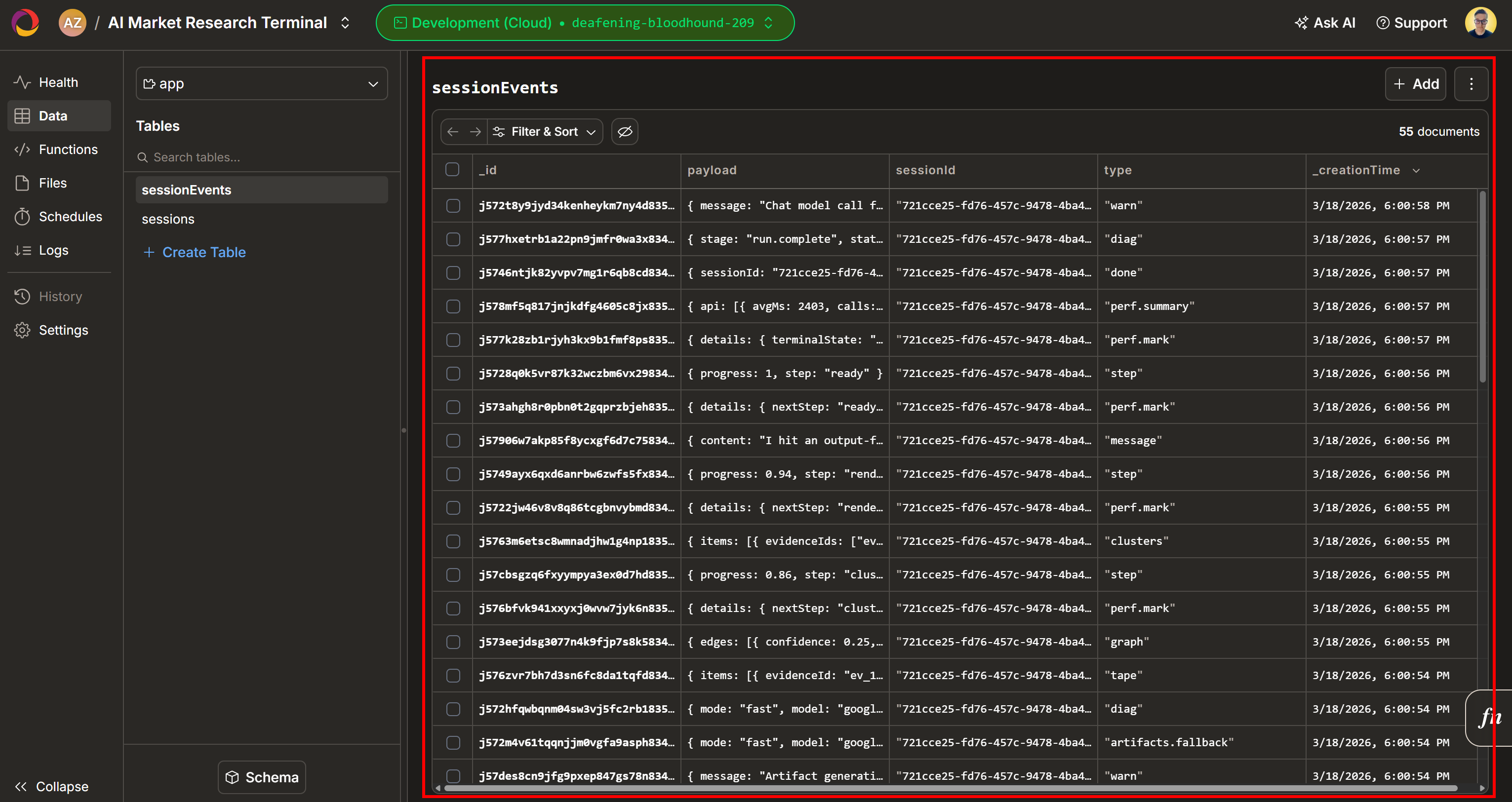
Next, explore the “Graph”, “Mind”, “Flow”, and “Timeline” views: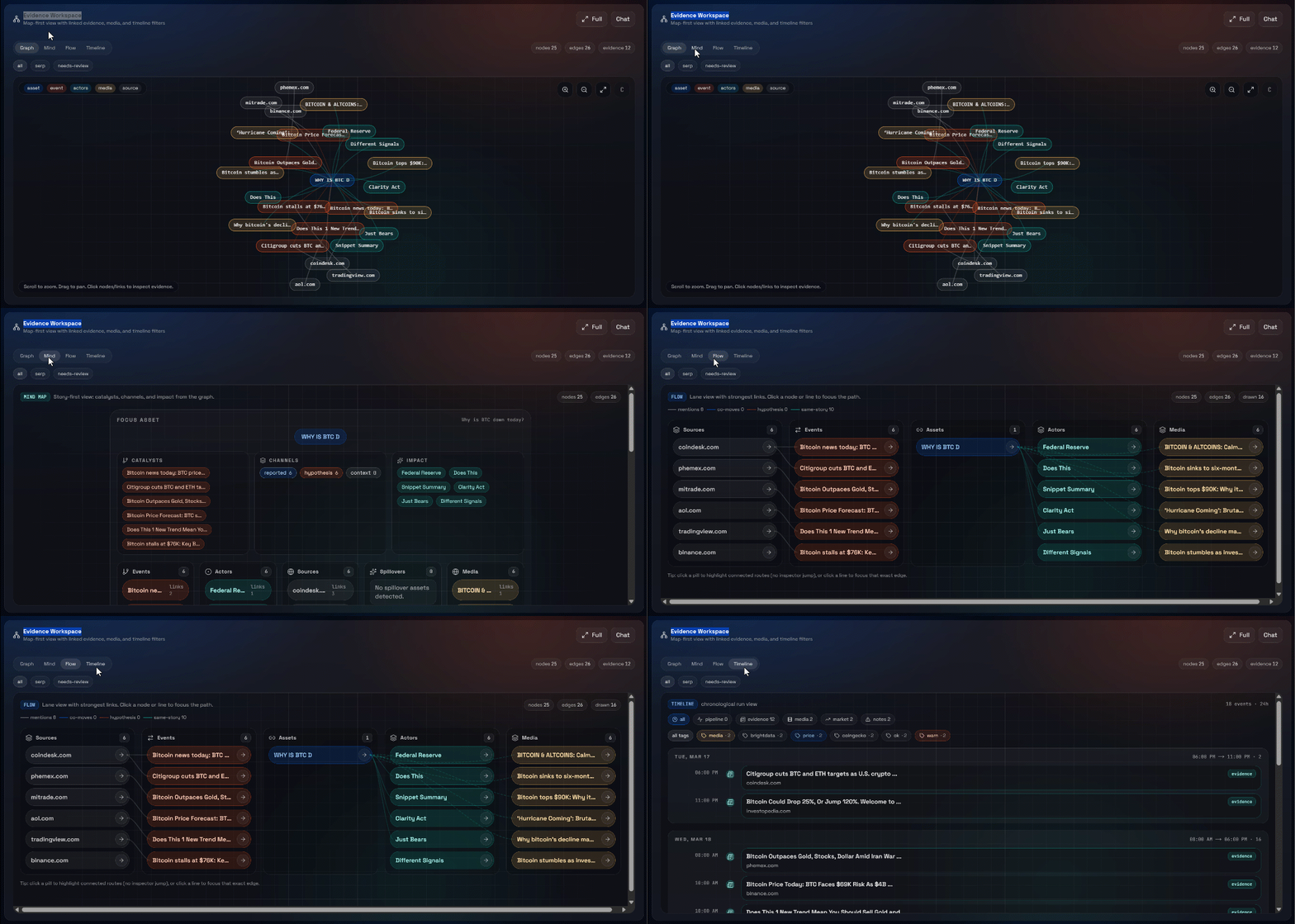
Here you can see the recovered sources, filter them, and explore the data further for deeper insights.
Et voilà! You now have a fully functional AI Market Research Terminal app powered by Bright Data with Convex as the backend database. It is a live, reactive application that brings real-time web data directly to your workspace.
Conclusion
In this article, you learned what Convex is, how it works, and how it helps power reactive applications. This solution becomes even more powerful when used to store fresh data scraped live from the web.
Bright Data enables real-time web scraping through an enterprise-grade infrastructure. This serves as the foundation for a wide range of web scraping services, allowing you to collect data from the web quickly and reliably without being blocked.
Sign up for Bright Data today for free and explore our real-time web data collection solutions!



Technical Writer
 5.5 years experience
Antonello Zanini is a technical writer, editor, and software engineer with 5M+ views. Expert in technical content strategy, web development, and project management.