This guide covers the 10 best web access tools for AI agents in 2026. First is Bright Data and its web access platform for AI agents. It is the only platform here that covers all three jobs with live data. It searches Google, Bing, and Yandex in real time and returns any page as clean Markdown or structured JSON. It also runs cloud browsers for multi-step tasks. One account and 5,000 free monthly credits cover all of it.
Web access for an AI agent means three different jobs. The agent must search the live web and read pages in a format a model can use. It must also drive a real browser when a site needs clicks. Most comparisons rank only one of those jobs. This one ranks tools on all three. It also notes whether results come from a live engine, a private index, or a cache. Each Bright Data step is shown with real output.
Quick Answer: The Best Web Access Tool for Each Agent Job
- Best platform for giving AI agents reliable access to the live web: Bright Data. It combines the SERP API, the Web Unlocker, 1,200+ scrapers, and the Browser API behind one key. Agents connect through an MCP server or a CLI.
- Best for returning clean Markdown and structured data to an AI workflow: Bright Data for Markdown plus ready-made JSON scrapers. Firecrawl is the pick for schema-based extraction from arbitrary pages.
- Best infrastructure for browsing JavaScript-heavy websites and completing multi-step tasks: the Bright Data Browser API, with unblocking built in. Browserbase and Browser Use are strong browser-first alternatives.
- Best search API for LLM grounding with citations and current events: Bright Data for live Google results. Exa, Parallel, and Brave serve results from their own indexes.
TL;DR: Best Web Access Tools for AI Agents at a Glance
The ranked shortlist, with coverage of each job, free tiers, and starting prices.
| Tool | Best For | Live search | Markdown and structured data | Cloud browser | Free tier | Starting price |
|---|---|---|---|---|---|---|
| Bright Data | overall web access platform for AI agents | Live Google, Bing, Yandex | Markdown + 1,200+ JSON scrapers | Yes, Browser API | 5,000 credits/mo | From $1/1K requests; browser from $5/GB |
| Firecrawl | for schema-based extraction | Own index + live | Markdown + JSON schema | Partial (Interact) | 1,000 credits/mo | From $16/mo (annual) |
| TinyFish | free search and fetch tier | Yes (TinySearch) | Markdown or JSON | Yes, plus agent runs | Free search and fetch, rate-limited | Browser $0.002/min |
| Browserbase | for headless browser fleets | Resold (Parallel, Exa) | Markdown or JSON schema | Yes | 1 browser hour + 1K search/fetch calls | From $20/mo |
| Tavily | for chunked RAG search results | Yes | Markdown or text | No | 1,000 credits/mo | From $30/mo |
| Exa | for semantic search | Own index | Page contents + LLM summaries | No | $10 credit/mo | Search from $4/1K |
| Parallel | for compressed excerpts | Own index | Full pages or excerpts | No | Up to 5,000 requests/mo | Search $1 to $5/1K |
| Apify | marketplace of ready-made actors | Via RAG Web Browser actor | Markdown + actor datasets | Partial (actors run browsers) | $5 credit/mo | From $1.33/1K pages |
| Browser Use | open-source browser agent | No | Via agent output | Yes, stealth Chromium | $1 one-time credit | $0.02/hr + $5/GB proxy |
| Brave Search API | independent search index | Own index | No | No | $5 credit/mo | $5/1K requests |
What Is a Web Access Tool for AI Agents?
A web access tool gives an AI agent a way to reach the public web while it works. It exposes tools for searching, fetching pages, extracting fields, and controlling a browser. Agents call these tools through an API, an MCP server, a CLI, or an SDK. The tool handles what a model cannot: blocking, CAPTCHAs, rendering JavaScript, and turning HTML into text a model can read.
Where the data comes from matters as much as the format. A live search engine returns what a person sees on Google or Bing right now. A private index returns pages the vendor crawled earlier, ranked by its own model. A cache returns a stored copy of a page, which can be hours or days old. For prices, news, and release notes, an agent needs live data or an explicit way to request it.
Which Web Access Tool Fits Each Job?
Map the job your agent does to the tools that cover it. Most agents do more than one job, which is why coverage across all three matters.
| Agent job | What the agent needs | Best pick | Alternatives |
|---|---|---|---|
| Live web search and LLM grounding | Current results with URLs to cite, including news and local results | Bright Data SERP API | Tavily, Exa, Parallel, Brave |
| Clean Markdown and structured data | Page text without boilerplate, or typed JSON fields | Bright Data Web Unlocker and Web Scraper API | Firecrawl, TinyFish, Apify |
| JavaScript-heavy sites and multi-step tasks | A real browser that can click, type, scroll, and log in | Bright Data Browser API | Browserbase, Browser Use, TinyFish |
| Whole-site crawling | Every page under a domain in an LLM-ready format | Bright Data Crawl API | Firecrawl, Apify |
How These Tools Are Ranked
Every tool here offers an API built for AI agents and covers at least one of the three jobs. Vendor facts come from each vendor’s own pricing pages and documentation, as of October 2026. The tools are scored on seven factors.
- Job coverage: search, Markdown and structured data, and cloud browsers.
- Freshness: live engine results and live page reads, or an index or cache.
- Unblocking: handling bot checks, CAPTCHAs, and geo-restricted pages.
- Output: clean Markdown, JSON with a schema, and token-efficient results.
- Agent interfaces: a hosted MCP server, SDKs, and a CLI.
- Free tier: monthly allowances score above one-time credits.
- Trust: security certifications and published compliance.
The 10 Best Web Access Tools for AI Agents in 2026
1. Bright Data
Bright Data gives AI agents all three kinds of web access from one platform. The SERP API returns live Google, Bing, and Yandex results, including news, shopping, and local results by country. The Web Unlocker returns any public page as clean Markdown or HTML, and handles CAPTCHAs, bot checks, and retries. The Web Scraper API adds 1,200+ ready-made scrapers that return typed JSON, for sites such as Amazon and Best Buy. The Browser API runs cloud browsers that Playwright, Puppeteer, or Selenium control over CDP, with unblocking built in. Agents reach all of it through the hosted Bright Data MCP server, the CLI, or Python and Node.js SDKs. It posted the highest average success rate, 98.87%, of the 16 scraping APIs in Scrape.do’s 2026 benchmark.
Key details:
- Best for: agents that need live search, page reads, structured data, and browsers from one provider.
- Products: SERP API, Web Unlocker, Web Scraper API, Crawl API, and Browser API.
- Agent interfaces: hosted MCP server with OAuth, Bright Data CLI, Python and Node.js SDKs.
- Freshness: every search and page read runs live against the source.
- Free tier: 5,000 credits per month, no credit card, shared across search, page reads, scrapers, and the Browser API.
- Pricing: search and page reads from $1 per 1,000 requests; the Browser API from $5/GB.
- Compliance: SOC 2 and SOC 3 reports, ISO 27701, and GDPR, listed in the Trust Center.
Pros:
- Covers search, Markdown, structured JSON, crawling, and browsers with one key.
- Live Google results, not a private index.
- Unblocking built into every product, on a network of 400M+ IPs.
- MCP, CLI, and SDKs, so the same account fits chat apps and coding agents.
Cons:
- Many products means more choices on day one.
- Live Google searches take a few seconds, slower than an index lookup.
⭐ Review score: G2 4.7/5 (349 reviews)
2. Firecrawl
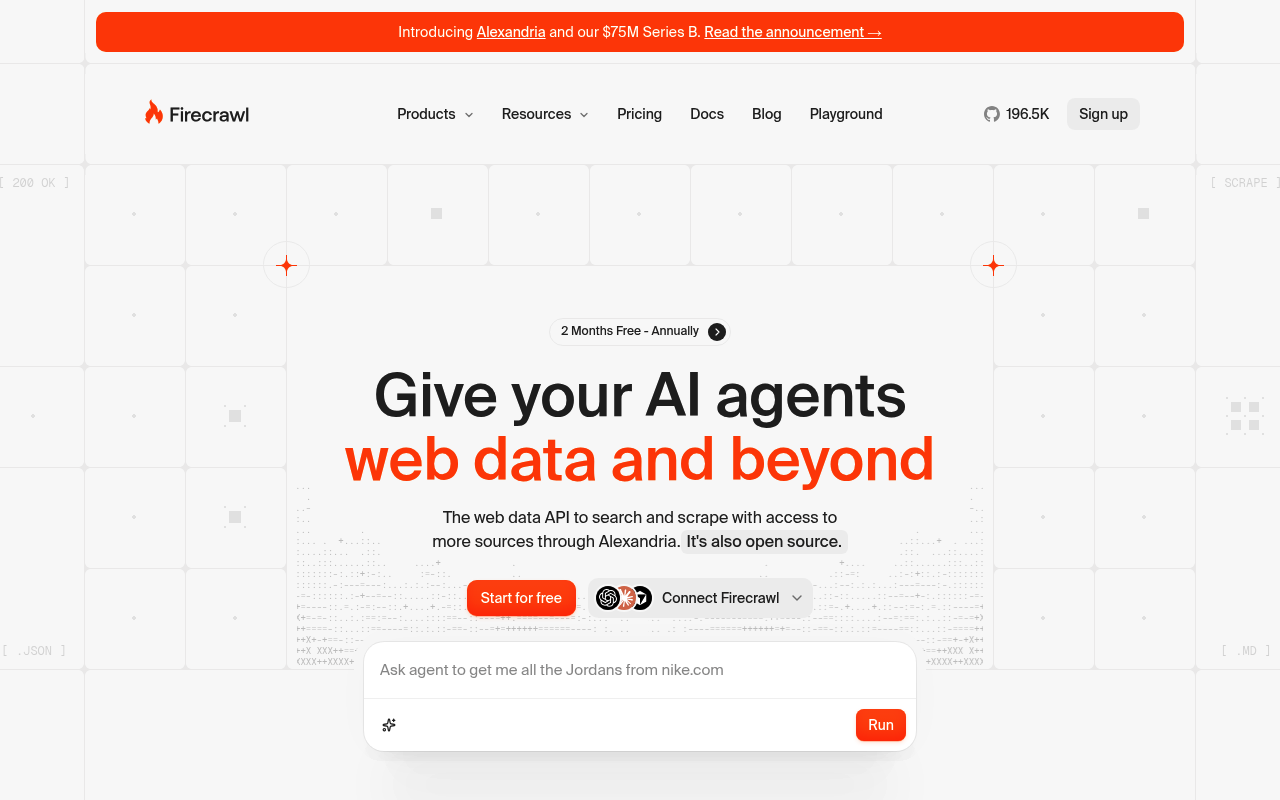
Firecrawl is a web data API for search, scraping, crawling, and browser interaction. It returns clean Markdown, and its JSON mode extracts fields that match a schema you define. Search draws on its Alexandria index or a live fetch. Interact sessions add clicks, scrolling, and typing on a page. Firecrawl’s docs set a default maxAge of two days. A page read may return a cached copy unless you request a fresh one.
Key details:
- Best for: schema-based JSON extraction from arbitrary pages.
- Agent interfaces: hosted MCP server, Python and Node SDKs, and a CLI.
- Free tier: 1,000 credits a month, no credit card.
- Pricing: Hobby $19/month, or $16/month billed annually, for 5,000 credits.
- Compliance: SOC 2 Type II.
Pros:
- Strong schema-based JSON extraction.
- Covers search, scrape, crawl, and page interaction.
- Large open-source community.
Cons:
- Cached page reads by default.
- Browser sessions cost 2 credits per minute on top of scraping.
⭐ Review score: G2 4.6/5 (94 reviews)
3. TinyFish
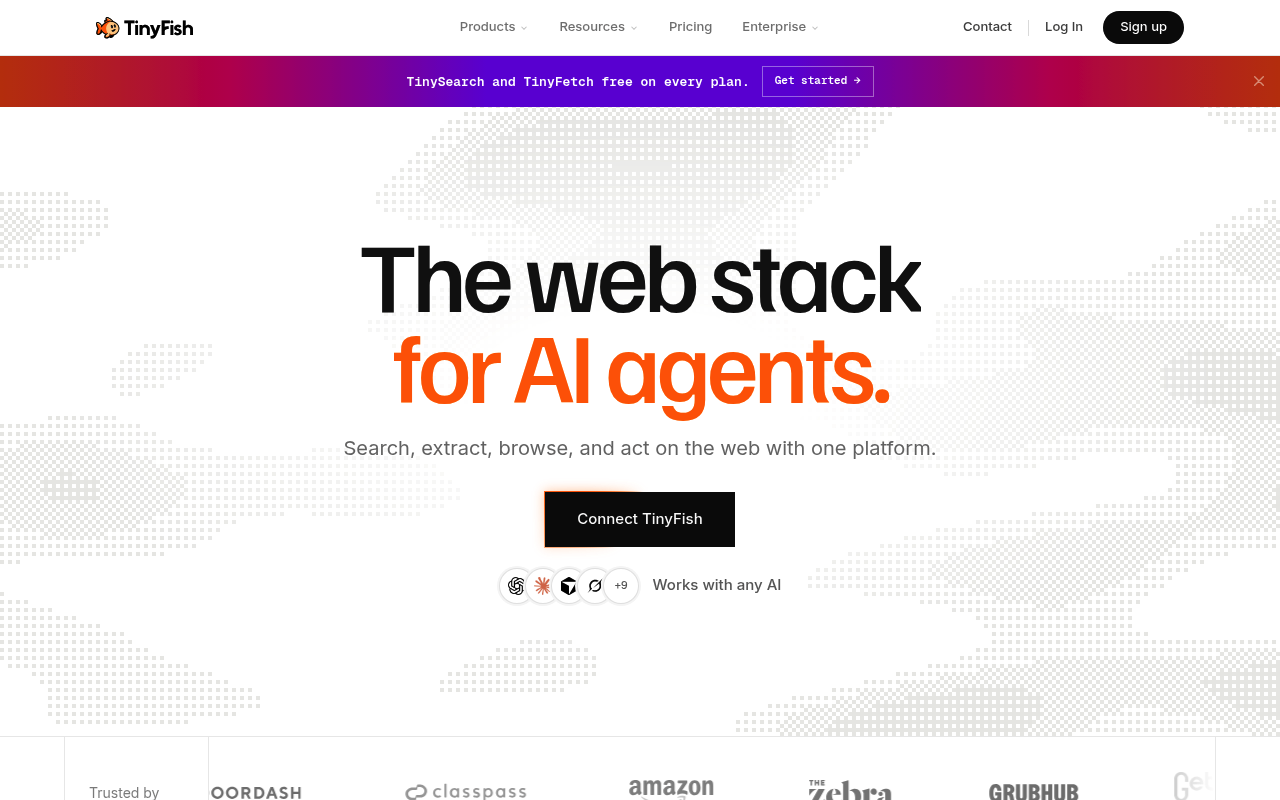
TinyFish calls itself the web stack for AI agents. TinySearch and TinyFetch are free and rate-limited, at 500 searches an hour and 1,000 fetched URLs a day. TinyFetch renders JavaScript and returns Markdown, HTML, or JSON. TinyBrowser runs cloud browser sessions you control through CDP and Playwright, and TinyAgent runs multi-step automation. Its docs note that Fetch may serve a cached entry unless you set a ttl of zero.
Key details:
- Best for: teams that want free search and fetch with browsers on the same account.
- Agent interfaces: hosted MCP server, Python and Node SDKs, and a CLI.
- Free tier: search and fetch at $0, rate-limited, no card.
- Pricing: browser at $0.002 per minute, agent runs at $0.016 per step.
- Compliance: ISO 27001 on the Enterprise plan.
Pros:
- Free search and fetch with published limits.
- Browser sessions and an agent on one platform.
Cons:
- Fetch may return cached pages by default.
- Agent runs bill per step, which adds up on long tasks.
⭐ Review score: G2 4.3/5 (103 reviews)
4. Browserbase
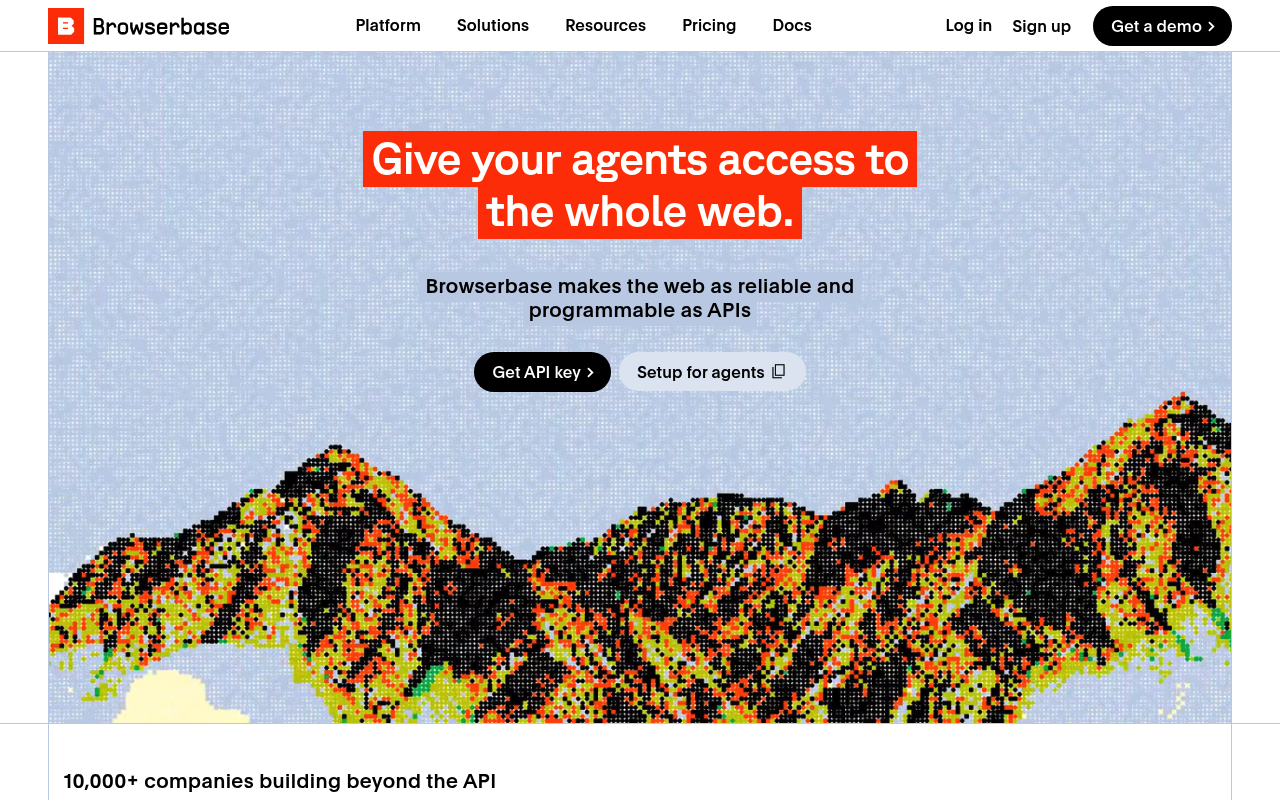
Browserbase runs headless browsers in the cloud for AI agents. It supports Playwright, Puppeteer, Selenium, and its own open-source Stagehand framework. Paid plans add CAPTCHA solving and residential proxies. Browserbase Fetch returns pages as Markdown, HTML, or JSON that matches a schema. Its Search API runs on Parallel and Exa, according to its pricing page.
Key details:
- Best for: teams that run their own browser automation at scale.
- Agent interfaces: hosted MCP server, Node and Python SDKs, and the Browse CLI.
- Free tier: one browser hour, 1,000 search calls, and 1,000 fetch calls.
- Pricing: Developer $20/month with 100 browser hours, then $0.12 per hour; proxies $12/GB.
- Compliance: SOC 2.
Pros:
- Mature browser platform with Stagehand.
- Fetch with JSON schema output.
Cons:
- Search is resold from other providers.
- Proxy traffic is billed separately.
⭐ Review score: G2 4.3/5 (56 reviews)
5. Tavily
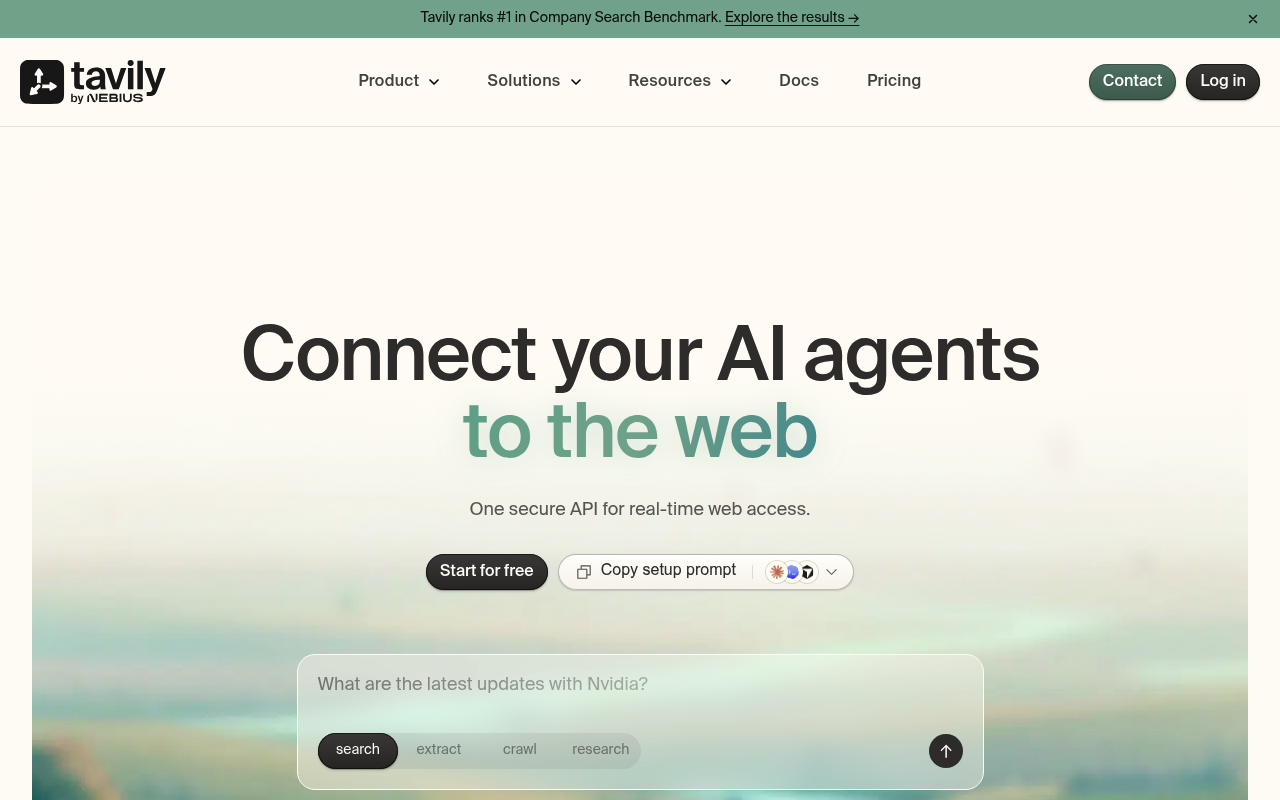
Tavily is a search and extraction API built for AI agents, now part of Nebius. It returns ranked, chunked results ready for a model, with optional page content. Extract returns Markdown or plain text. Crawl, Map, and Research endpoints round it out. There is no browser product.
Key details:
- Best for: RAG pipelines that want chunked search results.
- Agent interfaces: hosted MCP server, Python and JavaScript SDKs, and a CLI.
- Free tier: 1,000 credits a month, no credit card.
- Pricing: Project $30/month for 4,000 credits, or $0.008 per credit.
- Note: a basic search costs 1 credit; five extracted URLs cost 1 credit.
Pros:
- Results arrive chunked for a model.
- Simple credit model.
Cons:
- No structured JSON extraction by schema.
- No cloud browser.
⭐ Review score: G2 4.5/5 (3 reviews)
6. Exa
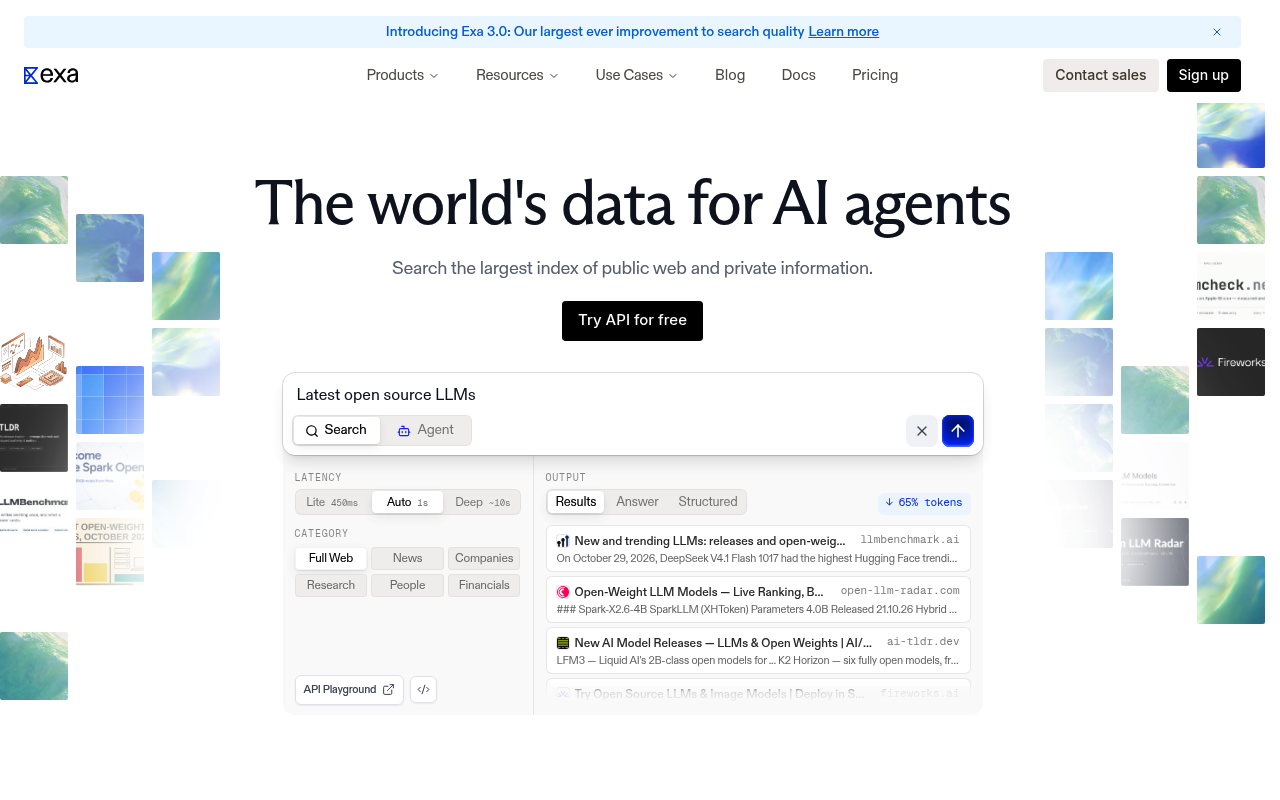
Exa runs its own web index with neural search for meaning-based queries. Its Contents API returns full page text for a model, and summaries can extract fields into a JSON schema. Exa describes its index as the world’s largest independent one. Its docs note that Contents uses a cached copy when available unless you request fresh content.
Key details:
- Best for: semantic and “find similar” searches.
- Agent interfaces: hosted MCP server, Python and JavaScript SDKs.
- Free tier: $10 of credit a month plus a $10 sign-up bonus.
- Pricing: search from $4 per 1,000 requests; contents $1 per 1,000 pages.
- Compliance: SOC 2 Type II, GDPR, and HIPAA with a BAA.
Pros:
- Strong semantic search.
- Renewing monthly credit.
Cons:
- Results come from its own index, not a live engine.
- No cloud browser.
⭐ Review score: G2 4.4/5 (23 reviews)
7. Parallel
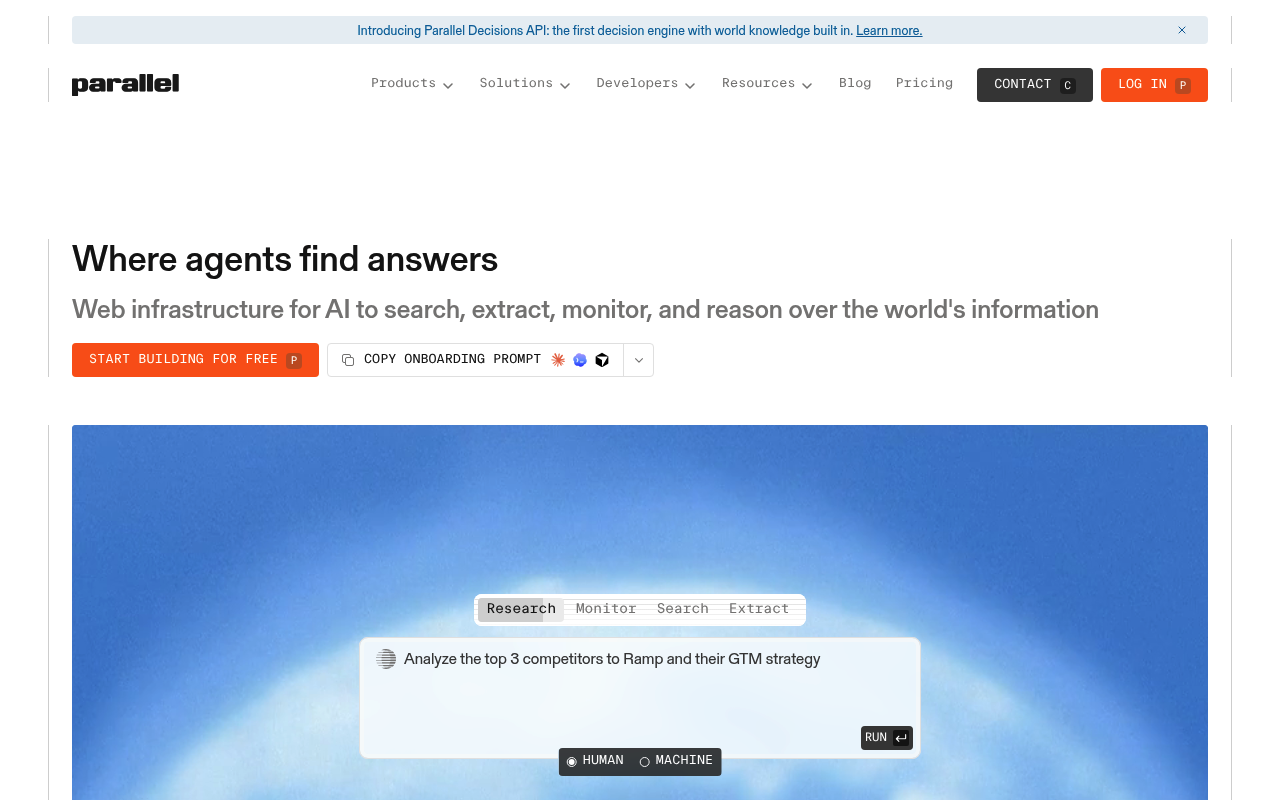
Parallel builds search and research APIs on its own web index. Search returns ranked URLs with compressed excerpts, and Extract returns full pages or excerpts. Its Task API runs deep research and returns structured enrichments. See our Bright Data vs. Parallel comparison for a closer look.
Key details:
- Best for: token-dense excerpts for grounding.
- Agent interfaces: hosted MCP server, Python and TypeScript SDKs, and a CLI.
- Free tier: up to 5,000 requests a month.
- Pricing: search $0.001 to $0.005 for 10 results; extract $0.001 per request.
- Compliance: SOC 2 Type 2.
Pros:
- Compact excerpts keep context small.
- Deep research API on the same account.
Cons:
- Results come from its own index.
- No cloud browser, and no G2 listing yet.
8. Apify
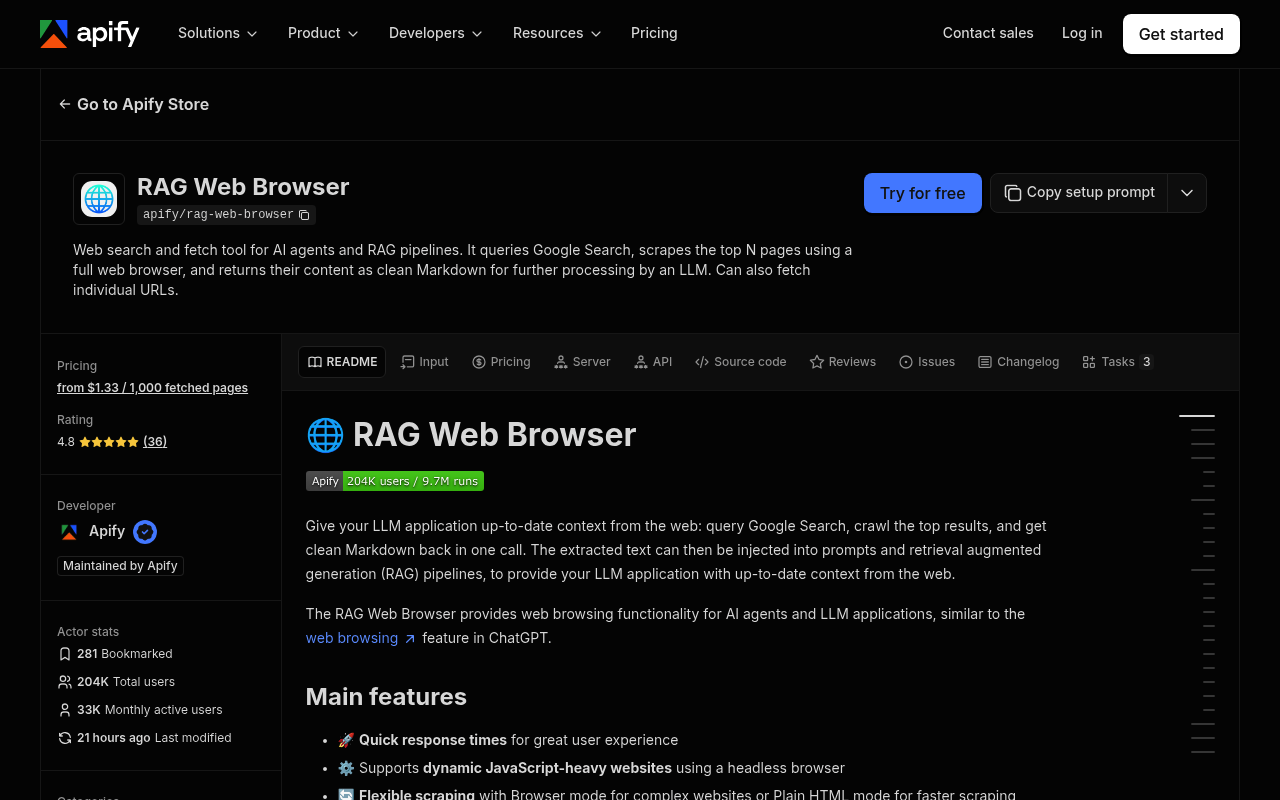
Apify is a marketplace of ready-to-run scrapers called Actors. Its RAG Web Browser actor searches Google, scrapes the top pages in a full browser, and returns clean Markdown. Thousands of other actors return structured datasets for specific sites. A hosted MCP server lets an agent find and run actors.
Key details:
- Best for: teams that want a ready-made actor for each site.
- Agent interfaces: hosted MCP server, JavaScript and Python clients, and a CLI.
- Free tier: $5 of platform credit a month, no credit card.
- Pricing: RAG Web Browser from $1.33 per 1,000 fetched pages; Starter $19/month.
- Compliance: SOC 2, GDPR, and CCPA.
Pros:
- Huge library of site-specific actors.
- Strong G2 standing across 690 reviews.
Cons:
- Quality varies across community actors.
- No raw CDP browser product for your own agent code.
⭐ Review score: G2 4.7/5 (690 reviews)
9. Browser Use
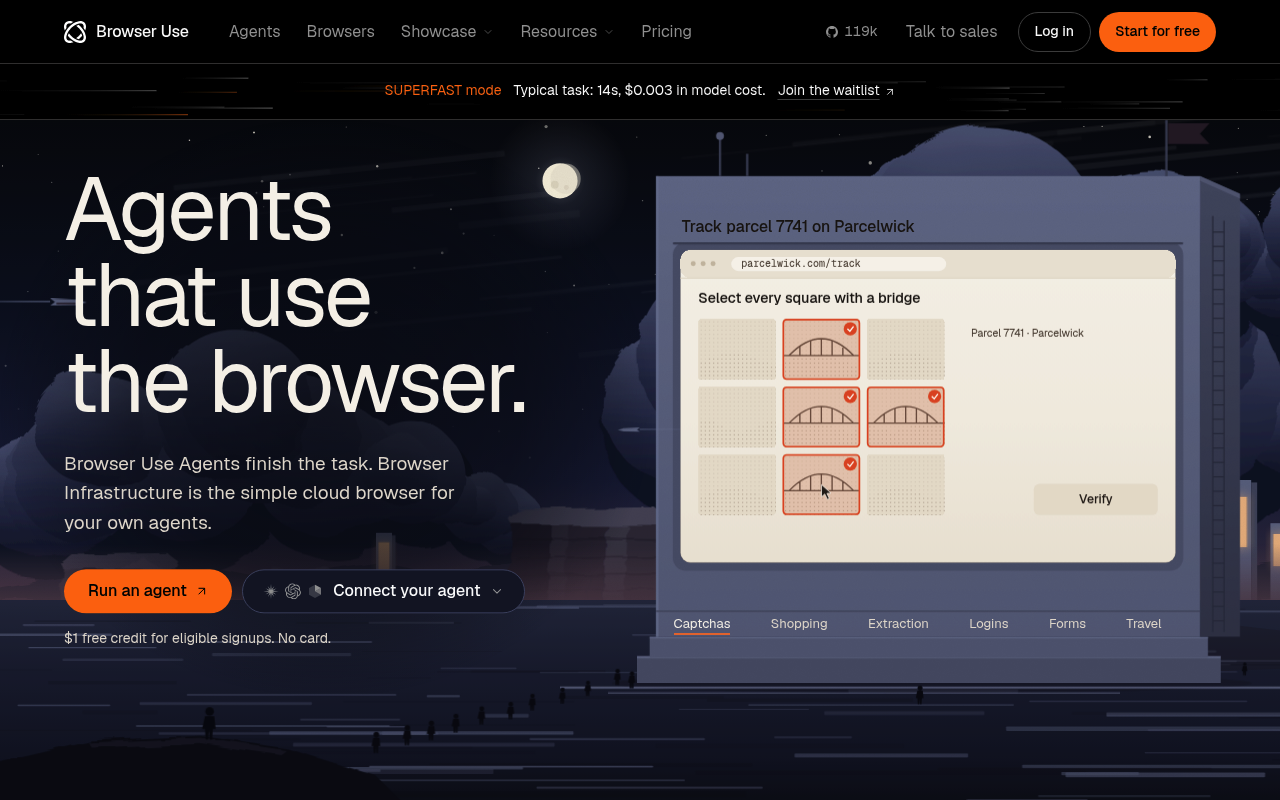
Browser Use started as an open-source library for browser agents and now runs a cloud. Browser Use Cloud hosts stealth Chromium that you drive over CDP with Playwright, Puppeteer, or the browser-use library. Browser Use Agents take a task in plain language and finish it in the browser. It has no search API.
Key details:
- Best for: teams already building on the browser-use library.
- Agent interfaces: hosted MCP server, Python and TypeScript SDKs, and a CLI.
- Free tier: a one-time $1 credit for eligible sign-ups.
- Pricing: cloud browsers at $0.02 per hour plus $5/GB for residential proxies.
- Compliance: SOC 2 Type II and HIPAA.
Pros:
- Popular open-source browser agent.
- Low per-hour browser price.
Cons:
- No search or page-read APIs.
- The free credit is one-time.
⭐ Review score: G2 4.3/5 (89 reviews)
10. Brave Search API
The Brave Search API answers every query from Brave’s own independent index. Its LLM Context endpoint returns only the content a model needs, and Answers returns grounded responses. It does not fetch arbitrary URLs or run browsers. Brave’s terms restrict storing results and using them to train AI models.
Key details:
- Best for: an independent search index for grounding.
- Free tier: $5 of free credits a month, prepaid.
- Pricing: $5 per 1,000 requests for search and LLM Context.
- Compliance: SOC 2 Type II.
Pros:
- Independent index, not a reseller.
- Simple per-request pricing.
Cons:
- Search only.
- Terms restrict storing results.
How to Give an AI Agent Live Web Search With Citations
Grounding needs current results and URLs the model can cite. The SERP API returns the live results page, with ranked titles, links, and snippets. Responses also include People Also Ask and AI Overview blocks when Google shows them. The Bright Data CLI wraps it in one command, so a coding agent can search from its shell.
  npm install -g @brightdata/cli
bdata login
bdata search "model context protocol specification latest version" --json
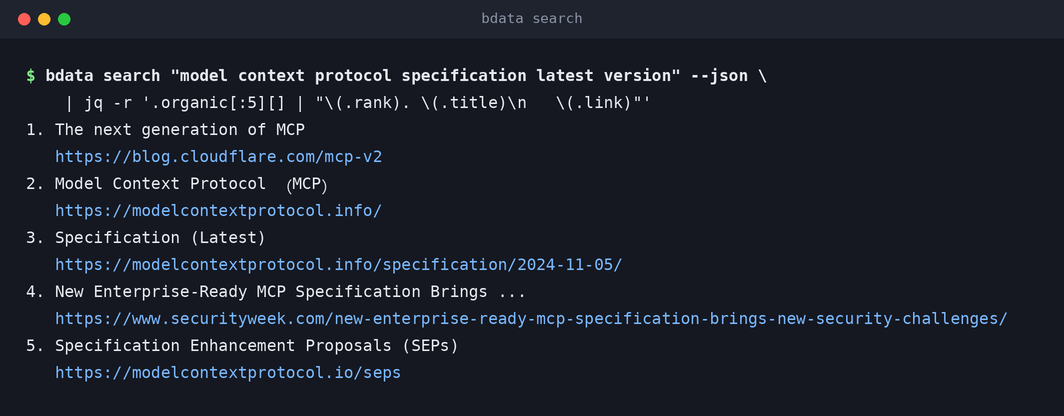
The agent reads the ranked URLs and cites them in its answer. Add --type news for current events, or --country for local results. For a deeper look at grounding costs, read lightweight SERP grounding with Bright Data MCP.
How to Return Clean Markdown and Structured Data to an AI Workflow
Agents need two formats. Markdown suits reading and reasoning over a whole page. Structured JSON suits pipelines, comparisons, and anything that feeds a database. The token cost of each is very different, as one Best Buy product page shows.
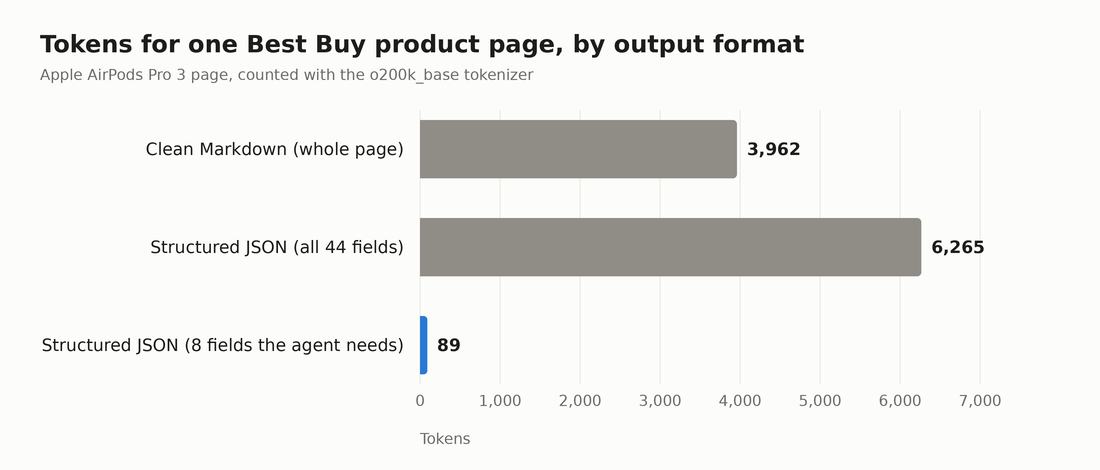
The whole page as clean Markdown costs 3,962 tokens. The full structured record, with 44 fields, costs 6,265. Keep only the 8 fields an agent needs for a price check, and the record drops to 89 tokens. Use Markdown when the agent must read, and JSON fields when it must compare or store. Bright Data returns both from the same account.
  # any page as clean Markdown (Web Unlocker)
bdata scrape "https://www.amazon.com/dp/B0DM63WNWL" -o page.md

# the same kind of page as typed JSON (Web Scraper API)
bdata pipelines search amazon product
bdata pipelines run gd_l7q7dkf244hwjntr0 collect_by_url "https://www.amazon.com/dp/B0DM63WNWL" --pretty
Through the MCP server, the same jobs are scrape_as_markdown for pages, and search_scrapers plus run_scraper for structured records. For a whole site, the Crawl API returns every page as Markdown, text, HTML, or JSON.
How to Let an AI Agent Browse JavaScript-Heavy Websites and Complete Multi-Step Tasks
Some tasks need a real browser. Search boxes, filters, logins, and infinite scroll only work when something clicks and types. The Browser API runs those browsers in the cloud, with fingerprints, CAPTCHA solving, and residential IPs handled for you. The CLI exposes it as short commands. A snapshot lists the page’s elements with refs, and the agent acts on a ref.
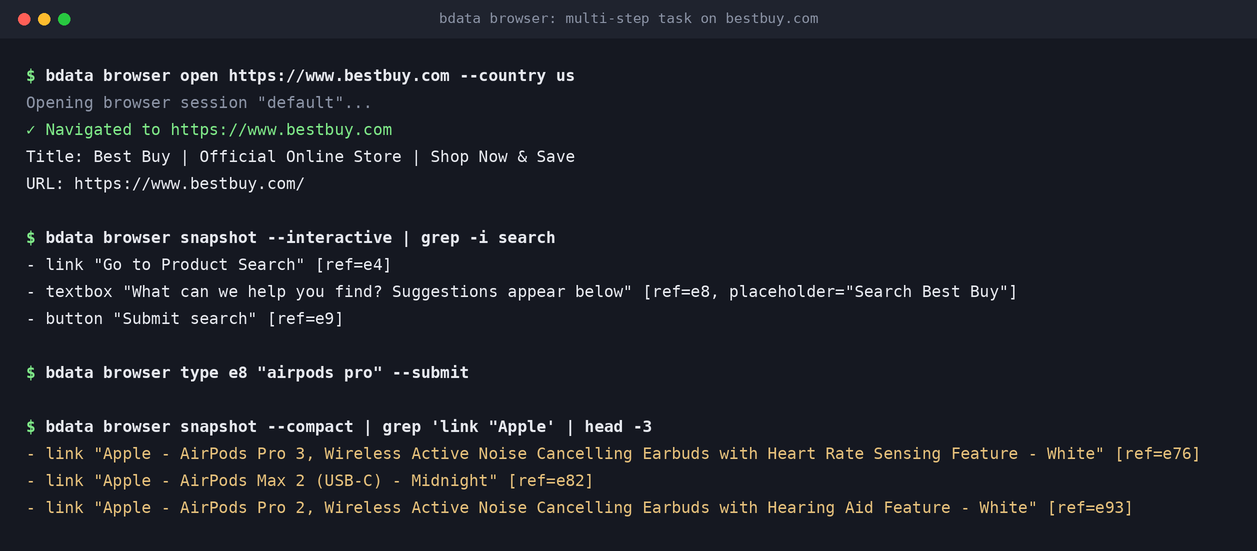
The four commands above open bestbuy.com, find the search box, run a search, and read the results. Best Buy loads its results with JavaScript behind Akamai bot protection, and the cloud browser handles both. This is the page the browser saw after the search.
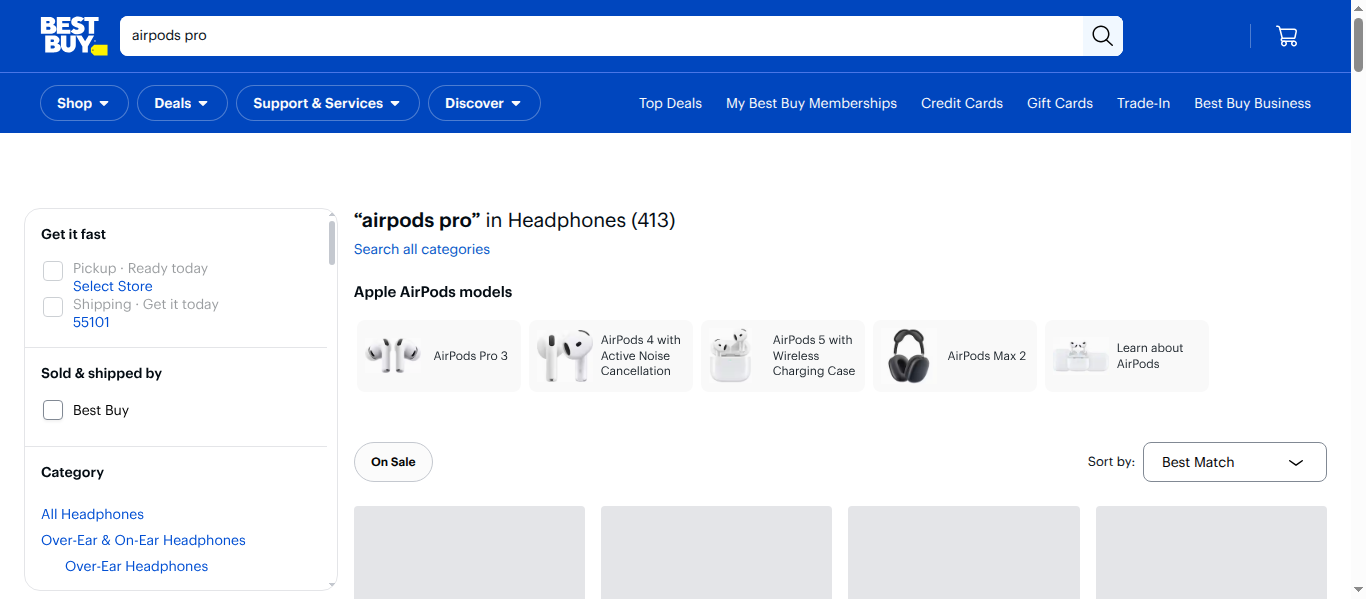
Your own agent code can drive the same browsers over CDP. Connect Playwright with your Browser API zone credentials.
  import asyncio
from playwright.async_api import async_playwright

CDP = "wss://brd-customer-<customer_id>-zone-<zone>:<password>@brd.superproxy.io:9222"

async def main():
    async with async_playwright() as pw:
        browser = await pw.chromium.connect_over_cdp(CDP)
        page = await browser.new_page()
        await page.goto("https://www.bestbuy.com")
        print(await page.title())
        await browser.close()

asyncio.run(main())
In MCP clients, add groups=browser to the hosted URL to load the browser tools. They include scraping_browser_navigate, scraping_browser_type_ref, and scraping_browser_click_ref. Comparing browser platforms? See our ranking of the best agent browsers.
claude mcp add --transport http brightdata "https://mcp.brightdata.com/mcp?groups=browser"
Claude Code then signs you in through the browser with OAuth, after you run /mcp and choose Authenticate.
Live, Indexed, or Cached: Where Each Tool’s Data Comes From
Agents often answer questions about prices, news, and software versions. For those, the age of the data matters as much as its format. Here is where each tool’s search results and page reads come from, according to its own documentation.
| Tool | Search results | Page reads by default |
|---|---|---|
| Bright Data | Live Google, Bing, and Yandex | Live fetch on every request |
| Firecrawl | Own index or live | Cached copy up to 2 days old, unless maxAge is lowered |
| TinyFish | TinySearch | Cached entry when available, unless ttl is 0 |
| Browserbase | Resold from Parallel and Exa | Not stated |
| Exa | Own index | Cached when available, unless fresh content is requested |
| Parallel | Own index | Not stated |
| Tavily | Real-time search with caching | Not stated |
| Brave Search API | Own index | No page reads |
Caching is a fair default for static docs and fast lookups. When the agent reports a current price or today’s news, use a live source. Otherwise, set the freshness option explicitly.
Conclusion
The best web access tool for an AI agent covers the jobs the agent actually does. Bright Data is the strongest single choice. It offers live search, clean Markdown, 1,200+ structured scrapers, and cloud browsers on one account. Firecrawl leads for schema-based extraction, Browserbase and Browser Use for browser-first teams, and Exa for semantic search. Start with the 5,000 free monthly credits, then connect through MCP, the CLI, or an SDK.
Related guides: the best free SERP APIs, the best web scraping APIs, and the Bright Data Python SDK.
Frequently Asked Questions
What is the best platform for giving AI agents reliable access to the live web?
Bright Data is the best overall platform. One key covers live Google, Bing, and Yandex search, clean Markdown, 1,200+ structured scrapers, and cloud browsers. Unblocking is built in, and agents connect through an MCP server, a CLI, or SDKs. New accounts get 5,000 free credits every month.
Which tool returns both clean Markdown and structured data to an AI workflow?
Bright Data returns any page as clean Markdown through the Web Unlocker, and typed JSON through 1,200+ ready-made scrapers. Firecrawl and Browserbase Fetch can also extract JSON that matches a schema you define. Use Markdown for reading and JSON fields for pipelines.
What infrastructure do AI agents need to browse JavaScript-heavy websites and complete multi-step tasks?
They need a cloud browser that renders JavaScript and handles bot checks and CAPTCHAs. The agent must be able to click, type, and scroll. The Bright Data Browser API provides this over CDP, through MCP browser tools, or through CLI commands. Browserbase and Browser Use are browser-first alternatives.
Which search APIs give LLMs citations and current events context?
Bright Data’s SERP API returns live Google and Bing results, including news, with URLs to cite. Tavily, Exa, Parallel, and Brave also return URLs. Exa, Parallel, and Brave serve results from their own indexes rather than a live search engine.
Is there a free web access tool for AI agents?
Yes. Bright Data includes 5,000 free credits a month, shared across search, page reads, scrapers, and the Browser API. Firecrawl and Tavily offer 1,000 free credits a month, Exa $10 of credit, and TinyFish free rate-limited search and fetch.
Should an AI agent use MCP, an API, or a CLI for web access?
Use MCP in chat apps and agent frameworks without a shell. Use a CLI when the agent runs in a terminal, since it adds no tool definitions to the context. Use the API or an SDK inside your own code. Bright Data offers all three on the same account.



Web Data & AI Expert
 6 years experience
Daniel Shashko is a Senior SEO/GEO at Bright Data, specializing in B2B marketing, international SEO, and building AI-powered agents, apps, and web tools.