
In this article, you will learn:
- What Apache Spark Structured Streaming is and what it offers.
- Why integrating Bright Data’s SERP API into a Spark Structured Streaming pipeline is a winning strategy.
- How to build a PySpark pipeline that continuously ingests live web search data using Bright Data’s SERP API.
Let’s jump in!
What Is Apache Spark Structured Streaming?
Apache Spark Structured Streaming is a scalable, fault-tolerant stream processing engine built on top of the Spark SQL engine. Unlike the older Spark Streaming library (which divides data into discrete RDD-based micro-batches using DStreams), Structured Streaming treats a live data stream as an unbounded table that is continuously appended to. You write the same DataFrame and SQL API code you would write for a static batch job, and Spark takes care of running it incrementally as new data arrives.
The engine operates in a micro-batch execution model by default. At each trigger interval, Spark reads the latest data from the source, processes it, and writes results to a sink. It tracks progress via checkpointing, so the pipeline can recover from failures and resume exactly where it left off, providing end-to-end, fault-tolerant guarantees.
Structured Streaming supports a variety of built-in sources: Kafka topics, Delta tables, cloud object storage via Auto Loader, rate generators (for testing), and more. For sources not natively covered (such as a REST API), you can use the foreachBatch extension method, which hands each micro-batch to a Python function where you can express arbitrary ingestion logic. This is the approach we will use here.
Spark Streaming vs. Spark Structured Streaming: What’s the Difference?
If you are familiar with the legacy Spark Streaming library, you might be wondering how it relates to Structured Streaming. The two share the same underlying Spark engine but differ in important ways:
Spark Streaming is based on DStreams, a sequence of RDDs produced by dividing an incoming stream into time-bounded batches. All transformations operate on RDDs, meaning you work at a lower-level API. It has limited support for event-time semantics (i.e., ordering data by when it was generated, not when it was ingested) and is no longer actively developed.
Spark Structured Streaming is built on the DataFrame and Dataset APIs, giving you access to the full Spark SQL optimizer. It offers native event-time windowing, watermarking for handling late data, stateful aggregations, and a cleaner fault-tolerance model via checkpointing. Because it uses the same API as batch DataFrames, you can mix streaming and static data in the same job (e.g., streaming joins with a static lookup table).
In short, Spark Streaming is a legacy project kept for backward compatibility, while Structured Streaming is the actively developed, recommended engine for all new streaming workloads.
Why Integrate Bright Data’s SERP API into Spark Structured Streaming?
Spark Structured Streaming provides a powerful engine for transforming and aggregating data at scale, but it needs a reliable, structured source of live web data to act on. This is where Bright Data’s SERP API comes in.
The SERP API lets you programmatically issue queries to major search engines (including Google, Bing, DuckDuckGo, Yandex, and more) and retrieve full search engine results pages (SERPs) without being blocked. Results are returned in multiple formats: parsed JSON, a lightweight parsed_light variant with just the top organic results, raw HTML, or clean AI-ready Markdown. Because scraping search engines directly is notoriously difficult due to anti-bot measures, rate limits, and dynamic rendering, routing your queries through Bright Data’s infrastructure removes all of that complexity from your pipeline.
Combining this with Spark Structured Streaming’s micro-batch engine creates a continuously running pipeline that periodically pulls fresh SERP data, applies transformations and aggregations at scale, and writes structured results to any sink you choose, without you having to manage proxies, CAPTCHAs, or scraping infrastructure.
This approach is especially useful for:
- Monitor how a set of target keywords ranks across search engines at regular intervals, write results to a Delta table, and compute rank changes over time.
- Continuously fetch SERPs for competitor brand names or products, parse the structured results, and stream them into a data warehouse for dashboarding.
- Poll Google News search results across multiple topics in parallel micro-batches, deduplicate articles using Spark’s stateful aggregations, and sink curated results to a data lake.
- Continuously ingest SERP results to detect when paid ads appear for your target keywords, capture the ad copy and URLs, and alert downstream systems.
By combining Spark Structured Streaming’s distributed, scalable processing with Bright Data’s web access infrastructure for AI and data pipelines, you build pipelines that react to real-world search data continuously, without maintaining any scraping infrastructure of your own.
How to Build a Continuous SERP Ingestion Pipeline with Spark Structured Streaming
In this guided section, you will build a PySpark pipeline that:
- Triggers on a schedule using Spark’s built-in rate source as a clock.
- Calls Bright Data’s SERP API inside a
foreachBatchfunction on each micro-batch to fetch live Google News results for a target topic. - Parses and transforms the structured JSON response into a clean Spark DataFrame.
- Writes results to a sink (both a local JSON output directory and the console) so you can inspect the live data.
Note: This example demonstrates a news monitoring use case, but the same pattern applies to any continuous SERP ingestion scenario: keyword rank tracking, ad monitoring, price comparison via web search, and so on.
Prerequisites
To follow along, make sure you have:
- Python 3.8+ installed.
- Apache Spark 3.3+ installed locally, or access to a Databricks / AWS EMR / Google Dataproc cluster.
- PySpark installed:
pip install pyspark. - The
requestslibrary installed:pip install requests. - A Bright Data account with an active SERP API zone and API key (with Admin permissions).
Follow the official Bright Data documentation to set up your SERP API zone and retrieve your API key. Store both your API key and zone name somewhere safe; you will need them shortly.
Step 1: Set Up Your Project
Create a new project directory and set up the files you will need:
mkdir spark-serp-pipeline
cd spark-serp-pipeline
touch pipeline.py
touch config.py
mkdir -p output/checkpoint
Open config.py and add your Bright Data credentials and search configuration:
# config.py

BRIGHT_DATA_API_KEY = "YOUR_BRIGHT_DATA_API_KEY"
SERP_API_ZONE = "YOUR_SERP_API_ZONE"

# The search query to monitor (customize this for your use case)
SEARCH_QUERY = "artificial intelligence news"

# How often to trigger a new micro-batch (in seconds)
TRIGGER_INTERVAL_SECONDS = 60

# Output directory for JSON results
OUTPUT_PATH = "output/serp_results"
CHECKPOINT_PATH = "output/checkpoint"
Security tip: In a production environment, avoid hardcoding credentials in source files. Use environment variables, a secrets manager (e.g., AWS Secrets Manager, Azure Key Vault, HashiCorp Vault), or Databricks Secrets to inject these values at runtime.
Step 2: Initialize the SparkSession
Open pipeline.py and start by creating your SparkSession. This is the entry point to all Spark functionality:
# pipeline.py

from pyspark.sql import SparkSession
from pyspark.sql.types import (
    StructType, StructField, StringType, IntegerType, ArrayType
)
from pyspark.sql import functions as F
import requests
import json
import config

# Initialize SparkSession
spark = SparkSession.builder \
    .appName("BrightDataSERPStream") \
    .config("spark.sql.shuffle.partitions", "4") \
    .getOrCreate()

# Reduce log verbosity for cleaner output
spark.sparkContext.setLogLevel("WARN")

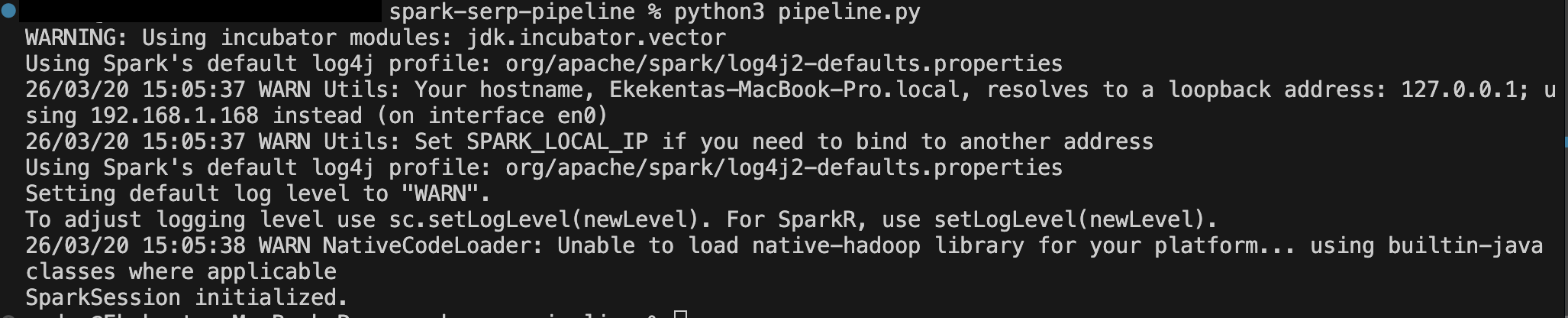
print("SparkSession initialized.")
Setting spark.sql.shuffle.partitions to a small number like 4 is appropriate for a local development environment. On a cluster, you would tune this based on the size of your data and number of executor cores.
Step 3: Define the SERP API Fetch Function
Next, define the Python function that will call Bright Data’s SERP API and return parsed results. This function will be invoked from inside the Spark foreachBatch callback on the driver, so it uses the standard requests library rather than any Spark-distributed mechanism:
# pipeline.py (continued)

def fetch_serp_results(query: str) -> list[dict]:
    """
    Calls Bright Data's SERP API and returns a list of parsed news results.
    Uses the parsed_light data format for lightweight, structured JSON output.
    """
    url = "https://api.brightdata.com/request"
    headers = {
        "Content-Type": "application/json",
        "Authorization": f"Bearer {config.BRIGHT_DATA_API_KEY}"
    }
    payload = {
        "zone": config.SERP_API_ZONE,
        "url": f"https://www.google.com/search?q={query}&tbm=nws&hl=en&gl=us",
        "format": "raw",
        "data_format": "parsed_light"
    }

    try:
        response = requests.post(url, headers=headers, json=payload, timeout=30)
        response.raise_for_status()
        data = response.json()

        # The parsed_light format returns a "news" array of result objects
        results = data.get("news", [])
        print(f"[SERP API] Fetched {len(results)} results for query: '{query}'")
        return results

    except requests.exceptions.RequestException as e:
        print(f"[SERP API] Request failed: {e}")
        return []
Let’s break down the key request parameters:
zone: Your SERP API zone name from the Bright Data dashboard.url: The Google search URL. Thetbm=nwsparameter restricts results to Google News.hl=ensets the interface language to English, andgl=ustargets the United States for geo-targeted results.format: Set to"raw"to receive the response body directly.data_format: Set to"parsed_light"to receive a clean JSON array of top organic/news results with titles, URLs, sources, and dates — without ads or knowledge panels. For full SERP data including ads and knowledge panels, use"parsed". For LLM-friendly output, use"markdown".
Step 4: Build the Streaming Source Using the Rate Generator
Since Spark Structured Streaming does not have a native HTTP source, we use a well-established pattern: the built-in rate source acts as a clock, generating one row per second (or per configured rate). Each micro-batch produced by the rate source triggers our foreachBatch callback, inside which we call the SERP API.
Add the rate stream definition to pipeline.py:
# pipeline.py (continued)
rate_stream = spark.readStream \
    .format("rate") \
    .option("rowsPerSecond", 1) \
    .load()

print("Rate stream created. Pipeline will trigger every micro-batch interval.")
The rate source is explicitly designed for testing and clock-driven scenarios like this one. Because real-world API rate limits apply, we will configure the trigger interval in Step 5 so that the pipeline only calls the SERP API once per minute, not once per second.
Step 5: Define the foreachBatch Handler
The foreachBatch handler is the heart of the pipeline. Spark calls this function at every micro-batch, passing in a DataFrame of that batch’s rows and a unique batch ID. Inside the function, we call the SERP API, convert the results into a Spark DataFrame, apply transformations, and write to the output sink:
# pipeline.py (continued)

# Define the schema for parsed SERP results
serp_schema = StructType([
    StructField("title", StringType(), True),
    StructField("link", StringType(), True),
    StructField("source", StringType(), True),
    StructField("date", StringType(), True),
    StructField("global_rank", IntegerType(), True),
])

def process_batch(batch_df, batch_id):
    """
    Called by Spark on each micro-batch trigger.
    Fetches SERP data from Bright Data, converts results to a DataFrame,
    and writes them to the output sink.
    """
    print(f"\n--- Processing batch {batch_id} ---")

    # Fetch live SERP results from Bright Data
    results = fetch_serp_results(config.SEARCH_QUERY)

    if not results:
        print(f"Batch {batch_id}: No results returned. Skipping write.")
        return

    # Convert the results list to a Spark DataFrame
    results_df = spark.createDataFrame(results, schema=serp_schema)

    # Add metadata columns for tracking
    enriched_df = results_df \
        .withColumn("query", F.lit(config.SEARCH_QUERY)) \
        .withColumn("batch_id", F.lit(batch_id)) \
        .withColumn("ingested_at", F.current_timestamp())

    # Print to console for visibility
    enriched_df.show(truncate=False)

    # Write to JSON output (append mode, partitioned by ingestion date)
    enriched_df \
        .withColumn("ingestion_date", F.to_date("ingested_at")) \
        .write \
        .mode("append") \
        .partitionBy("ingestion_date") \
        .json(config.OUTPUT_PATH)

    print(f"Batch {batch_id}: Wrote {enriched_df.count()} records to {config.OUTPUT_PATH}")
A few things to note about this design:
spark.createDataFrame(results, schema=serp_schema) converts the Python list of dictionaries returned by the SERP API into a typed Spark DataFrame. Providing an explicit schema is preferred over schema inference — it makes the job faster and more predictable.
F.lit(batch_id) attaches the current micro-batch ID to every row, which is useful for deduplication if the pipeline retries a failed batch (since foreachBatch provides at-least-once delivery guarantees by default).
F.current_timestamp() timestamps each row with the ingestion time on the driver, giving you a reliable audit trail for when each result entered the pipeline.
Step 6: Start the Streaming Query
Now wire everything together by attaching the foreachBatch handler to the rate stream and starting the query:
# pipeline.py (continued)

# Attach the foreachBatch handler and configure the trigger interval
query = rate_stream.writeStream \
    .foreachBatch(process_batch) \
    .trigger(processingTime=f"{config.TRIGGER_INTERVAL_SECONDS} seconds") \
    .option("checkpointLocation", config.CHECKPOINT_PATH) \
    .start()

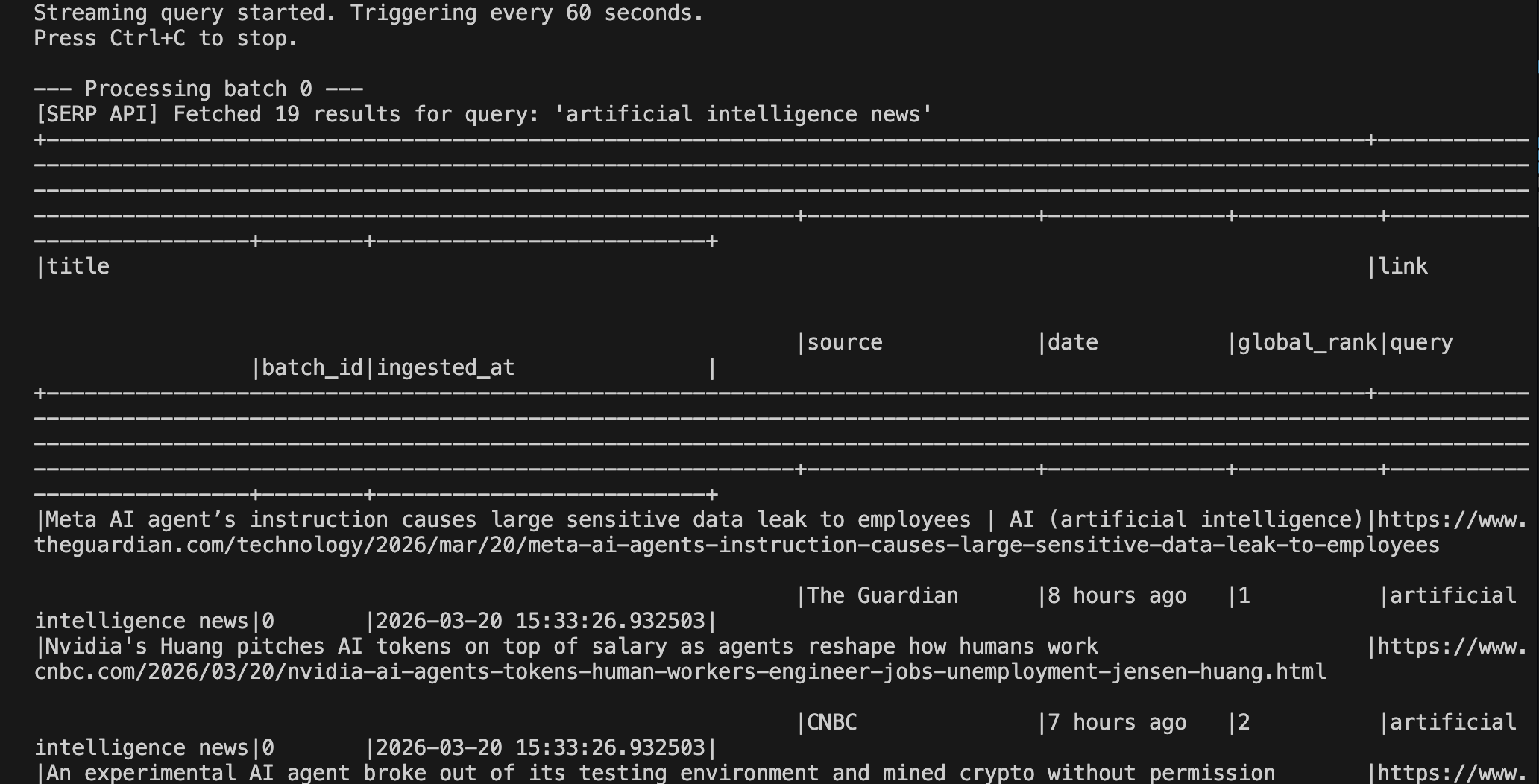
print(f"Streaming query started. Triggering every {config.TRIGGER_INTERVAL_SECONDS} seconds.")
print("Press Ctrl+C to stop.")

# Wait for the query to terminate (runs indefinitely until interrupted)
query.awaitTermination()
The .trigger(processingTime="60 seconds") call tells Spark to fire a new micro-batch every 60 seconds — once per minute — regardless of how many rows the rate source has generated. This is the mechanism that paces your SERP API calls, keeping you within rate limits while still running continuously.
The .option("checkpointLocation", ...) is critical for fault tolerance. Spark writes the query’s progress metadata (offsets, committed batches) to this directory. If the process crashes and restarts, Spark reads the checkpoint to determine which batches have already been processed and resumes cleanly from the correct point.
Step 7: Run and Inspect the Results
Run the pipeline from your terminal:
python pipeline.pyYou should see output similar to the following after the first trigger fires:
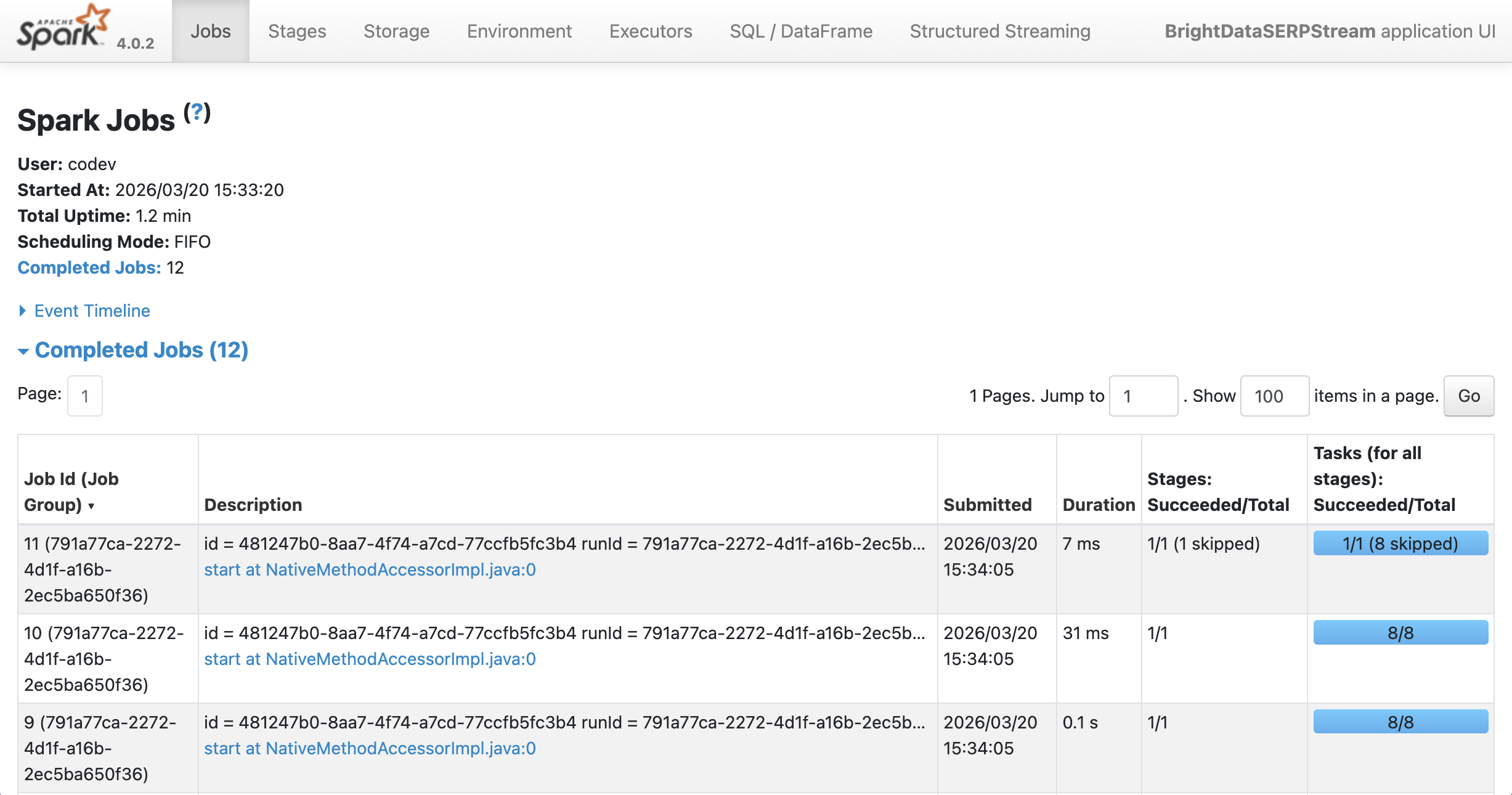
You can see the output running on Spark at localhost:4040:
After a few minutes of running, inspect the output directory:
ls output/serp_results/
ls output/serp_results/ingestion_date=2025-03-19/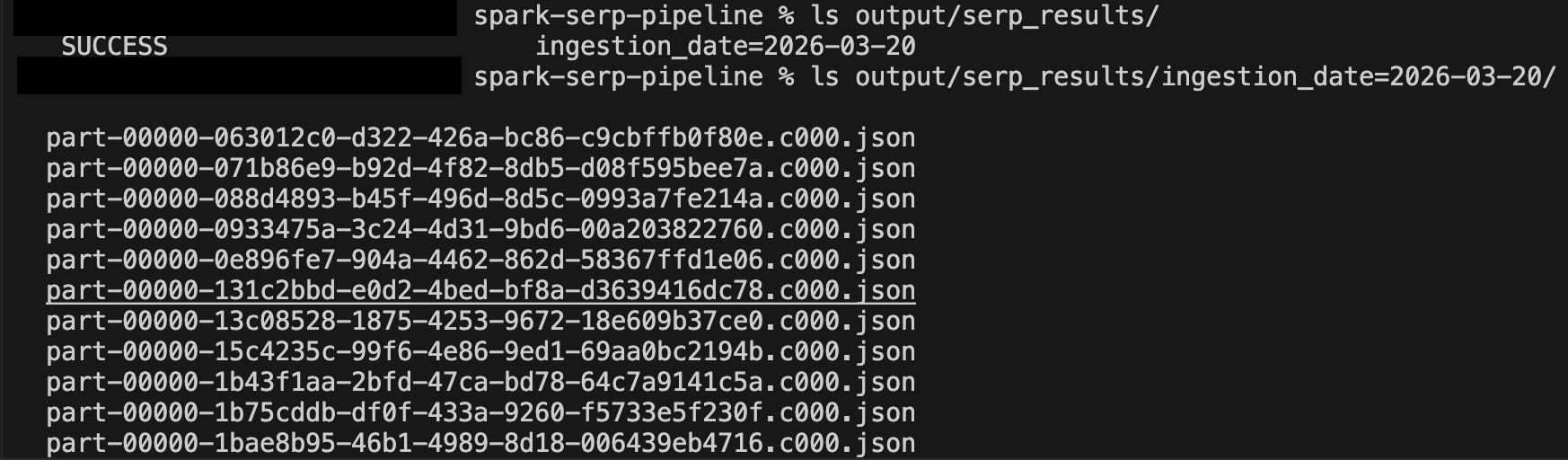
You can read the results back into Spark for ad-hoc analysis at any time:
# Read back the accumulated results
df = spark.read.json("output/serp_results/")
df.orderBy("ingested_at", ascending=False).show(20, truncate=False)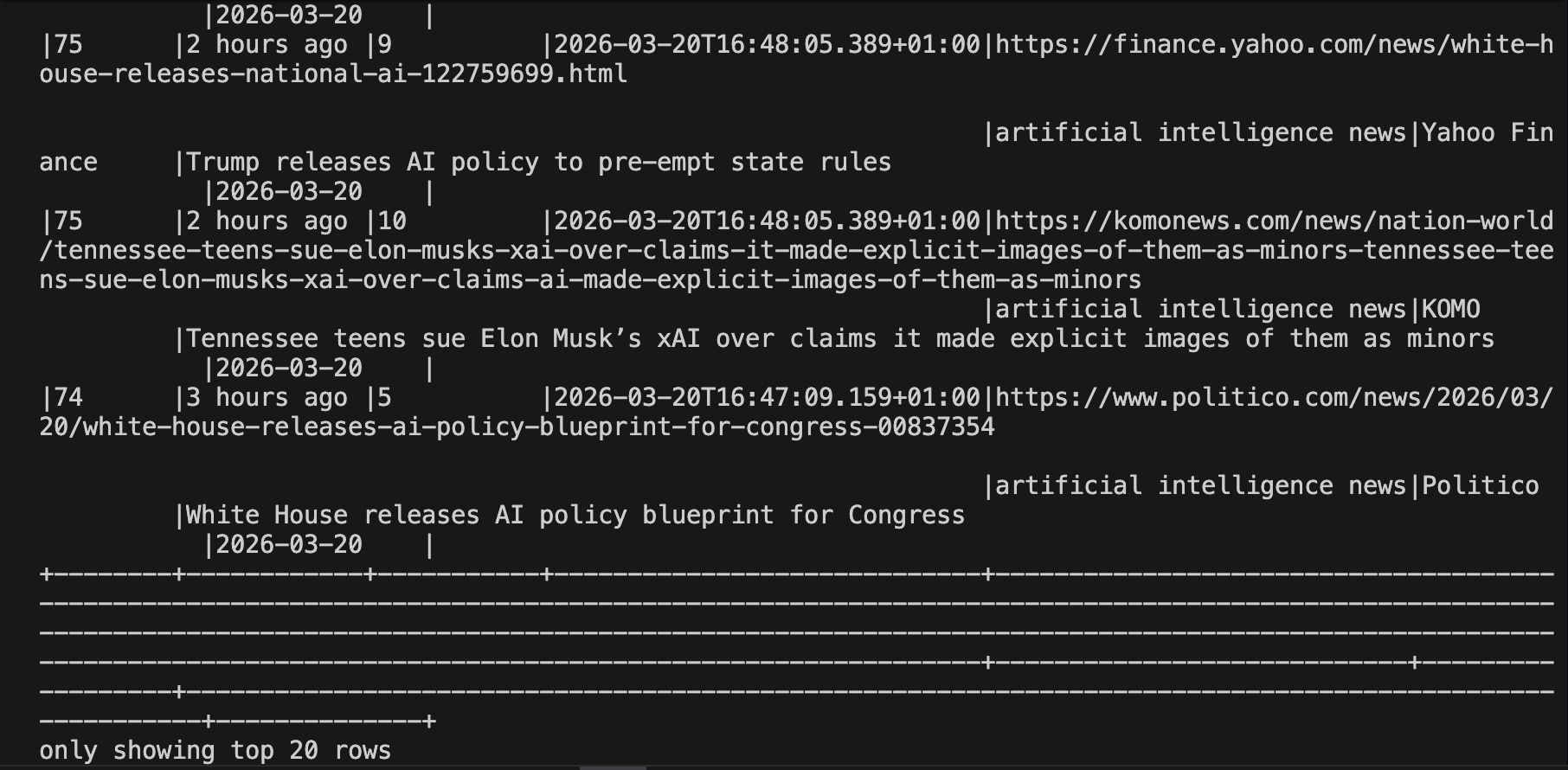
Here is the full pipeline code in one place for easy reference.
Taking It Further
This example demonstrates a foundational ingestion pattern, but there are many directions you can take it:
- Instead of one topic, maintain a list of keywords and fan out to parallel SERP API calls inside each
foreachBatchinvocation. Use Python’sconcurrent.futures.ThreadPoolExecutorto call the API for multiple queries simultaneously within the same micro-batch. - Replace the JSON sink with a Delta table for ACID-compliant, incremental writes with schema evolution support. This makes historical querying and deduplication much simpler.
- Bright Data’s SERP API supports Bing search engine queries alongside Google, DuckDuckGo, Yandex, and more. Poll multiple engines in parallel within the same batch and merge the result sets.
- Use Bright Data’s Web Unlocker to follow the URLs returned by the SERP API and retrieve the full HTML or Markdown content of each article. Pipe that content into a downstream NLP stage within the same Spark pipeline.
- Deploy the pipeline on Databricks, AWS EMR, or Google Dataproc for production-grade scalability. On Databricks, you can also use Delta Live Tables to manage the pipeline declaratively.
- Write the enriched SERP results to a Kafka topic and consume them in real time from downstream microservices, dashboards, or alert systems.
Conclusion
In this tutorial, you learned how to use Bright Data’s SERP API to continuously ingest live search engine results and process them with Apache Spark Structured Streaming. Using the rate source as a scheduling clock and foreachBatch as the integration bridge, you built a continuously running pipeline that fetches fresh SERP data on every trigger, transforms it into a typed Spark DataFrame, and writes results to a partitioned JSON sink, all with fault-tolerant checkpointing built in.
This pattern is ideal for any team that needs to process real-time web search signals at scale: keyword rank tracking, competitive monitoring, news aggregation, ad intelligence, and more. Unlike ad-hoc script-based polling, a Spark Structured Streaming pipeline gives you a distributed, recoverable, and easily extensible foundation that grows with your data volumes.
To build more advanced pipelines, explore Bright Data’s full suite of web data products, including the Web Unlocker for bypassing bot protection on arbitrary URLs, the Scraping Browser for JavaScript-heavy sites, and ready-made datasets for the most popular platforms.
Sign up for a free Bright Data account today and start powering your data pipelines with reliable, real-time web data.



Technical Writer
Arindam Majumder is a developer advocate, YouTuber, and technical writer who simplifies LLMs, agent workflows, and AI content for 5,000+ followers.