In this article, you will learn:
- What Apache Airflow and Apache Spark are and what they offer.
- Why orchestrating Bright Data’s Web Unlocker API with Airflow and Spark is a powerful strategy for lead generation.
- How to build an end-to-end pipeline that collects, processes, and stores structured business data at scale.
Before we dive into specific tools and implementation, let’s establish the foundational concepts and see how they connect within a lead generation workflow.
What Is Apache Airflow?
Apache Airflow is an open-source workflow orchestration platform for programmatically authoring, scheduling, and monitoring data pipelines. Originally developed at Airbnb, it enables data engineers to define workflows as directed acyclic graphs (DAGs) using plain Python, providing full control over task dependencies, retries, scheduling, and alerting.

Its main goal is to help you run complex, multi-step data pipelines reliably. This is achieved by providing a rich operator ecosystem (for Bash, Python, HTTP, Spark, SQL, and more), a visual web UI for monitoring runs, built-in retry and alerting logic, and native integrations with cloud platforms such as AWS, GCP, and Azure.
With an understanding of workflow orchestration in place, let’s look at the data processing side of the pipeline.
Apache Spark is a unified analytics engine for large-scale data processing. It provides a distributed computing framework that can process massive datasets in memory across a cluster of machines, making it dramatically faster than traditional disk-based processing systems.
Spark supports batch processing, streaming, SQL queries, machine learning, and graph computation through a unified API available in Python (PySpark), Scala, Java, and R. For data-intensive workloads like cleaning, deduplicating, enriching, and transforming large volumes of scraped business data, Spark is the industry-standard tool.
Apache Airflow vs Apache Spark: What Is the Difference?
If you are new to this stack, it is easy to conflate the two since they often appear together. But they serve very different purposes:
- Apache Airflow is an orchestrator. It decides when to run tasks, in what order, how to handle failures, and how to monitor the overall pipeline. It does not process data itself.
- Apache Spark is a data processor. It takes raw or semi-structured data and transforms it at scale using distributed computation across many cores or machines.
They complement each other well. Airflow schedules and triggers your Spark jobs at the right time and in the right sequence, while Spark handles the heavy lifting of data transformation. In this tutorial, you will see how Airflow orchestrates the full pipeline end-to-end: triggering Bright Data to collect business listings, handing the raw results to Spark for cleaning and enrichment, and writing the final leads to a database.
Why Integrate Bright Data into an Airflow + Spark Pipeline?
Airflow provides a SimpleHttpOperator and PythonOperator that let you call any REST API as a pipeline task. This means you can trigger web data collection as a first-class step in your DAG alongside your transformation and loading jobs.
However, to inject reliable, structured business data into your pipeline at scale, you need a source that can handle anti-bot measures, geographic targeting, and structured output without custom scraper maintenance. This is where Bright Data’s Web Unlocker API comes in.
The Web Unlocker API gives you access to any public web page regardless of bot protection, JavaScript rendering requirements, or geographic restrictions. You send a POST request with a target URL, and Bright Data returns the page content. No browser automation code, no proxy management, no CAPTCHA handling.
This approach is especially useful for:
- Lead generation pipelines that periodically collect fresh business listings from directories and feed them into a CRM or outreach tool.
- Market research workflows that aggregate business data across regions or industries for competitive analysis.
- Data enrichment systems that append contact details, company size, or industry classification to an existing lead database.
- Sales intelligence platforms that monitor changes in business listings and trigger alerts when target companies update their profiles.
By combining Airflow’s scheduling and orchestration with Spark’s distributed data processing and Bright Data’s web data infrastructure, you can build a production-grade lead generation engine that runs on autopilot.
How to Build a Lead Generation Pipeline with Airflow, Spark, and Bright Data
In this guided section, you will build an end-to-end pipeline that consists of three main stages:
- Fetches business listings: An Airflow task calls Bright Data’s Web Unlocker API to collect Yellow Pages search results across three cities.
- Validates the collected data: A second task reads the saved results and confirms the data was collected successfully.
- Processes with Spark: A PySpark job cleans, deduplicates, and scores the raw records.
Note: This is one of many possible architectures. You could write the Spark output to a data warehouse like BigQuery or Snowflake, push it directly to a CRM via their API, or feed it into an LLM-based enrichment step for automated lead scoring.
Follow the instructions below to build an automated lead generation pipeline powered by Bright Data’s Web Unlocker API within Apache Airflow and Spark!
Prerequisites
To follow along, you need:
- A Bright Data account with an active Web Unlocker zone. Log into your Bright Data dashboard, go to Account Settings, and copy your API Token. It will be in UUID format. Also note your zone name.
- Docker Desktop (macOS or Windows) OR a native Python environment (Ubuntu/Linux). See Step 1 for both options.
Step 1: Project Setup
Install Docker Desktop and make sure it is running before continuing. In Docker Desktop settings, go to Resources and allocate at least 5 GB of memory. Airflow’s multi-container stack needs it.
Step 2: Create Your Project Structure
Create a working directory and the folders Airflow needs:
mkdir airflow-lead-pipeline && cd airflow-lead-pipeline
mkdir dags spark_jobs logs plugins config
Your project structure will look like this:
airflow-lead-pipeline/
├── dags/
│   └── lead_generation_dag.py
├── spark_jobs/
│   └── process_leads.py
├── logs/
├── plugins/
├── config/
├── Dockerfile
└── docker-compose.yaml
Step 3: Set Up Docker Compose
Download the official Airflow Docker Compose file:
curl -LfO 'https://airflow.apache.org/docs/apache-airflow/2.7.3/docker-compose.yaml'Create a Dockerfile in the same directory. This extends the base Airflow image to add the requests library:
FROM apache/airflow:2.7.3
RUN pip install requests pyspark
Open docker-compose.yaml. Find the x-airflow-common block near the top and add build: . directly below the image: line:
x-airflow-common:
  &airflow-common
  image: ${AIRFLOW_IMAGE_NAME:-apache/airflow:2.7.3}
  build: .
Also, make sure the _PIP_ADDITIONAL_REQUIREMENTS line is empty. The Dockerfile is the correct place for dependencies, not this environment variable:
_PIP_ADDITIONAL_REQUIREMENTS: ""Lastly, add a volume mount for spark_jobs/ in the volumes: list of the same block. The default file only mounts dags/, logs/, plugins/, and config/, so the worker container cannot find your Spark job file without this addition:
volumes:
    - ${AIRFLOW_PROJ_DIR:-.}/spark_jobs:/opt/airflow/spark_jobs
The rest of the file stays exactly as downloaded. Out of the box it gives you CeleryExecutor with Redis as the message broker and PostgreSQL as the metadata database, the dags/, logs/, config/, and plugins/ folders mounted as volumes from your project folder, default credentials of username airflow and password airflow, and an airflow-init service that runs once on first startup to migrate the database and create the admin user.
Build the custom image and start all services:
docker compose build
docker compose up -d
Wait about 60 seconds, then check that all six containers are healthy:
docker compose psExpected output:

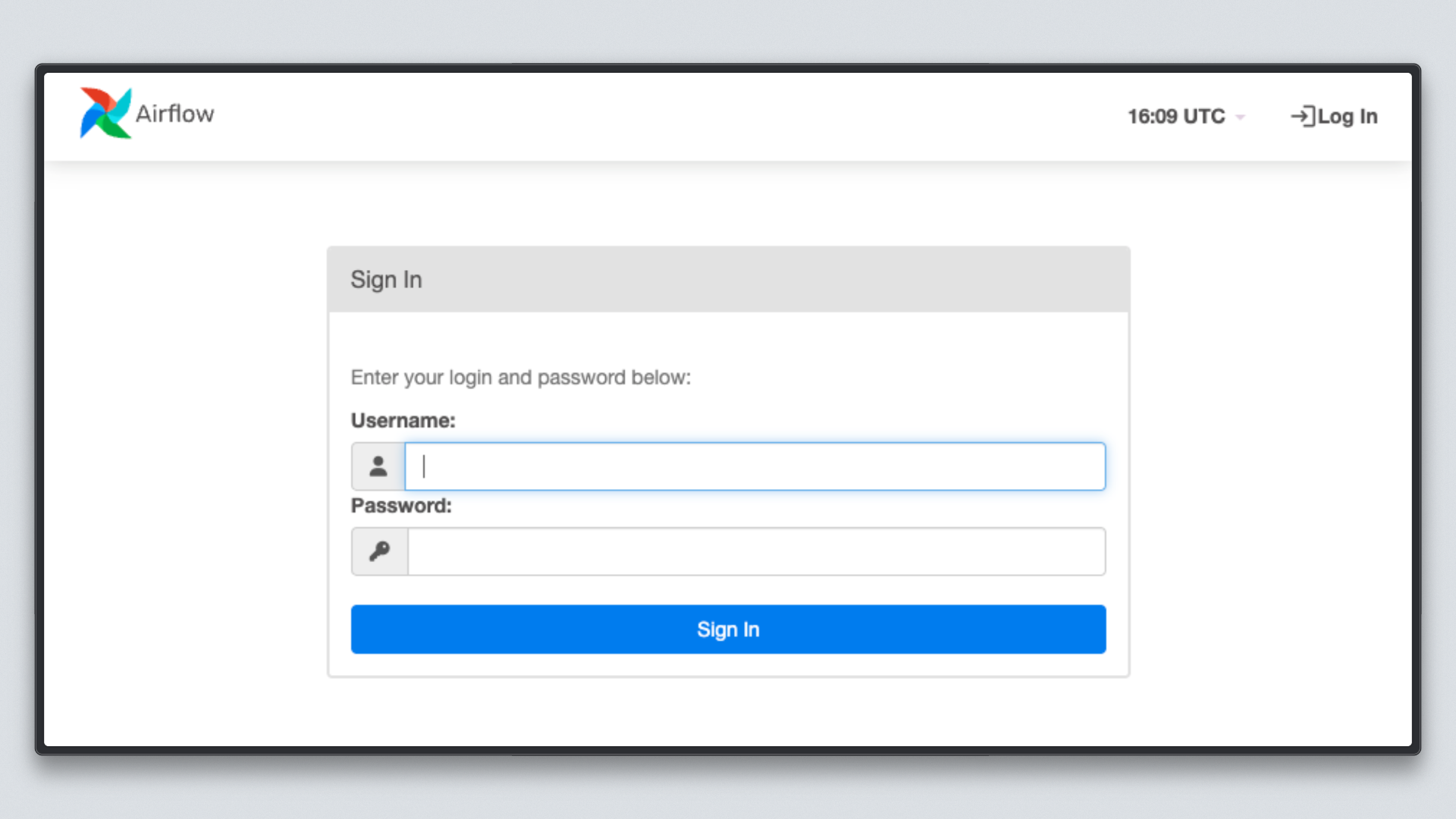
Open http://localhost:8080 in your browser and log in with username airflow and password airflow.
Step 4: Write the Airflow DAG
Create the file dags/lead_generation_dag.py:
import json
import requests
from datetime import datetime, timedelta
from pathlib import Path

from airflow import DAG
from airflow.operators.python import PythonOperator

API_KEY = "your-brightdata-api-token-here"
ZONE = "web_unlocker1"
BASE_URL = "https://api.brightdata.com/request"
RAW_DATA_PATH = "/tmp/brightdata_raw/leads.json"

HEADERS = {
    "Authorization": f"Bearer {API_KEY}",
    "Content-Type": "application/json",
}

TARGETS = [
    "https://www.yellowpages.com/search?search_terms=software+company&geo_location_terms=San+Francisco+CA",
    "https://www.yellowpages.com/search?search_terms=marketing+agency&geo_location_terms=New+York+NY",
    "https://www.yellowpages.com/search?search_terms=fintech+startup&geo_location_terms=Austin+TX",
]

default_args = {
    "owner": "data-team",
    "retries": 2,
    "retry_delay": timedelta(minutes=5),
}


def fetch_business_listings(**context):
    results = []
    for url in TARGETS:
        print(f"Fetching: {url}")
        response = requests.post(
            BASE_URL,
            headers=HEADERS,
            json={
                "zone": ZONE,
                "url": url,
                "format": "raw",
                "data_format": "markdown",
            },
            timeout=60,
        )
        response.raise_for_status()
        results.append({
            "url": url,
            "content": response.text,
            "status": response.status_code,
        })
        print(f"Fetched {len(response.text)} chars from {url}")

    Path(RAW_DATA_PATH).parent.mkdir(parents=True, exist_ok=True)
    with open(RAW_DATA_PATH, "w") as f:
        json.dump(results, f, indent=2)

    print(f"Saved {len(results)} pages to {RAW_DATA_PATH}")
    context["ti"].xcom_push(key="record_count", value=len(results))


def validate_output(**context):
    count = context["ti"].xcom_pull(key="record_count", task_ids="fetch_listings")
    with open(RAW_DATA_PATH) as f:
        data = json.load(f)
    print(f"Validation passed: {count} pages collected")
    for item in data:
        print(f"  URL: {item['url']} | Status: {item['status']} | Size: {len(item['content'])} chars")


with DAG(
    dag_id="brightdata_lead_generation",
    default_args=default_args,
    description="Collect business leads using Bright Data Web Unlocker",
    schedule_interval="0 6 * * 1",
    start_date=datetime(2026, 3, 12),
    catchup=False,
    tags=["lead-generation", "brightdata"],
) as dag:

    fetch_listings = PythonOperator(
        task_id="fetch_listings",
        python_callable=fetch_business_listings,
    )

    validate_data = PythonOperator(
        task_id="validate_data",
        python_callable=validate_output,
    )

    fetch_listings >> validate_data
Replace your-brightdata-api-token-here with your actual API token and update ZONE to match your Web Unlocker zone name.
Let’s break down what each part does:
API_KEYandZONE: Your Bright Data credentials. The API token is the UUID-format token from your account settings, not a zone password.TARGETS: Three Yellow Pages search URLs covering software companies in San Francisco, marketing agencies in New York, and fintech startups in Austin.fetch_business_listings: Loops through each target URL and sends a POST request to the Web Unlocker API. Bright Data handles anti-bot measures, proxy rotation, and JavaScript rendering, returning page content as Markdown. Results are saved to disk, and the record count is pushed to Airflow’s XCom store for the next task to read.validate_output: Reads the saved file and logs each URL, HTTP status, and content size. This acts as a lightweight data quality check before downstream processing.fetch_listings >> validate_data: The>>operator defines the task dependency. Validation only runs after fetching succeeds.
Important: Always set
start_dateto today’s date andcatchup=Falsewhen first deploying a DAG with a recurring schedule. If you setstart_dateto a past date withcatchup=True, Airflow queues a backfill run for every missed interval since that date. For a weekly schedule starting ten weeks ago, that is ten simultaneous runs competing for worker slots the moment you unpause the DAG.
Step 5: Write the PySpark Transformation Job
Create the file spark_jobs/process_leads.py:
from pyspark.sql import SparkSession
from pyspark.sql.functions import col, trim, regexp_replace, when, lit
import sys


def main(input_path: str, output_path: str):
    spark = SparkSession.builder \
        .appName("BrightData Lead Processing") \
        .config("spark.sql.adaptive.enabled", "true") \
        .getOrCreate()

    raw_df = spark.read.option("multiLine", True).json(input_path)

    cleaned_df = raw_df.select(
        trim(col("name")).alias("company_name"),
        trim(col("phone")).alias("phone"),
        trim(col("website")).alias("website"),
        trim(col("address")).alias("address"),
        trim(col("city")).alias("city"),
        trim(col("state")).alias("state"),
        trim(col("category")).alias("industry"),
        col("rating").cast("float").alias("rating"),
        col("reviews_count").cast("integer").alias("reviews_count"),
    ) \
    .filter(col("company_name").isNotNull()) \
    .filter(col("phone").isNotNull()) \
    .dropDuplicates(["company_name", "phone"])

    enriched_df = cleaned_df.withColumn(
        "lead_score",
        when(
            (col("rating") >= 4.0) & (col("reviews_count") >= 50), lit("hot")
        ).when(
            (col("rating") >= 3.0) & (col("reviews_count") >= 10), lit("warm")
        ).otherwise(lit("cold"))
    ).withColumn(
        "website_clean",
        regexp_replace(col("website"), "^https?://", "")
    )

    enriched_df.write.mode("overwrite").parquet(output_path)
    print(f"Processed {enriched_df.count()} leads. Output written to {output_path}")
    spark.stop()


if __name__ == "__main__":
    main(sys.argv[1], sys.argv[2])
This job does four things. It loads the raw JSON written by fetch_listings from disk. It cleans the data by normalizing whitespace, casting numeric fields, and dropping records with a missing name or phone number. It deduplicates records by company name and phone number to remove duplicate listings across cities. Finally, it scores each record with a lead_score label: businesses with a rating of 4.0 or above and at least 50 reviews are marked hot, those with a rating of 3.0 or above and at least 10 reviews are warm, and everything else is cold.
Step 6: Trigger and Monitor the Pipeline
With your DAG file in the dags/ folder, Airflow picks it up automatically within 30 seconds.
Docker users, unpause and trigger the DAG:
docker compose exec --user airflow airflow-scheduler airflow dags unpause brightdata_lead_generation
docker compose exec --user airflow airflow-scheduler airflow dags trigger brightdata_lead_generation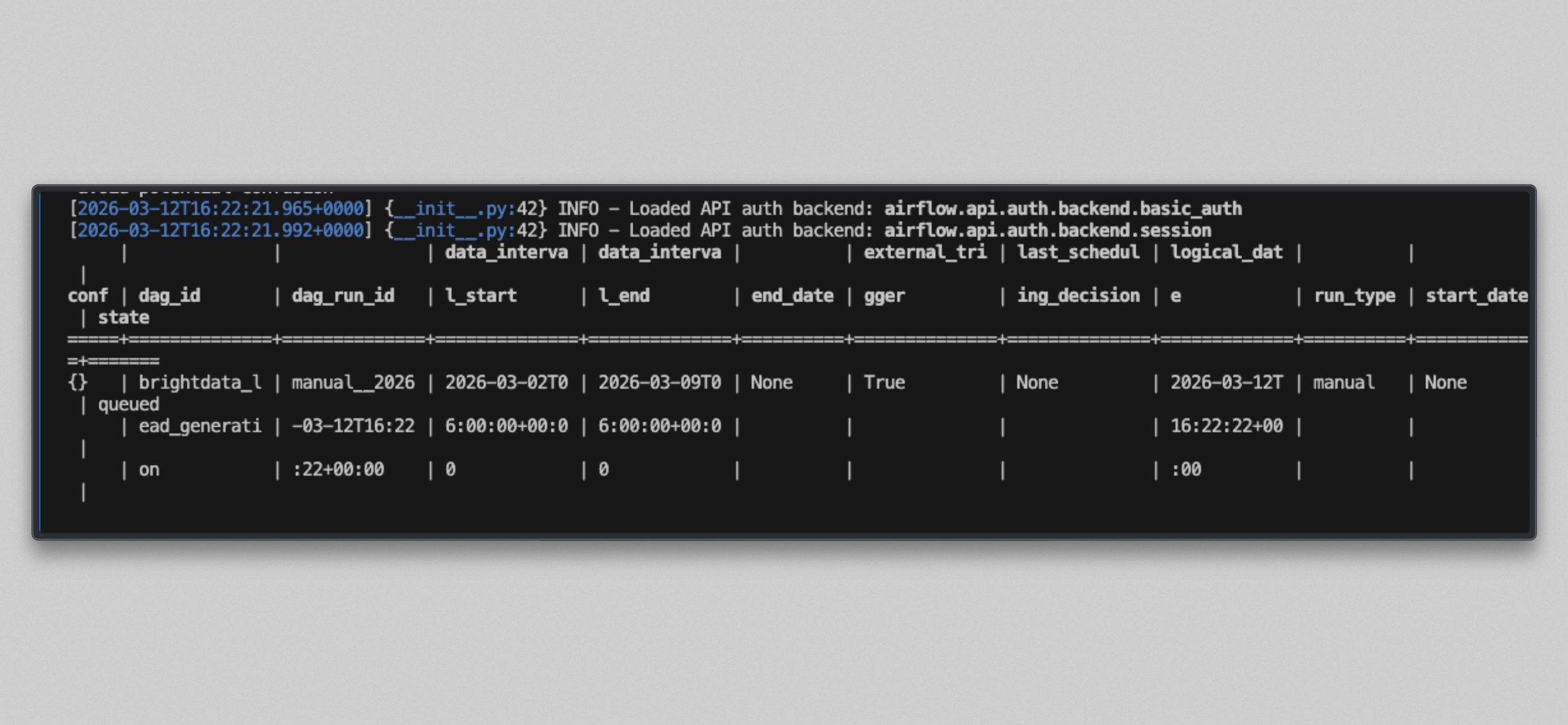
Watch the worker logs:
docker compose logs airflow-worker -f --tail=20You will see output like this once the tasks run:
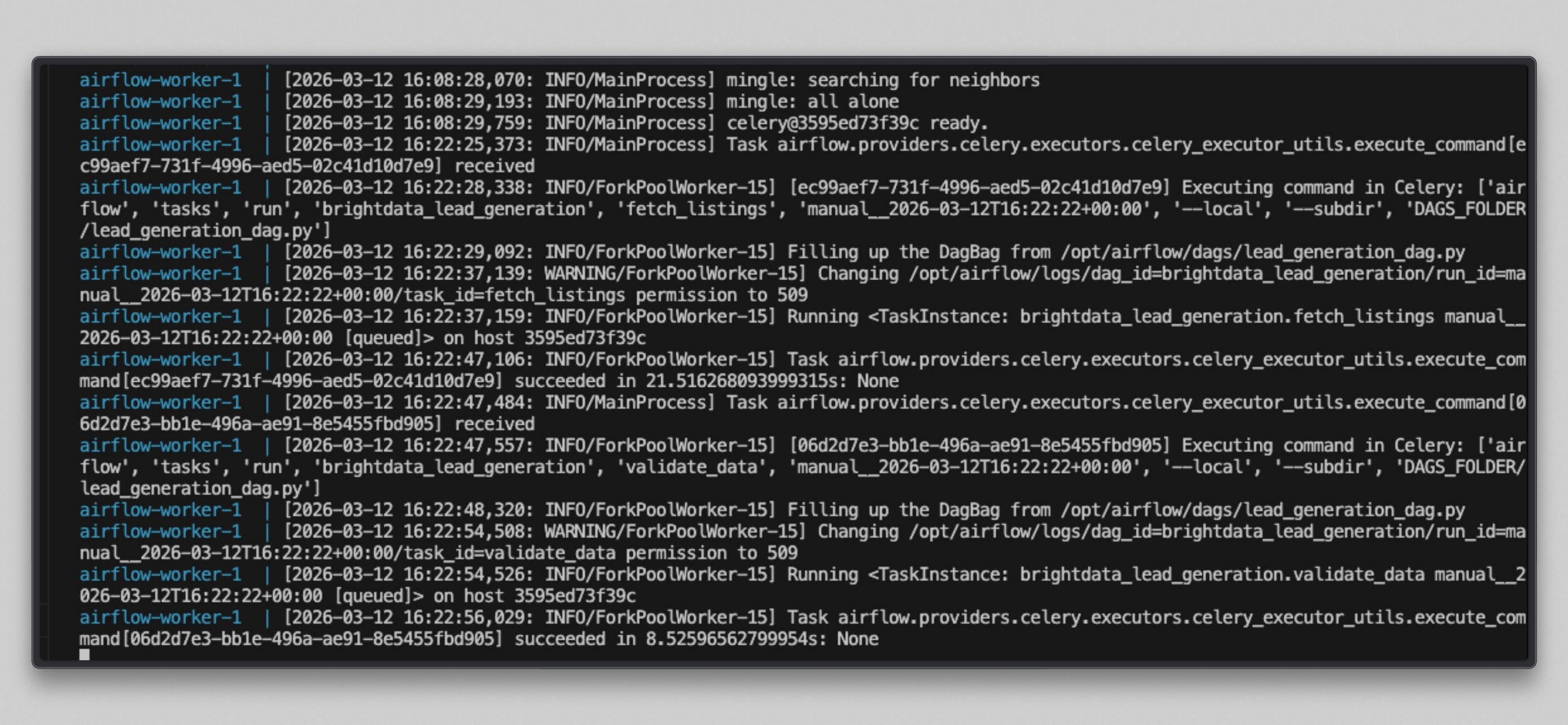
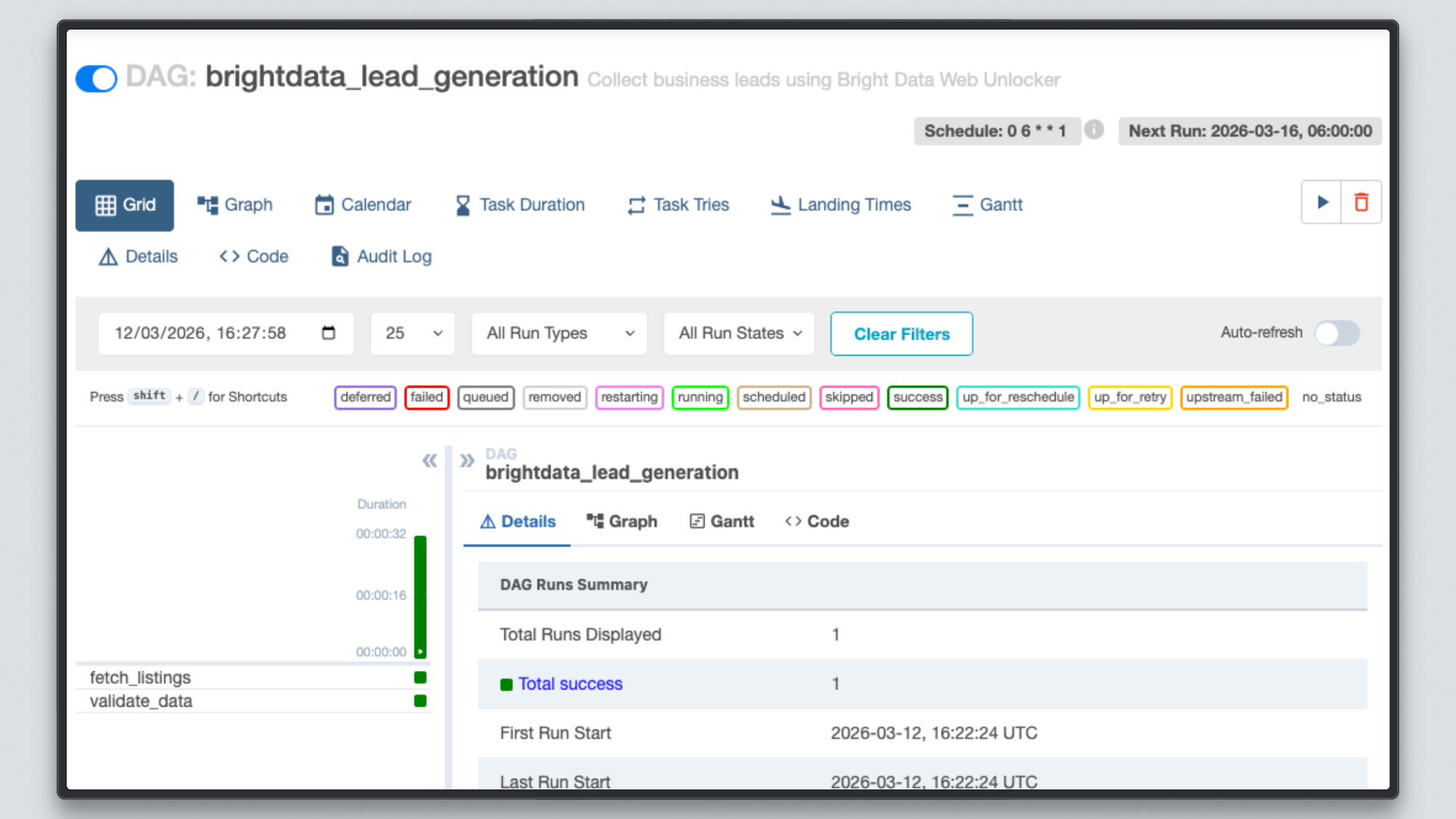
Open http://localhost:8080, click on the brightdata_lead_generation DAG, and switch to the Grid view. Each task tile turns green as it completes. Click any task tile and select Log to see the real-time output, including each URL fetched and the character count returned by Bright Data.
Step 7: Inspect the Results
Once both tasks show green, check the output file.
Docker users:
docker compose exec --user airflow airflow-worker cat /tmp/brightdata_raw/leads.jsonUbuntu native users:
cat /tmp/brightdata_raw/leads.jsonYou will see a JSON array with three entries, one per target URL:
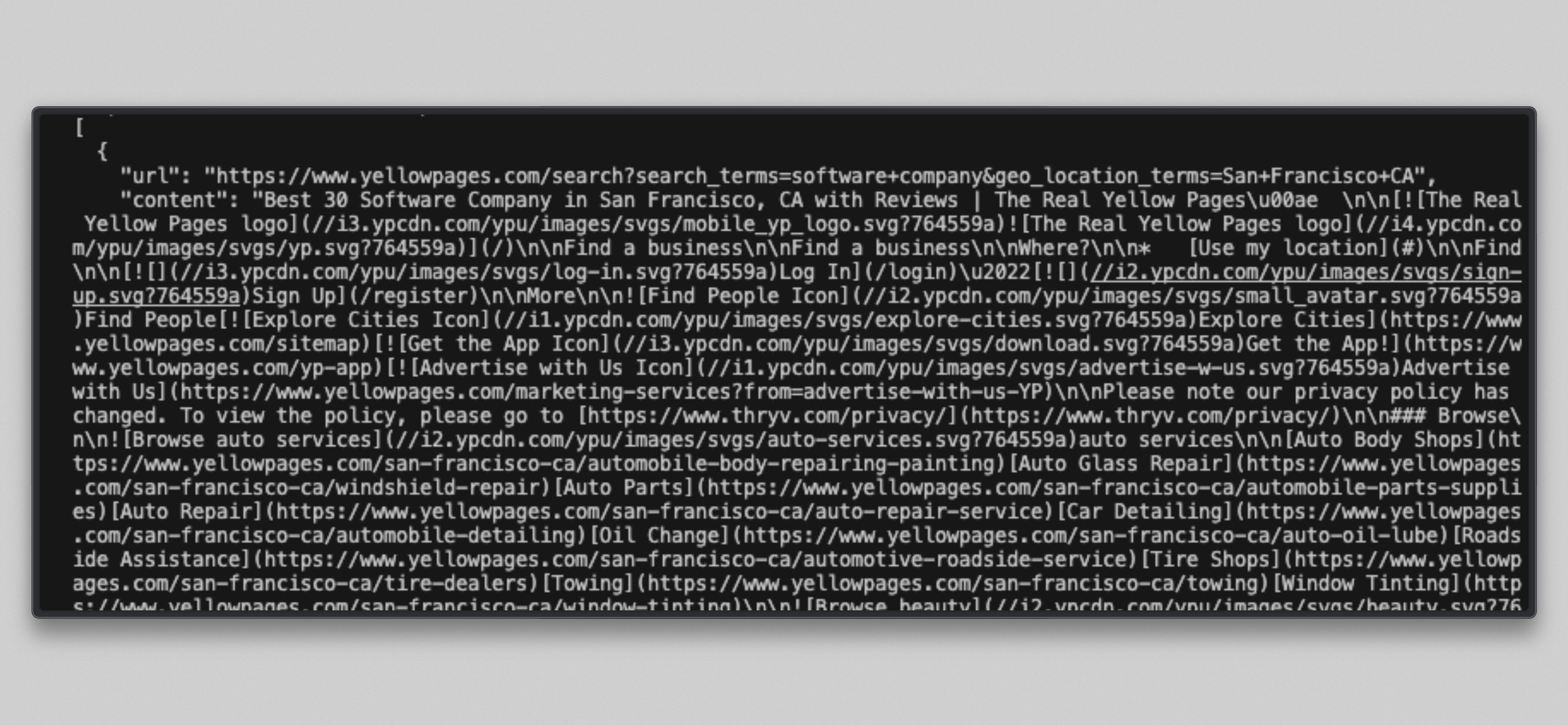
Note: Some Yellow Pages URLs may return a
bad_endpointmessage if the site is restricted under Bright Data’s immediate access mode. This is normal. Bright Data surfaces the error in the response rather than failing silently. Contact your Bright Data account manager if you need full access to a restricted site.
Finally, run the Spark job against the output:
docker compose exec --user airflow airflow-worker python /opt/airflow/spark_jobs/process_leads.py \
  /tmp/brightdata_raw/leads.json \
  /tmp/brightdata_processed/leads
This writes cleaned, scored Parquet files to /tmp/brightdata_processed/leads, ready to load into PostgreSQL or any downstream system.
The Web Unlocker API delivered fresh, real-time content from Yellow Pages, and your pipeline automatically cleaned, scored, and stored it without writing a single line of scraping or proxy management code. Collecting business listings manually is notoriously difficult due to bot detection systems and rate limiting. By using Bright Data’s Web Unlocker, you can reliably fetch page content from any public site across any region, with no infrastructure to maintain.
Taking It Further
This pipeline is a working foundation, and you can extend it in many directions:
- Replace the local file system with Amazon S3 or Google Cloud Storage for the intermediate data layer so the pipeline works across distributed workers.
- Add an LLM enrichment step between Spark processing and the database load, using the OpenAI or Anthropic API to generate personalized outreach summaries for each hot lead.
- Swap the local output for a direct CRM push to Salesforce, HubSpot, or Pipedrive using Airflow’s existing provider operators.
- Add a data quality check task using Great Expectations or Airflow’s SQLCheckOperator to validate record counts and field completeness before committing data.
Scale the Spark job to a managed cluster using AWS EMR, - Google Dataproc, or Databricks by updating the Spark connection URL in Airflow, the DAG and PySpark code stay the same.
- Use Bright Data’s SERP API as a parallel collection task to enrich each lead with recent news or search visibility data.
The possibilities are virtually endless!
Conclusion
In this article, you built a working lead generation pipeline by combining Bright Data’s Web Unlocker API, Apache Airflow, and Apache Spark.
Airflow handles scheduling, retry logic, dependency management, and observability. Spark handles the distributed cleaning, deduplication, and scoring of raw business data. Bright Data removes the hardest part: collecting fresh page content from the web without managing proxies, writing scraper code, or fighting anti-bot systems.
Unlike no-code automation tools, this stack gives you full control over every layer of the pipeline: collection parameters, transformation logic, output schema, and scheduling cadence. It integrates naturally into any modern data platform and scales with your data volume.
To build richer pipelines, explore Bright Data’s full suite of data collection tools, including the SERP API for search data, the Web Unlocker for JavaScript-heavy pages, and ready-made datasets for common use cases.
Sign up for a free Bright Data account today and start collecting the business data your pipeline needs.



Technical Writer
Arindam Majumder is a developer advocate, YouTuber, and technical writer who simplifies LLMs, agent workflows, and AI content for 5,000+ followers.