In this blog post, you will see:
- What the OpenAPI specification is.
- Why it is so popular for tool definition in AI frameworks and platforms.
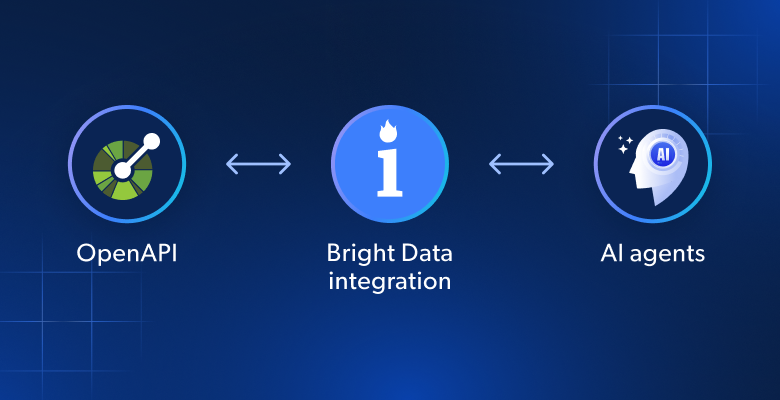
- How Bright Data supports OpenAPI for simplified integration in AI agents and workflows.
- The Bright Data Web Unlocker API OpenAPI specification.
- The Bright Data SERP API OpenAPI specification.
- How these specs work in action within a real-world AI platform
Let’s dive in!
What Is the OpenAPI Specification?
The OpenAPI Specification (OAS) is a language-agnostic, open standard for describing RESTful APIs. It provides a structured, machine-readable format (typically YAML or JSON) to define an API’s operations, parameters, responses, security schemes, and other characteristics.
Explore the GitHub repository for the specification!
Note: The OpenAPI Specification was originally called the “Swagger Specification.” So, if you are looking for “Bright Data Swagger specifications,” you are in the right place!
Why Many AI Solutions Rely on OpenAPI Specs for Tool Definition
Many AI frameworks embrace OpenAPI support for tool definition. The main reason is that the OpenAPI specification provides a standardized, machine-readable contract describing exactly what an external API does.
That standardization unlocks three main benefits:
- Interoperability and minimal friction: OpenAPI is a widely supported standard. Once you provide a spec, the platform can auto-import the API, generate input forms, calls, and response handling, and integrate it into its tooling.
- Reduced learning curve: Even non-technical users can build tools using APIs simply by copying OpenAPI specs from the documentation or other sources. Thus, there is no need for manual wiring or coding, which is why OpenAPI support is so common in low-/no-code AI platforms.
- Better maintenance: With an explicit API contract, updates are easy. When the API evolves, you only need to update the spec in the tool definition, greatly simplifying maintenance and reducing the need for large rewrites.
In short, defining tools via OpenAPI opens the door to an enterprise-ready ecosystem, where CRMs, data providers, internal APIs, and other external services can be securely connected, documented, and maintained with minimal manual overhead in AI agents, pipelines, and workflows.
Introducing Bright Data’s OpenAPI Specifications
Bright Data comes with a suite of products and services for web data extraction, automated web interaction, web crawling, and much more.
Those solutions are available via APIs (and also through no-code options), which means you can configure them using OpenAPI specifications in AI platforms that support this feature.
In this article, we will focus on two of the most important Bright Data tools:
- SERP API: Automatically extracts structured data from search engines like Google, Bing, and Yandex. It handles complex tasks such as proxy management, CAPTCHA solving, and JavaScript rendering, allowing you to receive clean, real-time results in JSON or HTML format without being blocked.
- Web Unlocker API: Bypasses complex anti-bot measures (like CAPTCHAs, IP blocks, and fingerprinting) to extract web data from any web page. It acts as an intermediary, managing proxies, emulating real users, and delivering clean HTML, JSON, and Markdown responses.
For each service, you will see the OpenAPI 3.x specification in both YAML and JSON formats, as well as examples of testing them in Swagger Editor.
Starting from these specs, you can similarly convert Web Scraping APIs, and other API endpoints into OpenAPI specifications for AI integration.
Note: Some Bright Data products share the same API endpoints, changing behavior based only on the request body. Since you cannot define two completely separate specs for the same path and method in a single OpenAPI document, you need separate OpenAPI specifications. That is why we will provide two dedicated OpenAPI specs for both SERP API and Web Unlocker API (as they share the same endpoint).
Web Unlocker API OpenAPI Specification
Discover the OpenAPI specification for Bright Data’s Web Unlocker API.
Note: For further details, check out the available arguments, options, authentication methods, and more in the following documentation pages:
YAML Spec
This is the OpenAPI YAML spec for the Bright Data Web Unlocker API:
openapi: 3.0.4
info:
  title: Bright Data Web Unlocker API
  version: 1.0.0
  description: |
    Bright Data Unlocker API enables you to bypass anti-bot measures, manages proxies, and solves CAPTCHAs automatically for easier web data collection.
    [Web Unlocker API documentation](https://docs.brightdata.com/scraping-automation/web-unlocker/introduction)
  contact:
    name: Bright Data
    url:
servers:
  - url: https://api.brightdata.com
tags:
  - name: Web Unlocker
    description: Operations for interacting with the Bright Data Web Unlocker API.
components:
  securitySchemes:
    BearerAuth:
      type: http
      scheme: bearer
      bearerFormat: BRIGHT_DATA_API_KEY
paths:
  /request:
    post:
      operationId: sendWebUnlockerRequest
      summary: Send a Web Unlocker API request
      description: |
        Submit a Web Unlocker API request using your Bright Data Web Unlocker API zone.

        [Web Unlocker API `/request` documentation](https://docs.brightdata.com/api-reference/rest-api/unlocker/unlock-website)
      tags:
        - Web Unlocker
      security:
        - BearerAuth: []
      requestBody:
        required: true
        content:
          application/json:
            schema:
              type: object
              required:
                - zone
                - url
                - format
              properties:
                zone:
                  type: string
                  description: Your Web Unlocker zone name.
                url:
                  type: string
                  description: The target website URL to unlock and fetch.
                  example: https://example.com/products
                format:
                  type: string
                  description: |
                    Response format.
                    Allowed values:
                    - `raw`: Returns the response immediately in the body.
                    - `json`: Returns the response as a structured JSON object.
                  default: raw
                method:
                  type: string
                  description: HTTP method used when fetching the target URL.
                  example: GET
                country:
                  type: string
                  description: |
                    Country code for proxy location (ISO 3166-1 alpha-2 format).
                  example: us
                data_format:
                  type: string
                  description: |
                    Format of the scraped output data.
                    Allowed values:
                    - `markdown`: Page content converted to Markdown.
                    - `screenshot`: To capture a PNG image of the rendered page.
                  enum:
                    - markdown
                    - screenshot
      responses:
        "200":
          description: Successful response containing search results.
        "400":
          description: Invalid request (missing required fields or invalid parameters).
        "401":
description: Unauthorized (invalid or missing Bright Data API key).Note:
The securitySchemes section specifies a security scheme that uses HTTP bearer authentication. In detail, clients must send a BRIGHT_DATA_API_KEY as a bearer token in the Authorization header when calling the API.
At the same time, most AI platforms already include built‑in authentication methods and may ignore that specification field. Still, it is useful to include it in the OpenAPI spec for clarity and reference.
JSON Spec
Below is the JSON OpenAPI specification for the Web Unlocker API:
{
  "openapi": "3.0.4",
  "info": {
    "title": "Bright Data Web Unlocker API",
    "version": "1.0.0",
    "description": "Bright Data Unlocker API enables you to bypass anti-bot measures, manages proxies, and solves CAPTCHAs automatically for easier web data collection.\n\n[Web Unlocker API documentation](https://docs.brightdata.com/scraping-automation/web-unlocker/introduction)\n",
    "contact": {
      "name": "Bright Data",
      "url": ""
    }
  },
  "servers": [
    {
      "url": "https://api.brightdata.com"
    }
  ],
  "tags": [
    {
      "name": "Web Unlocker",
      "description": "Operations for interacting with the Bright Data Web Unlocker API."
    }
  ],
  "components": {
    "securitySchemes": {
      "BearerAuth": {
        "type": "http",
        "scheme": "bearer",
        "bearerFormat": "BRIGHT_DATA_API_KEY"
      }
    }
  },
  "paths": {
    "/request": {
      "post": {
        "operationId": "sendWebUnlockerRequest",
        "summary": "Send a Web Unlocker API request",
        "description": "Submit a Web Unlocker API request using your Bright Data Web Unlocker API zone.  \n\n[Web Unlocker API `/request` documentation](https://docs.brightdata.com/api-reference/rest-api/unlocker/unlock-website)\n",
        "tags": [
          "Web Unlocker"
        ],
        "security": [
          {
            "BearerAuth": []
          }
        ],
        "requestBody": {
          "required": true,
          "content": {
            "application/json": {
              "schema": {
                "type": "object",
                "required": [
                  "zone",
                  "url",
                  "format"
                ],
                "properties": {
                  "zone": {
                    "type": "string",
                    "description": "Your Web Unlocker zone name."
                  },
                  "url": {
                    "type": "string",
                    "description": "The target website URL to unlock and fetch.",
                    "example": "https://example.com/products"
                  },
                  "format": {
                    "type": "string",
                    "description": "Response format.  \nAllowed values:  \n- `raw`: Returns the response immediately in the body.  \n- `json`: Returns the response as a structured JSON object.  \n",
                    "default": "raw"
                  },
                  "method": {
                    "type": "string",
                    "description": "HTTP method used when fetching the target URL.",
                    "example": "GET"
                  },
                  "country": {
                    "type": "string",
                    "description": "Country code for proxy location (ISO 3166-1 alpha-2 format). \n",
                    "example": "us"
                  },
                  "data_format": {
                    "type": "string",
                    "description": "Format of the scraped output data.  \nAllowed values:\n- `markdown`: Page content converted to Markdown.\n- `screenshot`: To capture a PNG image of the rendered page.\n",
                    "enum": [
                      "markdown",
                      "screenshot"
                    ]
                  }
                }
              }
            }
          }
        },
        "responses": {
          "200": {
            "description": "Successful response containing search results."
          },
          "400": {
            "description": "Invalid request (missing required fields or invalid parameters)."
          },
          "401": {
            "description": "Unauthorized (invalid or missing Bright Data API key)."
          }
        }
      }
    }
  }
}
Testing in Swagger Editor
Test the OpenAPI specification by pasting it into Swagger Editor: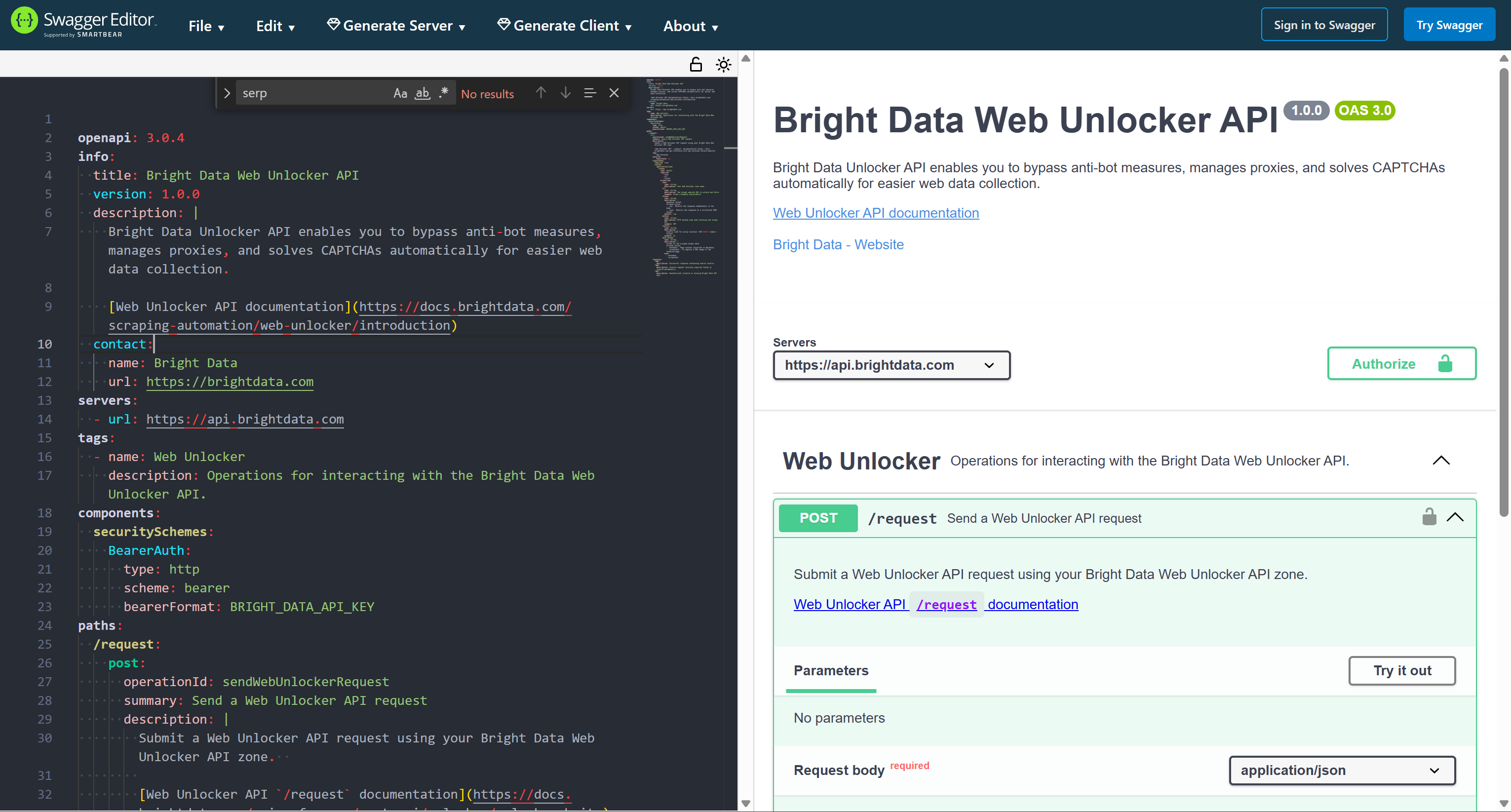
SERP API OpenAPI Specification
Explore the OpenAPI specification for Bright Data’s SERP API.
Note: For more information, take a look at the arguments, options, authentication methods, and more in the following documentation pages:
YAML Spec
Here is the OpenAPI YAML specification for the SERP API:
openapi: 3.0.4
info:
  title: Bright Data SERP API
  version: 1.0.0
  description: |
    Extract search engine results using Bright Data SERP API. Extract structured data from major search engines including Google, Bing, Yandex, DuckDuckGo, and more.
    Get organic results, paid ads, local listings, shopping results, and other SERP features.
    [SERP API documentation](https://docs.brightdata.com/scraping-automation/serp-api/introduction)
  contact:
    name: Bright Data
    url:
servers:
  - url: https://api.brightdata.com
tags:
  - name: SERP
    description: Operations related to the Bright Data SERP API.
components:
  securitySchemes:
    BearerAuth:
      type: http
      scheme: bearer
      bearerFormat: BRIGHT_DATA_API_KEY
paths:
  /request:
    post:
      operationId: sendSerpRequest
      summary: Send a SERP API request
      description: |
        Submit a SERP API request using your Bright Data SERP API zone.

        [SERP API `/request` documentation](https://docs.brightdata.com/api-reference/rest-api/serp/scrape-serp)
      tags:
        - SERP
      security:
        - BearerAuth: []
      requestBody:
        required: true
        content:
          application/json:
            schema:
              type: object
              required:
                - zone
                - url
                - format
              properties:
                zone:
                  type: string
                  description: The name of your SERP API zone.
                url:
                  type: string
                  description: The search engine URL to query (e.g., `https://www.google.com/search?q=<search_query>`).
                  example: https://www.google.com/search?q=pizza&hl=en&gl=us
                format:
                  type: string
                  description: |
                    Response format.
                    Allowed values:
                    - `raw`: Returns the response immediately in the body.
                    - `json`: Returns the response as a structured JSON object.
                  default: raw
                  enum:
                    - raw
                    - json
                country:
                  type: string
                  description: |
                    Country code for proxy location (ISO 3166-1 alpha-2 format).
                  example: us
                data_format:
                  type: string
                  description: |
                    Format of the SERP output data.
                    Allowed values:
                    - `json`: Fully parsed JSON data with structured SERP results including organic, paid, local, shopping, and feature snippets.
                    - `markdown`: SERP content converted to Markdown.
                  enum:
                    - json
                    - markdown
      responses:
        "200":
          description: Successful response containing search results.
        "400":
          description: Invalid request (missing required fields or invalid parameters).
        "401":
          description: Unauthorized (invalid or missing Bright Data API key).
JSON Spec
This is the JSON OpenAPI specification for the SERP API:
{
  "openapi": "3.0.4",
  "info": {
    "title": "Bright Data SERP API",
    "version": "1.0.0",
    "description": "Extract search engine results using Bright Data SERP API. Extract structured data from major search engines including Google, Bing, Yandex, DuckDuckGo, and more.  \nGet organic results, paid ads, local listings, shopping results, and other SERP features.\n[SERP API documentation](https://docs.brightdata.com/scraping-automation/serp-api/introduction)\n",
    "contact": {
      "name": "Bright Data",
      "url": ""
    }
  },
  "servers": [
    {
      "url": "https://api.brightdata.com"
    }
  ],
  "tags": [
    {
      "name": "SERP",
      "description": "Operations related to the Bright Data SERP API."
    }
  ],
  "components": {
    "securitySchemes": {
      "BearerAuth": {
        "type": "http",
        "scheme": "bearer",
        "bearerFormat": "BRIGHT_DATA_API_KEY"
      }
    }
  },
  "paths": {
    "/request": {
      "post": {
        "operationId": "sendSerpRequest",
        "summary": "Send a SERP API request",
        "description": "Submit a SERP API request using your Bright Data SERP API zone.  \n\n[SERP API `/request` documentation](https://docs.brightdata.com/api-reference/rest-api/serp/scrape-serp)\n",
        "tags": [
          "SERP"
        ],
        "security": [
          {
            "BearerAuth": []
          }
        ],
        "requestBody": {
          "required": true,
          "content": {
            "application/json": {
              "schema": {
                "type": "object",
                "required": [
                  "zone",
                  "url",
                  "format"
                ],
                "properties": {
                  "zone": {
                    "type": "string",
                    "description": "The name of your SERP API zone."
                  },
                  "url": {
                    "type": "string",
                    "description": "The search engine URL to query (e.g., `https://www.google.com/search?q=<search_query>`).",
                    "example": "https://www.google.com/search?q=pizza&hl=en&gl=us"
                  },
                  "format": {
                    "type": "string",
                    "description": "Response format.  \nAllowed values:  \n- `raw`: Returns the response immediately in the body.  \n- `json`: Returns the response as a structured JSON object.  \n",
                    "default": "raw",
                    "enum": [
                      "raw",
                      "json"
                    ]
                  },
                  "country": {
                    "type": "string",
                    "description": "Country code for proxy location (ISO 3166-1 alpha-2 format). \n",
                    "example": "us"
                  },
                  "data_format": {
                    "type": "string",
                    "description": "Format of the SERP output data.  \nAllowed values:\n- `json`: Fully parsed JSON data with structured SERP results including organic, paid, local, shopping, and feature snippets.\n- `markdown`: SERP content converted to Markdown.  \n",
                    "enum": [
                      "json",
                      "markdown"
                    ]
                  }
                }
              }
            }
          }
        },
        "responses": {
          "200": {
            "description": "Successful response containing search results."
          },
          "400": {
            "description": "Invalid request (missing required fields or invalid parameters)."
          },
          "401": {
            "description": "Unauthorized (invalid or missing Bright Data API key)."
          }
        }
      }
    }
  }
}
Testing in Swagger Editor
To test this specification, paste it into the online Swagger Editor: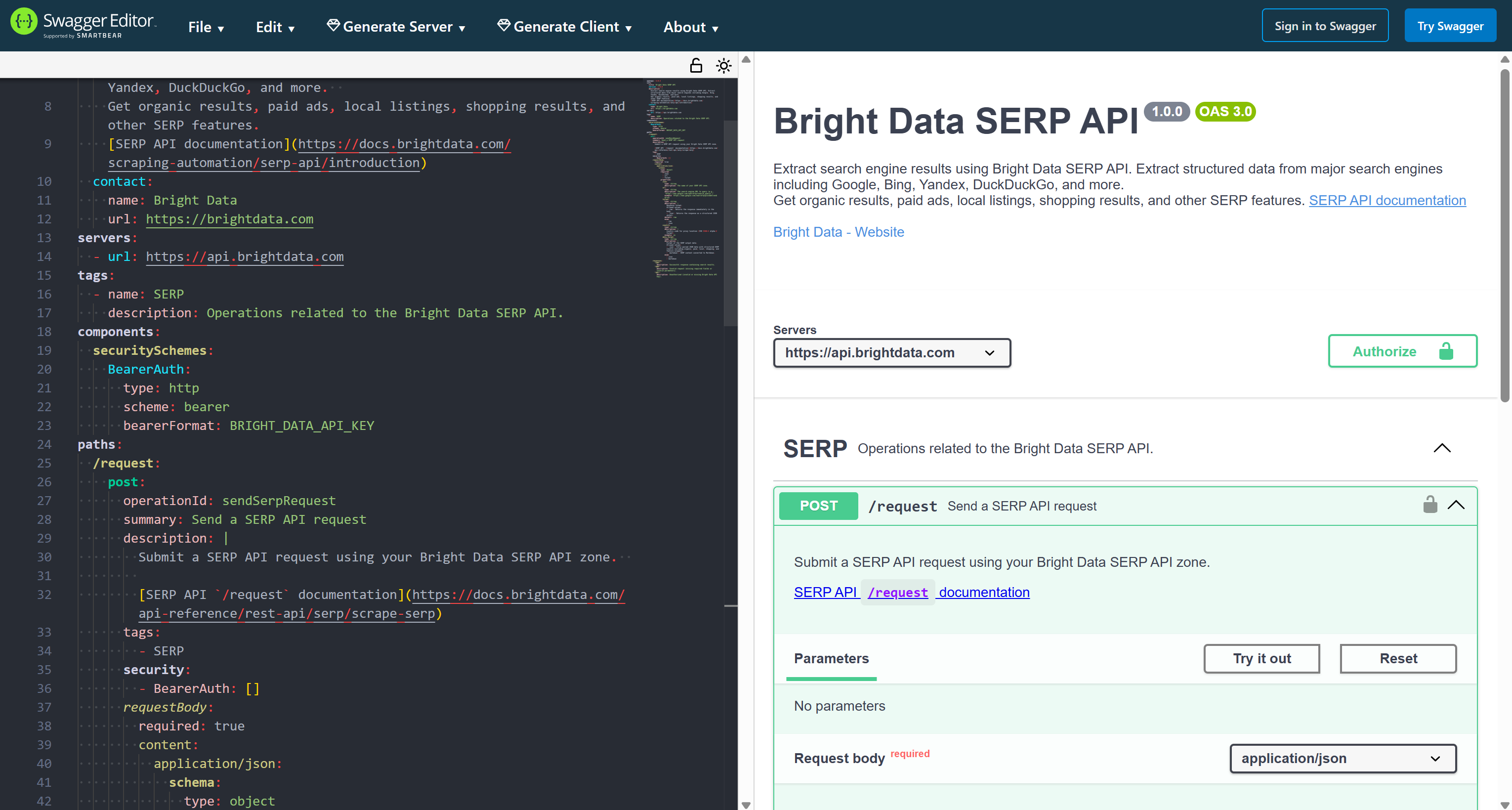
Testing the Bright Data OpenAPI Specs for Tool Integration in Dify
To verify that the above OpenAPI specifications for connecting to Bright Data services via API work, we will test them in Dify.
Specifically, we will test the Bright Data SERP API OpenAPI spec, but you can easily adapt this guided section to other Web Unlocker API SERP specs as well.
Dify is an open-source, low-code development platform that simplifies building, deploying, and managing AI-powered applications. Among its many features, it allows you to define custom tools using OpenAPI specifications.
That capability is not unique to Dify. Quite the opposite, many other AI agent-building platforms, especially low-code/no-code or enterprise-ready solutions, also support tool integration via OpenAPI specs.
Explore additional integrations with Bright Data via OpenAPI specs in the following guides:
- Integrate Bright Data’s SERP API into an AI Agent in Microsoft Copilot Studio
- Integrate Bright Data’s SERP API into an AI Agent in IBM watsonx
Now, let’s test the Bright Data OpenAPI specifications in Dify!
Prerequisites
To follow this tutorial section, you need:
- A Bright Data account with an API key and a SERP API zone set up.
- A Dify Cloud account to use the cloud version, or a local Dify instance running on your machine.
Follow the official guide to generate a Bright Data API key. Store it in a safe place, as we will need it for authenticating the SERP API tool calls.
Next, follow the instructions in the Bright Data documentation to set up a SERP API zone in your account: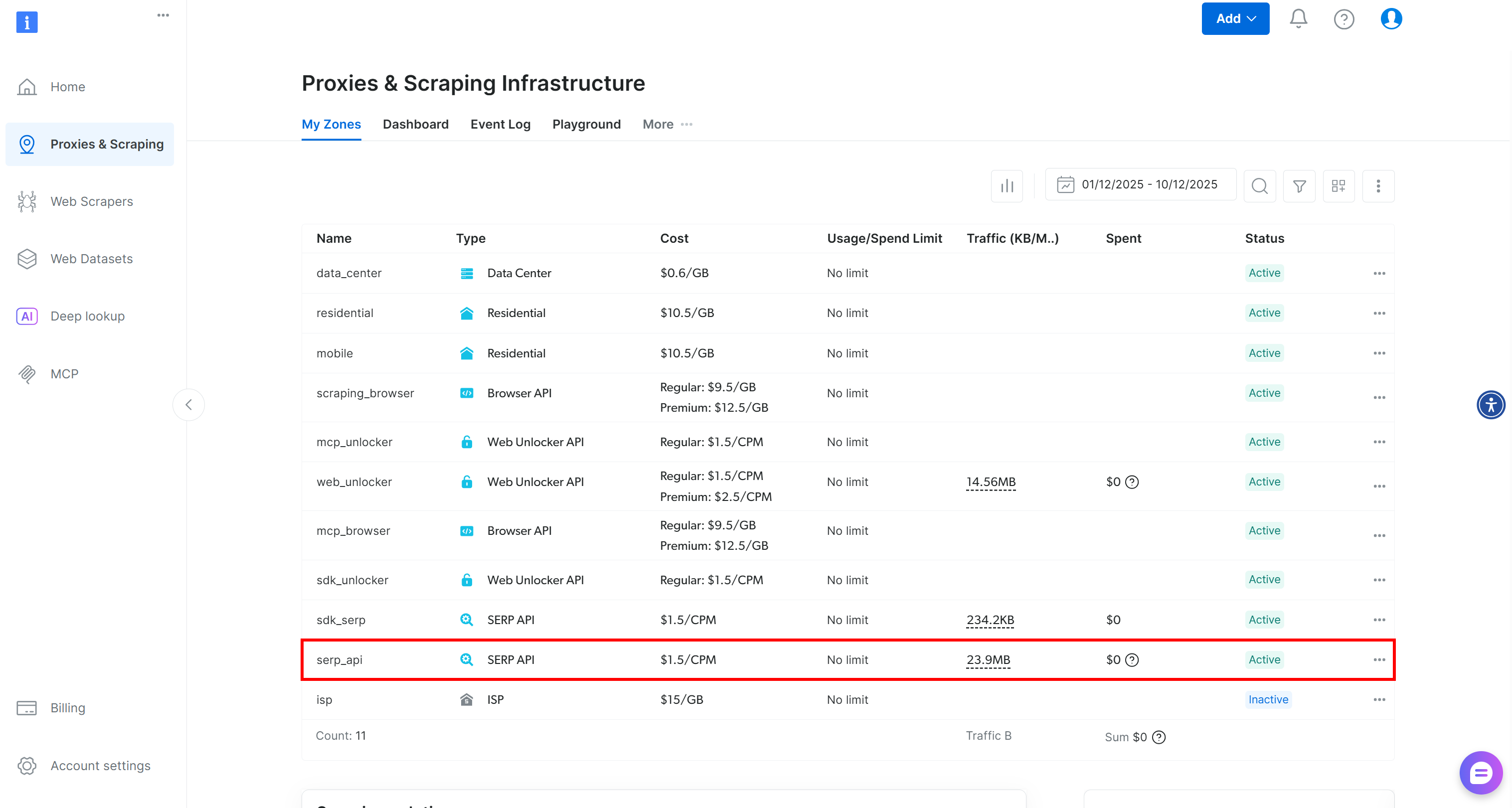
From now on, we will assume that your SERP API zone is called serp_api. Make sure to adapt the zone name in the examples to match the name of your zone.
Step #1: Create a New Custom Tool
Log in to your Dify Cloud account or launch your local instance. To create a new custom tool, start by selecting the “Tools” option in the top menu:
On the “Tools” page, go to the “Custom” tab: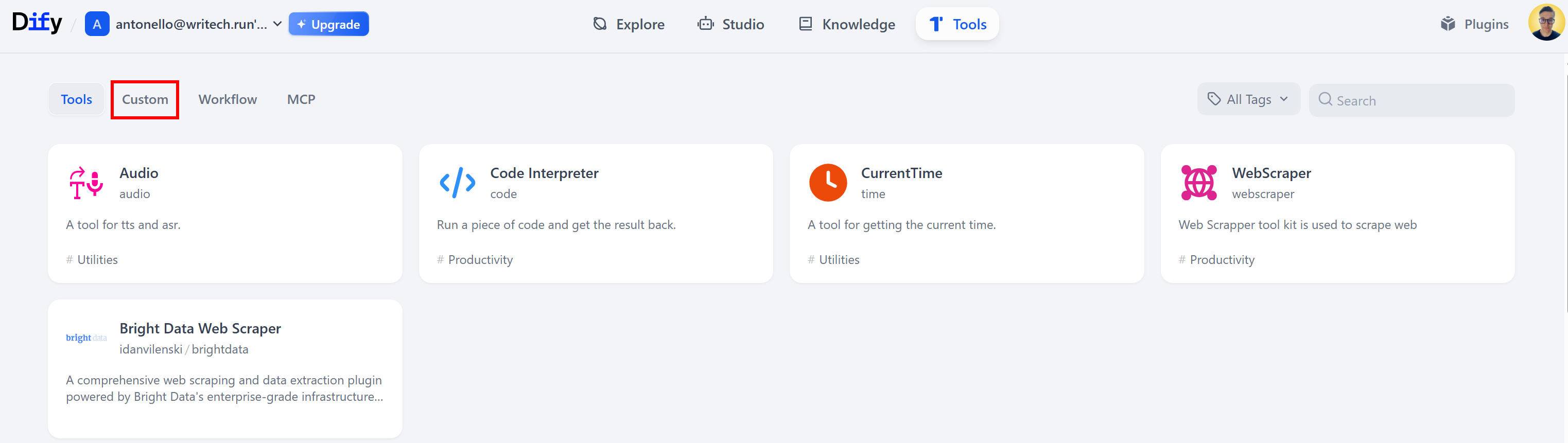
In the “Custom” tab, click the “Create Custom Tool” card:
The following “Create Custom Tool” modal will appear: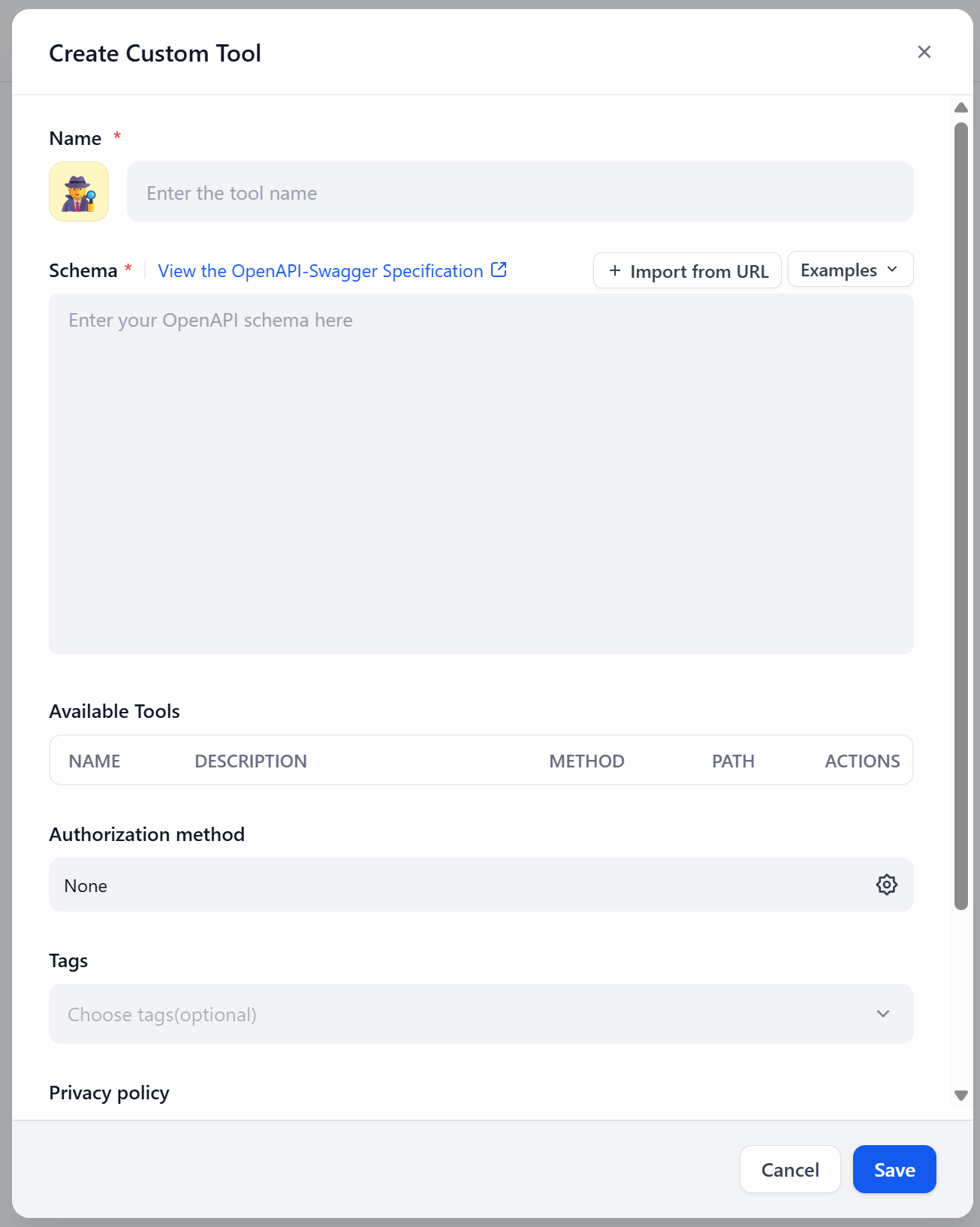
Great! This is where you will paste your Bright Data SERP API OpenAPI specification.
Step #2: Define the SERP API Tool Using the OpenAPI Specification
In the “Create Custom Tool” modal, give the tool a name, such as “SERP API”. In the “Schema” field, paste the YAML OpenAPI specification for the Bright Data SERP API.
You should see something like this: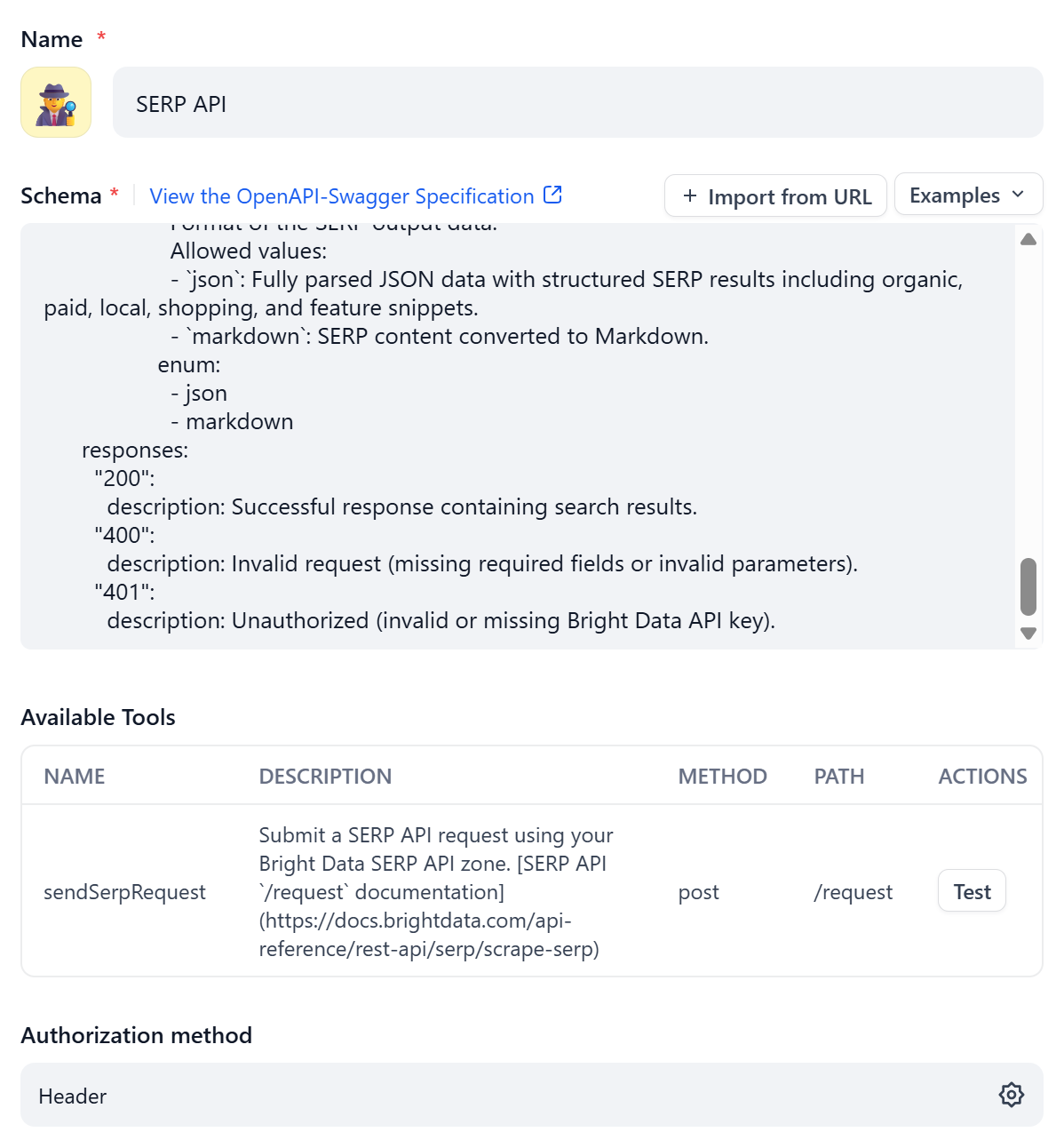
Notice that the “Available Tools” section is populated automatically based on the definition provided in the OpenAPI spec.
As anticipated earlier, most platforms require you to define authentication through a built-in method. In this case, to do so, click the gear icon in the “Authentication Method” section:
Configure the authentication as follows:
- Auth Type: “Header”
- Type: “Bearer”
- Key: “Authorization”
- Value: Paste your Bright Data API key

This sets up authentication through an Authorization header, which will be sent as:
Bearer <YOUR_BRIGHT_DATA_API_KEY>That is precisely the authentication method supported by Bright Data APIs.
Wonderful! The SERP API tool has now been defined and configured correctly.
Step #3: Test the Tool
In the “Available Tools” section, locate the row for the configured /request endpoint and click the “Test” button:
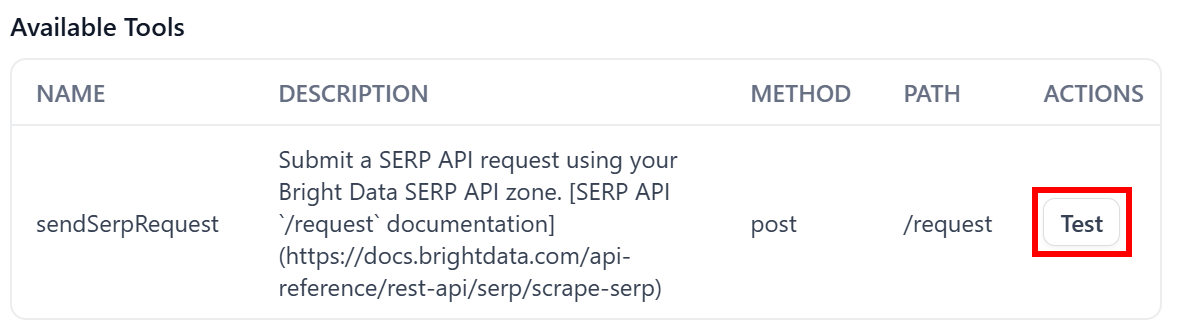
That will open the “Test sendSerpRequest” modal, where you can customize parameters and values to verify that the configured tool works.
For example, start by testing a basic response in JSON format. The expected result is a structured JSON response containing the SERP scraped page from Google in HTML format (the default data format from SERP API):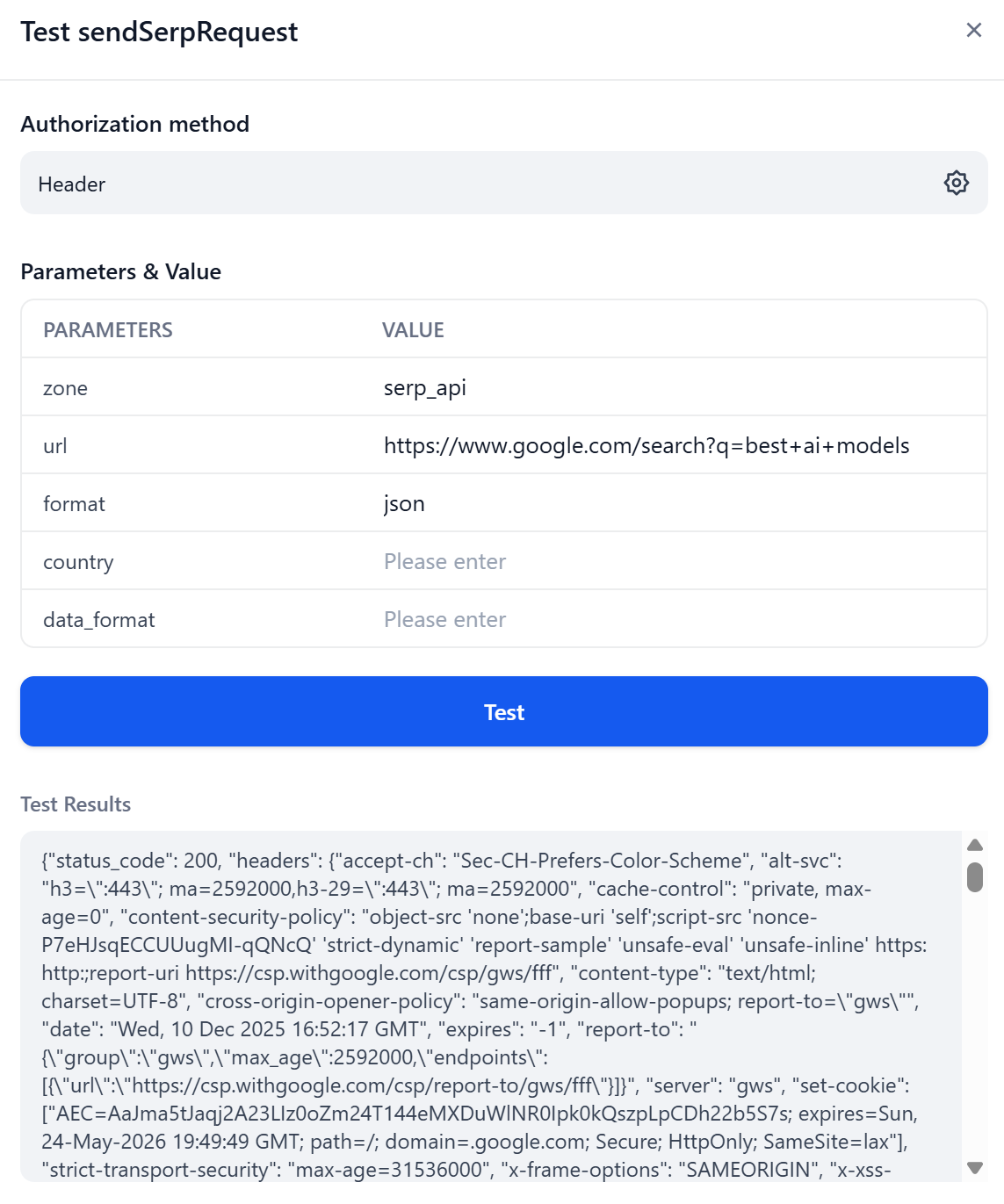
Scroll down to the “Test Results” section to view the API response. You will see that the body field in the JSON contains the HTML of the SERP page as expected: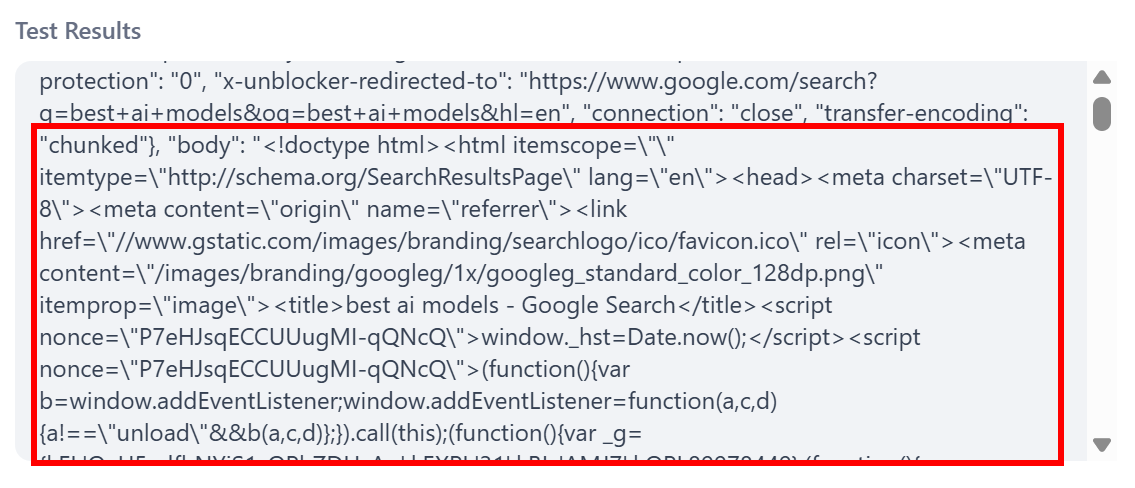
Fantastic! This result matches the expectations.
Now, try getting the Markdown version of the same page directly in the response body: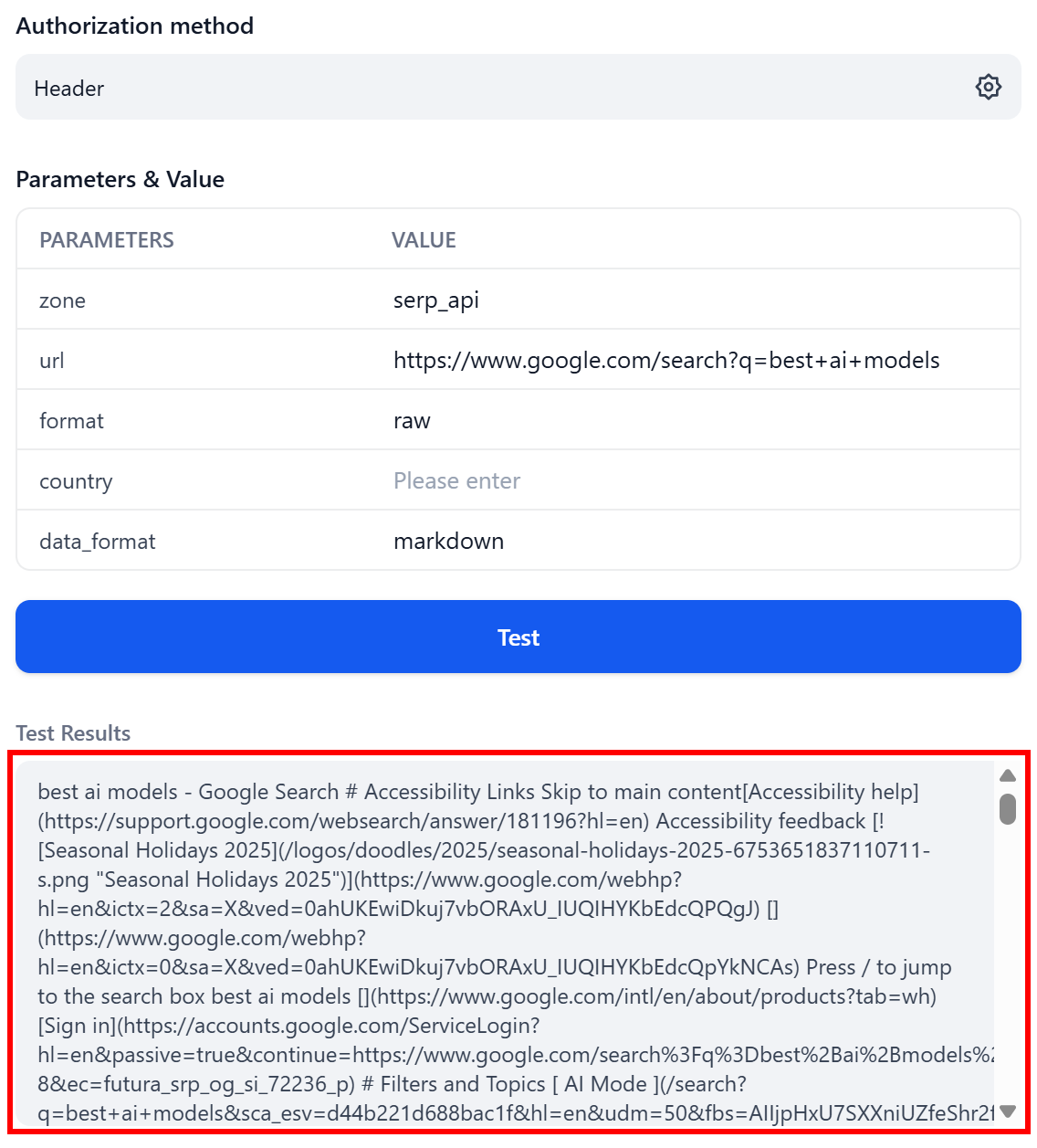
Notice how, this time, the response is plain text (because format: raw) containing the SERP data in Markdown format (due to data_format: markdown)—ready for LLM ingestion.
Now that you know the tool works (because it successfully calls the underlying API), you can integrate it into any Dify workflow or AI agent.
Et voilà! The Bright Data tool defined via the OpenAPI specification works perfectly.
Conclusion
In this article, you learned why AI platforms and libraries allow you to use OpenAPI specifications for tool definition and how Bright Data supports this option. In particular, you saw the OpenAPI specifications for Bright Data’s Web Unlocker and SERP API solutions.
By integrating those two tools, you can create complex AI agents that search the web and retrieve web data for RAG, deep research, and many other tasks. Leverage the full suite of Bright Data API services for AI to unlock the full potential of your agents!
Create a Bright Data account for free today and start integrating our APIs for web data retrieval!



Technical Writer
 5.5 years experience
Antonello Zanini is a technical writer, editor, and software engineer with 5M+ views. Expert in technical content strategy, web development, and project management.