In this article, you will learn:
- What Bright Data and ZoomInfo are and how they differ as B2B data platforms.
- How data freshness affects the quality of your B2B outreach and why it matters more than most teams realize.
- How Bright Data’s Dataset Filter API and Scraper APIs give you programmatic access to fresh, on-demand B2B data at scale.
Let’s dive in!
The B2B Data Problem Nobody Talks About
B2B contact data decays at 2.1% every month, and by the end of the year, roughly one in four records in your database will be outdated. Wrong job titles, defunct email addresses, and contacts who moved companies six months ago. Gartner estimates that poor data quality costs organizations an average of $12.9 million annually.
ZoomInfo is one of the most established names in sales intelligence. Bright Data is a leading web data infrastructure platform, used by 50,000+ organizations, including 14 of the top 20 global AI labs. They serve different purposes and are built on fundamentally different approaches to data.
ZoomInfo maintains a database that gets refreshed on a scheduled cycle. Bright Data lets you scrape and retrieve data on demand, pulling directly from live sources when you need it.
What Each Platform Really Is
ZoomInfo is a sales intelligence platform. It maintains a proprietary database of business contacts and companies, enriched with intent signals, technographic data, and organizational charts. The primary user is a sales or marketing professional who needs to find leads, build lists, and push them into a CRM. Everything is built around a point-and-click interface with credit-based exports.
Bright Data is a web data infrastructure platform. It provides the tools to collect, structure, and deliver data from the public web at scale. The primary user is a data engineer, analyst, or developer who needs programmatic access to large volumes of fresh data. The core products relevant to B2B data are the Dataset Marketplace, the Dataset Filter API, and the Scraper APIs.
Because ZoomInfo is built around a proprietary database, the freshness and flexibility of the B2B data you get are tied to when that database was last updated and what filters the platform exposes to you. Bright Data is built around live web extraction, which means the data you pull reflects what is on the web at the time of your request.
How Bright Data and ZoomInfo Handle Data Freshness
Your B2B’s data freshness depends entirely on where it comes from and how it is collected
How ZoomInfo handles data freshness
ZoomInfo scans over 38 million online sources daily, using a combination of machine learning, web crawling, and a contributor network to keep records current.
For enterprise contacts at large US companies, the refresh rate is frequent enough that the data holds up well. Whereas for mid-market and SMB records, independent reviews consistently report that records can go months without an update. Multiple G2 reviewers report email bounce rates of 15 to 25% on exported lists, with outdated job titles and defunct contact details being the most common complaints.
Accessing international data adds another layer of complexity. Coverage outside North America and Europe requires purchasing a separate Global Data Passport add-on at additional cost, and user feedback on accuracy in APAC and LATAM regions is noticeably weaker.
How Bright Data handles data freshness
Bright Data does not rely on a pre-built database that ages between refresh cycles. The Scraper APIs pull data directly from live web sources at the time of your request. The Dataset Marketplace offers frequently updated datasets with filters that let you specify recency, so you can request only records updated within a defined time window. The data you receive reflects the current state of the web, not a cached snapshot from weeks ago.
Hands-On: Pulling B2B Data with Bright Data
This section walks through two of Bright Data’s core products for B2B data collection: the Dataset Filter API and the Scraper APIs. Both are accessible from the Bright Data dashboard after signing up for a free account.
The Dataset Marketplace and Filter API
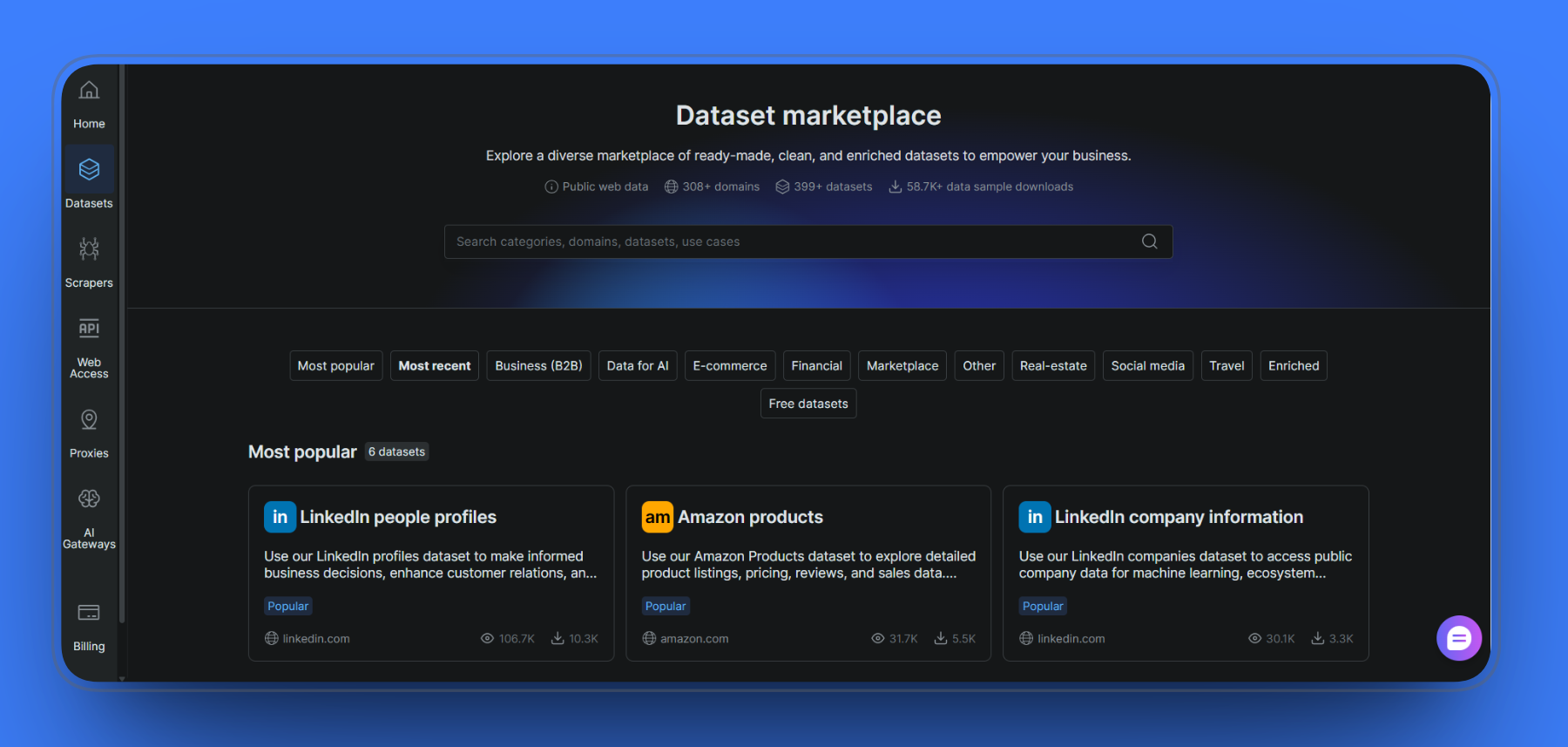
The Dataset Marketplace gives you access to pre-built, regularly updated datasets across 399+ datasets spanning 308+ domains. For B2B use cases, the most relevant datasets are LinkedIn people profiles, LinkedIn company information, and other business contact datasets sitting under the Business (B2B) category.
Once you select a dataset, clicking the Filters button opens the Advanced Filters panel. Here you can build filter rules using fields like country_code, position, city, and more, with operators including Is, Not, Includes, and Lists exact match.
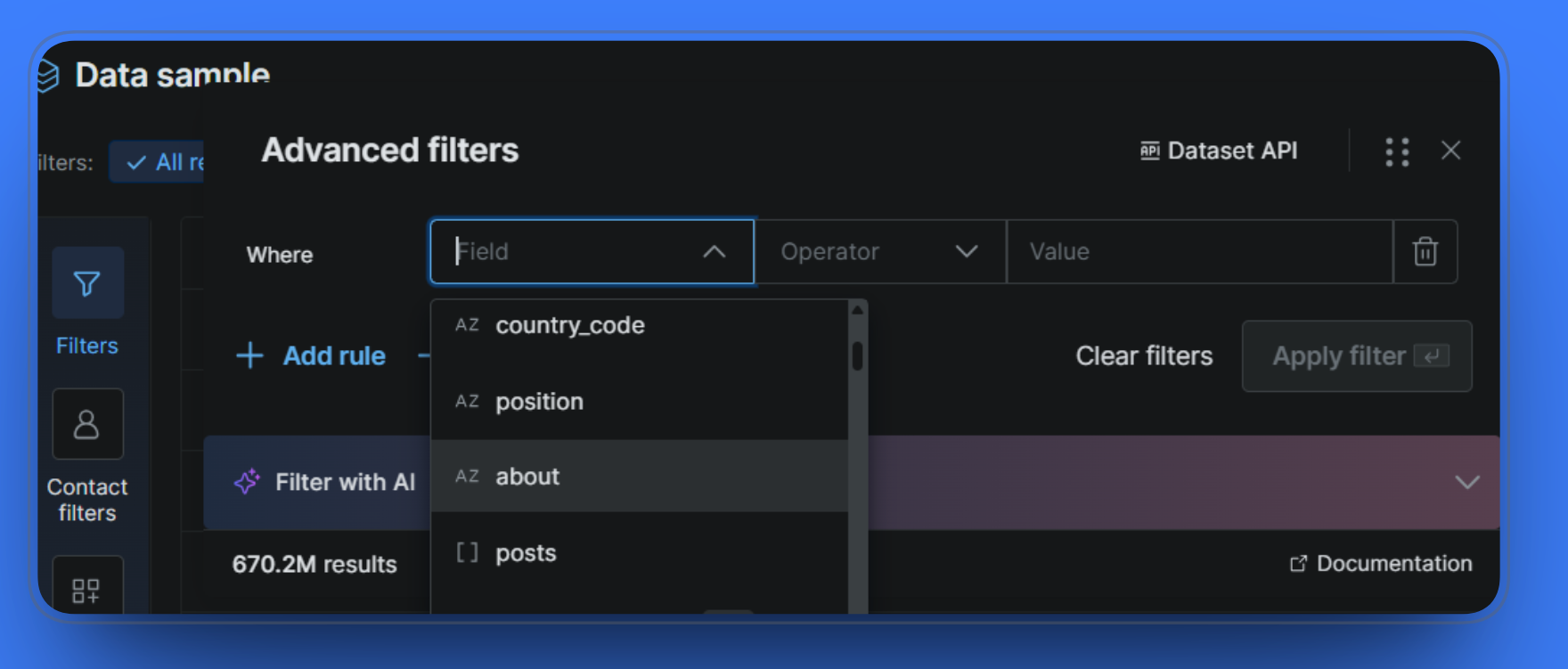
Setting a filter is straightforward. In the example below, we filtered the LinkedIn people profiles dataset by country_code = US, which narrowed the 670.2M total records down to 172.5M US-based profiles.
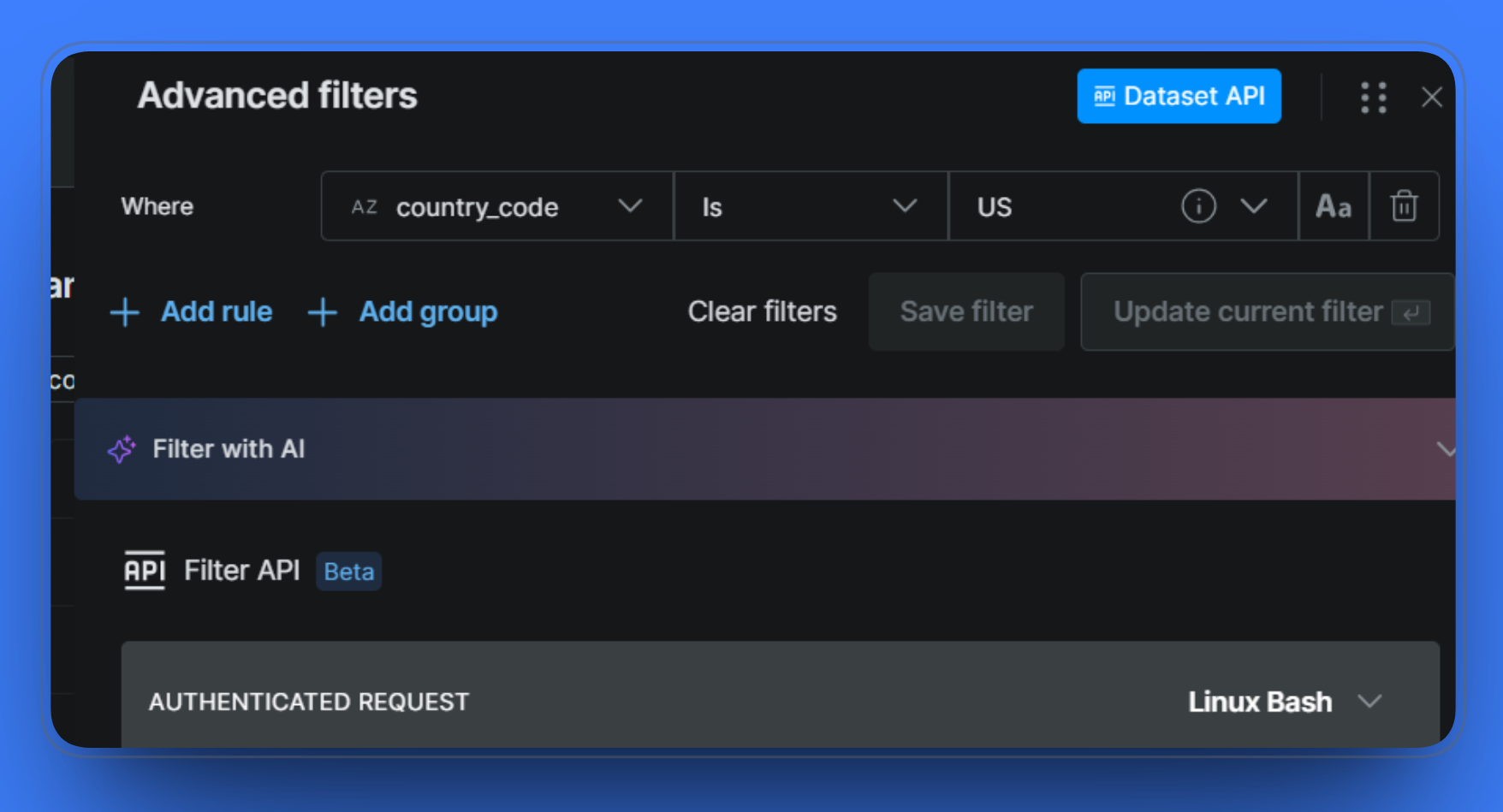
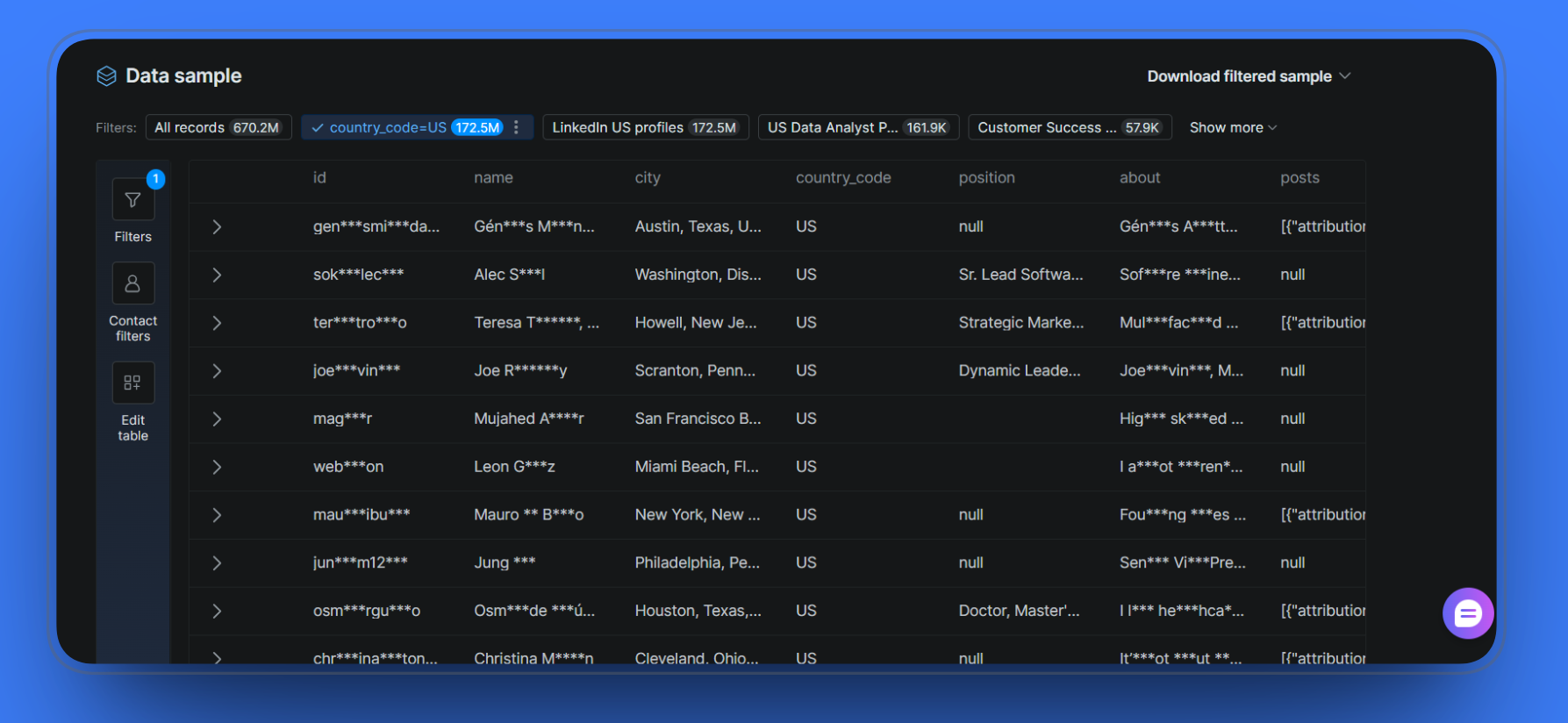
Once your filters are set, clicking the Dataset API button generates an authenticated API request you can copy and run directly. The curl request includes your dataset_id and the filter parameters you defined.
The Scraper APIs
Where the Dataset Marketplace gives you access to pre-collected data, the Scraper APIs let you pull data directly from live web sources on demand. The Scrapers Library covers 308+ domains across categories such as Business (B2B), Social Media, E-commerce, and more.
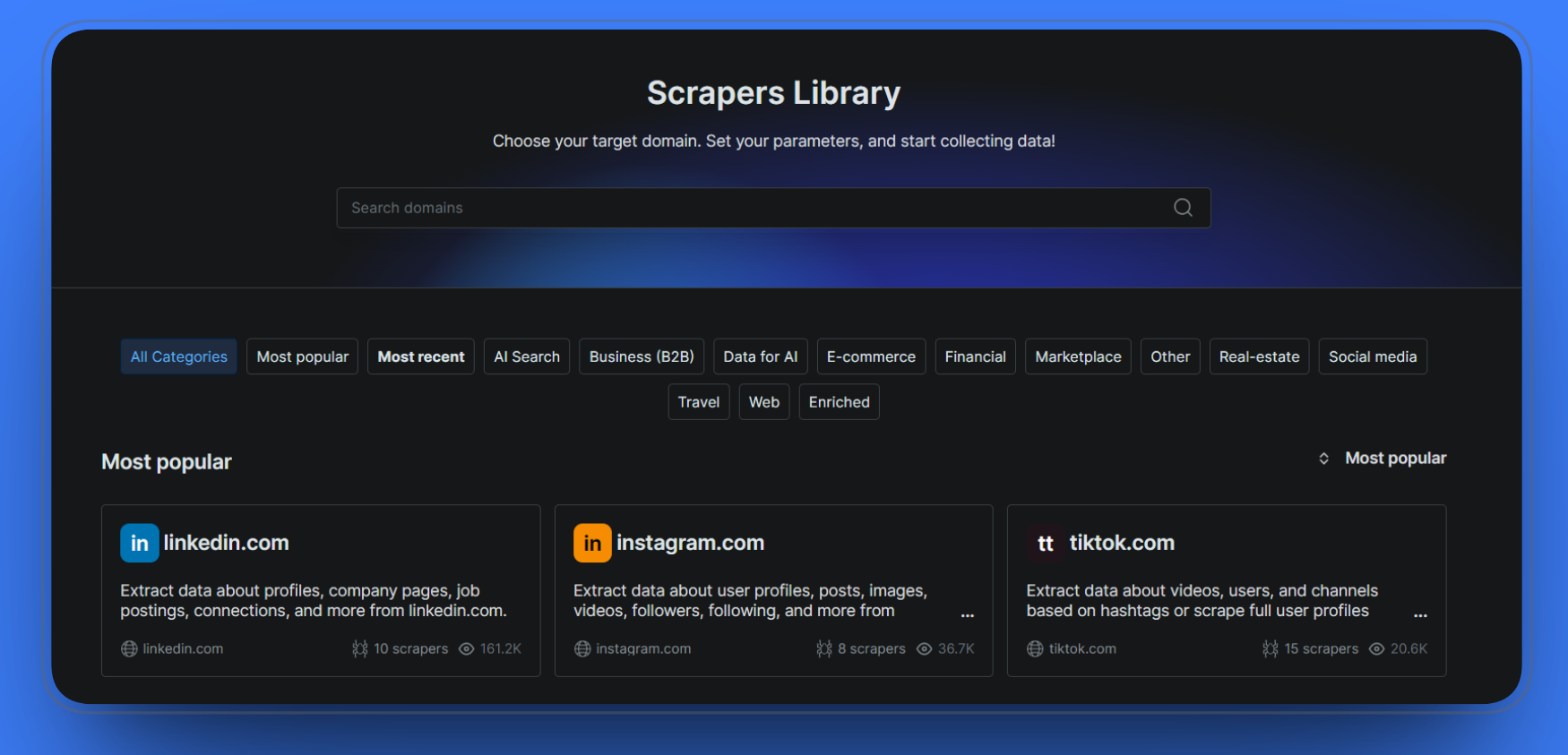
The Scrapers Library has a dedicated Business (B2B) category. Within that, the LinkedIn scrapers cover the most commonly needed data points for B2B prospecting, including people profiles, company information, job listings, and people search.
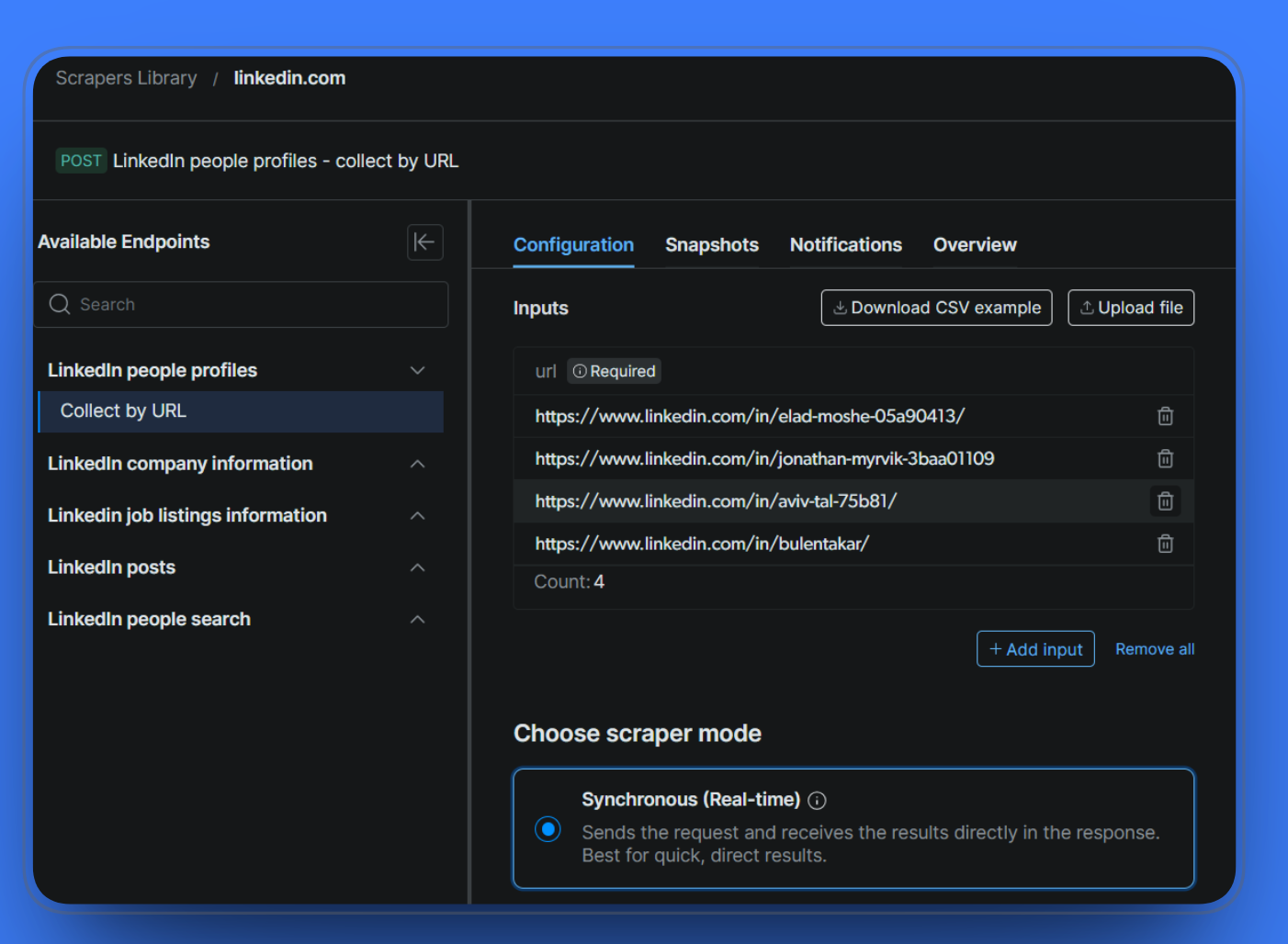
The synchronous mode sends the request and returns the structured data directly in the response, making it suited for use cases where you need fresh data returned immediately rather than queued for batch delivery.
Hands-On: Pulling B2B Data with ZoomInfo
ZoomInfo’s primary B2B data interface is SalesOS, now part of the broader GTM Workspace platform.
Getting started
To access ZoomInfo, head to their main page and sign up for a free trial. You will need a business email address to register; personal email addresses are not accepted. Once your account is created, log in to the main SalesOS dashboard, where your prospecting workflow begins.
If you want to connect your CRM straight away, navigate to the Admin Portal, click Connect CRM, and select your platform from the list. ZoomInfo supports Salesforce, HubSpot, Microsoft Dynamics, Outreach, and Salesloft, among others. Setting this up before you start building lists means your exports go directly into your CRM rather than having to upload CSVs manually.
Building a prospect list
The Advanced Search is where most list-building happens. With 300+ company attributes available, you can filter by job title and department, seniority level, company size and revenue range, industry, geography, technology stack, and intent signals and buying activity.
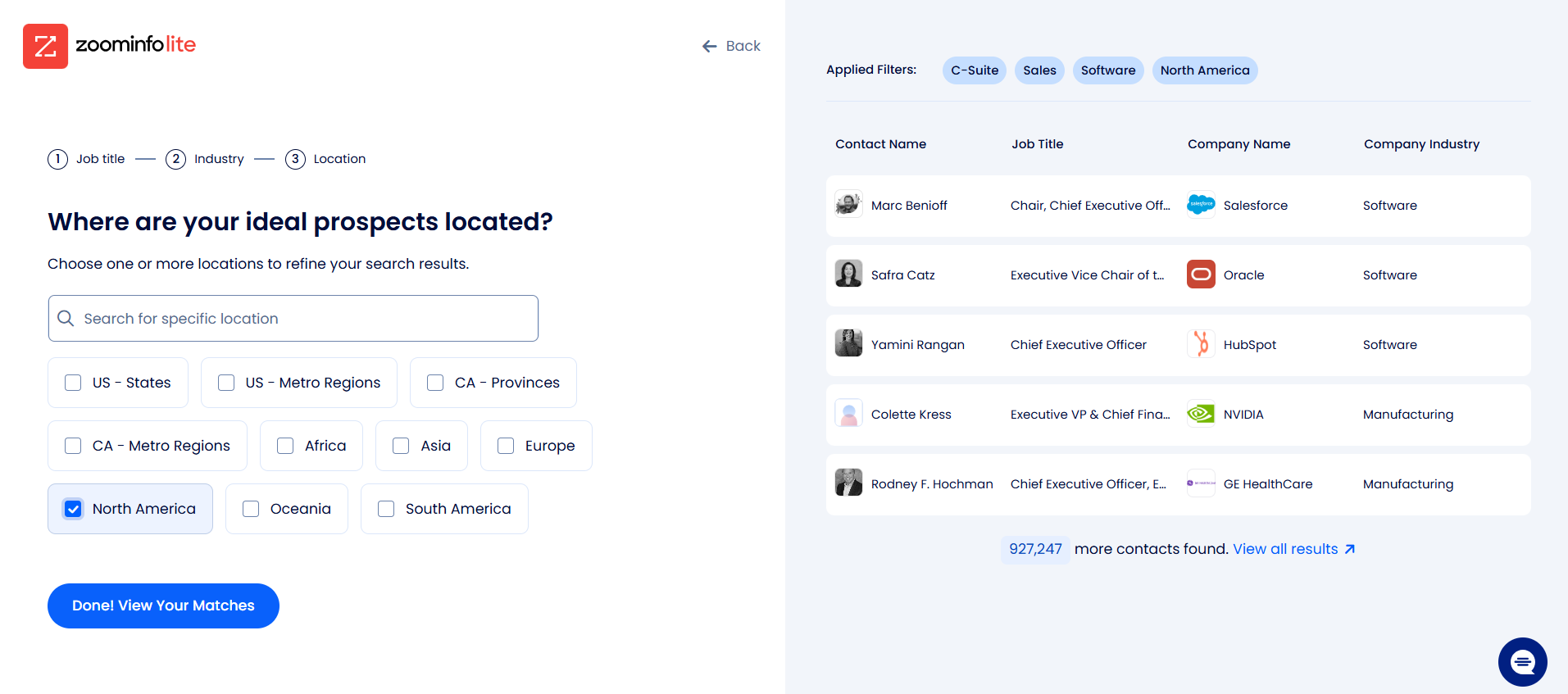
To demonstrate, we filtered by C-Suite and Sales job titles, the Software industry, and the North America location.
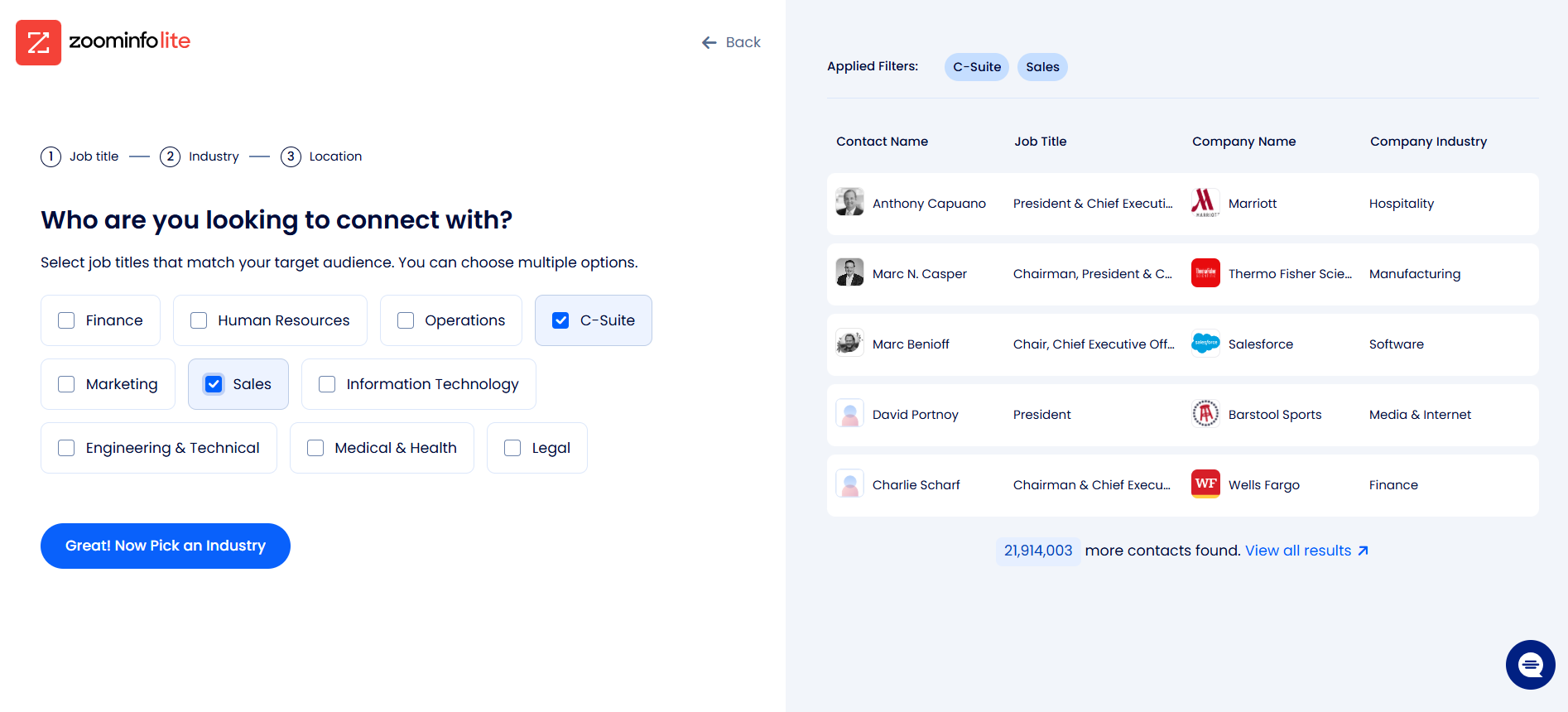
Adding the Software industry filter further narrowed the results, surfacing recognizable names such as Marc Benioff at Salesforce, Safra Catz at Oracle, and Yamini Rangan at HubSpot.
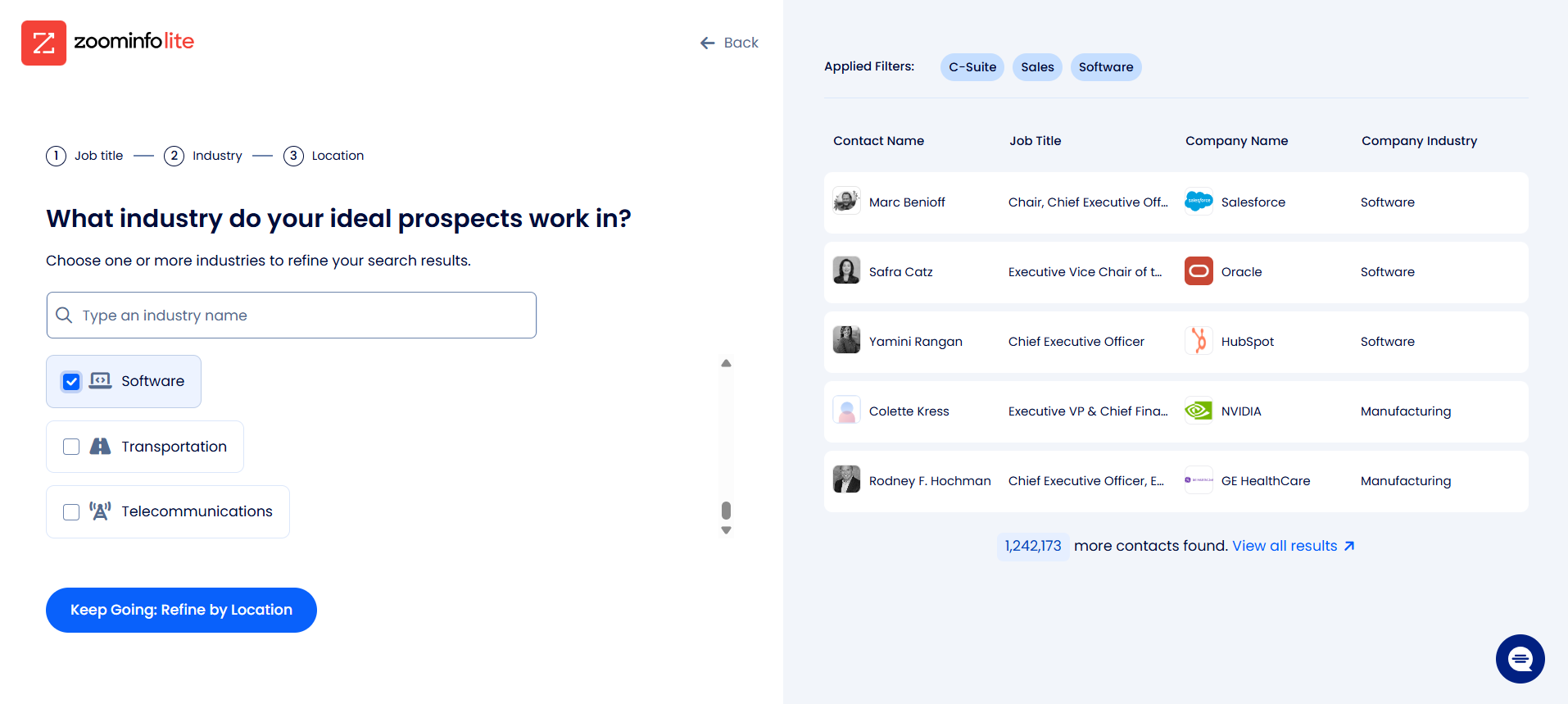
Refining by the North America location brought the results down to 927,247 contacts.
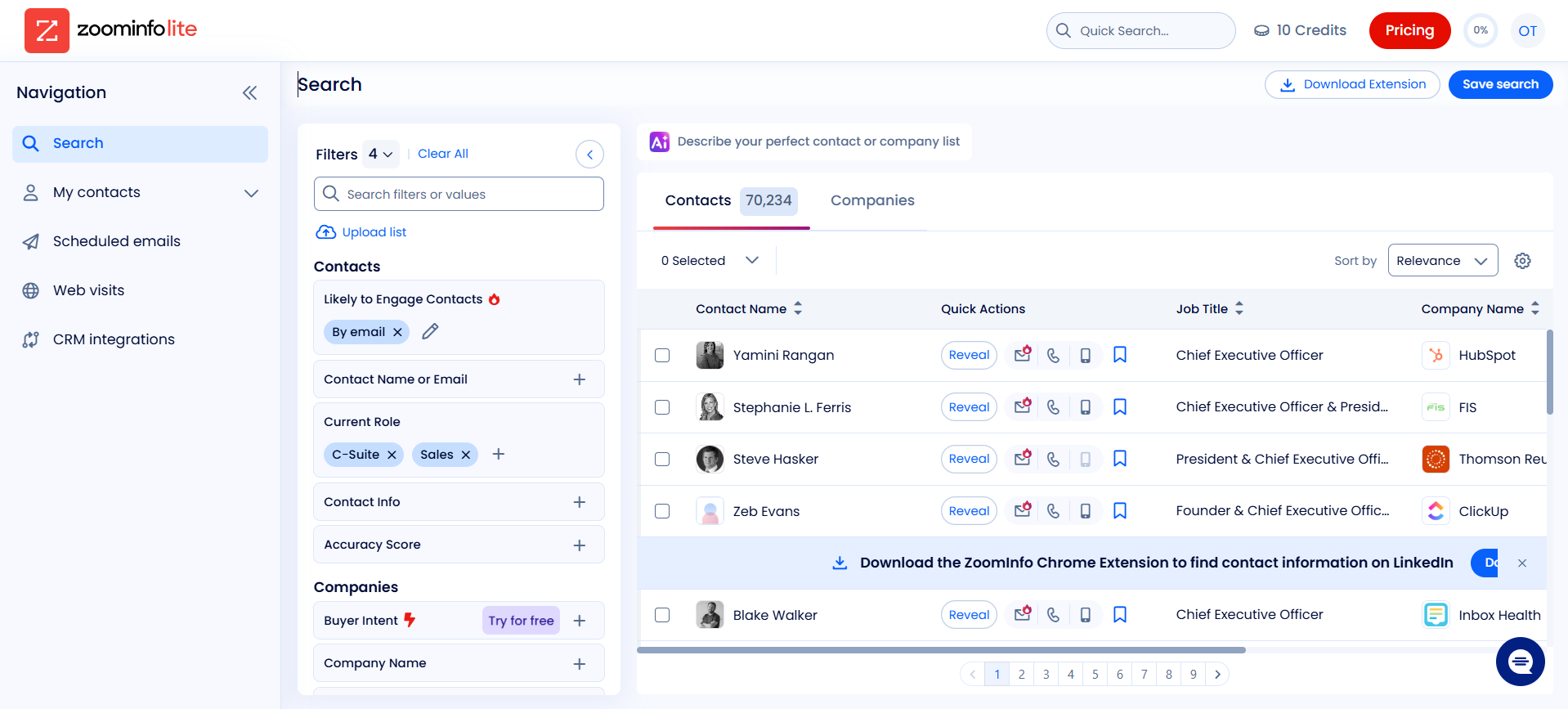
The full SalesOS search dashboard shows the complete filter panel on the left, including Buyer Intent, Accuracy Score, and CRM integrations, with the filtered contact list on the right.
Contact and company profiles
Clicking into a contact shows a full profile, including a verified email address, direct-dial number, job title, company name, and organizational hierarchy. Some data points, like mobile numbers, are locked behind a paid upgrade.
Intent signals
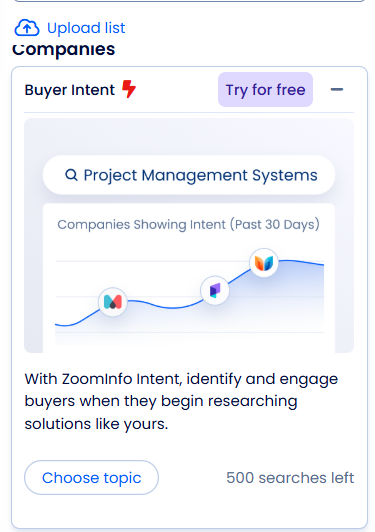
On the Advanced plan and above, ZoomInfo surfaces intent data showing which companies are actively researching topics relevant to your offer. The intent engine tracks signals from a network of 210 million IP to Org pairings and over 6 trillion keyword-to-device pairings sourced monthly.
Exporting data
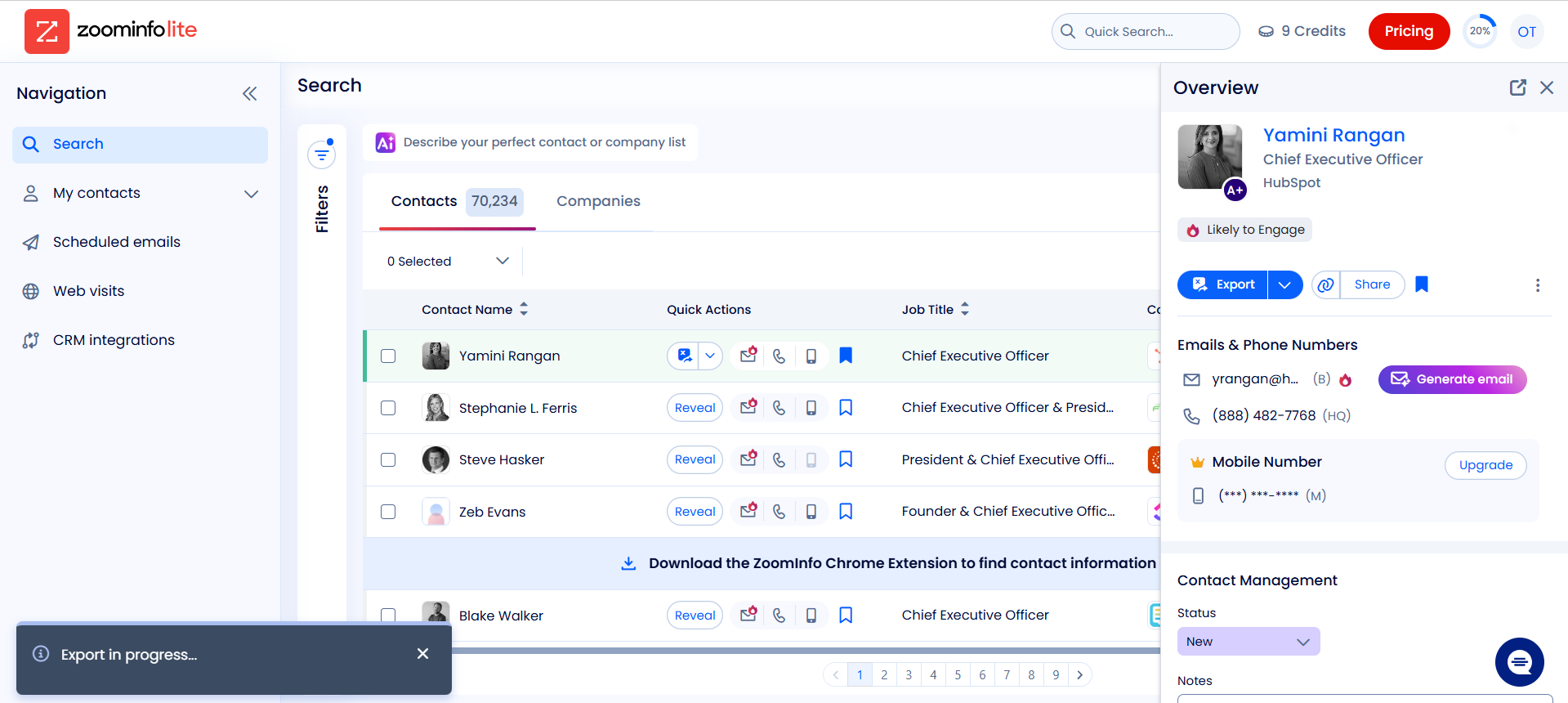
Once you have built a list, clicking the Export button lets you export contacts to a CSV file, directly to your CRM, or to a connected sales engagement tool. Each contact exported consumes one credit. The Professional plan includes 5,000 bulk credits and 10,000 export credits per year. Once those credits are exhausted, additional exports require purchasing more credits or upgrading your plan.
Where ZoomInfo Genuinely Shines
A fair comparison means giving ZoomInfo credit where it is due. For specific use cases, it remains one of the strongest platforms in the market.
- North America contact data: ZoomInfo’s strongest asset is the depth and accuracy of its North American contact database. For enterprise accounts at US-based companies, verified emails, direct dials, and accurate job titles at the VP level and above are where the platform delivers most reliably.
- Intent signals: ZoomInfo’s Buyer Intent feature tracks signals from 210 million IP-to-Org pairings and over 6 trillion keyword-to-device pairings monthly. For outbound-heavy sales teams, identifying companies actively researching solutions before they raise their hand is a meaningful timing advantage.
- Sales UI and ease of use: ZoomInfo is built for sales reps, not data engineers. The interface is point-and-click, the filters are intuitive, and a new user can build and export a prospect list within minutes of logging in.
- CRM integrations: ZoomInfo’s native integrations with Salesforce, HubSpot, Microsoft Dynamics, Outreach, and Salesloft are mature and well-documented, supporting automated CRM enrichment, triggered workflows, and real-time record updates.
- ZoomInfo Copilot: ZoomInfo Copilot is an AI sales assistant that prioritizes accounts based on buying signals, tracks engaged contacts, pushes signals into your CRM, generates personalized outreach emails, and alerts reps when a key decision-maker has not engaged within 30 days.
- Industry recognition: ZoomInfo holds a 4.5 out of 5 rating across over 9,000 reviews on G2 and was named a Leader in The Forrester Wave: Marketing and Sales Data Providers for B2B, Q1 2026, receiving the highest current offering score among all evaluated vendors.
Where Bright Data is the Better Fit
- Data freshness on demand: ZoomInfo refreshes its database on a scheduled cycle. Bright Data pulls data directly from live web sources at the time of your request. For use cases where accuracy today matters more than accuracy last month, that distinction is significant. The Scraper APIs return structured data reflecting the current state of the web, not a cached version of it.
- Programmatic access on every plan: ZoomInfo’s API is locked behind enterprise pricing reported to start at approximately $50,000 per year. Bright Data’s Dataset Filter API and Scraper APIs are accessible on every plan including the free trial. Any developer or data team can make their first API call within minutes of signing up without speaking to a sales team.
- Global coverage without add-ons: Bright Data covers 195 countries with no geographic restrictions. ZoomInfo charges extra for international data through a separate Global Data Passport add-on, and user feedback on accuracy outside North America and Europe is consistently weaker. For teams prospecting globally, that gap is meaningful.
- Scale without credit limits: ZoomInfo gates exports behind a credit system. Once your credits run out, you pay more or stop. Bright Data operates on a pay-as-you-go model with no annual credit allocations to manage. You pay for what you use and scale up or down as needed.
- Data delivery flexibility: ZoomInfo’s data stays within its own ecosystem unless you export manually via CSV or push to a connected CRM. Bright Data delivers directly to AWS S3, Snowflake, Google Cloud Storage, Azure, and SFTP among others, meaning the data lands exactly where your pipeline needs it without any manual handling.
Bright Data vs ZoomInfo: Head-to-Head Comparison
| Capability | Bright Data | ZoomInfo |
|---|---|---|
| Data freshness | On-demand, pulled from live web sources at the time of request | Database refreshed daily, but refresh rate varies by record; mid-market and SMB records can go months without an update |
| API access | Full programmatic API access on all plans, including free trial | API access reported to start at approximately $50,000/year based on sales rep disclosures, locked behind enterprise pricing |
| Pricing transparency | Pay-as-you-go pricing is publicly available on the website | Quote-based only, no public pricing; plans start at approximately $14,995/year |
| Global coverage | 195 countries, no geographic add-ons required | Strongest in North America and Europe; international coverage outside these regions requires a separate Global Data Passport add-on |
| Scale | Hundreds of millions of records, no credit limits | Credit-based exports; Professional plan includes 5,000 bulk credits and 10,000 export credits per year |
| B2B datasets | LinkedIn people profiles, LinkedIn company information, job listings, and more via Dataset Marketplace | 500 million contacts, 100 million companies |
| Intent signals | Not available as a native feature | Available on the Advanced plan and above, tracking 210 million IP to Org pairings monthly |
| Sales UI | Dashboard-based, suited for data and engineering teams | Point-and-click interface built for sales reps |
| CRM integrations | Delivery to S3, Snowflake, Google Cloud, and major data warehouses | Native integrations with Salesforce, HubSpot, Microsoft Dynamics, Outreach, Salesloft |
| Compliance | GDPR and CCPA compliant, public web data only | GDPR and CCPA compliant |
| Free trial | Yes, $2 credit on signup, full product access | Yes, 7 days with a business email, UI access only |
Both platforms have their strengths, but the right choice really depends on what your team needs to do with the data.
Who Should Use What
Bright Data and ZoomInfo are not direct competitors in the traditional sense. They were built for different buyers, workflows, and definitions of “B2B data”. The right choice depends less on which platform is better and more on what your team actually needs to do with the data.
Choose Bright Data if:
You need programmatic access to fresh B2B data at scale. Bright Data is the right fit for data engineers, analysts, and developers who need to pull large volumes of structured data on demand, build automated data pipelines, or enrich existing databases with up-to-date information. If your use case involves filtering millions of records by specific criteria, pulling live company or people data via API, or delivering data directly to a cloud warehouse like Snowflake or S3, Bright Data is built for that workflow.
It is also the stronger choice for teams operating globally. With coverage across 195 countries and no geographic add-ons required, there is no penalty for prospecting outside North America.
Choose ZoomInfo if:
You have a sales team that needs to find and contact decision-makers quickly without any technical setup. ZoomInfo’s point-and-click interface, verified direct dials, and intent signals make it a powerful tool for sales reps focused on North American enterprise accounts. If your workflow centers around building prospect lists, pushing contacts into Salesforce or HubSpot, and prioritizing outreach based on buying signals, ZoomInfo delivers that out of the box.
It is also the stronger choice for teams that need intent data as a native feature. Bright Data does not offer buying signals or behavioral intent data, so if that is a core part of your prospecting motion, ZoomInfo has a clear advantage there.
Where the two can complement each other:
Some data and revenue operations teams use both. ZoomInfo for intent signals and sales rep prospecting, Bright Data for bulk data pulls, custom dataset enrichment, and keeping contact records fresh at scale. The two platforms solve different parts of the data problem and are not mutually exclusive.
Conclusion
ZoomInfo is a strong platform for sales reps who need to quickly find and contact decision-makers at US enterprise companies. For that specific use case, it delivers. The tradeoffs are real, though. Pricing is opaque, data freshness is inconsistent outside top-tier enterprise accounts, and programmatic access is locked behind enterprise-level contracts.
Bright Data takes a different approach entirely. The Dataset Filter API and Scraper APIs give you programmatic access to fresh, structured B2B data pulled from live web sources at the moment you need it. Coverage spans 195 countries, pricing is transparent and pay-as-you-go, and the data reflects the current state of the web rather than a scheduled database refresh.
If your team’s work depends on data that is accurate today, not just when it was last collected, Bright Data should be the first thing that comes to mind.


Growth Marketing Manager
Dvir Sharon is in charge of growth marketing here at Bright Data. He is interested in creating viral content that provides value for businesses looking to leverage web data.