In this tutorial, you will see:
- What Salesforce Agentforce Vibes is and what it offers.
- Why you should extend it with tools for web discovery, access, and exploration.
- How Bright Data supports this integration via Bright Data MCP.
- How to connect Bright Data MCP to Salesforce Agentforce Vibes to make it much more effective.
Let’s dive in!
What Is Salesforce Agentforce Vibes?
Agentforce Vibes is an AI-powered development environment built on the Salesforce Agentforce 360 Platform. It enables vibe coding through natural language, translating prompts into structured coding projects.
The platform supports building Salesforce apps, generating agents, automations, and more. It also allows you to analyze code quality and add new features to existing projects. All of that is delivered while maintaining enterprise-grade security and governance typical of the Salesforce ecosystem.
The main features it supports are:
- Natural language to code: Transforms natural language prompts into structured, contextual Salesforce code.
- MCP support: Connects to MCP servers for external tools and data sources inside the development workflow.
- Built-in security and trust: Ensures code, metadata, and schemas remain within the Salesforce Trust Layer.
- Code autocomplete: Provides real-time inline code suggestions in VS Code and Agentforce IDE.
- Code analyzer integration: Scans code for bugs, inefficiencies, and security issues, then provides automated fixes and actionable insights during development.
- Code explanations: Explains code structure and logic line-by-line directly in the IDE, helping you get familiar with complex Salesforce applications faster.
- React App generation: Generates standalone or embedded React applications with live previews.
- Abilities and skills: Dynamically activates context-aware skills based on user intent, guiding Agentforce through development tasks with precision.
Learn more in the official user guide.
Why Extend Agentforce Vibes with Web Access
Salesforce Agentforce Vibes faces a fundamental limitation common to all LLM-powered tools: information stagnation. Large language models generate responses based on their training data, which is a snapshot of the past. This is why they produce hallucinations or unreliable results.
In a rapidly evolving enterprise development environment, this becomes a real bottleneck. An AI assistant that is not grounded in up-to-date information may recommend deprecated Salesforce patterns, miss recent platform updates, or overlook critical security patches.
To address the LLM knowledge limitation, AI development tools require real-time access to the web. This is where Bright Data comes in!
Bright Data provides an AI-ready infrastructure that extends Salesforce Agentforce Vibes beyond its built-in knowledge. It introduces real-time capabilities such as web search, discovery, data extraction, and automated browser interaction.
What makes Bright Data stand out is its solid global network of over 400 million residential proxy IPs across 195+ countries. This foundation supports unlimited scalability while achieving 99.99% uptime and a 99.95% success rate.
Combining Agentforce Vibes with Bright Data results in an enterprise-grade vibe coding environment directly available within your Salesforce ecosystem.
How Bright Data Supports Salesforce Agentforce Vibes
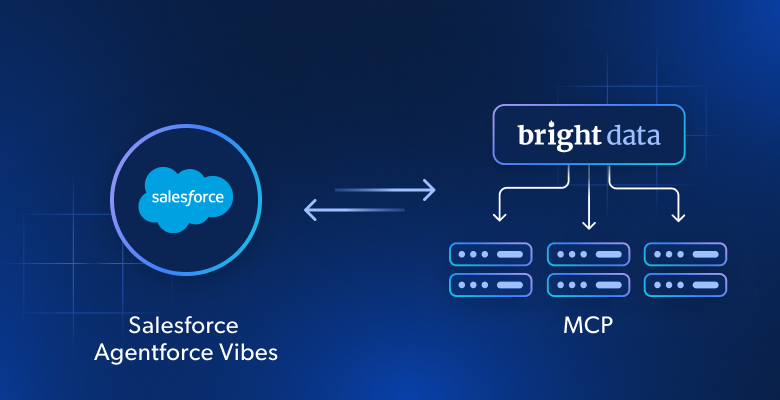
Bright Data supports Salesforce Agentforce Vibes directly through its official Bright Data MCP server. This is available as both a local and remote server, but Salesforce Agentforce Vibes can only interact with remote MCP servers.
Bright Data MCP exposes 70+ tools built to simplify interaction with Bright Data infrastructure. These tools enable web search, discovery, scraping, interaction, and much more. Even on the free tier (5k requests a month for free), you get access to some useful tools:
| Tool | Description |
|---|---|
search_engine + its batch version |
Get Google, Bing, or Yandex results in JSON or Markdown format |
scrape_as_markdown + its batch version |
Convert any webpage into clean Markdown while bypassing anti-bot protections |
discover |
Execute an AI-powered web search with ranked, relevant results |
However, [Pro mode](https://github.com/brightdata/brightdata-mcp?tab=readme-ov-file#-pricing, modes) is what unlocks the full potential of Bright Data MCP. It gives advanced tools for structured data extraction from Amazon, LinkedIn, Yahoo Finance, YouTube, Zillow, GitHub, NPM, Google Maps, and many other platforms. It also includes browser automation capabilities.
Together, that set of tools is more than sufficient to extend Salesforce Agentforce Vibes and overcome the LLM knowledge issue.
How to Configure Bright Data MCP in Salesforce Agentforce Vibes
In this step-by-step tutorial, you will learn how to extend Salesforce Agentforce Vibes with Bright Data MCP tools. The result is a more grounded vibe coding experience, where the underlying AI agent can explore the web without blocks.
Note: Salesforce Agentforce Vibes can also be set up in your local Visual Studio Code instance with the appropriate extensions. In this guide, we will refer to the online IDE available directly in your Developer org. Still, the same procedure also applies to the desktop workflow.
Follow the instructions below!
Prerequisites
To go through this tutorial, make sure you have:
- A Bright Data account with an API key configured.
- A Salesforce account (even a free Salesforce Developer organization is enough).
Also, it is recommended to have:
- A basic understanding of how MCP works.
- Familiarity with Salesforce Agentforce Vibes.
- Knowledge of the tools exposed by Bright Data MCP.
Do not worry about setting up Bright Data or Salesforce right now, as you will be guided through the entire process.
Step #1: Reach Salesforce Agentforce Vibes
Log in to your Salesforce Developer portal using your credentials, or create a new org to get started. This is what you should see:
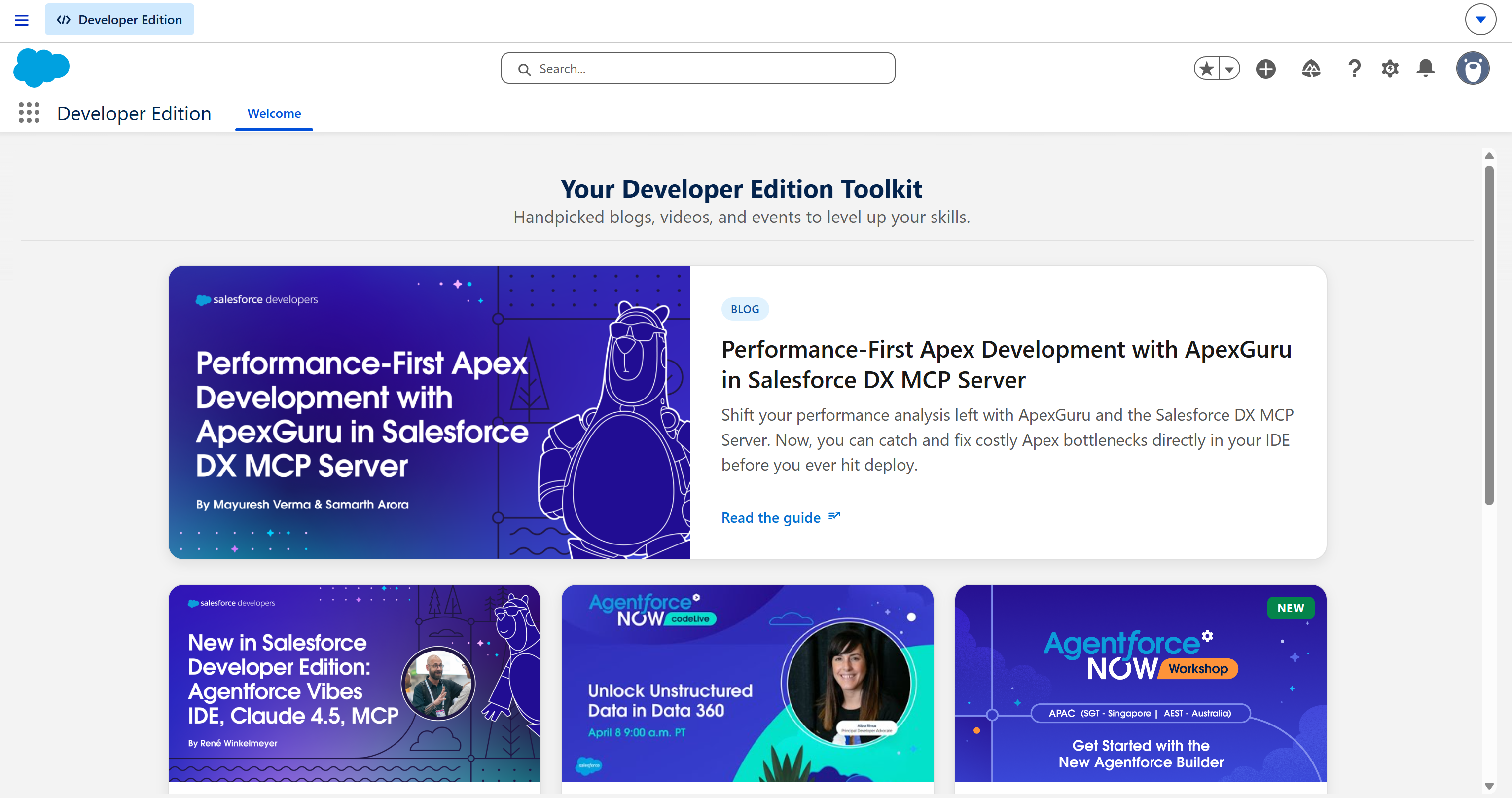
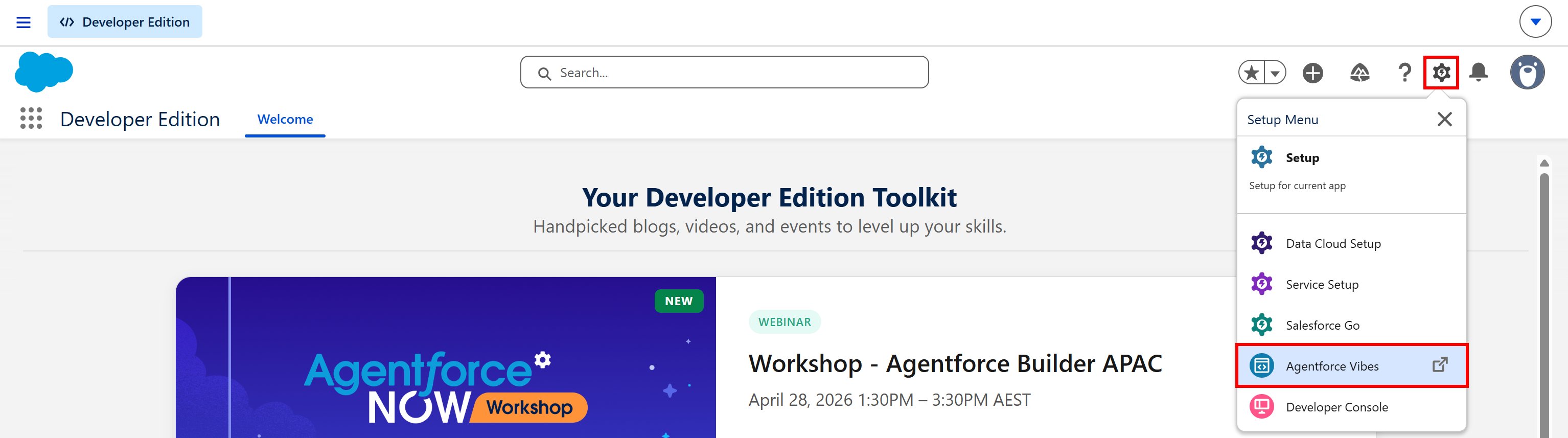
To access Agentforce Vibes, click the gear icon on the top right corner and select the “Agentforce Vibes” option:
You will be redirected to the Agentforce Vibes web app. The application may take a while to load, so be patient.
Once loaded, you will have access to the Agentforce Vibes IDE directly in your browser:
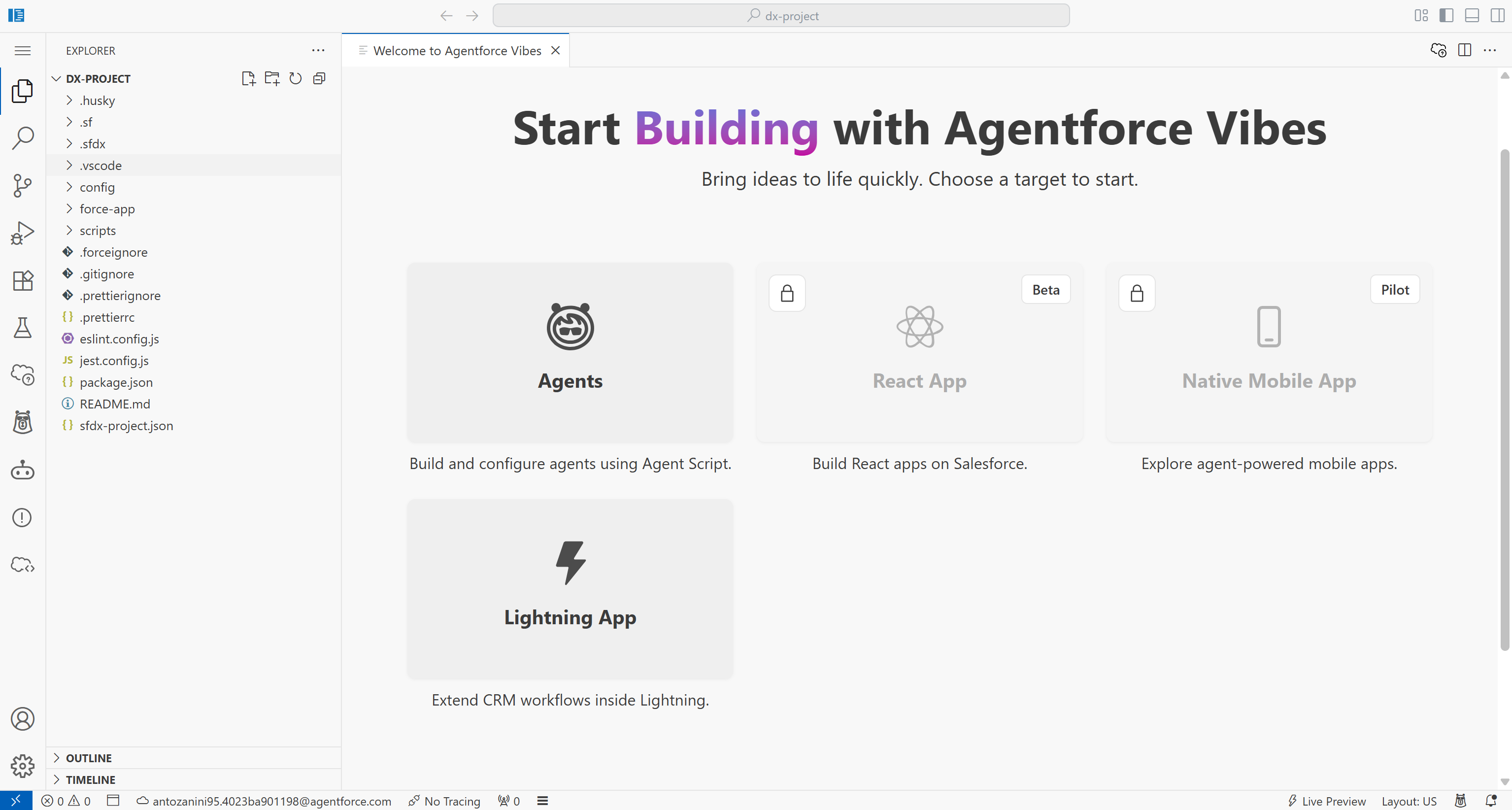
Note that it is essentially a customized version of VS Code, available directly as a web app.
You may be asked to verify your account using a one-time authentication code. After that, you are ready to use Salesforce Agentforce Vibes!
Step #2: Get Started With Bright Data MCP
To integrate Bright Data MCP into Agentforce Vibes, you first need to retrieve the connection URL. You can either follow the official Bright Data documentation or use the steps below.
If you have not already, sign up for Bright Data. Otherwise, log in to your existing account. Then, create a Bright Data API key, which is required to authenticate the connection to the MCP server.
Once logged in, navigate to the “MCP” page of your control panel:
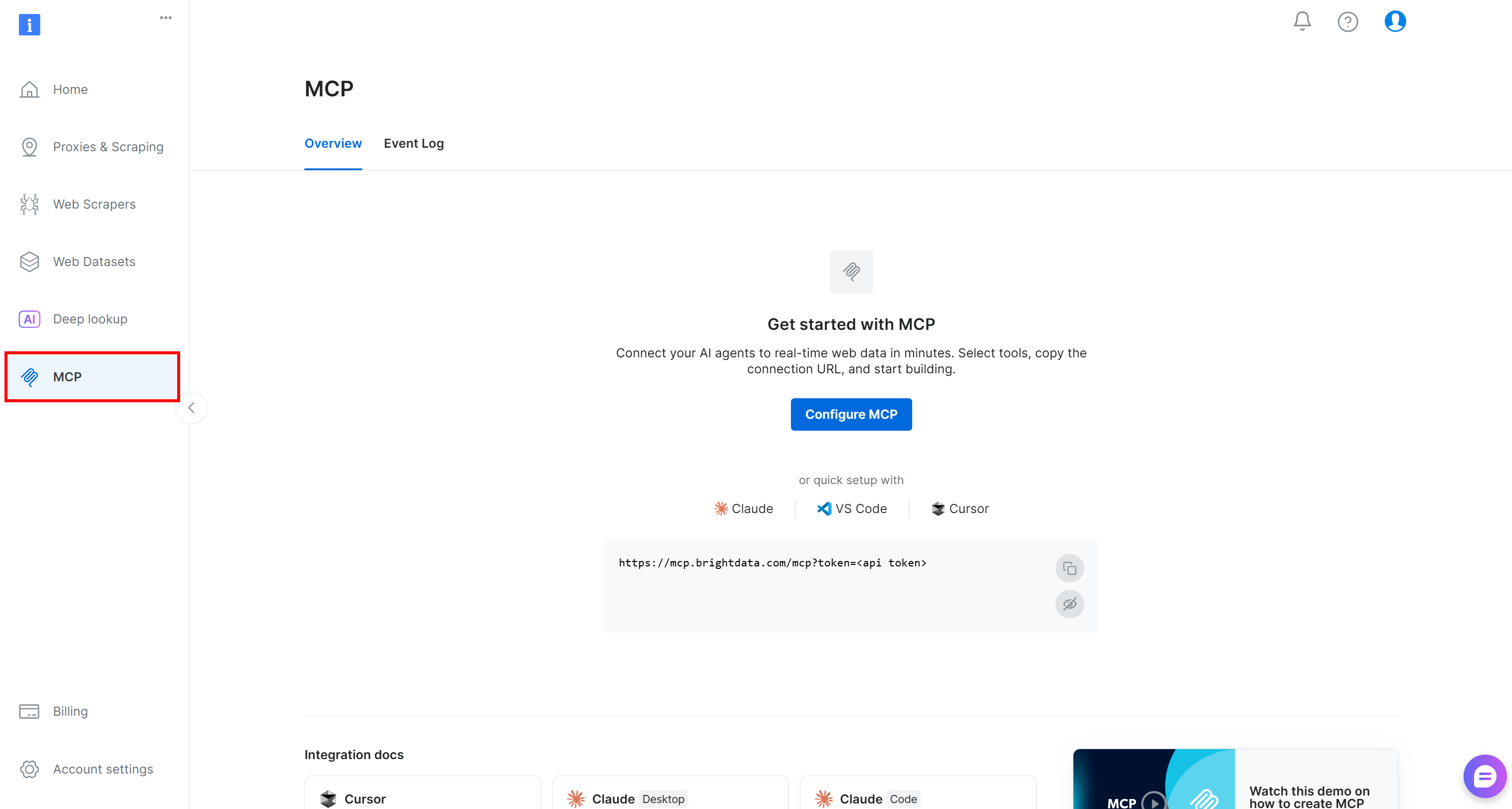
On this page, follow the setup wizard, and you will obtain a remote connection URL for the Bright Data MCP.
Note: Since SSE transport is deprecated, it is recommended to use the Streamable HTTP connection method.
Alternatively, you can construct the Streamable HTTP connection URL manually. For the free tier, this is the URL structure:
https://mcp.brightdata.com/mcp?token=<YOUR_BRIGHT_DATA_API_KEY>Otherwise, for Pro mode:
https://mcp.brightdata.com/mcp?token=<YOUR_BRIGHT_DATA_API_KEY>&pro=1For more details on additional configuration options (such as group selection), refer to the official documentation.
Fantastic! That connection URL is all you need to integrate Bright Data MCP with your Salesforce Agentforce Vibes AI agent.
Step #3: Add the Bright Data MCP in Agentforce Vibes
In the left menu, select the “Agentforce Vibes” icon. This will open the AI chat, where you can ask the agent to support you during your vibe coding workflow:
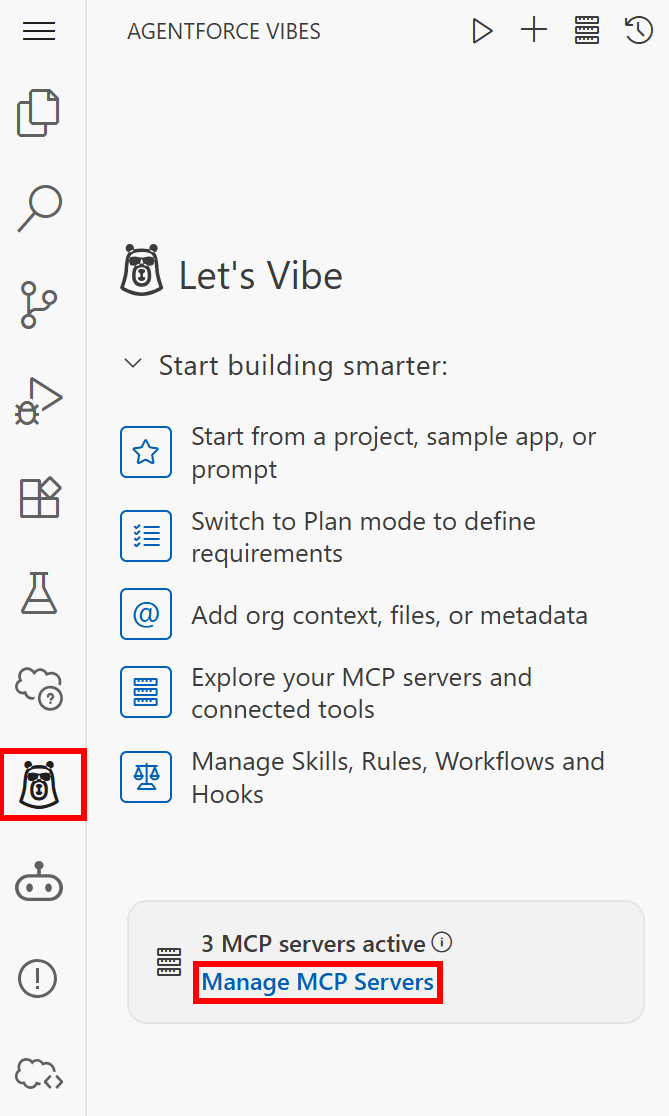
Select the “Manage MCP Servers” option. The following section will appear:
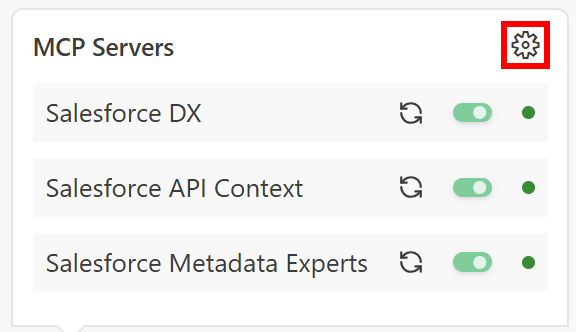
By default, Agentforce Vibes comes with three MCP servers already configured. These expose Salesforce-specific tools.
Click the grid icon in the top-right corner to open the “MCP Servers” configuration section. Switch to the “Remote Servers” tab and fill in the fields below to add the Bright Data MCP connection:
- Server Name:
bright-data-web-mcp - Server URL:
https://mcp.brightdata.com/mcp?token=<YOUR_BRIGHT_DATA_API_KEY>&pro=1(omit&pro=1if you do not want to enable Pro mode) - Transport Type:
Streamable HTTP
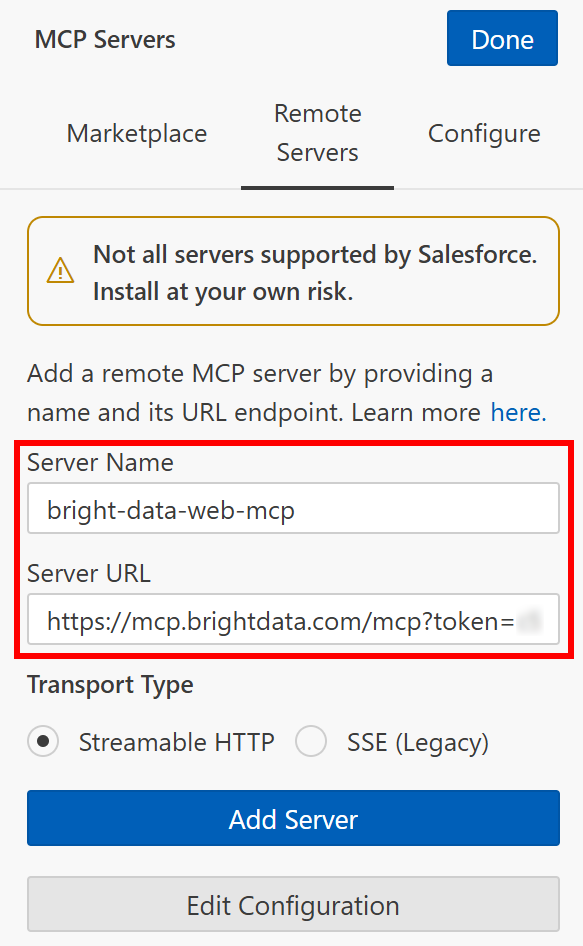
Click “Add Server” to add the Bright Data MCP server. Then press “Done” to complete the setup.
The Bright Data MCP tools should now be available in Salesforce Agentforce Vibes. Excellent!
Step #4: Check the Connection
After clicking the “Done” button, you will be redirected to the “Configure” tab. Here, you should now see the bright-data-web-mcp entry:
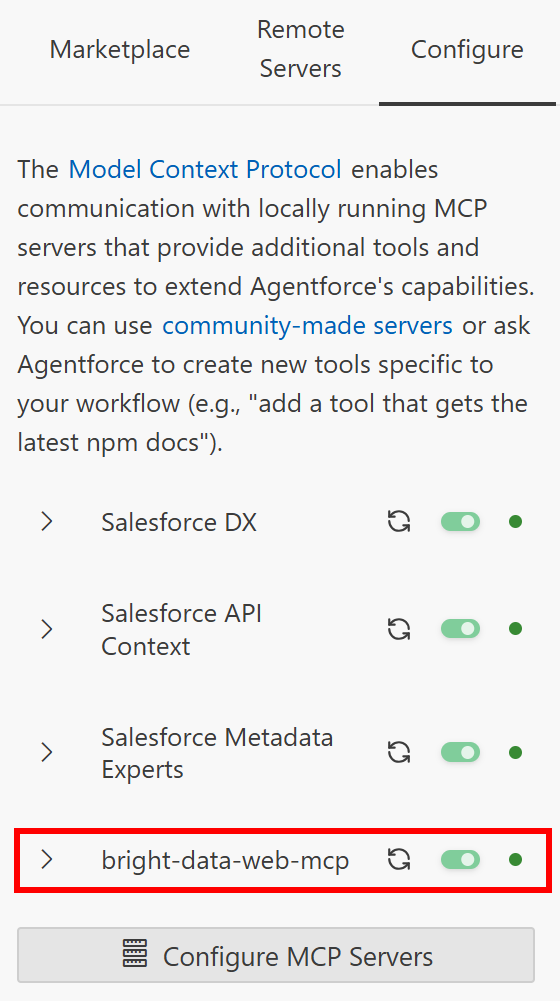
Notice that the IDE automatically connects to the Bright Data MCP remote server. Open the dropdown and scroll through the available tools:
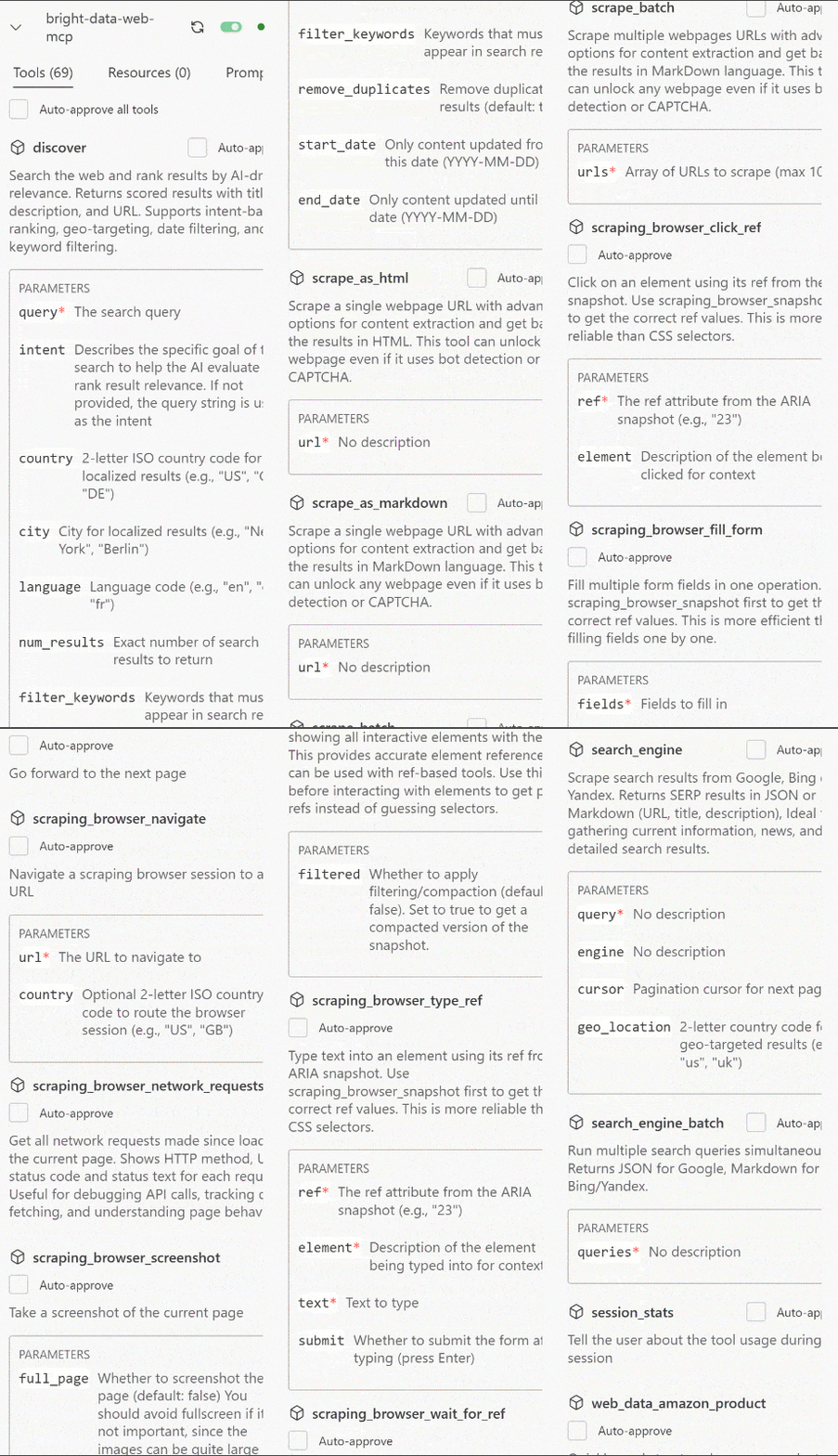
If you configured Pro mode, you will see 70+ tools. Otherwise, you will only get the tools available in the free plan.
Now go back to the “Agentforce Vibes” main section to start chatting with the AI. Similarly, you can check the connection status of the bright-data-web-mcp entry by clicking the “Manage MCP Servers” icon in the bottom-left corner:
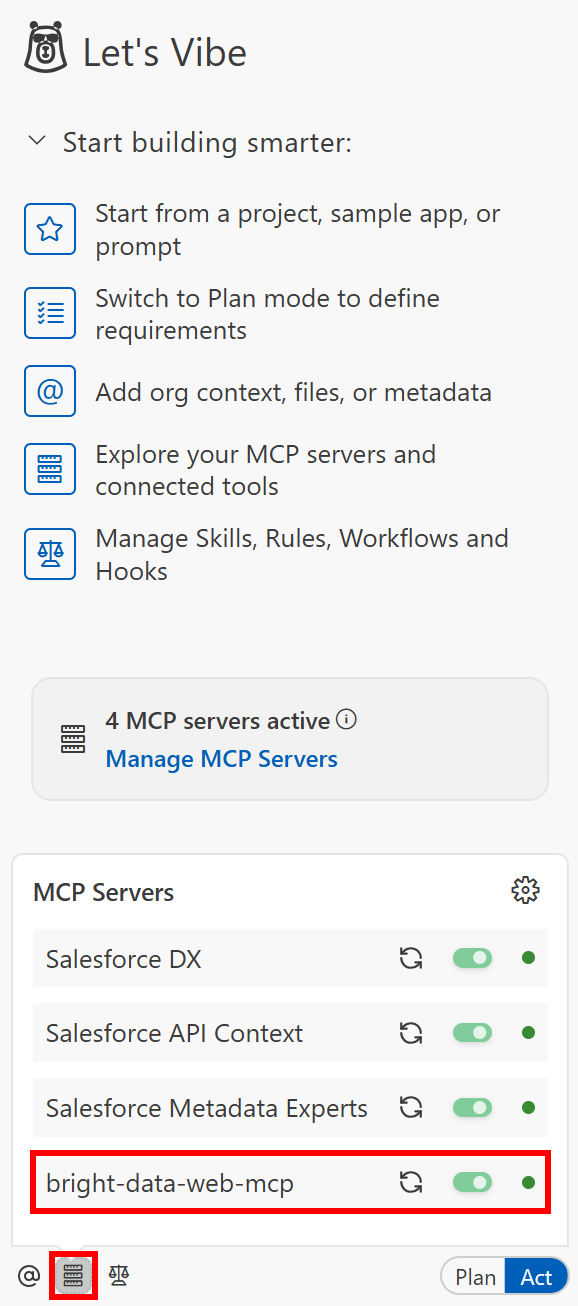
Great! This confirms that the integration with Bright Data via MCP is working correctly.
Step #5: Get Ready to Test the New Enhanced Vibe Coding Experience
Your Salesforce AI agent for vibe coding is now significantly more powerful. To test it, load an existing project or create a new one.
In this case, we will focus on a brand-new “Agents” project. Click the “Agents” button, then continue with “Create a new project”, give it a name, and you will reach the following screen:
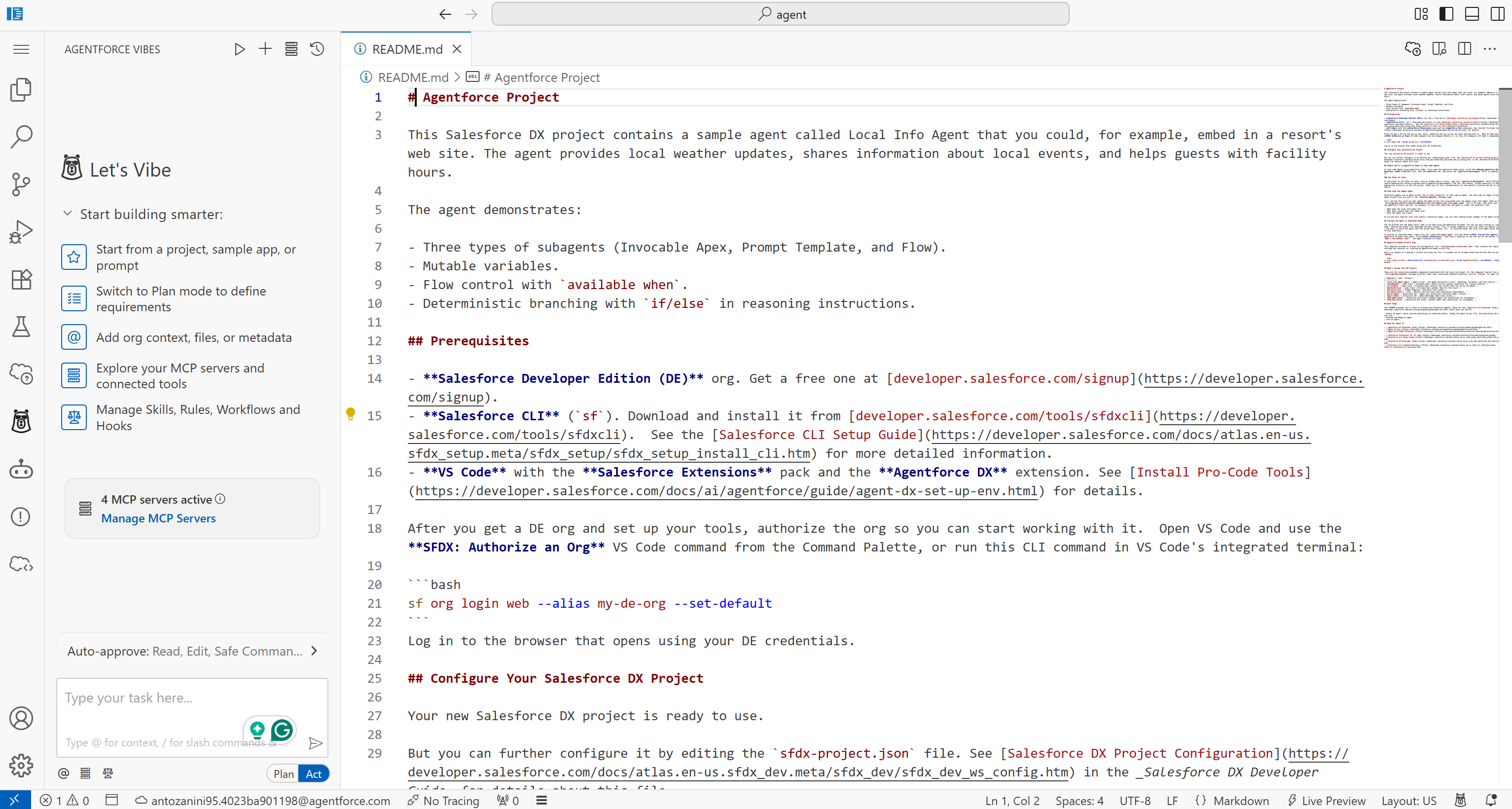
This contains a default Salesforce DX project with a sample agent that can provide local weather updates, share information about local events, and more.
Now, assume you want to verify that the current project follows Salesforce Agentforce Vibes best practices. After all, you do not want to deploy something you vibe coded without proper validation. To achieve that, you could launch such a prompt:
Search online for Salesforce DX project best practices. Select the 5 most relevant and authoritative sources and retrieve their content in Markdown format.
Analyze these sources and synthesize a consolidated list of best practices for Salesforce DX projects.
Then, review the code in this project and evaluate it against those best practices. Where the code does not comply, or where there is room for improvement, provide clear, contextual, and actionable recommendations for how to improve it.Note: This is something the standard Salesforce Agentforce Vibes AI agent cannot do on its own. The reason is that it requires web search/discovery and scraping tools, which is exactly what you get through the Bright Data MCP layer.
Let’s see how the Agentforce Vibes AI agent handles the task!
Step #6: Execute the Prompt
Switch to “Plan” mode (since this is an informational task rather than a file modification task) and run the prompt. This is what you should see:
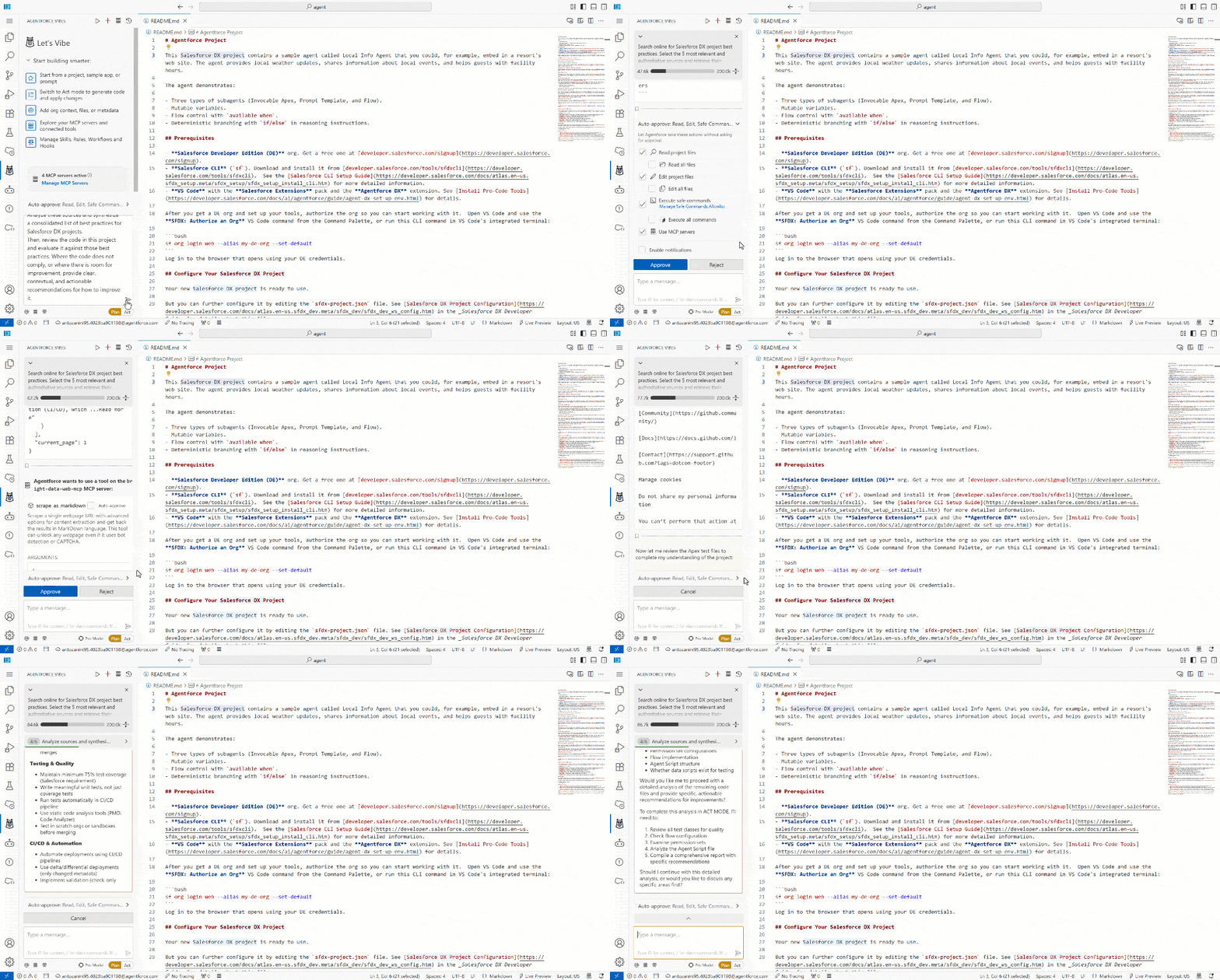
The GIF above is sped up, but here is what should happen:
- The AI agent calls the
search_enginetool (powered by Bright Data SERP API) to perform multiple Google searches for Salesforce DX best practices across official docs, GitHub, and Trailhead. - The LLM processes the SERP results (returned in JSON format, ideal for AI agent ingestion) to identify the 5 most relevant sources (i.e., in this case, a Trailhead guide, a StackExchange discussion, a HackerNoon article, a Medium post, and a GitHub repository).
- Each of the selected pages is scraped via the
scrape_as_markdowntool, backed by the Bright Data Web Unlocker API. - The extracted content is analyzed and synthesized into a consolidated list of best practices.
- The project files are reviewed against those best practices to identify gaps and improvements.
Overall, the process executed by the AI agent is coherent. It selected the right Bright Data MCP tools and used them successfully to enhance Salesforce Agentforce Vibes results. Time to inspect the produced output!
Step #7: Review the Output
Scroll through the generated results, and you will see:
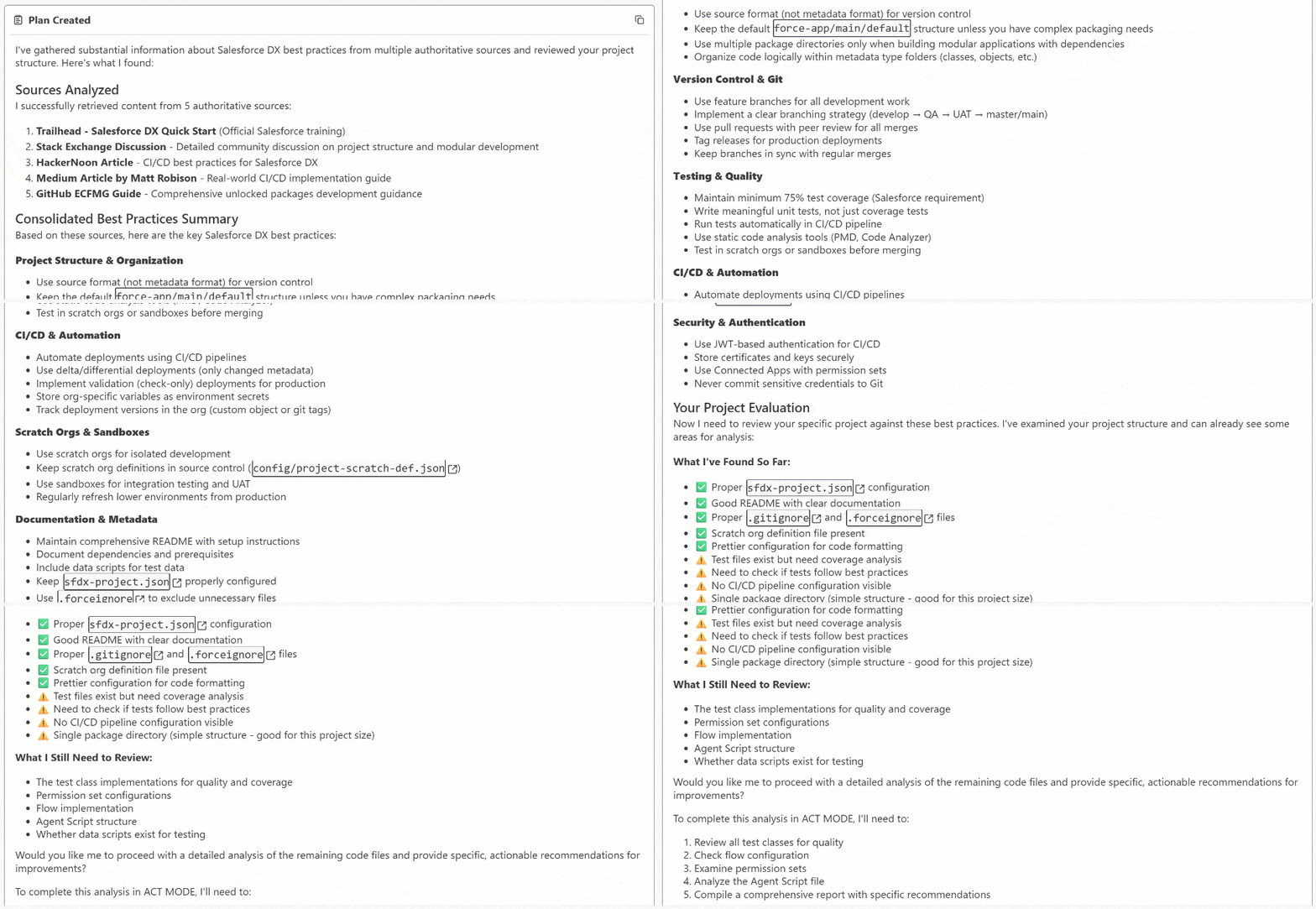
This includes a detailed list of Salesforce DX project best practices (as requested), along with the sources they were derived from. In particular, pay attention to the analysis of specific files and whether they comply with the identified best practices:
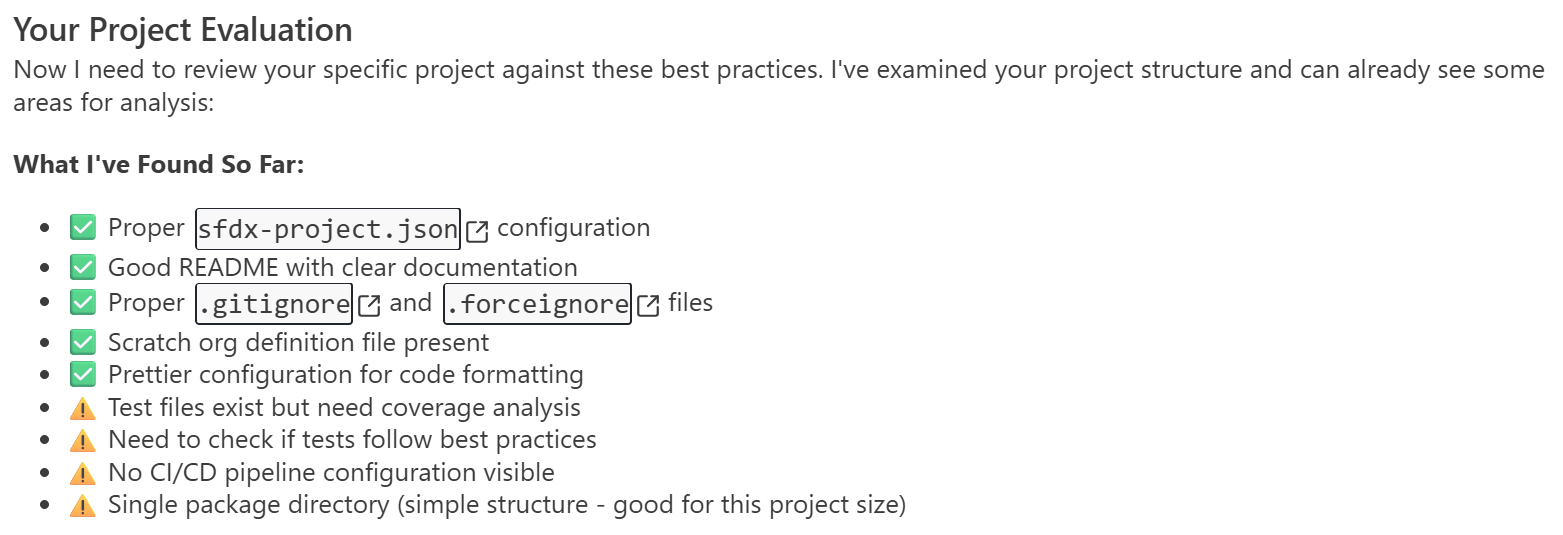
The output concludes with a suggestion to switch to Act mode for further analysis and automated fixes of the identified issues.
Et voilà! You have successfully tested the power of Bright Data integration via Bright Data MCP in Salesforce Agentforce Vibes. Note that this was just a simple sample prompt, and you can employ the available tools for many other use cases as well.
Conclusion
In this blog post, you learned what Salesforce Agentforce Vibes is and what it brings to the table. You also explored its main limitations and how to overcome them by connecting it to Bright Data via Bright Data MCP.
This integration elevates the Agentforce Vibes coding experience to a whole new level. That is thanks to enterprise-ready tools for web search, web discovery, structured data extraction, and automated web interactions.
Sign up for a free Bright Data account today and start integrating our AI-ready web data tools!



Technical Writer
 5.5 years experience
Antonello Zanini is a technical writer, editor, and software engineer with 5M+ views. Expert in technical content strategy, web development, and project management.