In this article, you will learn:
- What Retrieval-Augmented Generation (RAG) and ChromaDB are and what each one brings to the table.
- Why pairing Bright Data’s Web Unlocker API with ChromaDB is a practical way to ground a language model in fresh, real-world data.
- How to build an end-to-end pipeline that collects web content, embeds it locally, and answers questions over it, all on your own machine.
Before we get into the tools and the code, it helps to pin down the concepts and see how they fit together inside a RAG workflow.
What Is Retrieval-Augmented Generation (RAG)?
A large language model only knows what it was trained on. Ask it about a page that went live last week, an internal wiki, or a niche product catalog, and it will either guess or tell you it doesn’t know. Retrieval-Augmented Generation closes that gap.
The idea is simple. Instead of relying on the model’s memory, you store your own documents in a searchable index. When a question comes in, you first retrieve the chunks of text most relevant to it, then augment the prompt by pasting those chunks in as context, and finally let the model generate an answer grounded in that material. The model still does the writing, but the facts come from data you control.
This matters for two reasons. Answers stay current because you decide what goes into the index and when to refresh it. And answers stay accurate because the model is reasoning over real source text rather than filling in blanks from training data. For knowledge bases, support assistants, research tools, and anything built on proprietary or fast-moving information, RAG has become the default approach.
With the retrieval side covered, let’s look at where those documents actually live.
What Is ChromaDB?
ChromaDB (usually just called Chroma) is an open-source vector database built for AI applications. A regular database matches exact values; a vector database matches meaning. It does this by storing embeddings, which are numerical representations of text where similar ideas end up close together in vector space. When you query it, Chroma returns the stored chunks whose embeddings sit nearest to your question, even when none of the exact words overlap.
What makes Chroma a good fit for a first RAG build is how little it asks of you. It installs with a single pip install, runs embedded inside your Python process with no separate server to manage, and persists everything to disk through PersistentClient so your index survives a restart. You can plug in any embedding model, from OpenAI or Google APIs to a local model that never touches the network. For a project that needs to run on a laptop and stay private, that combination is hard to beat.
RAG vs Fine-Tuning: What Is the Difference?
People new to this space often weigh RAG against fine-tuning as if they were competing options. They solve different problems:
- Fine-tuning changes the model itself. You retrain it on examples so it adapts its tone, format, or behavior. It is the right tool when you want the model to act differently, but it is slow, expensive, and the knowledge you bake in goes stale the moment your data changes.
- RAG leaves the model untouched and changes what it sees at question time. You inject relevant context into the prompt on every request. It is the right tool when you want the model to know something specific and current, and updating it is as cheap as adding a document to your index.
The rough rule most teams land on: if you need new knowledge, reach for RAG; if you need new behavior, consider fine-tuning. Plenty of production systems use both. In this tutorial we focus entirely on RAG, because the goal is to answer questions over web content that changes far too often to retrain a model for.
Why Integrate Bright Data into a RAG + ChromaDB Pipeline?
A RAG system is only as good as the documents you feed it. Garbage in, confident-sounding garbage out. So the real bottleneck in most pipelines is not the vector search or the model, it’s getting clean, reliable, up-to-date source material in the first place.
That is straightforward when your data already sits in a folder of PDFs. It gets hard the moment your knowledge needs to come from the open web. Public pages hide behind bot detection, render their content with JavaScript, serve different results by region, and throw CAPTCHAs at anything that looks automated. Maintaining your own scrapers against all of that is a job in itself, and it’s a job that breaks every time a target site changes its markup.
This is where Bright Data’s Web Unlocker API fits in. You send it a target URL, and it returns the page content, handling anti-bot measures, proxy rotation, JavaScript rendering, and geo-targeting behind the scenes. You can even ask it to return the page as clean Markdown, which is close to ideal for RAG since it strips the navigation and boilerplate and leaves you readable text to chunk and embed. No browser automation, no proxy pool to babysit.
Combined with Chroma’s local vector store and a locally run model, this gives you a pipeline that is current where it needs to be and private everywhere else: only the data collection step reaches out to the web, while embedding, storage, retrieval, and generation all stay on your machine.
This pattern is especially useful for:
- Research assistants that answer questions over the latest articles, papers, or documentation rather than a model’s training snapshot.
- Competitive intelligence tools that track product, pricing, or feature pages across a set of rival sites.
- Internal support bots grounded in live documentation, so answers reflect the current docs instead of a version from months ago.
- Market monitoring systems that pull fresh listings or news and let an analyst query them in plain language.
By letting Bright Data’s web data infrastructure handle collection and letting Chroma handle retrieval, you get a production-shaped RAG engine without writing a single line of scraping code.
How to Build a Local RAG Pipeline with Bright Data and ChromaDB
In this guided section, you will build a pipeline with three stages:
- Collect web content: A script calls Bright Data’s Web Unlocker API to fetch a set of pages and return each one as Markdown.
- Embed and store: A second script chunks that content, generates embeddings locally with a sentence-transformer model, and writes the vectors into ChromaDB.
- Retrieve and generate: A query script embeds your question, pulls the most relevant chunks from Chroma, and passes them to a local model to produce a grounded answer with sources.
Note: This is one of many possible designs. You could swap the local model for an API call to get higher-quality answers, add a re-ranking step between retrieval and generation, or point the collection stage at hundreds of URLs instead of three. The structure stays the same.
Follow the steps below to build a fully local RAG pipeline powered by Bright Data’s Web Unlocker API and ChromaDB.
Prerequisites
To follow along, you need:
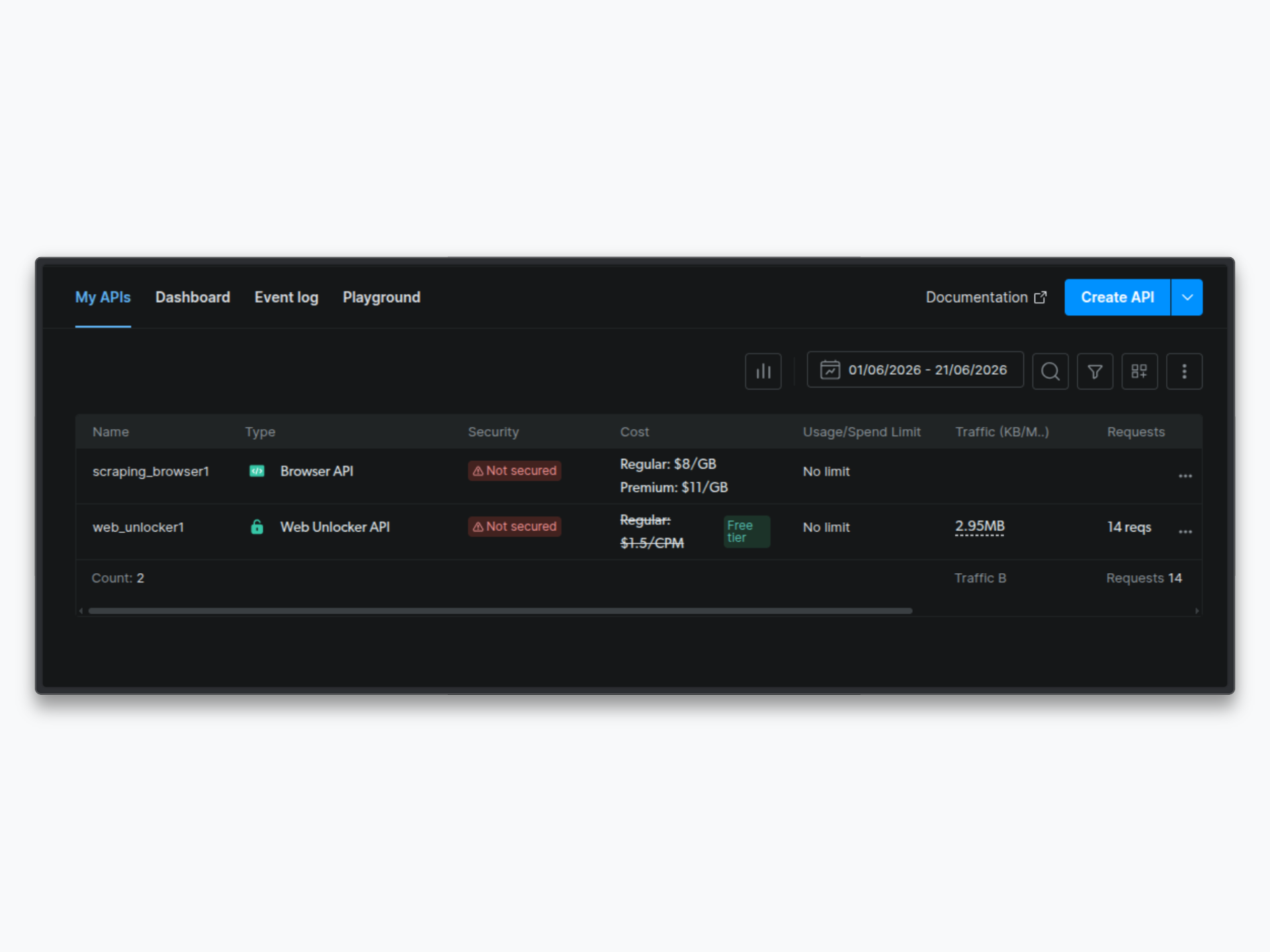
- A Bright Data account with an active Web Unlocker zone. Log into your dashboard, go to Account Settings, and copy your API Token (it will be in UUID format). Note your zone name as well; you’ll need both.
- Python 3.10+ installed locally.
- Ollama installed, with a model pulled for the generation step (this tutorial uses
llama3.1, but any chat model works). If you’d rather use a hosted model, Step 5 shows where to swap in an API call.
Step 1: Project Setup
Create a working directory, set up a virtual environment, and install the dependencies:
mkdir local-rag-pipeline && cd local-rag-pipeline
python -m venv venv
source venv/bin/activate        # On Windows: venv\Scripts\activate
pip install requests chromadb sentence-transformers
The first time you run the pipeline, sentence-transformers will download the embedding model (a few hundred megabytes). After that it loads from cache and runs offline.
Pull a model for the generation step if you haven’t already:
ollama pull llama3.1Step 2: Create Your Project Structure
Create the folders the pipeline writes to:
mkdir -p data/raw data/chromaYour project structure will look like this:
local-rag-pipeline/
├── data/
│   ├── raw/            # Raw Markdown collected from the web
│   └── chroma/         # Persisted ChromaDB index
├── collect.py          # Stage 1: fetch pages via Bright Data
├── ingest.py           # Stage 2: chunk, embed, and store
└── rag.py              # Stage 3: retrieve and generate
Step 3: Collect Web Data with Bright Data
Create the file collect.py:
import json
import requests
from pathlib import Path

API_KEY = "your-brightdata-api-token-here"
ZONE = "web_unlocker1"
BASE_URL = "https://api.brightdata.com/request"
RAW_DATA_PATH = "data/raw/pages.json"

HEADERS = {
    "Authorization": f"Bearer {API_KEY}",
    "Content-Type": "application/json",
}

TARGETS = [
    "https://en.wikipedia.org/wiki/Retrieval-augmented_generation",
    "https://en.wikipedia.org/wiki/Vector_database",
    "https://en.wikipedia.org/wiki/Large_language_model",
]


def fetch_pages():
    results = []
    for url in TARGETS:
        print(f"Fetching: {url}")
        response = requests.post(
            BASE_URL,
            headers=HEADERS,
            json={
                "zone": ZONE,
                "url": url,
                "format": "raw",
                "data_format": "markdown",
            },
            timeout=60,
        )
        response.raise_for_status()
        results.append({"url": url, "content": response.text})
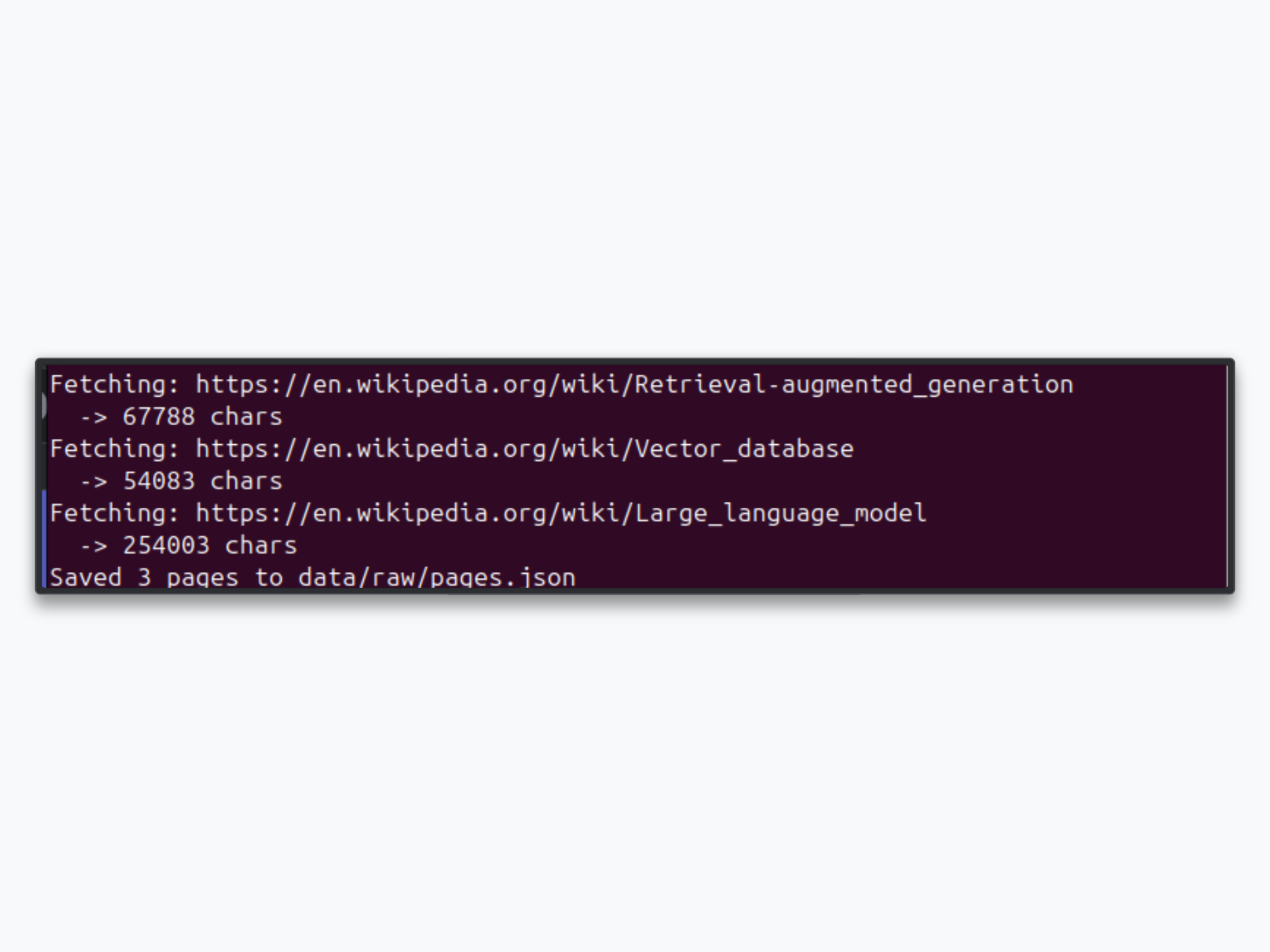
        print(f"  -> {len(response.text)} chars")

    Path(RAW_DATA_PATH).parent.mkdir(parents=True, exist_ok=True)
    with open(RAW_DATA_PATH, "w") as f:
        json.dump(results, f, indent=2)

    print(f"Saved {len(results)} pages to {RAW_DATA_PATH}")


if __name__ == "__main__":
    fetch_pages()
Replace your-brightdata-api-token-here with your actual API token and update ZONE to match your Web Unlocker zone name.
Here’s what each part does:
API_KEYandZONE: Your Bright Data credentials. The API token is the UUID-format token from your account settings, not a zone password.TARGETS: The pages to ingest. The three Wikipedia articles here give a coherent corpus to ask questions about. Swap in your own URLs; this is exactly where Web Unlocker earns its place, since news sites, product pages, and JavaScript-heavy apps that block ordinary requests come back clean through the API.fetch_pages: Loops through each URL and sends a POST request to the Web Unlocker endpoint. Thedata_format: "markdown"option tells Bright Data to return readable Markdown instead of raw HTML, which saves you a parsing step. Results are written to a single JSON file for the next stage to read.
Note: Some pages may come back with a
bad_endpointmessage if a site is restricted under Bright Data’s immediate access mode. This is expected behavior; Bright Data surfaces the error in the response rather than failing silently. Reach out to your account manager if you need full access to a restricted target.
Step 4: Embed the Content into ChromaDB
Create the file ingest.py:
import json
import chromadb
from chromadb.utils import embedding_functions

RAW_DATA_PATH = "data/raw/pages.json"
CHROMA_PATH = "data/chroma"
COLLECTION_NAME = "web_knowledge"


def chunk_text(text, size=800, overlap=100):
    words = text.split()
    chunks, i = [], 0
    while i < len(words):
        chunks.append(" ".join(words[i:i + size]))
        i += size - overlap
    return chunks


def main():
    with open(RAW_DATA_PATH) as f:
        pages = json.load(f)

    client = chromadb.PersistentClient(path=CHROMA_PATH)
    embed_fn = embedding_functions.SentenceTransformerEmbeddingFunction(
        model_name="all-MiniLM-L6-v2"
    )
    collection = client.get_or_create_collection(
        name=COLLECTION_NAME,
        embedding_function=embed_fn,
    )

    documents, metadatas, ids = [], [], []
    for page in pages:
        for idx, chunk in enumerate(chunk_text(page["content"])):
            documents.append(chunk)
            metadatas.append({"source": page["url"], "chunk": idx})
            ids.append(f"{page['url']}#{idx}")

    collection.upsert(documents=documents, metadatas=metadatas, ids=ids)

    print(f"Indexed {len(documents)} chunks from {len(pages)} pages")
    print(f"Collection now holds {collection.count()} chunks")


if __name__ == "__main__":
    main()
This stage does the heavy lifting of turning raw text into something searchable:
chunk_text: Splits each page into overlapping windows of roughly 800 words. Chunking matters because you want to retrieve focused passages, not whole pages, and the 100-word overlap keeps a sentence that straddles a boundary from getting cut in half.SentenceTransformerEmbeddingFunction: Loadsall-MiniLM-L6-v2, a small, fast embedding model that runs locally. Chroma calls it automatically whenever you add or query documents, so you never handle vectors by hand.get_or_create_collection: Opens the persistent collection on disk, creating it on the first run and reusing it after that.collection.upsert: Writes the chunks, their metadata, and stable IDs into Chroma. Usingupsertinstead ofaddmeans you can re-run the script after collecting fresh content without tripping over duplicate-ID errors.
Step 5: Build the Retrieval and Generation Step
Create the file rag.py:
import sys
import requests
import chromadb
from chromadb.utils import embedding_functions

CHROMA_PATH = "data/chroma"
COLLECTION_NAME = "web_knowledge"
OLLAMA_URL = "http://localhost:11434/api/generate"
MODEL = "llama3.1"

PROMPT_TEMPLATE = """You are a research assistant. Answer the question using only the context below.
If the context does not contain the answer, say you don't have enough information.

Context:
{context}

Question: {question}

Answer:"""


def retrieve(question, n_results=4):
    client = chromadb.PersistentClient(path=CHROMA_PATH)
    embed_fn = embedding_functions.SentenceTransformerEmbeddingFunction(
        model_name="all-MiniLM-L6-v2"
    )
    collection = client.get_collection(
        name=COLLECTION_NAME, embedding_function=embed_fn
    )
    results = collection.query(query_texts=[question], n_results=n_results)
    chunks = results["documents"][0]
    sources = [m["source"] for m in results["metadatas"][0]]
    return chunks, sources


def generate(question, chunks):
    prompt = PROMPT_TEMPLATE.format(context="\n\n".join(chunks), question=question)
    response = requests.post(
        OLLAMA_URL,
        json={"model": MODEL, "prompt": prompt, "stream": False},
        timeout=120,
    )
    response.raise_for_status()
    return response.json()["response"]


def main(question):
    chunks, sources = retrieve(question)
    answer = generate(question, chunks)

    print("\n=== Answer ===")
    print(answer.strip())
    print("\n=== Sources ===")
    for src in dict.fromkeys(sources):   # de-duplicate, keep order
        print(f"  - {src}")


if __name__ == "__main__":
    main(" ".join(sys.argv[1:]))
Here is the flow:
retrieve: Embeds your question with the same model used at ingestion (this consistency is what makes the similarity search work) and asks Chroma for the four nearest chunks. It returns both the text and the source URL of each chunk.generate: Builds a prompt that pins the model to the retrieved context and instructs it to admit when the answer isn’t there, which is the single most effective guard against hallucination. It then calls a local model through Ollama’s REST API.main: Stitches the two together and prints the answer alongside the de-duplicated list of sources, so every response is traceable back to the pages it came from.
If you’d prefer a hosted model, this is the only function that changes. Swap the requests.post call to Ollama for a call to the Anthropic or OpenAI API and pass the same prompt; the retrieval half stays exactly as it is.
Step 6: Run the Pipeline
Run the three stages in order. First, collect the pages:
python collect.pyThen chunk and embed them into Chroma:
python ingest.py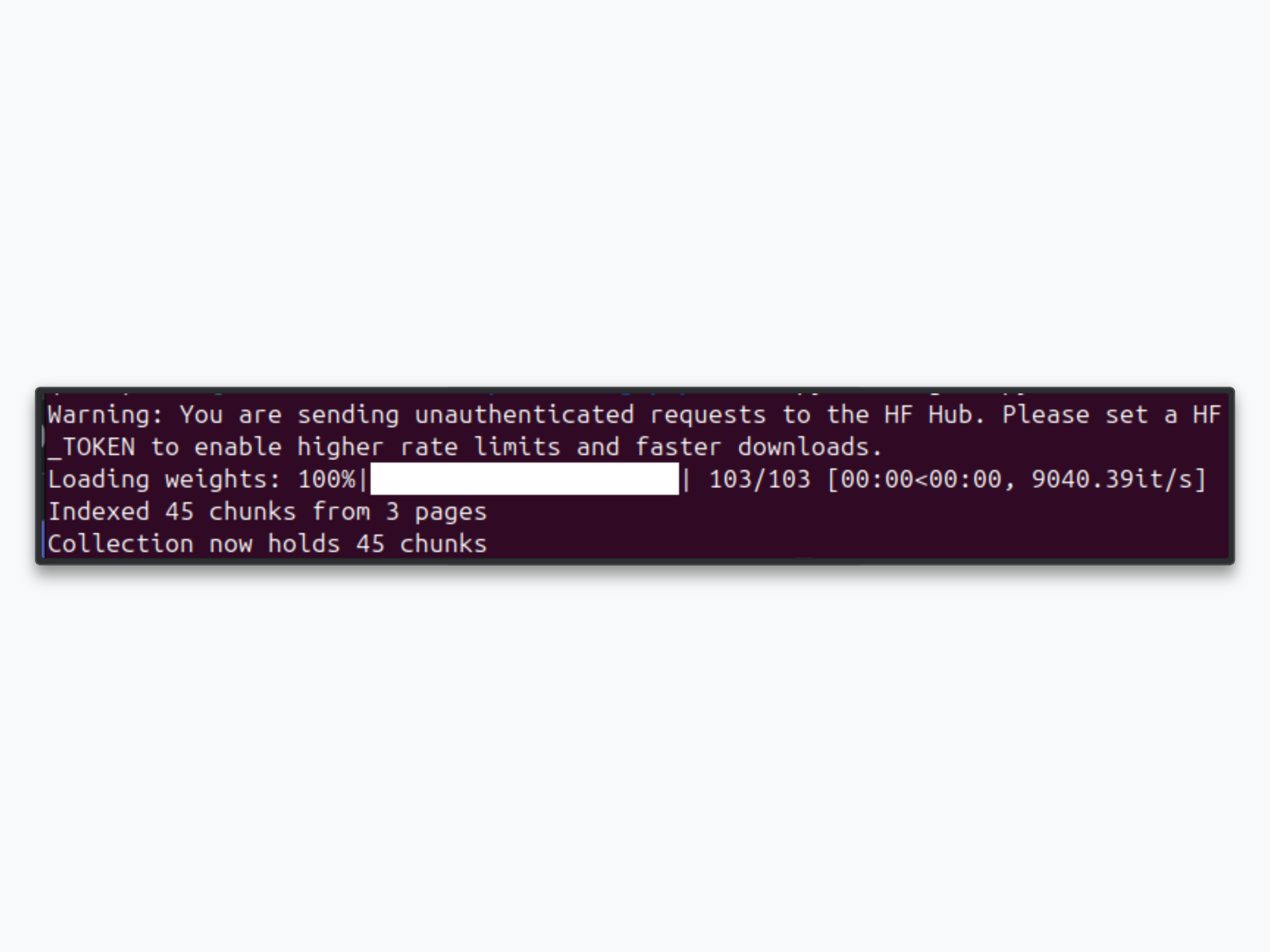
Now ask a question:
python rag.py "What problem does retrieval-augmented generation solve?"Step 7: Inspect the Results
The query returns a grounded answer followed by the sources it leaned on:
=== Answer ===
Retrieval-augmented generation addresses the fact that a language model only
knows what it was trained on. By retrieving relevant passages from an external
index at query time and adding them to the prompt, the model can answer using
current, specific information it was never trained on, which also reduces
hallucination because the response is anchored to real source text.

=== Sources ===
  - https://en.wikipedia.org/wiki/Retrieval-augmented_generation
  - https://en.wikipedia.org/wiki/Large_language_model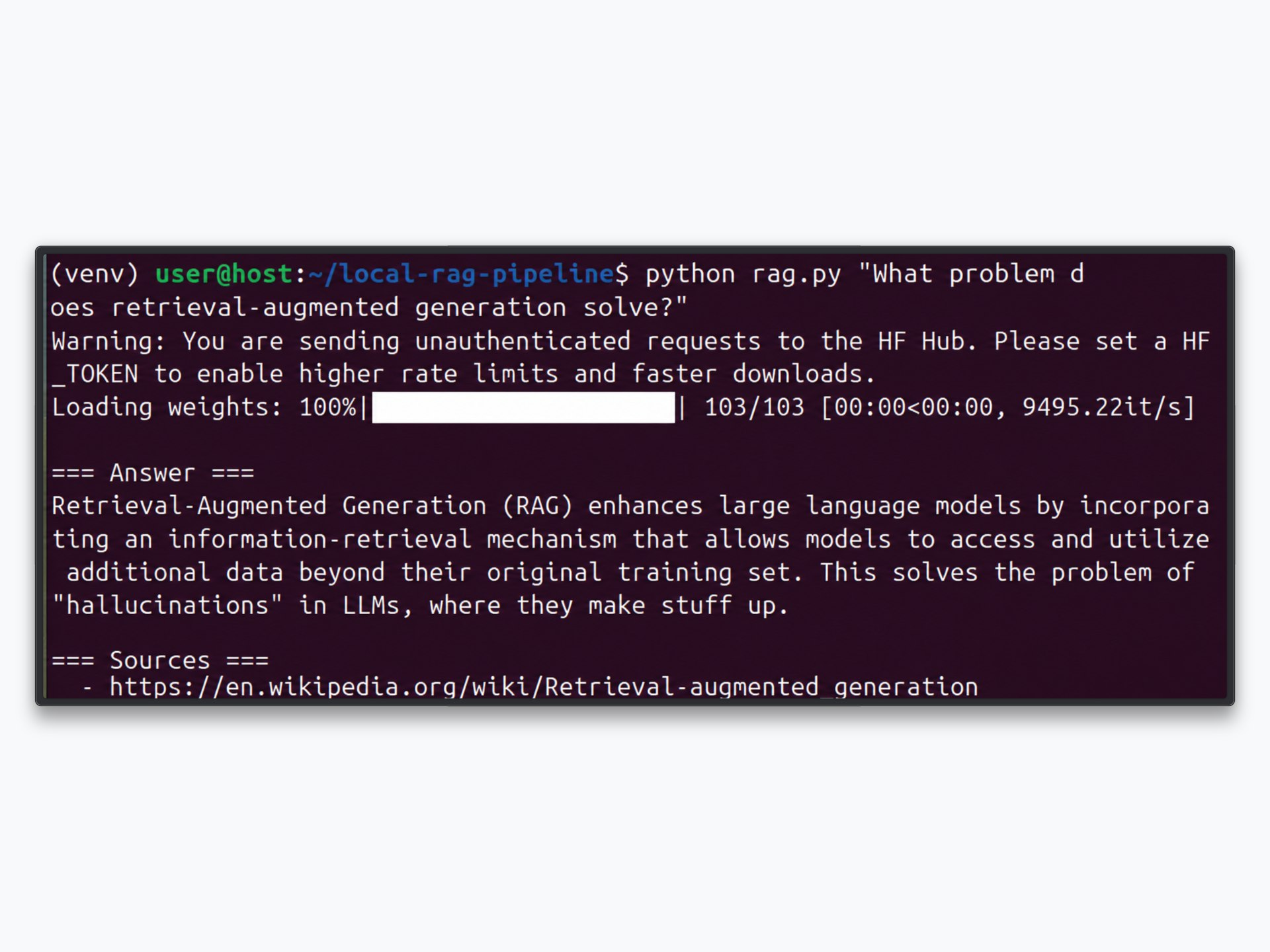
Screenshot suggestion: the terminal output of a rag.py query, showing the generated answer and the source list underneath.
Try a few more questions to get a feel for retrieval quality:
python rag.py "How does a vector database differ from a relational database?"
python rag.py "What are common limitations of large language models?"
If an answer feels thin, two dials are worth turning first. Raising n_results in rag.py feeds the model more context, which helps broad questions at the cost of a longer prompt. Adjusting size and overlap in ingest.py changes how the text is sliced; smaller chunks sharpen precise lookups, larger chunks preserve more surrounding context. Re-run ingest.py after any chunking change so the index reflects it.
The whole loop ran without a single line of scraping or proxy code. Bright Data delivered clean Markdown from the web, Chroma handled the embeddings and similarity search locally, and a local model produced the answer, all of it grounded in the pages you chose to collect.
Taking It Further
This pipeline is a working foundation, and you can push it in several directions:
- Swap the local model for a hosted API such as Anthropic or OpenAI when you need stronger reasoning or longer context, keeping the entire retrieval half untouched.
- Add a discovery step with Bright Data’s SERP API so the pipeline can find relevant pages to ingest from a search query, rather than working from a fixed URL list.
- Pull structured records instead of free text using Bright Data’s Web Scraper API, which covers 120+ domains. The agentic RAG walkthrough shows this pattern end to end.
- Use Chroma’s metadata filtering (the
whereargument onquery) to scope retrieval to a specific source, date, or category. - Add a re-ranking or hybrid-search layer if your documents are full of proper nouns and codes that pure semantic search struggles with.
- Schedule periodic refreshes, or expose the whole thing to an assistant through an MCP server so a tool like Claude Desktop can collect and query on demand.
- Graduate from local Chroma to a managed vector store like Pinecone or pgvector once your collection outgrows a single machine; the ingestion and retrieval logic carries over with minimal change.
The possibilities are virtually endless.
Conclusion
In this article, you built a working local RAG pipeline by combining Bright Data’s Web Unlocker API with ChromaDB.
Chroma handles embedding, storage, and similarity search locally, so your index and your queries never leave your machine. A local model turns the retrieved context into a grounded, source-cited answer. And Bright Data removes the hardest part of the whole process: collecting fresh, clean page content from the open web without managing proxies, writing scrapers, or fighting anti-bot systems.
Unlike a no-code assistant, this stack gives you full control over every layer: which pages you collect, how you chunk and embed them, how many you retrieve, and which model writes the answer. It drops naturally into any larger data or AI platform and scales with your needs.
To build richer pipelines, explore Bright Data’s full suite of web data tools, including the Web Unlocker for bot-protected pages, the SERP API for search data, and ready-made datasets for common use cases.
Sign up for a free Bright Data account today and start grounding your models in real web data.



Technical Writer
Arindam Majumder is a developer advocate, YouTuber, and technical writer who simplifies LLMs, agent workflows, and AI content for 5,000+ followers.