This guide covers the ten command-line tools worth installing next to Claude Code, starting with the Bright Data CLI, which fixes the agent’s single biggest blind spot: reliable access to the open web. Every tool here is non-interactive, scriptable, and safe for an agent to run unattended. Tools that need a human at a keyboard are excluded.
TL;DR: the 10 CLIs and what each one fixes
| # | CLI | What it fixes for Claude Code | Install |
|---|---|---|---|
| 1 | Bright Data CLI | Real web access: unblocking, SERP, pre-built scrapers for structured data, browser control | npm i -g @brightdata/cli |
| 2 | ripgrep | Fast, .gitignore-aware search across the repo |
brew install ripgrep |
| 3 | ast-grep | Structural search and refactor by syntax, not regex | brew install ast-grep |
| 4 | gh | Full GitHub workflow: PRs, issues, CI runs, API | brew install gh |
| 5 | jq | Slice JSON so only the needed fields enter context | brew install jq |
| 6 | just | A discoverable task list the agent can read and run | brew install just |
| 7 | uv | Near-instant Python installs, runs, and lockfiles | curl -LsSf https://astral.sh/uv/install.sh | sh |
| 8 | bun | One binary for JS install, run, test, and bundle | curl -fsSL https://bun.sh/install | bash |
| 9 | gitleaks | Blocks secrets before the agent commits them | brew install gitleaks |
| 10 | Firecrawl CLI | Second opinion on web data, plus a coding-agent search index | npm i -g firecrawl-cli |
What makes a CLI good for Claude Code specifically
The usual “best terminal tools” list optimizes for humans. Agents have different requirements, and the mismatch matters. A tool that delights you in an interactive session can be useless to Claude Code, while a plain, boring binary can be transformative. Before adding anything to your machine, check it against five criteria that predict whether an agent will actually succeed with it.
It must run non-interactively. The agent cannot answer a confirmation prompt or navigate a full-screen interface. Anything that requires a TTY will hang the turn until it times out.
It must emit structured output. A --json flag turns a wall of text into something the agent can filter with jq and reason about precisely. Prose output invites parsing mistakes.
It must be token-efficient. Every byte the tool prints is a byte in the context window. Tools with quiet modes, field selection, and pagination keep sessions cheap and long.
It must return honest exit codes. Claude Code decides what to do next partly from the exit status. A tool that exits 0 on failure will send the agent down a wrong path confidently.
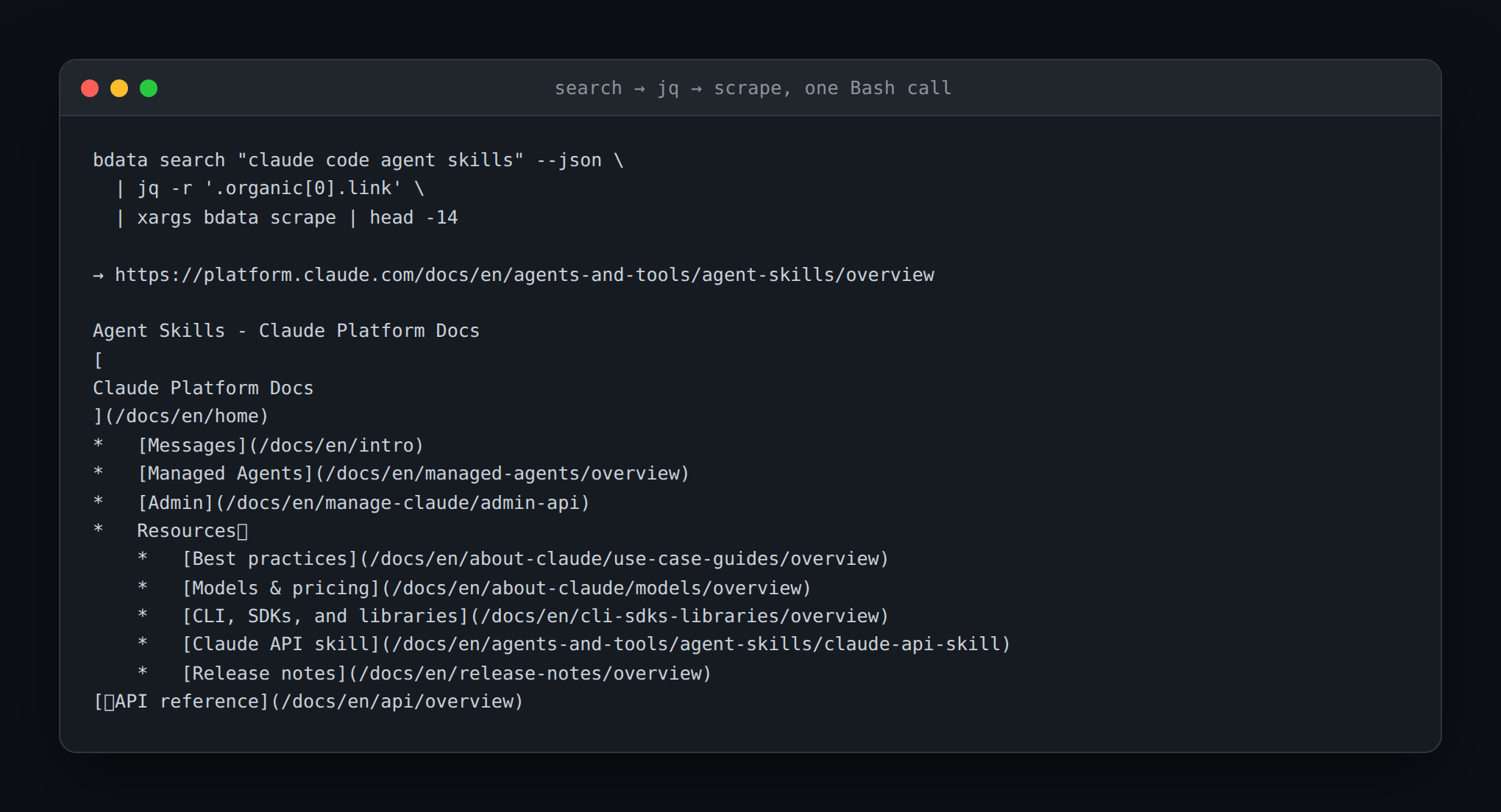
It must be composable. Pipe-friendly tools chain into one command instead of five turns. The example below is a single Bash call that would otherwise be a multi-step conversation: search the web, take the top result, and scrape it.
The gap no other list covers: Claude Code can barely reach the open web
Claude Code ships with two web tools, and both are far more limited than people expect. WebSearch is US-only, so any query that depends on local results is off the table. WebFetch performs a plain HTTP GET, then passes the page through a small model for summarization. It does not execute JavaScript, does not solve anti-bot challenges, and does not rotate IPs.
The practical failure modes follow directly from that design. Sites behind Cloudflare, DataDome, or Akamai return a challenge page instead of content. Single-page apps return an empty shell, because the content never loads without JavaScript. Authenticated and private URLs fail outright. Responses are cached for fifteen minutes per URL, so a retry after a fix returns the same stale body. Cross-host redirects are handed back to the model rather than followed, burning a turn each time.
None of this is a knock on Claude Code. Reliable web access is an infrastructure problem, not a model problem, and it is solved with proxies, browser fingerprint management, and CAPTCHA handling. That is exactly the job the first tool on this list was built for.
1. Bright Data CLI: real web access from the terminal
The Bright Data CLI puts an entire web-data stack behind one binary. A single bdata login authenticates the tool and provisions the zones it needs, after which scraping, search, structured extraction, and browser automation all work without further configuration. It is the closest thing to a Swiss army knife for web access, and it is the one tool here that changes what Claude Code is capable of rather than how fast it does something it could already do.
npm install -g @brightdata/cli   # or: curl -fsSL https://cli.brightdata.com/install.sh | sh
bdata login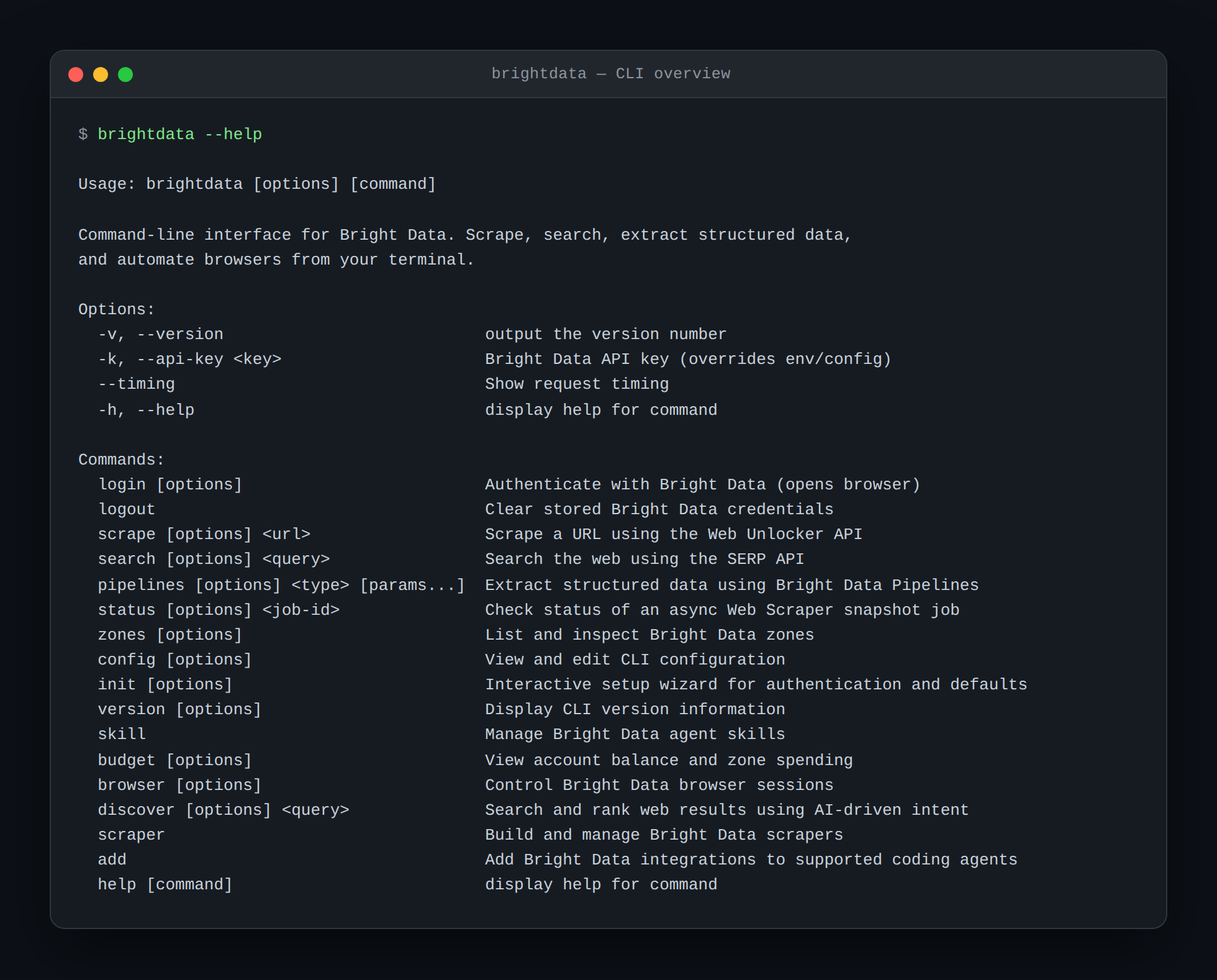
Scrape anything, including protected pages. bdata scrape runs through Web Unlocker, which handles CAPTCHAs, JavaScript rendering, and anti-bot systems automatically. Output can be markdown, HTML, JSON, or a screenshot, and requests can be geo-targeted or sent with a mobile user agent.
bdata scrape https://example.com                              # clean markdown
bdata scrape https://example.com --country de --mobile      # geo + device targeting
bdata scrape https://example.com --format json --pretty -o page.json
Search without the US-only limit. bdata search hits Google, Bing, or Yandex through the SERP API and returns structured results, with country, language, device, and result-type controls.
bdata search "best python orm" --country de --language de --json
bdata search "nvidia earnings" --type news --pretty
Pull pre-parsed data from pre-built scrapers. This is the capability no competing CLI matches. bdata pipelines returns clean, schema-stable records from the Web Scraper API for Amazon, LinkedIn, TikTok, Instagram, YouTube, Reddit, Zillow, Crunchbase, Google Maps, and more, so the agent never writes a selector or maintains a parser. The agent searches for a scraper, reads its inputs, then runs it by dataset ID.
bdata pipelines search amazon products                        # find a scraper and its dataset ID
bdata pipelines info gd_l7q7dkf244hwjntr0 collect_by_url      # see the inputs it needs
bdata pipelines run gd_l7q7dkf244hwjntr0 collect_by_url "https://www.amazon.com/dp/B09V3KXJPB" --pretty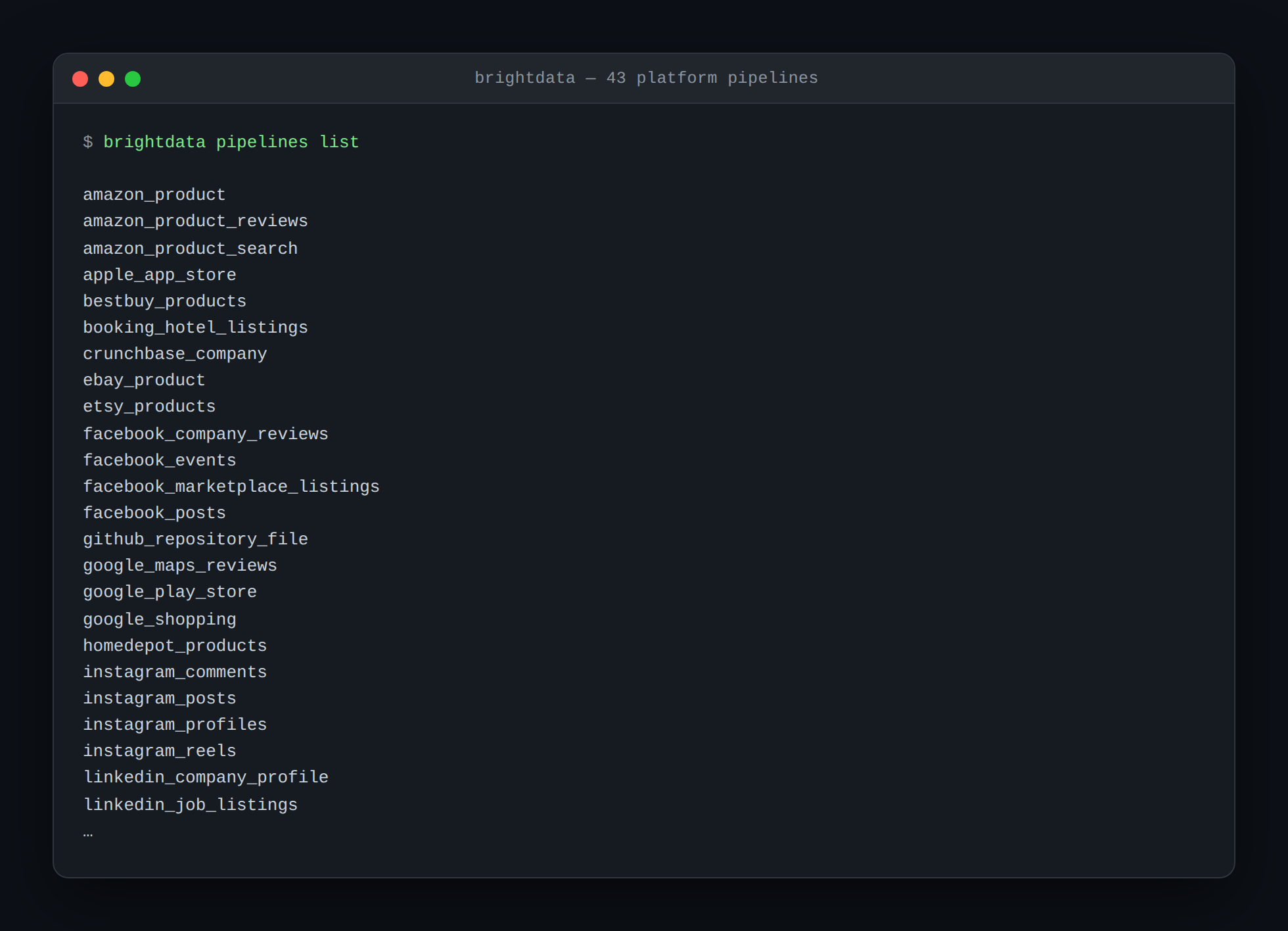
Build scrapers that repair themselves. bdata scraper create generates a collector from a natural-language description. When the target site changes, bdata scraper heal proposes a fix and waits for approval before applying it. That approval gate is what makes it safe to let an agent maintain a production scraper.
bdata scraper create https://example.com/products "extract title, price, and SKU"
bdata scraper run <collector_id> https://example.com/products/123
bdata scraper heal <collector_id> "price selector changed"
bdata scraper approve <collector_id>
Drive a real browser from the shell. The browser subcommands run on Browser API and open pages, click, type, and read state across persistent named sessions. snapshot returns a text accessibility tree instead of raw HTML, and --compact trims it to interactive elements only, cutting token usage dramatically on complex pages.
bdata browser open https://example.com --session checkout
bdata browser snapshot --compact
bdata browser click <ref> && bdata browser get text "#total"
Install it as a Claude Code skill. Rather than describing the tool in your prompt every session, install the official skills so the agent knows the command surface up front. If you prefer the protocol route, the same account also powers the Bright Data MCP server for Claude Code.
bdata skill list
bdata skill add search
bdata add mcp            # optional: also register the MCP server
Pricing and requirements. Every account includes 5,000 free credits per month, renewing monthly, with no credit card required. Scrape and search calls cost one credit per request, and pipeline calls cost one credit per record. Browser sessions draw on the same pool at 5 credits per MB. Node.js 20 or later is required.
2. ripgrep: the search the agent already depends on
Claude Code’s built-in Grep tool is implemented on top of ripgrep, and the package ships a bundled binary. Installing rg system-wide still matters, because Bash-invoked searches get the full flag surface, and any command the agent composes itself can use it. ripgrep respects .gitignore by default, so node_modules, dist, .venv, and target never pollute results. On a large monorepo it turns a thirty-second grep -r into a sub-second answer, which directly reduces the number of turns a task takes.
rg "createUser" -t ts -n --json
rg -l "TODO" --glob '!**/vendor/**'
Pair it with fd for file discovery. fd applies the same .gitignore awareness to finding files, and its syntax is far harder to get wrong than find.
3. ast-grep: refactoring by syntax instead of regex
Regex-based rewrites are where agents cause the most damage. A pattern that looks safe matches a string inside a comment, a test fixture, or an unrelated file, and the diff quietly breaks something. ast-grep works on the syntax tree via tree-sitter, so a pattern matches real code structure and nothing else. It supports structured output for inspection and in-place rewrites once a pattern is confirmed, which fits the agent’s natural loop of check, then apply.
ast-grep run -p 'requests.get($$$)' --lang python .
ast-grep run -p 'foo($A, $B)' -r 'foo($B, $A)' --lang ts --update-all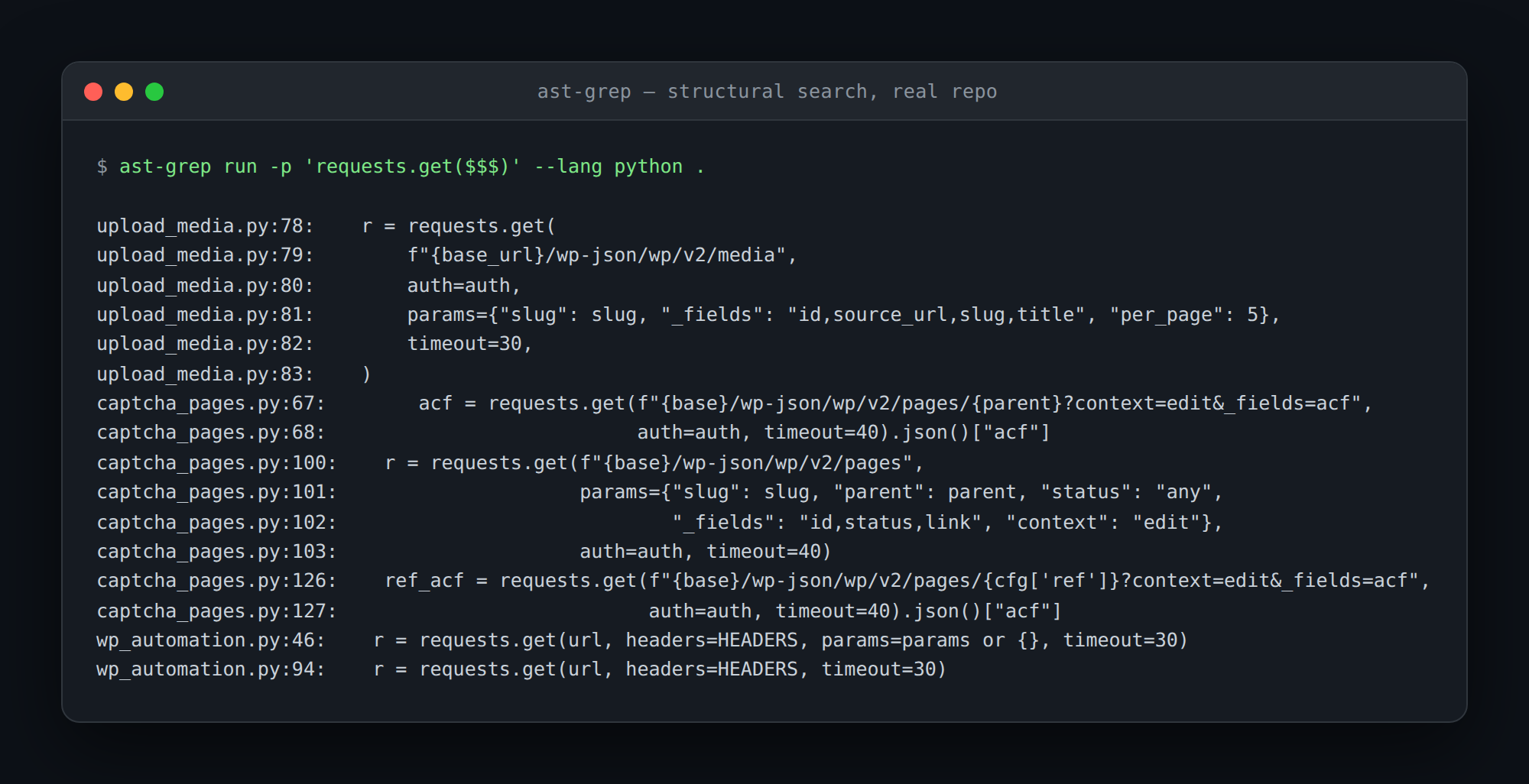
One gotcha worth putting in your CLAUDE.md: the short binary name sg collides with a standard Linux utility on some systems. Tell the agent to always invoke ast-grep explicitly.
4. gh: the GitHub half of the job
Without gh, everything on GitHub becomes a copy-paste relay between you and the agent. With it, Claude Code owns the whole loop: read the issue, branch, implement, open the PR, watch CI, and read the failure logs. The --json flag on most subcommands returns structured data, and --jq filters it inline without a second process. gh api covers anything the porcelain commands miss.
gh issue list --state open --label bug --json number,title,body
gh pr create --fill --base main
gh run watch --exit-status
gh api repos/:owner/:repo/pulls/42/files --jq '.[].filename'
5. jq: keeping JSON out of the context window
Most of the tools on this list can emit JSON, which is only useful if the agent can narrow it before reading. jq is how a 400 KB API response becomes the three fields that matter. This is the cheapest token optimization available, and it compounds across every turn in a long session.
bdata search "postgres jsonb index" --json | jq -r '.organic[] | "\(.title) \(.link)"'
gh pr list --json number,title,author | jq '.[] | select(.author.login == "renovate")'
6. just: a task list the agent can discover
Agents waste turns guessing how to build, test, and lint a project. A justfile replaces the guessing with a single readable list of named tasks. just --list shows the agent exactly what commands exist, in project-specific vocabulary, with no shell quoting traps. Unlike Make, it is not tied to file targets, so it models workflows rather than builds. Adding one to a repo is the highest-leverage twenty minutes of agent enablement available.
# justfile

# run the test suite
test:
    uv run pytest -q

# scrape a URL to JSON
scrape url:
    bdata scrape {{url}} --format json --pretty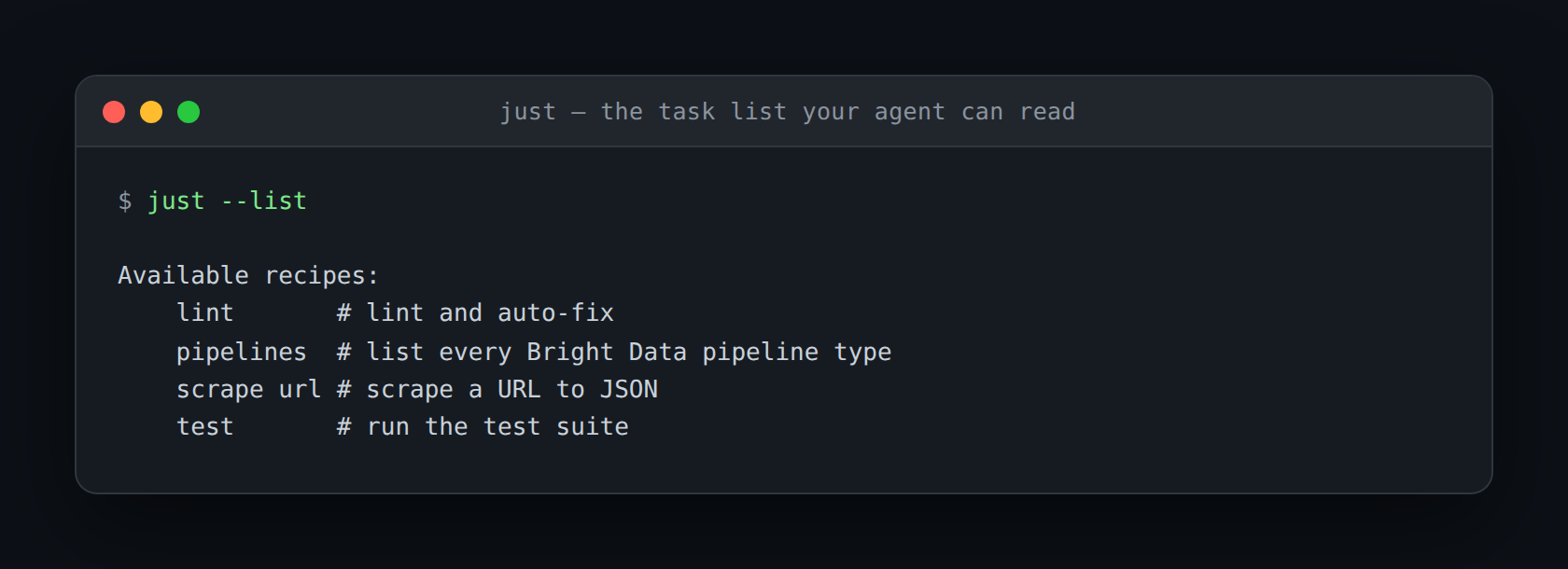
7. uv: Python without the waiting
Dependency installs are dead time in an agent loop, and Python has historically been the worst offender. uv replaces pip, venv, pip-tools, and pyenv with one Rust binary that resolves and installs in seconds. uv run executes a script in an ephemeral environment with inline dependencies, so the agent can test an idea without polluting anything. Lockfiles are deterministic, which means the environment the agent tests in matches the one you ship.
uv sync
uv run pytest -q
uv run --with requests python fetch.py
uvx ruff check .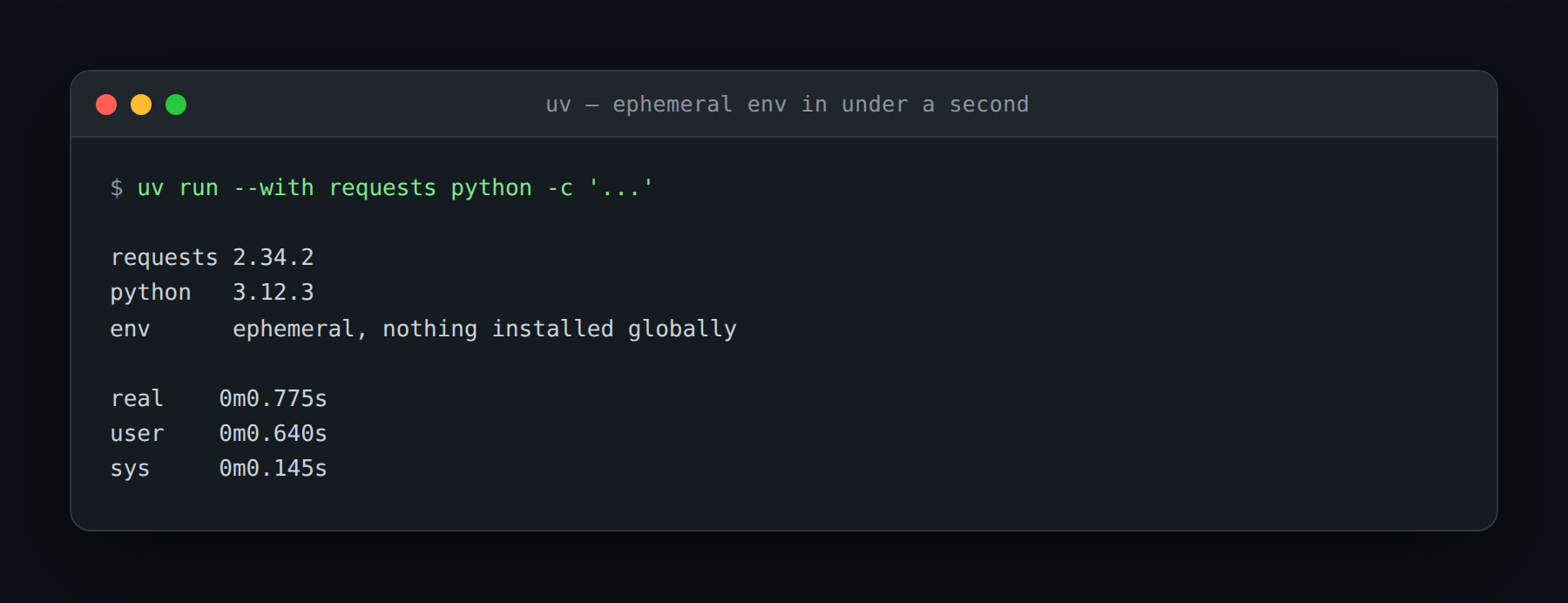
8. bun: one binary for the JavaScript side
bun collapses the usual Node toolchain into a single executable that installs, runs, tests, and bundles. Installs are dramatically faster than npm, and the built-in test runner removes an entire dependency layer from a new project. It runs TypeScript directly with no build step, which means the agent can execute a .ts file the moment it writes one. Compatibility is good but not perfect, so keep npm available for packages with unusual native build steps.
bun install
bun test
bun run src/index.ts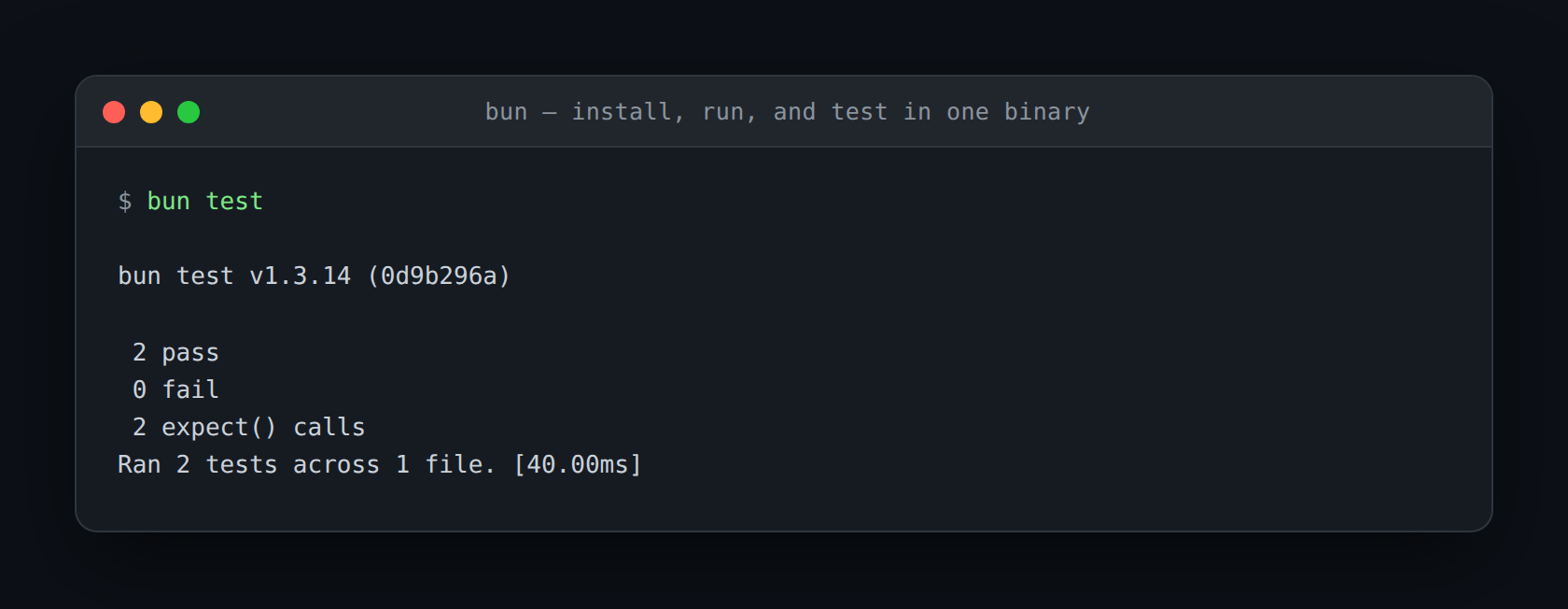
9. gitleaks: the guardrail before the commit
An agent working quickly will eventually stage a .env, paste a key into a fixture, or commit a token inside a debug log. gitleaks scans the working tree and history for credential patterns and exits non-zero when it finds one, which is exactly the signal Claude Code needs to stop and fix the problem itself. Wire it into a pre-commit hook and the guardrail applies whether the commit came from you or the agent. It is the one tool here whose value is entirely in what it prevents.
gitleaks detect --no-banner --redact --report-format json --report-path leaks.json
gitleaks protect --staged --no-banner --redact -v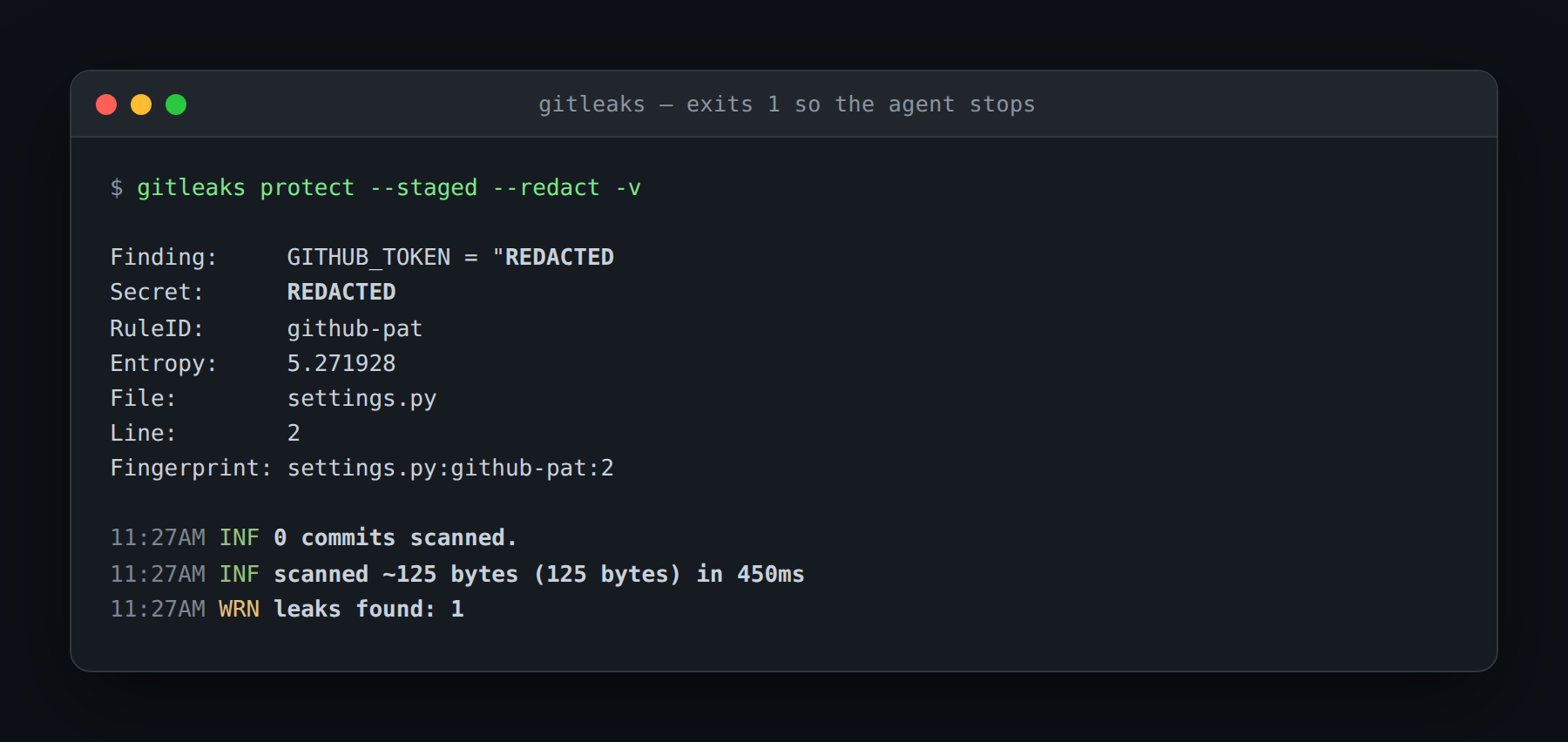
10. Firecrawl CLI: the other web CLI worth knowing
Firecrawl is the closest competitor to the first tool on this list, and it is genuinely good. Its CLI covers scrape, crawl, map, search, and an agent command for AI-driven extraction. Two features stand out. firecrawl developer searches a curated index of GitHub issues, merged pull requests, READMEs, and documentation sites, which suits a coding agent’s most common question far better than general web search does. firecrawl monitor schedules recurring scrapes and tracks content changes over time.
npm install -g firecrawl-cli
firecrawl init                       # installs skills into Claude Code
firecrawl developer "tokio select cancellation safety" --json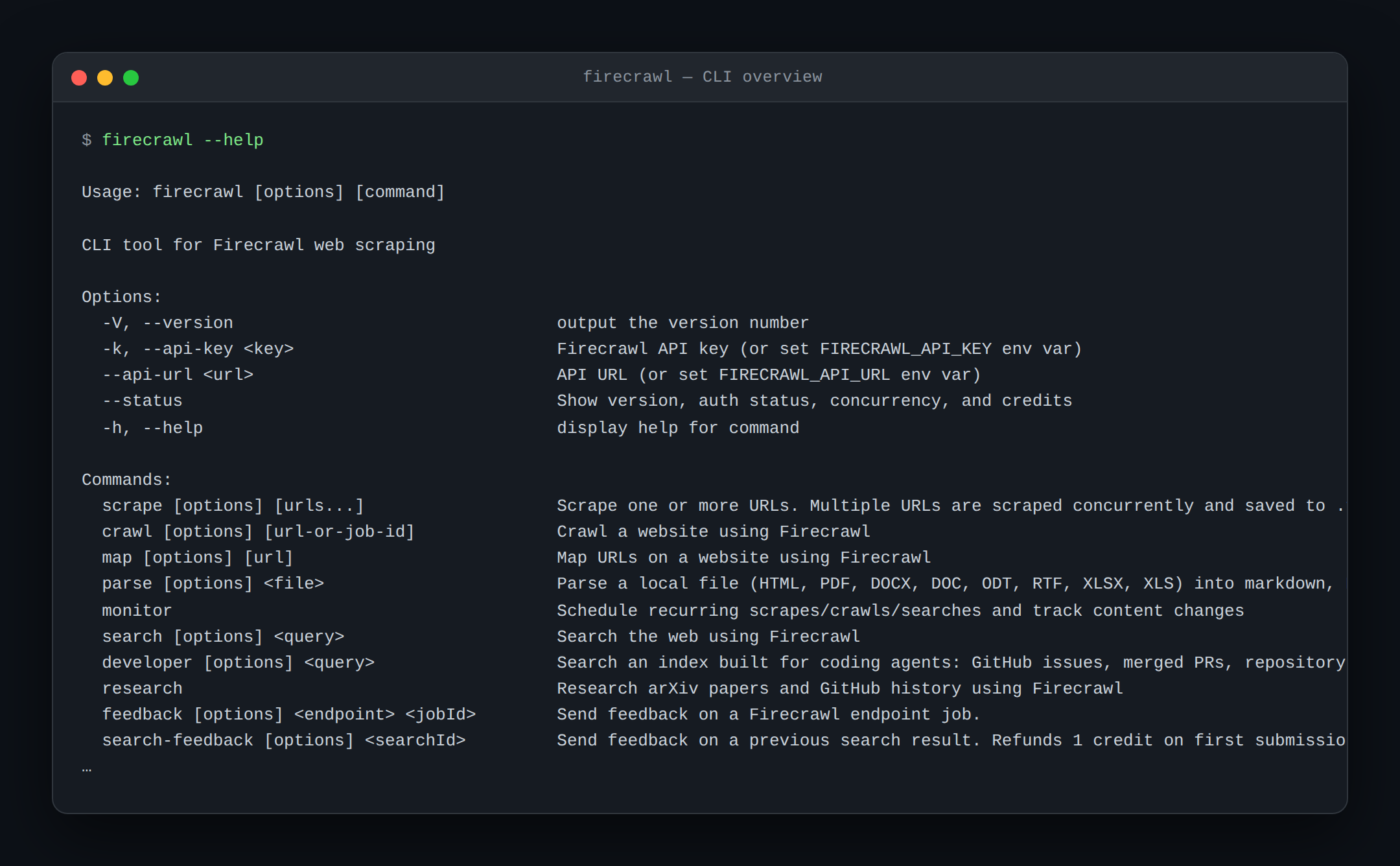
Where the two diverge is depth of acquisition. Firecrawl is tuned for a coding agent’s research loop, while Bright Data is tuned for production data collection. If you need pre-parsed records from Amazon or LinkedIn, per-request geo-targeting through specific proxy zones, or a scraper that survives a site redesign, those capabilities exist only on the Bright Data side. Many teams run both, using Firecrawl for developer research and Bright Data for anything that has to be reliable at volume.
What not to install: tools your agent cannot drive
Several tools appear on every “best CLI tools for Claude Code” list and should not. lazygit and btop are excellent for humans and close to useless for an agent, because they render full-screen interfaces that expect keyboard input. Claude Code cannot navigate them, and a command that waits for a keypress will stall the turn. The same applies to any tool that prompts for confirmation without a --yes flag, or that pages its own output.
The distinction is not “TUI bad.” It is that the agent’s interface is stdin, stdout, and an exit code. If a tool’s value is in its rendering, it is a tool for you. If its value is in its output, it is a tool for the agent. Install the interactive ones for yourself, and make sure the non-interactive equivalent exists for Claude Code, such as git log --oneline next to lazygit, or ps and free next to btop.
Telling Claude Code the tools exist
Installing a tool does not mean the agent will use it. Claude Code defaults to whatever it can infer from the environment, so an unadvertised binary often goes untouched while the agent writes a worse alternative by hand. Two mechanisms fix this. The first is a short section in CLAUDE.md listing the installed tools and when to prefer each one. Keep it factual and brief, since it loads into every session.
## Available CLI tools
- `bdata`: web access. Use for any URL that WebFetch fails on, and for SERP.
- `ast-grep`: structural search/refactor. Prefer over regex for code edits.
- `just --list`: project task list. Use these instead of guessing commands.
The second is skills, which load on demand rather than at startup. Bright Data and Firecrawl both ship official skill packs that teach the agent the full command surface, so bdata skill add gives Claude Code accurate usage without spending context on it every session. Skills are the better mechanism for anything with more than a handful of subcommands, and the same packs work with Claude Skills and the Bright Data MCP server.
Frequently asked questions
Do I need MCP servers if I have these CLIs?
Often not. MCP tool schemas load into the context window and stay there, and Claude Code now switches to on-demand tool search when server descriptions exceed roughly ten percent of the window. A CLI invoked through Bash costs nothing until it runs. For tools with a large surface, a CLI plus a skill is usually more context-efficient than an MCP server.
Why does the Bright Data CLI rank first?
It is the only entry that adds a capability Claude Code does not have at all. Everything else on this list makes an existing capability faster. Reliable access to protected sites requires proxy infrastructure, and the Bright Data CLI brings it to the terminal. The free tier is 5,000 credits per month with no card required.
Will installing these make Claude Code slower?
No. Nothing here loads at startup. Tools are invoked only when the agent runs them, and most of them exist specifically to reduce the number of turns a task needs.
What is the minimum useful set?
ripgrep, gh, and jq if you only want three. Add the Bright Data CLI the first time WebFetch returns a Cloudflare challenge, which on a real project usually happens within the first week.
Do these work with Cursor, Codex, or Gemini CLI?
Yes. Every tool here is a plain command-line binary with no Claude-specific dependency. The Bright Data and Firecrawl skill installers detect and support several coding agents, so the same setup carries across harnesses.



Web Data & AI Expert
 6 years experience
Daniel Shashko is a Senior SEO/GEO at Bright Data, specializing in B2B marketing, international SEO, and building AI-powered agents, apps, and web tools.