







RoxyBrowser Proxy Integration
Integrating RoxyBrowser with Bright Data proxies streamlines web scraping and data collection, offering robust anti-detection and flexible proxy control.
This guide may be outdated. For an up-to-date guide please see our documentation.

- 400M+ Residential IPs
- Sticky and rotating sessions
- 99.95% success rate
- Geo-location targeting - FREE
What is RoxyBrowser?
RoxyBrowser is a global multi-account anti-detect browser built for international business professionals, trusted by over 3 million users. It provides virtual browser profiles that replicate authentic device fingerprints, transforming how you browse and automate tasks. With RoxyBrowser, streamline your workflows, boost efficiency, and protect your data through encrypted transmission and secure servers.
Unlock New Possibilities with Bright Data Proxies and RoxyBrowser
Discover the unlimited possibilities of integrating Bright Data proxies with RoxyBrowser. Take advantage of more opportunities to enhance your browsing experience.
- Access the world’s largest proxy pool with 150 million+ IPs, including datacenter, residential, mobile, and web unlocker proxies.
- Real-time visibility into traffic with live previews.
- Harness the power of logs and statistics for comprehensive insights.
- Optimize bandwidth and reduce costs with traffic splitting rules.
- Ensure reliable data retrieval with automatic request retries.
- Effortlessly overcome captchas and adapt to markup changes.
- Customize headers and SSL fingerprints with ease.
- Enjoy the benefits of IP rotation and session management for enhanced anonymity.
- Seamlessly integrate with existing workflows through the user-friendly API.
Together, RoxyBrowser and Bright Data proxies form a powerful combination that delivers exceptional control and flexibility to navigate the ever-changing online landscape and drive your business growth!
RoxyBrowser Proxy Integration
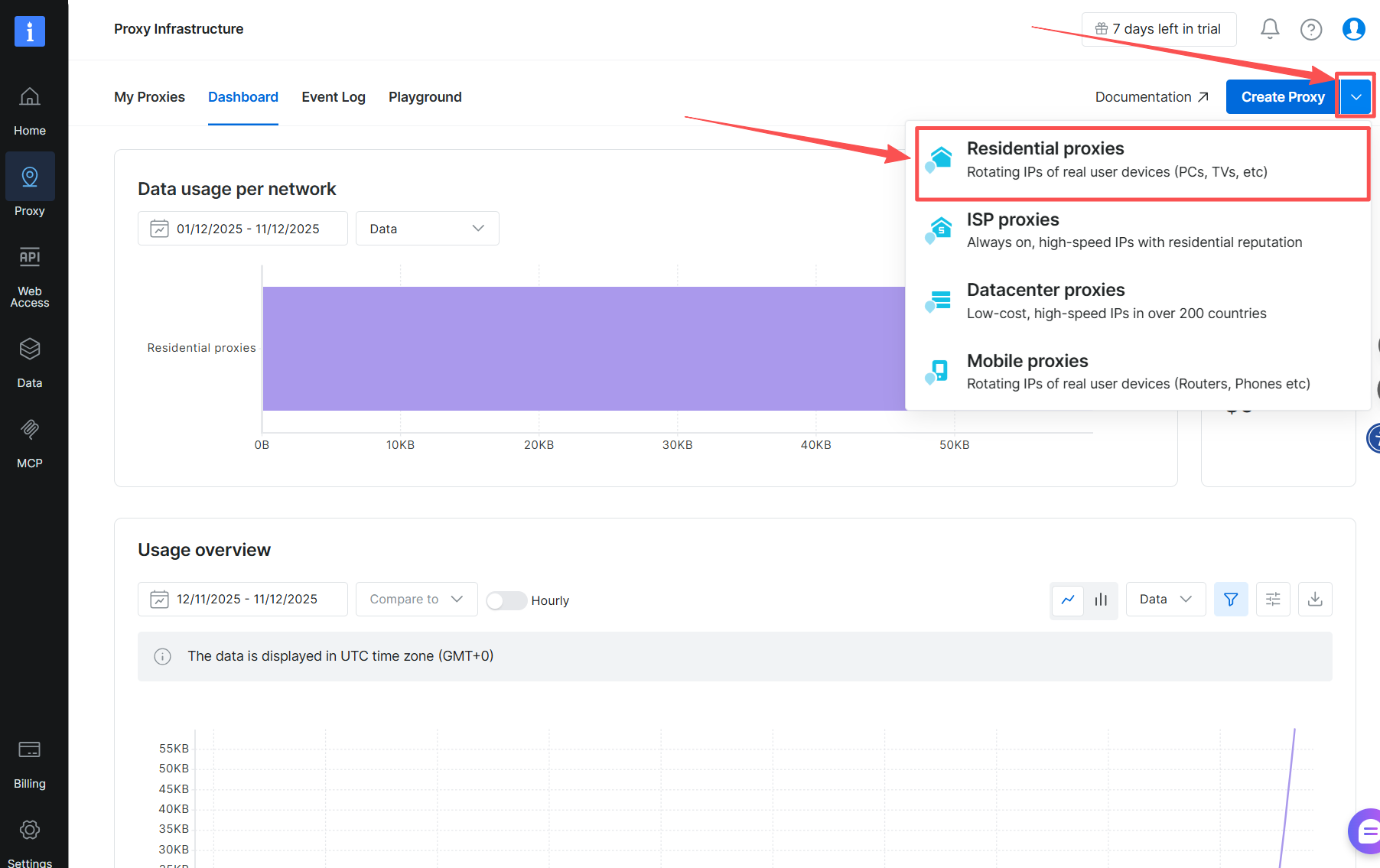
Create a Zone in Bright Data:
To begin integrating RoxyBrowser with Bright Data, it is recommended to create an ISP zone with a dedicated IP (Residential proxies).
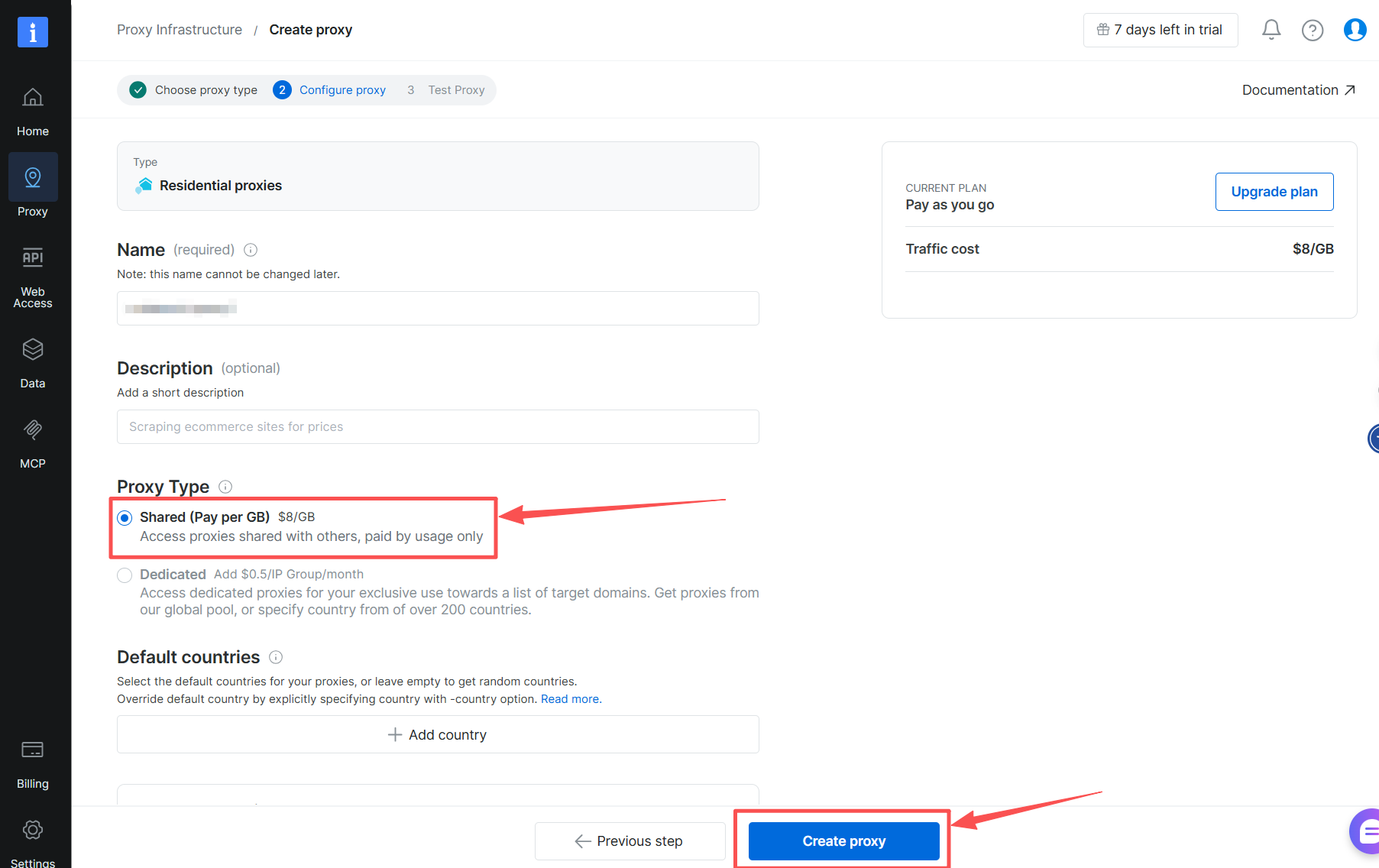
Example Zone Setting:
Create a designated Zone for your proxy usage.
Note: if you chose either Residential, Mobile, Unlocker, or SERP zones, you must install the Bright Data SSL certificate to secure your end-to-end communication.
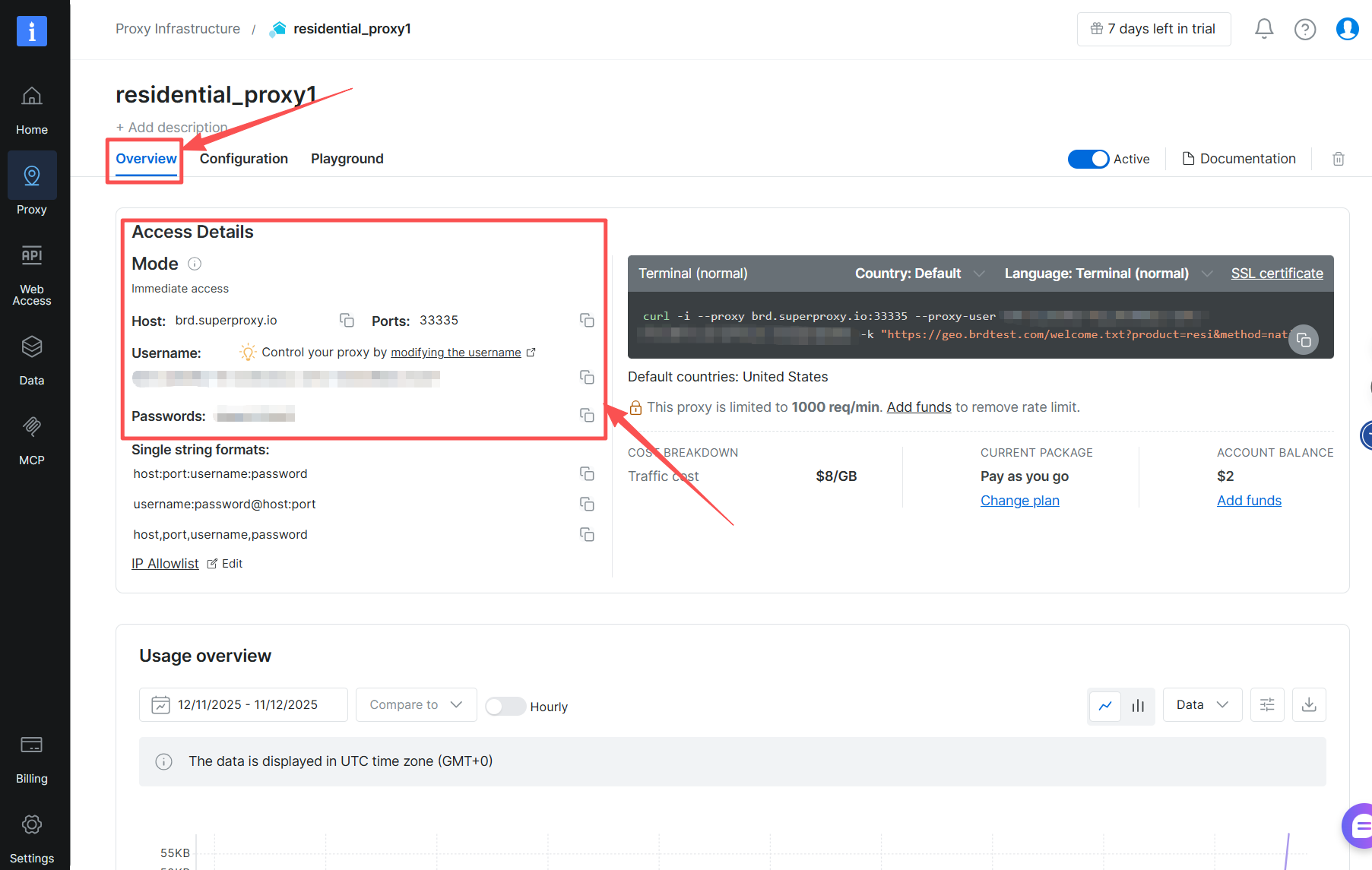
Obtain Access Parameters:
Open the “Proxies Infrastructure” in Bright Data, select the zone you have created, and choose “Overview” to access details. Keep the browser tab open, as you will need these credentials in the coming steps.
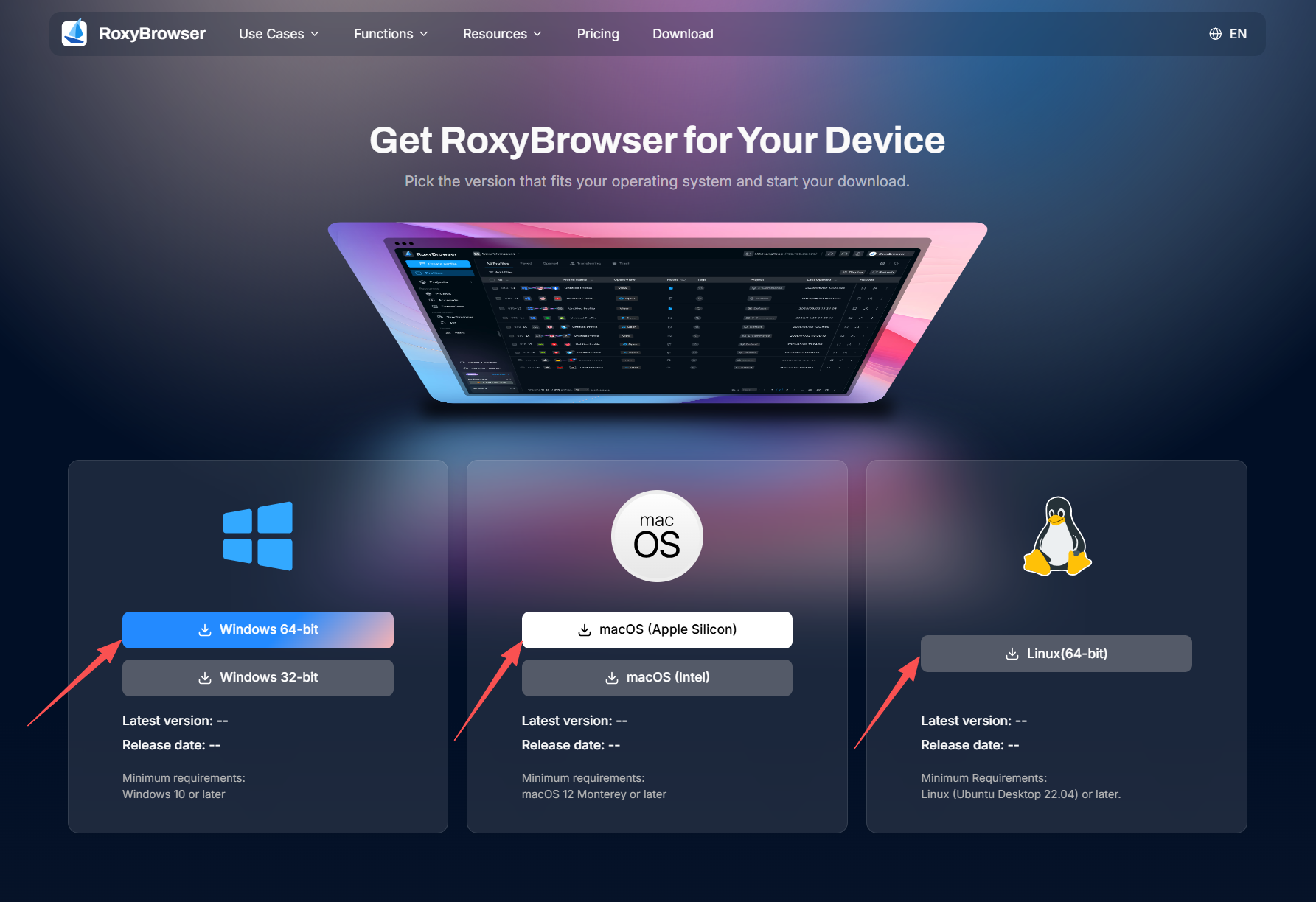
Download RoxyBrowser:
Download and install the latest version of RoxyBrowser for your operating system.
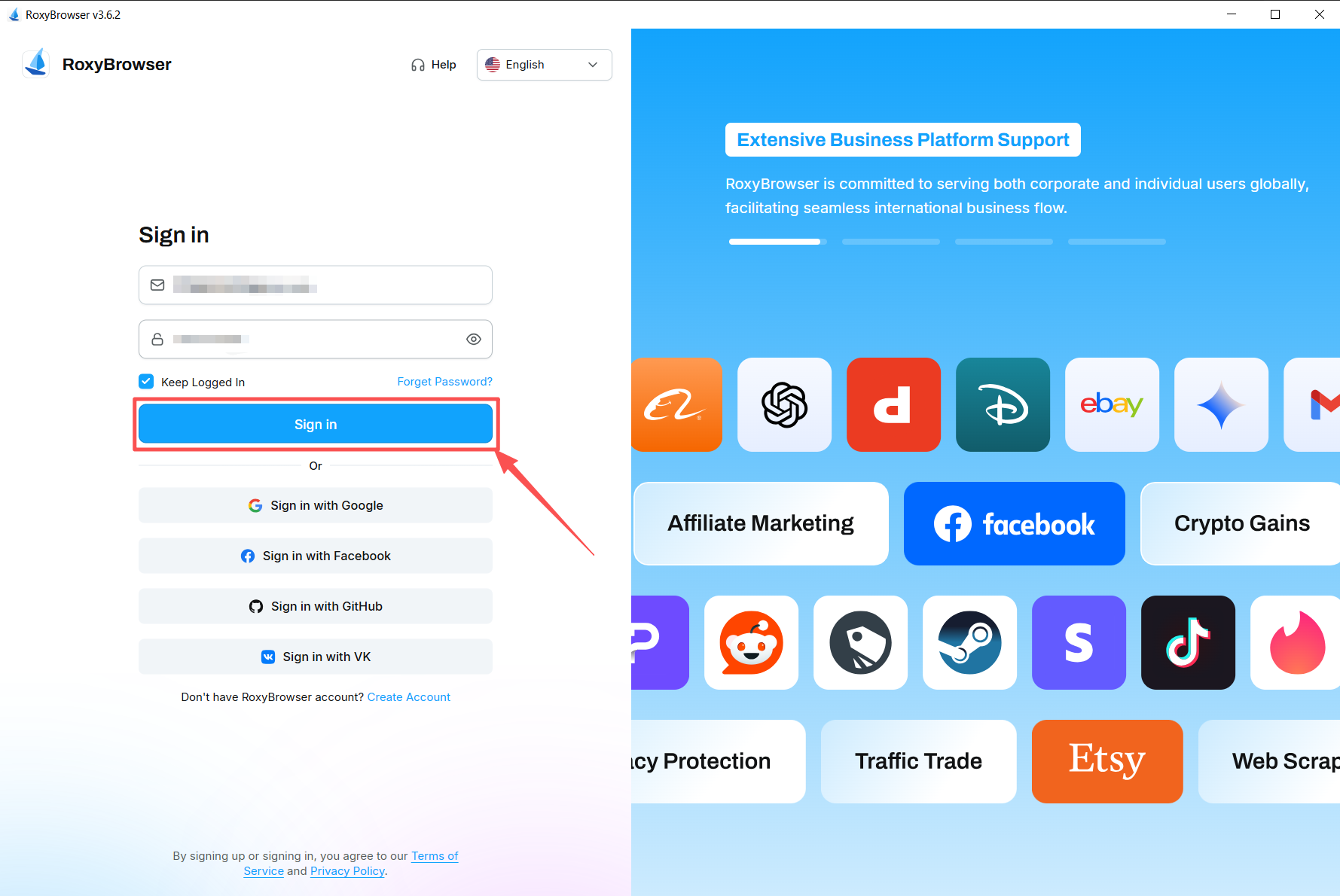
Log in to Your RoxyBrowser Account:
Register for free with your email and log in to your RoxyBrowser account.

Create a New Profile:
Click on the “Create Profile” button and name the profile.
Select Bright Data Proxies:
Go to Bright Data and choose the “Proxy” section. Go to “Proxy Infrastructure” and select the proxy zone you are using. Click on the “Overview” then “Access Details” option to copy the provided Username and Password.
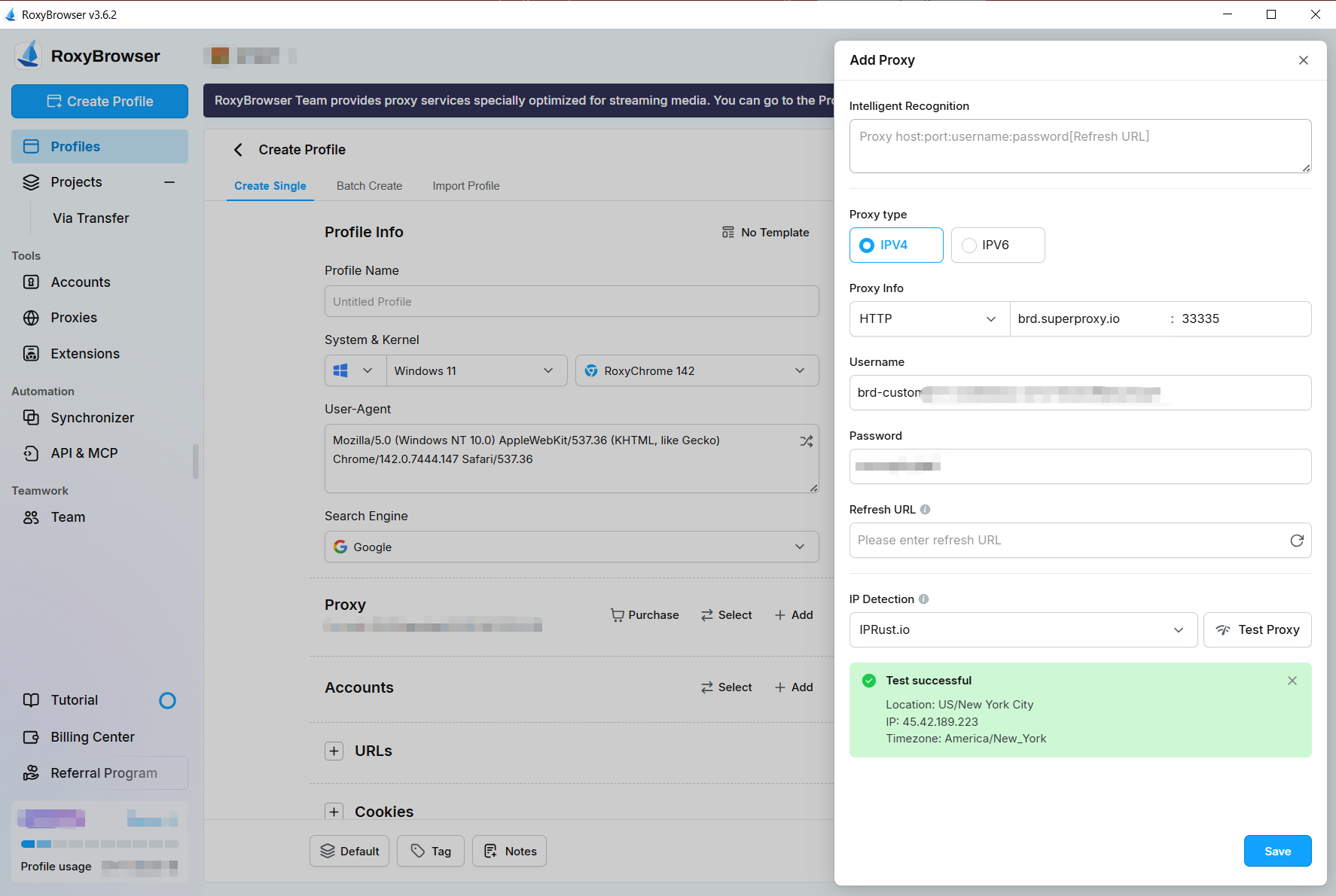
Configure Proxy Protocol:
Now it’s time to configure your proxies. You can choose HTTP, HTTPS, or Sock5
- Proxy Type: Choose from HTTP, HTTPS, or SOCKS5 (based on your proxy type).
- Proxy Host: Enter http://brd.superproxy.io/.
- Proxy Port: 33335 (if you chose SOCKS5, please use port 22228)
- Proxy Username: Enter your Bright Data proxy zone username.
- Proxy Password: Enter your Bright Data proxy zone password.
Return to RoxyBrowser and paste the copied Username and Password into the corresponding fields.
Click on the “Test Proxy” button and ensure that you see a “Test successful” message. Click “Save” to save the browser profile.
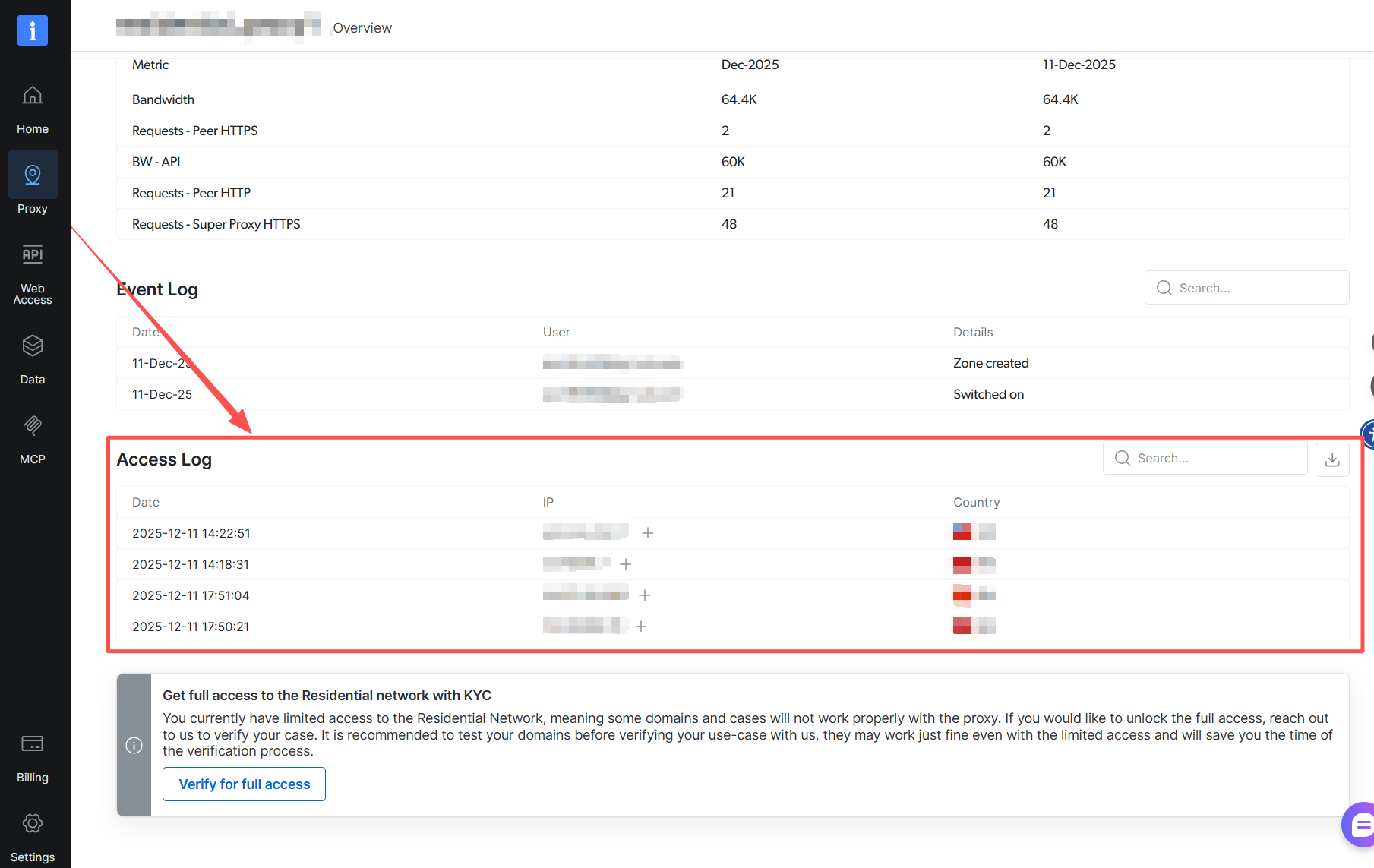
Verify Proxy Usage:
To confirm the use of your Bright Data proxy, refer to the Event Log section in your “Proxies Infrastructure” dashboard.
⚠️Important note: If you are using Bright Data’s Residential Proxies, Web Unlocker or SERP API, you need to install an SSL certificate to enable end-to-end secure connections to your target website(s). This is a simple process, see https://docs.brightdata.com/general/account/ssl-certificate#installation-of-the-ssl-certificate for instructions.
In addition, for this integration KYC Verification is required. For more information please click here: https://docs.brightdata.com/proxy-networks/residential/network-access#kyc-verification
Conclusion
Whether you’re managing data collection, market research, competitive intelligence, or web scraping tasks, this winning combination delivers stable, secure, and highly efficient solutions. Start experiencing the synergy of Bright Data and RoxyBrowser today, and take your digital business to the next level!
Get proxies for RoxyBrowser


A proxy for every development path
Mix-and-match networks, peers, and IPs to optimize your continuous flow of web data.


Proxy Network Pricing


- Unlimited scale
- Unlimited seats
- Premium SLA
- 99.99% Network Uptime
- Free Proxy Manager
- Complete data coverage
- Custom price per GB
- Custom solutions
- Unlimited scale
- Unlimited seats
- Premium SLA
- 99.99% Network Uptime
- Free Proxy Manager
- Complete data coverage
- Custom price per GB
- Custom solutions
- Unlimited scale
- Unlimited seats
- Premium SLA
- 99.99% Network Uptime
- Free Proxy Manager
- Complete data coverage
- Custom price per GB
- Custom solutions

The category leader in proxies and data collection

650TB of public data collected every day

New feature releases every day

Serving 7/10 of the world’s leading universities
