In this article, you will see:
- What PromptQL is, how it works, and the features it provides.
- Why LLMs alone are not enough for enterprise-grade analysis, and why external web access is critical at scale.
- How to leverage the built-in Bright Data MCP connector in PromptQL for a real-world scenario.
- A list of other relevant and possible use cases.
Let’s dive in!
PromptQL: What It Is and How It Works
PromptQL is an AI-native collaborative workspace that unifies enterprise data, team knowledge, and workflows in a single operational layer. It lets you ask business questions, coordinate actions, and continuously refine processes through a wiki-like context system that evolves from daily work.
Unlike traditional BI tools or static semantic layers, PromptQL does not rely on pre-modeled dashboards or manually curated knowledge graphs. Instead, it learns from real interactions, turning conversations, decisions, and exceptions into reusable operational knowledge.
It is designed for environments where business logic changes frequently, knowledge is distributed across systems, and answers require combining structured data, human input, and governed execution.
At its core, PromptQL connects directly to enterprise systems such as databases, SaaS tools, APIs, and internal knowledge bases (through Hasura DDN connectors) without requiring data migration. When a question is asked, it retrieves relevant context, plans and executes data operations, and returns answers grounded in both data and permissions.
A key feature is its shared context model. Every interaction can surface or formalize business logic and decisions, gradually building a living semantic layer shaped by real workflows rather than top-down documentation. Explore all other features in the official documentation.
The Need for External Web Data in PromptQL
Internal data alone is not enough. Most enterprise decisions also depend on external signals like competitor pricing, market trends, customer sentiment, and regulatory updates.
The problem is that all LLM-based systems share a core limitation: they are not connected to the live world by default. This creates two major gaps:
- No access to real-time external data: Models cannot reliably fetch fresh web information, pricing updates, news, or regulatory changes.
- Limited reach across the open web: Many websites actively block automated access, making it difficult for AI agents to retrieve data reliably and at scale.
These limitations can be addressed by equipping AI systems with external tools and integrations.
Thankfully, PromptQL supports a wide range of connectors.
In detail, the “Bright Data MCP” data integration gives you access to live web search, website discovery, and web scraping capabilities. It allows PromptQL to retrieve fresh information from the web and interact with external data sources in real time.
Bright Data MCP Data Connector in PromptQL as the Solution
PromptQL provides a “Bright Data MCP” data connector:
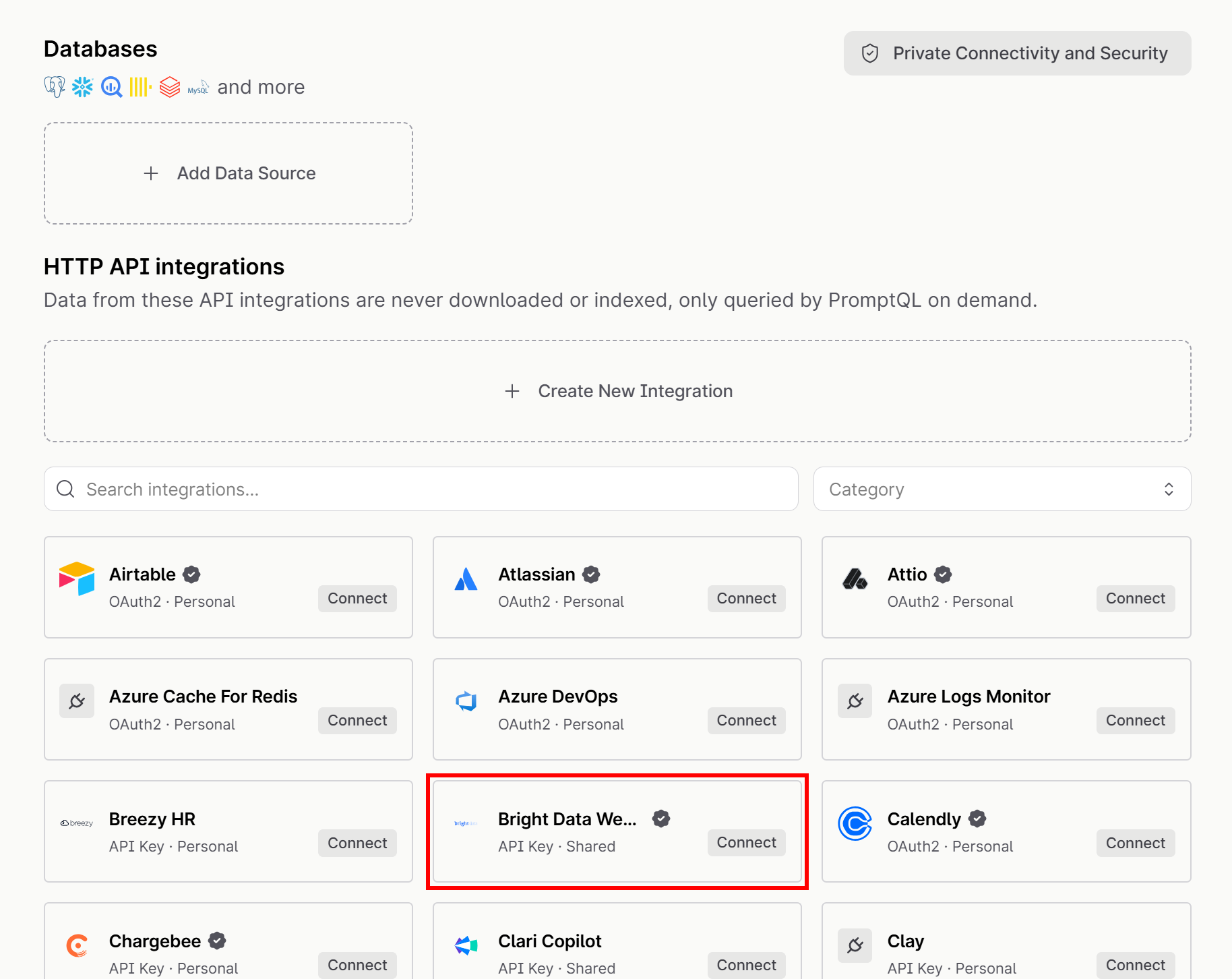
Bright Data is a leading web data platform that enables businesses to collect public web data at scale. Specifically, the Bright Data MCP exposes Bright Data’s APIs as AI-ready tools that PromptQL (and any other MCP-compatible solution) can invoke directly during prompt execution.
In PromptQL, the Bright Data MCP operates in Rapid Mode, which includes 5,000 free requests per month. In this mode, the available tools include:
| Tool | Description |
|---|---|
search_engine + batch version |
Retrieve structured search engine results in JSON or Markdown from Google, Bing, Yandex, and more |
scrape_as_markdown + batch version |
Convert any webpage into clean Markdown while bypassing anti-bot protections |
discover |
AI-powered web discovery that returns ranked, relevant results |
By equipping PromptQL with the “Bright Data MCP” connector, the system gains the ability to search the web, discover relevant pages, and extract fresh content in real time.
This helps address a major enterprise gap, as LLMs cannot reliably access fresh external data or retrieve information from the live web at scale. That is especially true for sources that are dynamic, protected, or frequently updated.
What makes Bright Data stand out is its infrastructure. It operates a global proxy network of over 400 million residential IPs across 195 countries, enabling reliable web access at scale. This architecture is built for high concurrency and large-scale data collection, achieving a 99.95% success rate and 99.99% SLA-based uptime.
How to Use Bright Data MCP in PromptQL to Build a Price Monitoring Dashboard
In this step-by-step section, you will learn how to take advantage of the Bright Data MCP data integration in PromptQL. After setup, you will see how to use it in a price monitoring scenario.
We will assume you are a software company or startup building an all-in-one digital workspace productivity tool. Your goal is to create an interactive dashboard to monitor your competitors (for instance, Notion and Airtable). The system will gather pricing data from their websites and via the Bright Data MCP, then process and visualize it in a dashboard.
Note: This is just one of many scenarios supported by the PromptQL + Bright Data integration.
Follow the instructions below!
Prerequisites
To follow this tutorial section, make sure you have:
- A PromptQL account (the free credits provided after account creation will be enough).
- A Bright Data account with an API key configured. Follow the official guide to generate your Bright Data API key.
While not strictly required, familiarity with the Bright Data MCP tools will also be helpful.
Step #1: Create a New PromptQL Project
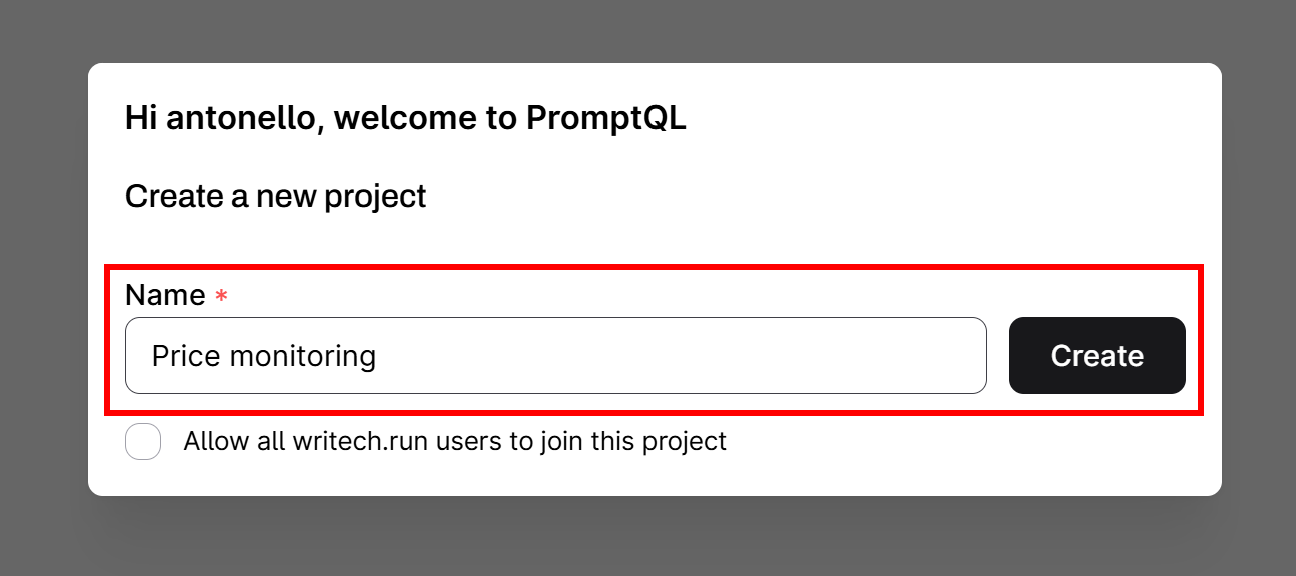
Start by logging in to your PromptQL account. You will be prompted to create a new project. Give it a descriptive name, such as “Price monitoring”, and click the “Create” button:
Complete the setup by adding your name, a short description of your role, and the email addresses of your team members (do not forget to include your own email address as well).
Once setup is complete, you will be redirected to your new “Price monitoring” PromptQL project:
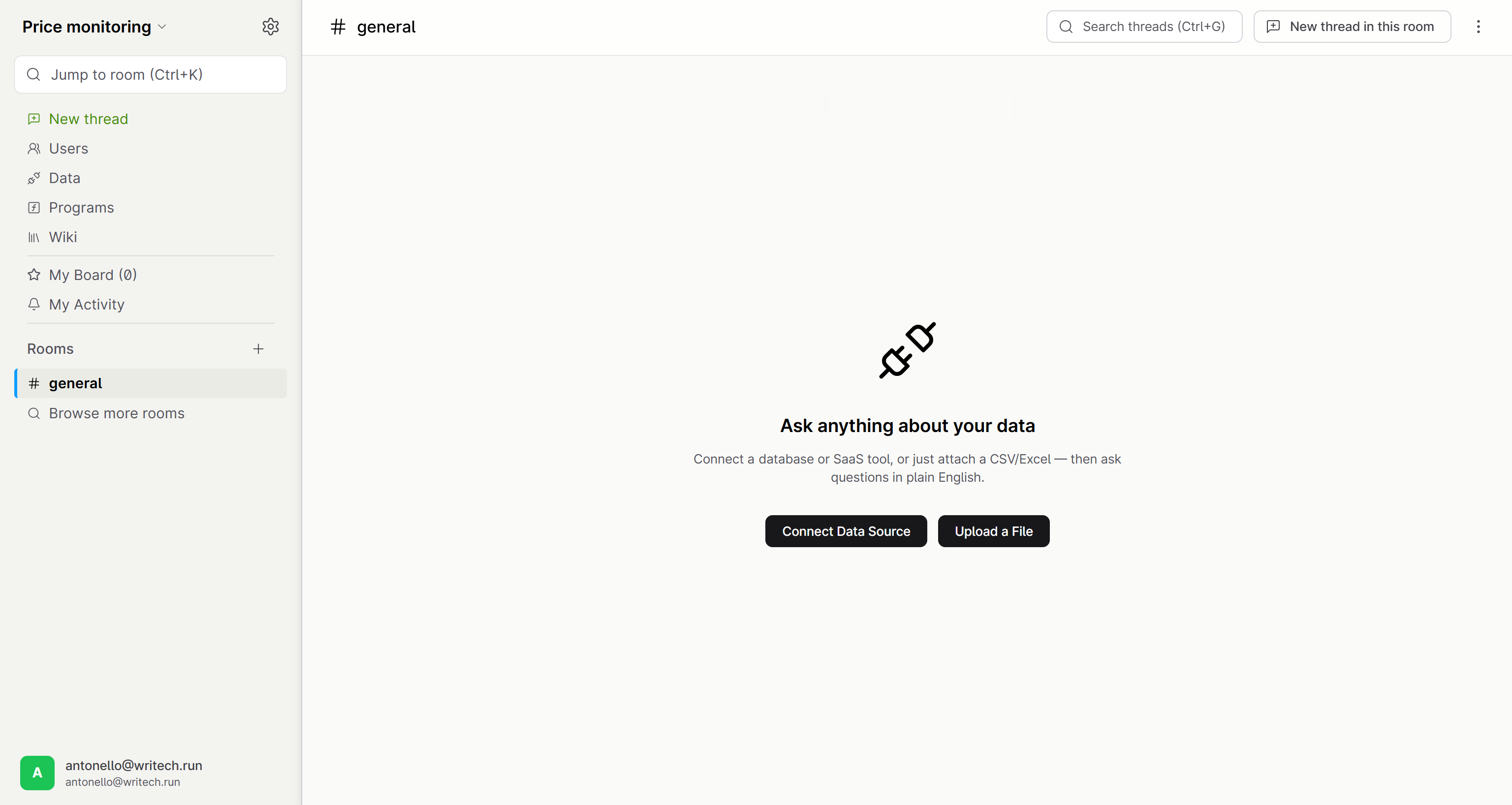
Well done! You now have a PromptQL project ready to use. Next, we will add the Bright Data integration through the built-in Bright Data MCP connector.
Step #2: Add the Bright Data MCP Data Integration
Press the “Connect Data Source” button (or, equivalently, go to the “Data” page from the left-hand menu):
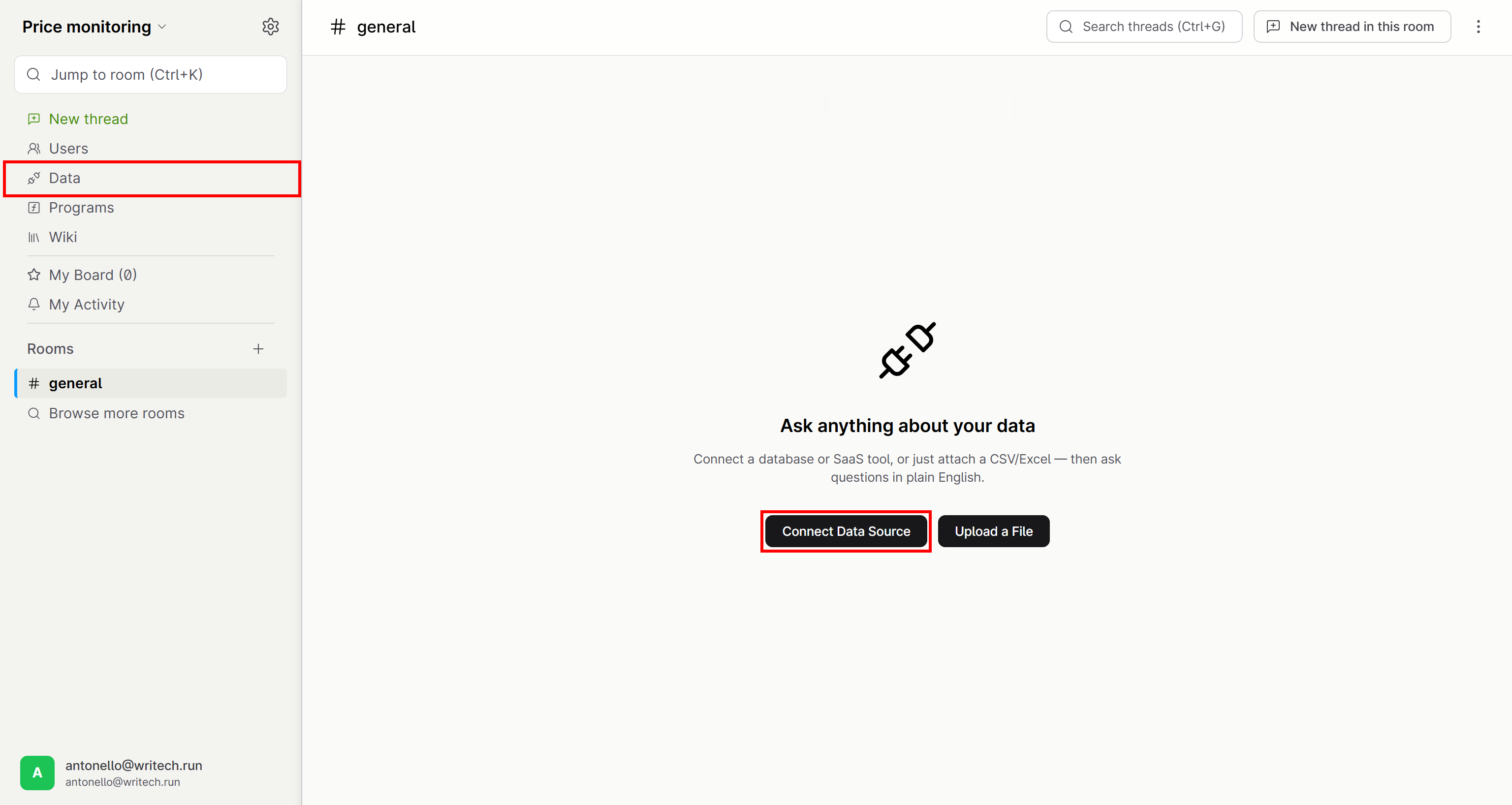
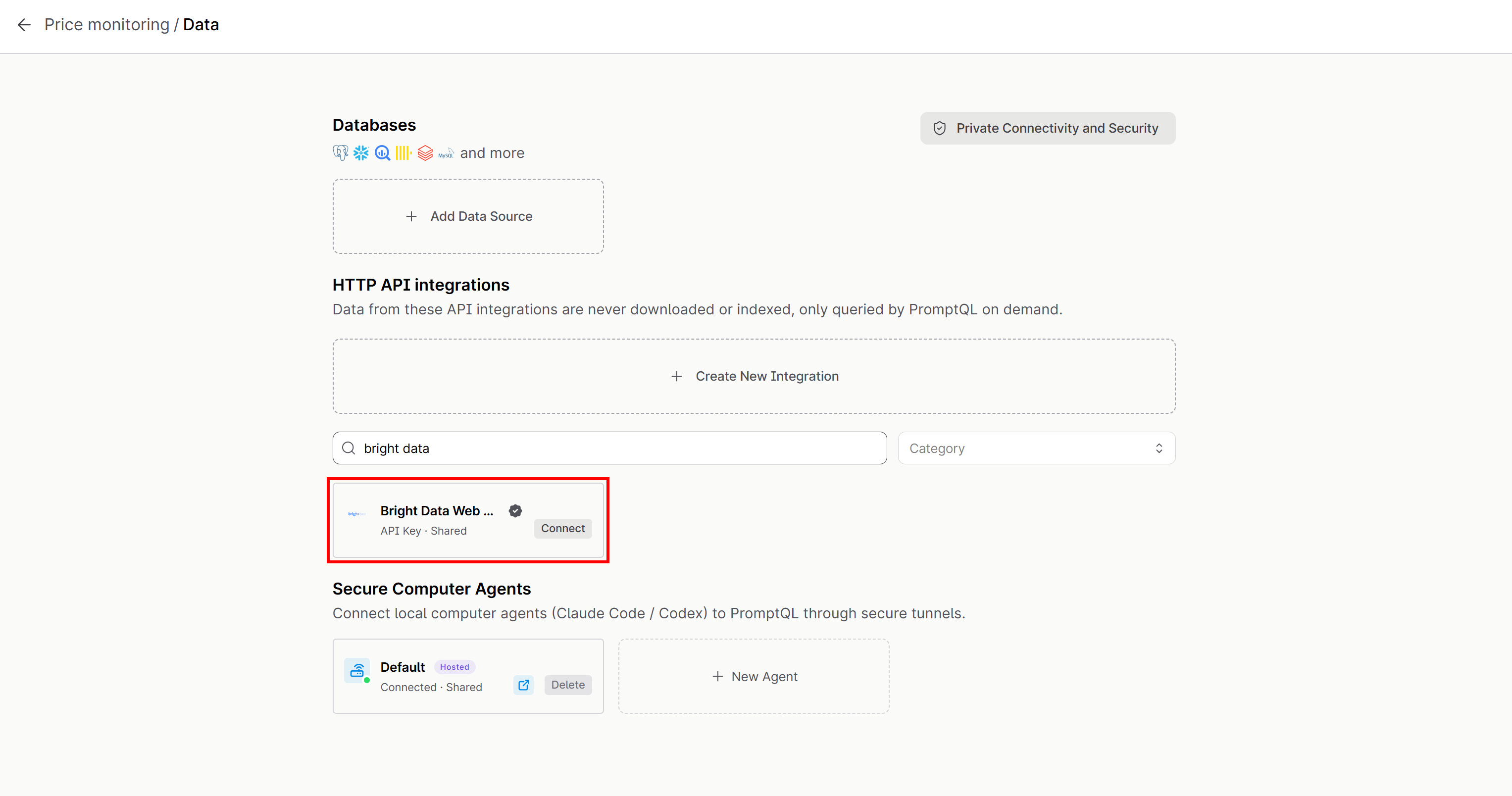
On the “Data” page, search for “bright data” and select the “Bright Data MCP” card from the available integrations:
The “Bright Data MCP” modal will open. If you have not retrieved your Bright Data API key yet, open the “Setup Instructions” dropdown and follow the steps provided there.
Proceed by clicking the “Connect” button:
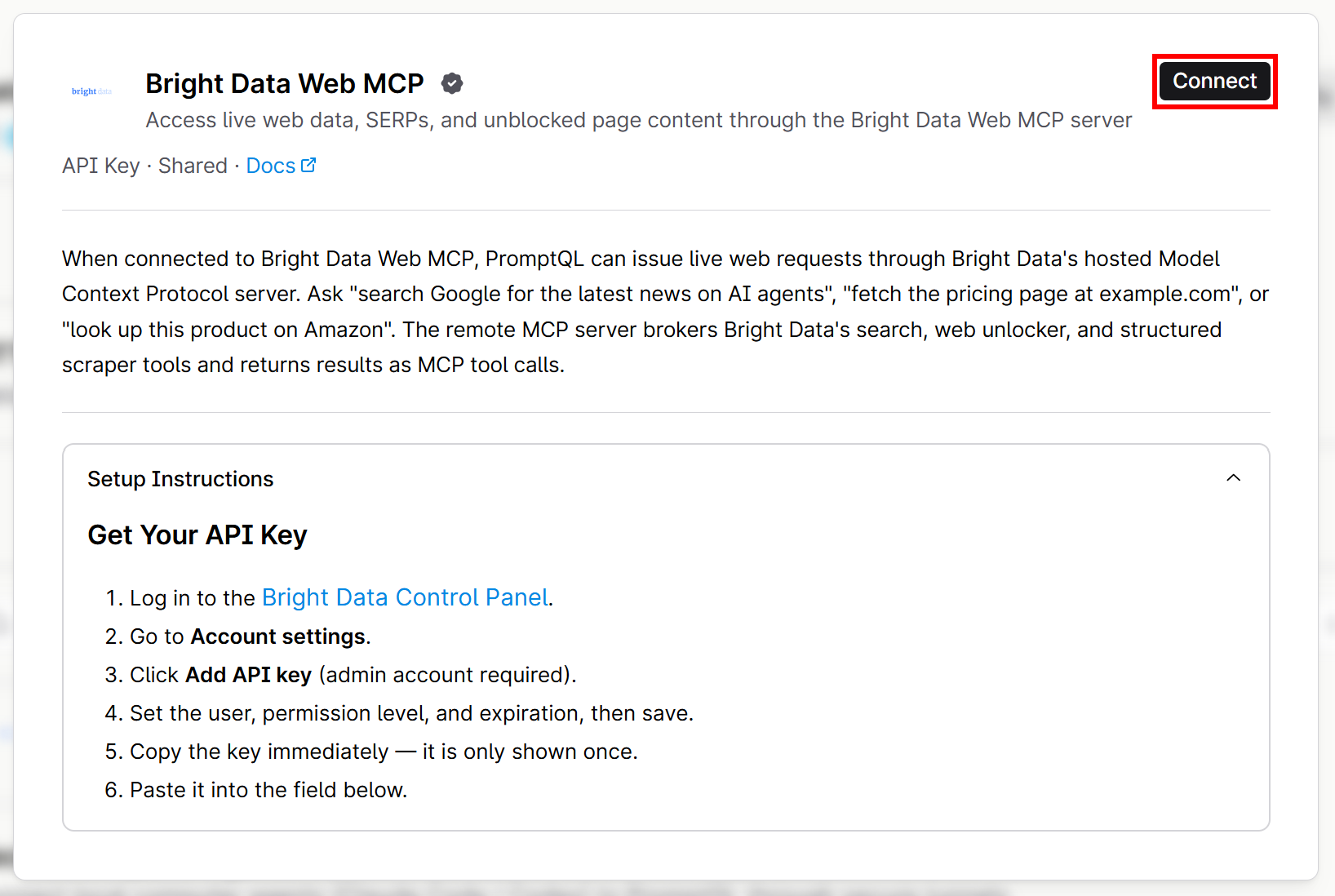
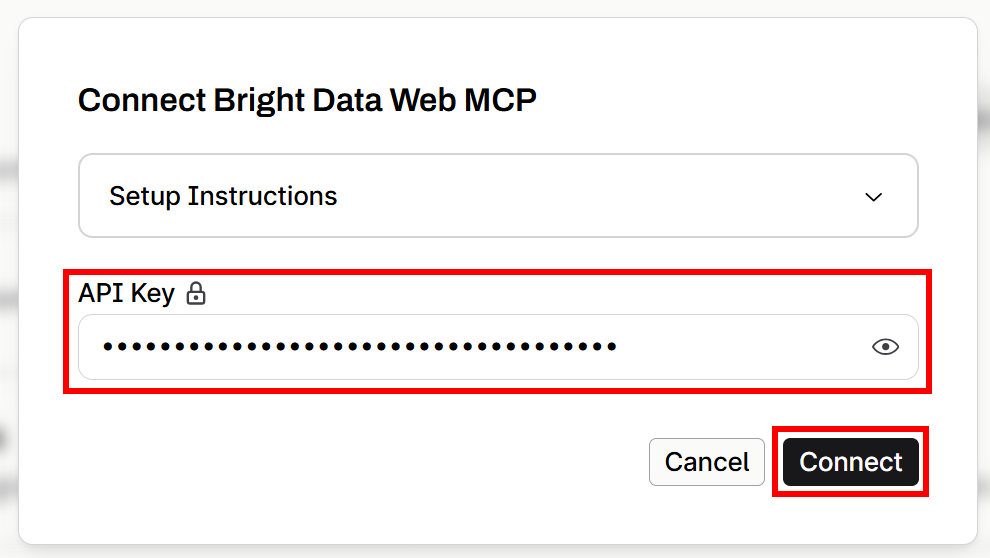
Paste your Bright Data API key into the “API Key” field and press “Connect” to finalize the connection:
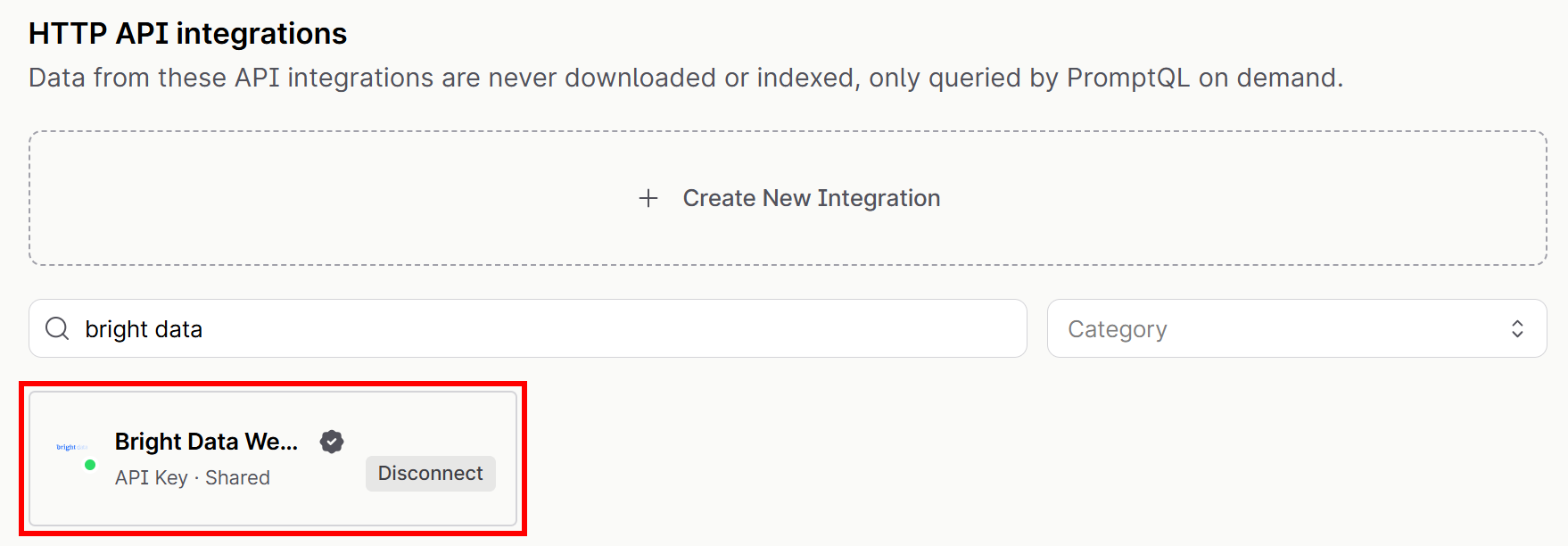
You will receive a notification confirming that Bright Data MCP has been successfully connected. The integration card will now show a green status indicator and a “Disconnect” button:
Fantastic! Your PromptQL project now has access to web search, scraping, and discovery capabilities through the Bright Data MCP.
Step #3: Verify that the Integration Works
To verify that the Bright Data MCP integration is working correctly, check whether the available tools are accessible in a chat session.
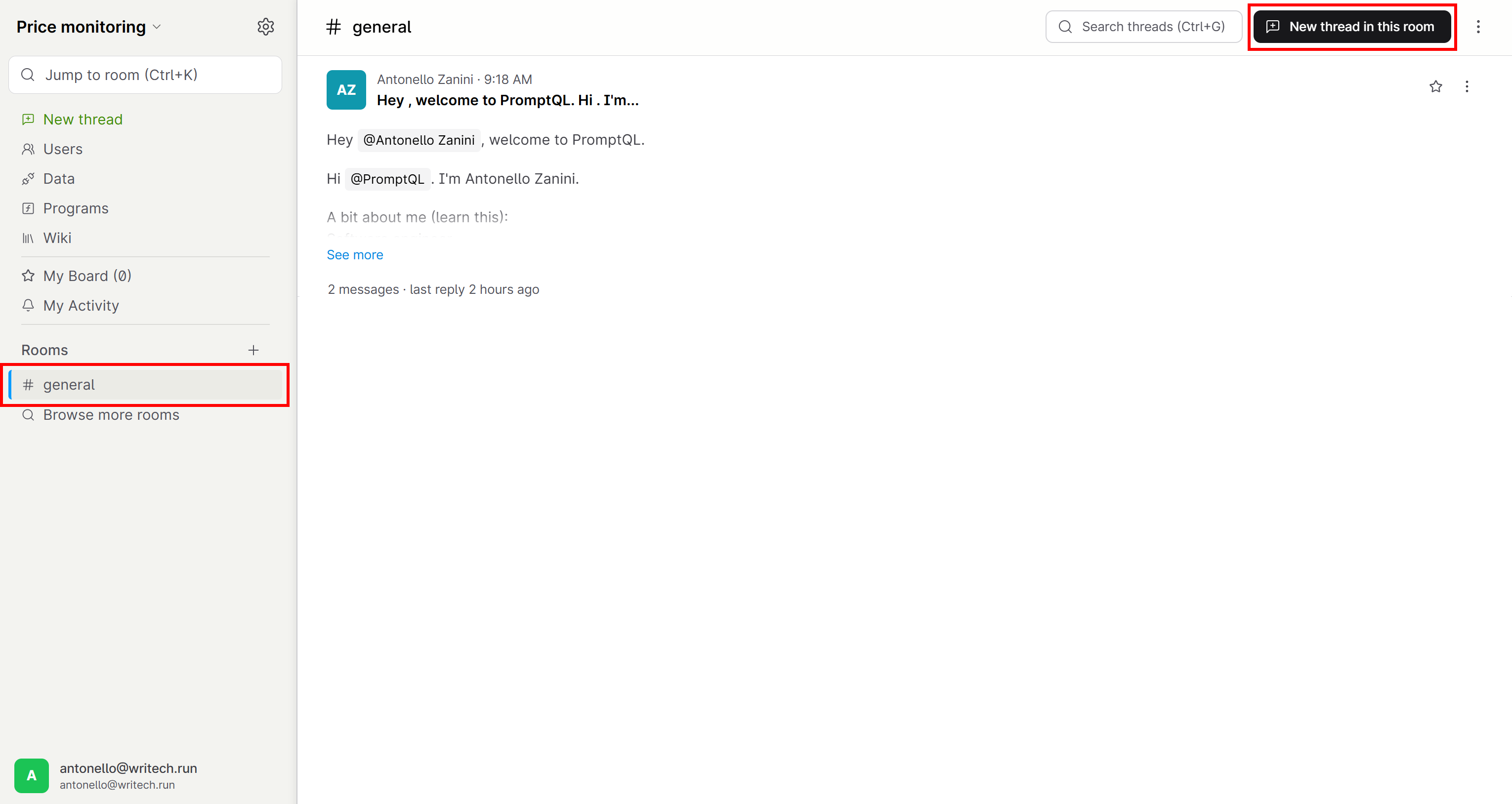
Go to the “#general” chat created by PromptQL during project onboarding and click the “New thread in this room” button:
Ask a prompt such as:
Which Bright Data MCP tools do you have access to?This is the result you should see:
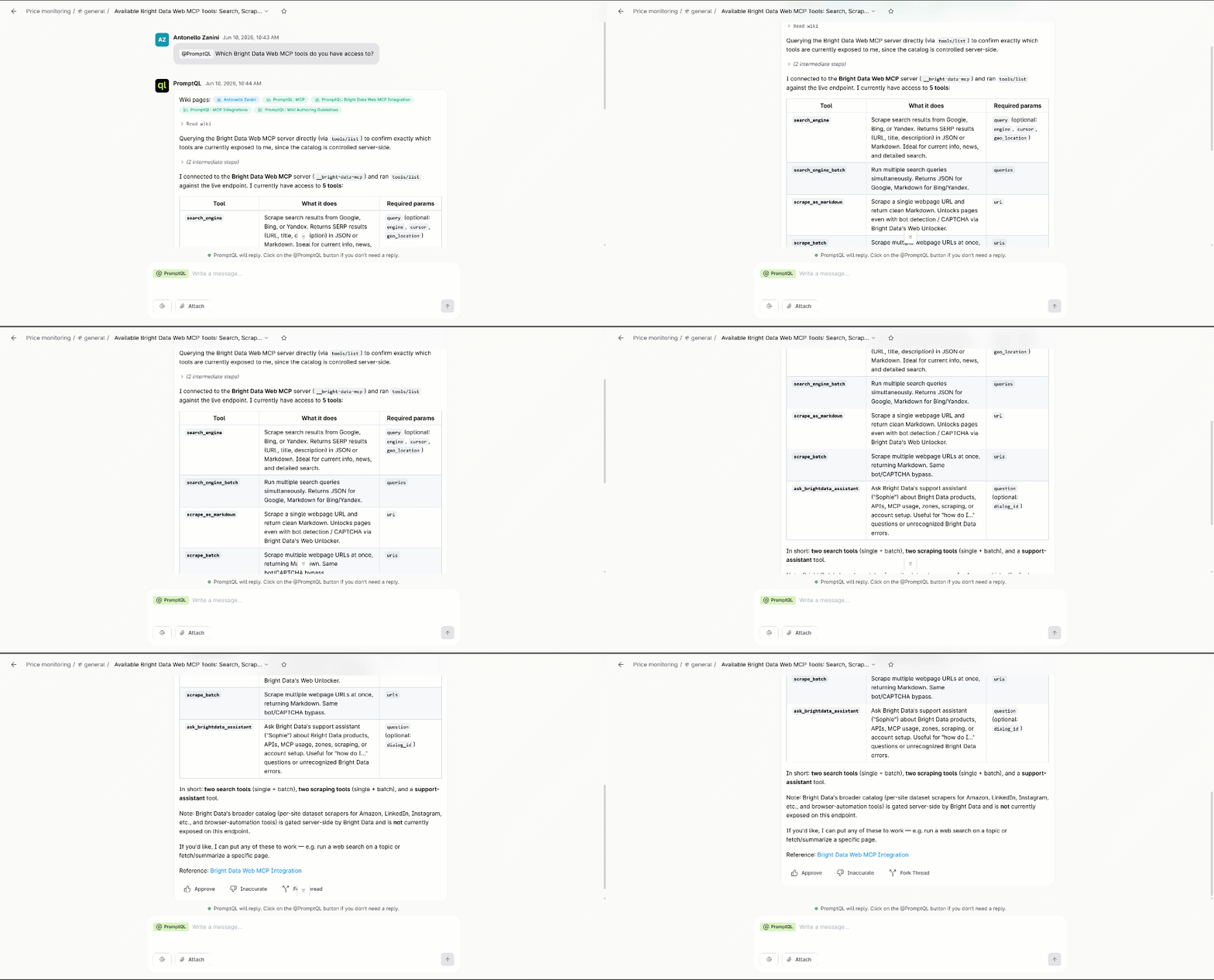
Notice how the tools included in the table correspond exactly to the tools exposed by Bright Data MCP in Rapid mode. This confirms that your PromptQL project is correctly connected to the Bright Data MCP integration. Great!
Step #4: Launch the Price Monitoring Task
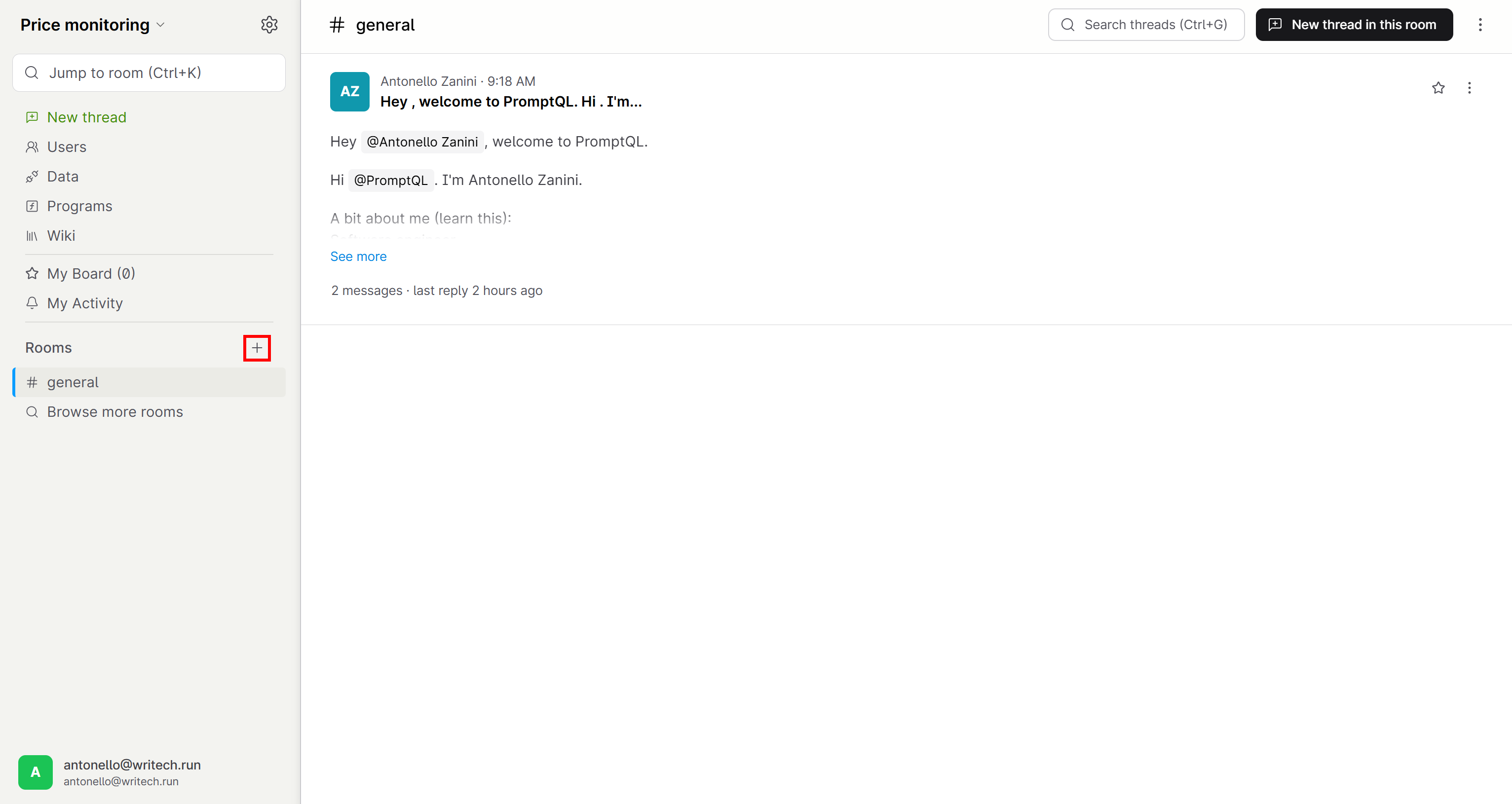
Start by clicking the “+” button in the “Rooms” section:
Create a new room called “price-monitoring”, then click “Create”:
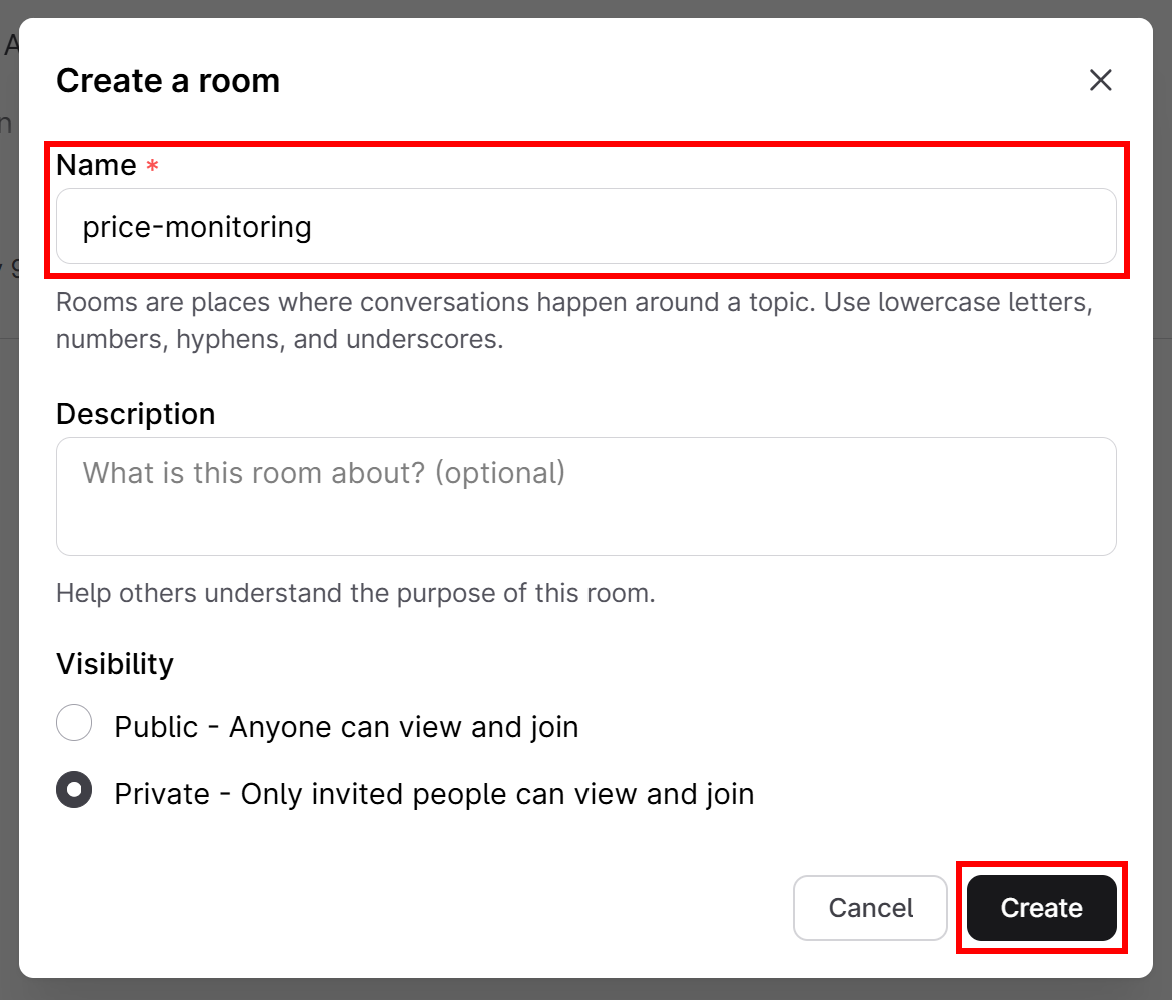
Optionally, invite team members to the channel.
You will then see the new room appear in your workspace:
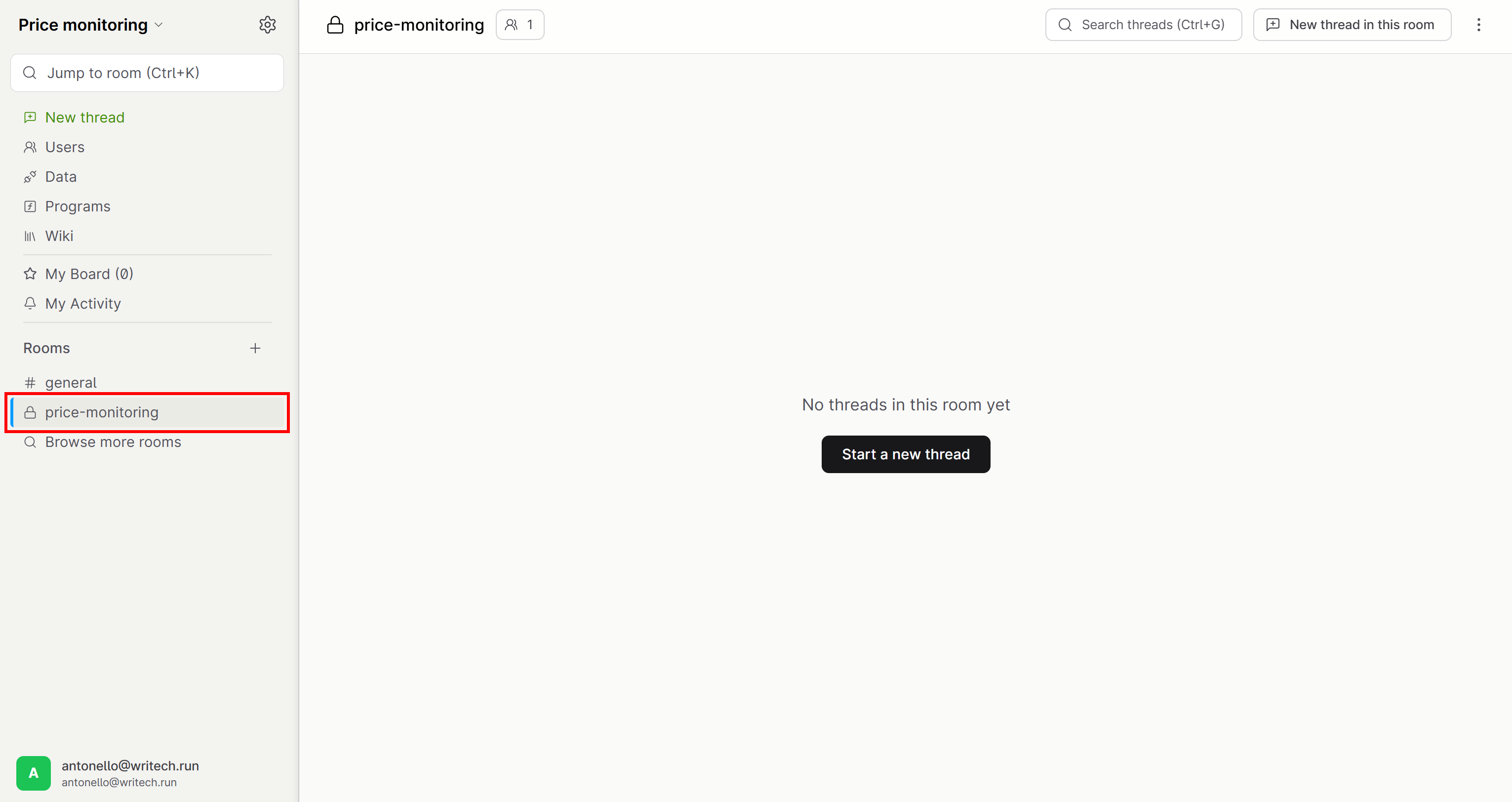
Click “Start new thread” and paste a prompt like the following:
Discover the pricing pages of Notion and Airtable through Google search. Access those pages and scrape their pricing content in Markdown format. Then, produce a dashboard that presents the extracted pricing information for easy comparison and ongoing monitoring. The dashboard must include a button to retrieve and refresh the pricing content, ensuring the data stays up to date.Execute it, and you should get a result as follows:
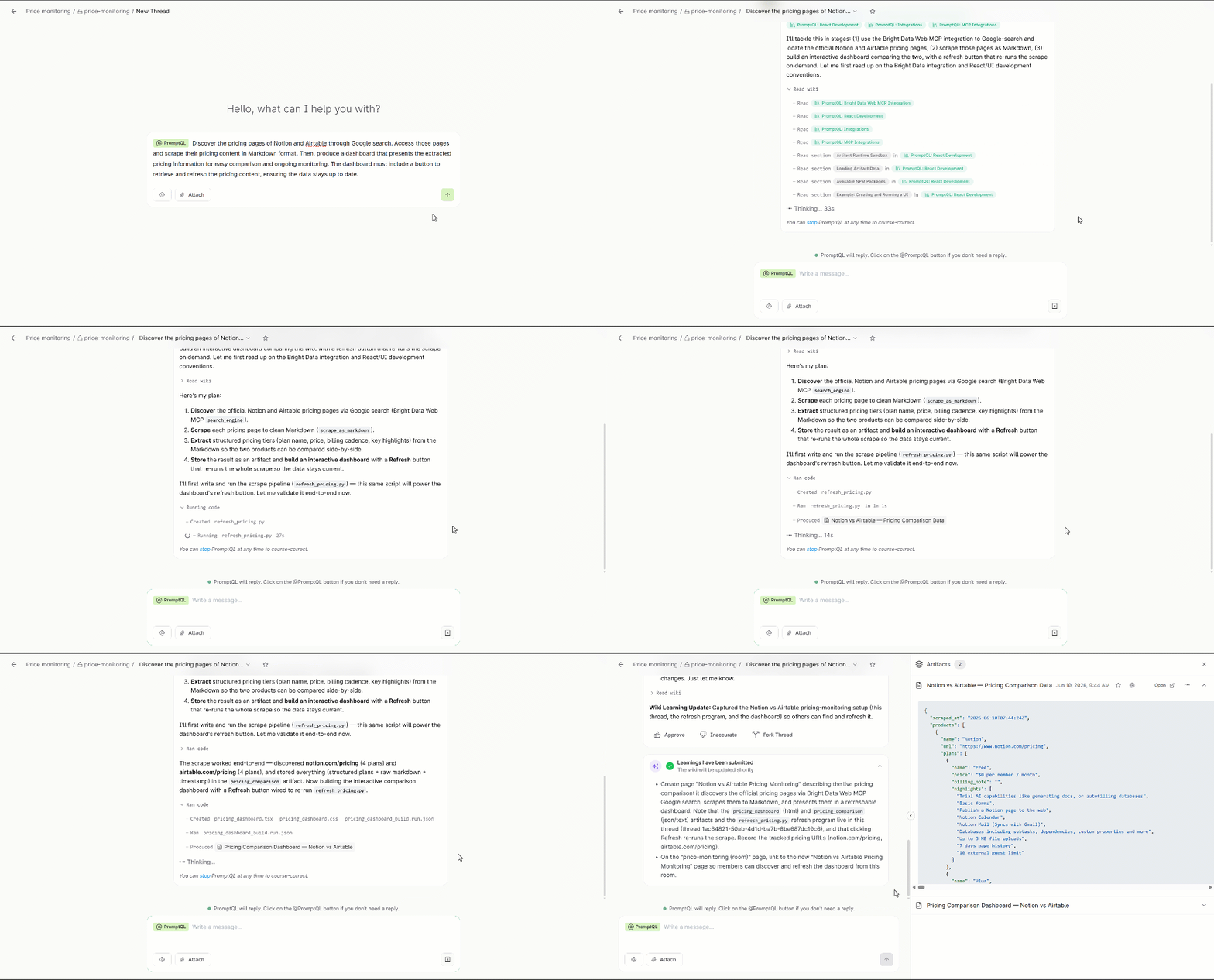
If you look at the AI-generated plan, here is what happens:
- The system discovers the official pricing pages via Google Search using the
search_enginetool. Behind the scenes, the tool calls Bright Data’s SERP API. - It scrapes both pages into clean Markdown using the Bright Data MCP
scrape_as_markdowntool, which bypasses bot detection via Bright Data’s Web Unlocker API. - From the retrieved Markdown pages, it extracts structured pricing data, including plan names, prices, billing details, and key features.
- It stores the results (structured plans, raw Markdown, and timestamps) in a dedicated data artifact.
- It generates an interactive dashboard that displays both products side by side as comparison cards.
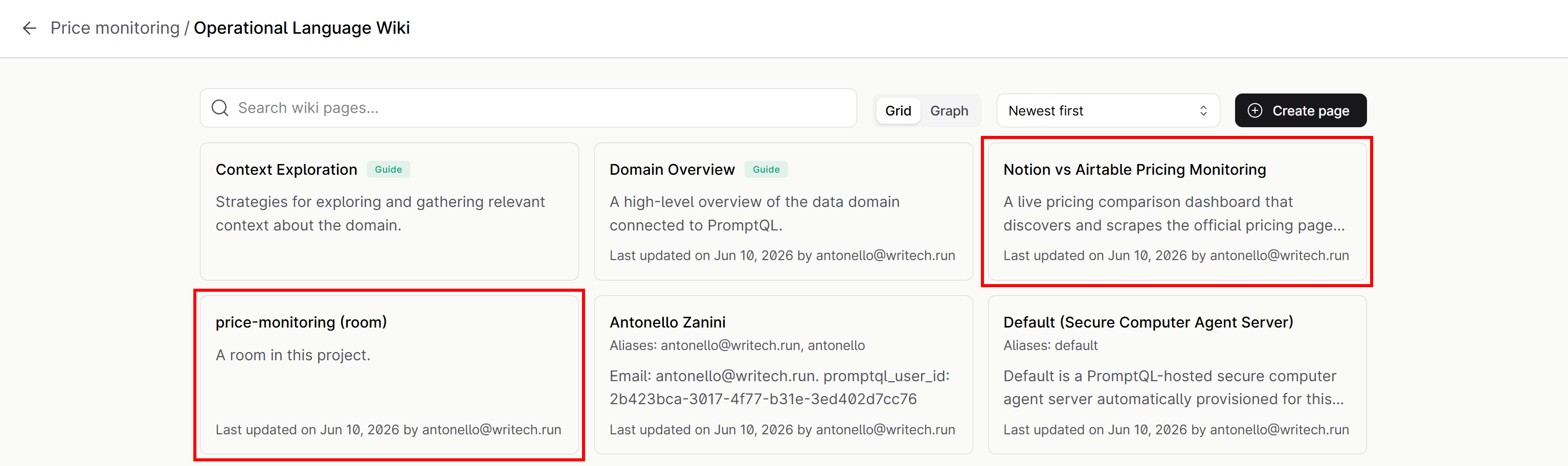
- It saves the generated Python scripts (for data retrieval, refresh logic, etc.) and workflow context into the “Notion vs Airtable Pricing Monitoring” and the “price-monitoring (room)” wiki pages.
Thanks to this final wiki update step, the entire pricing monitoring setup is persisted and reusable across the PromptQL project. This makes it easy for others to access, refresh, and extend.
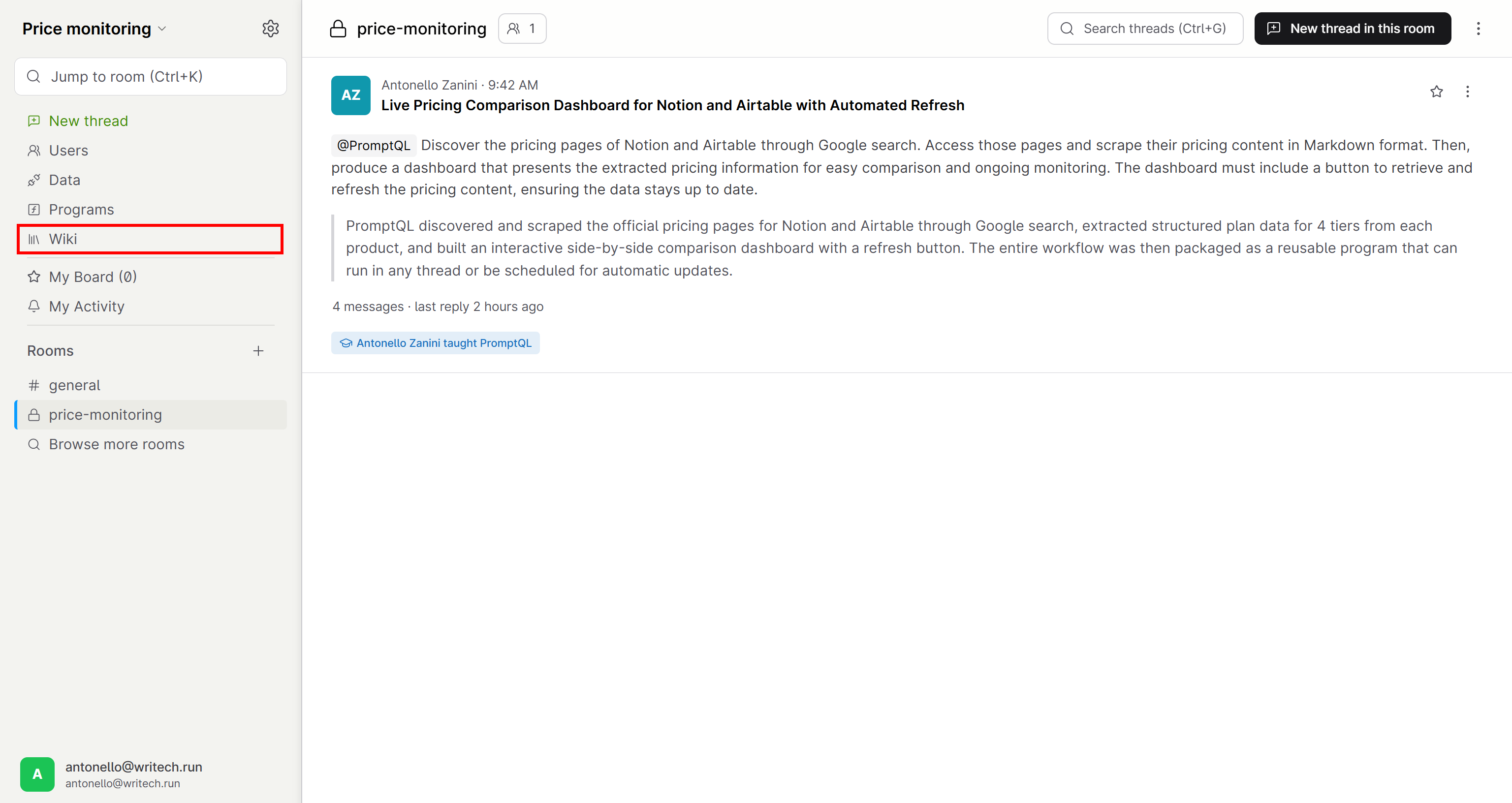
Verify that by navigating to the “Wiki” page:
You will notice the two “Notion vs Airtable Pricing Monitoring” and “price-monitoring (room)” pages:
Open the “Notion vs Airtable Pricing Monitoring” page, and you will see the full documented workflow:
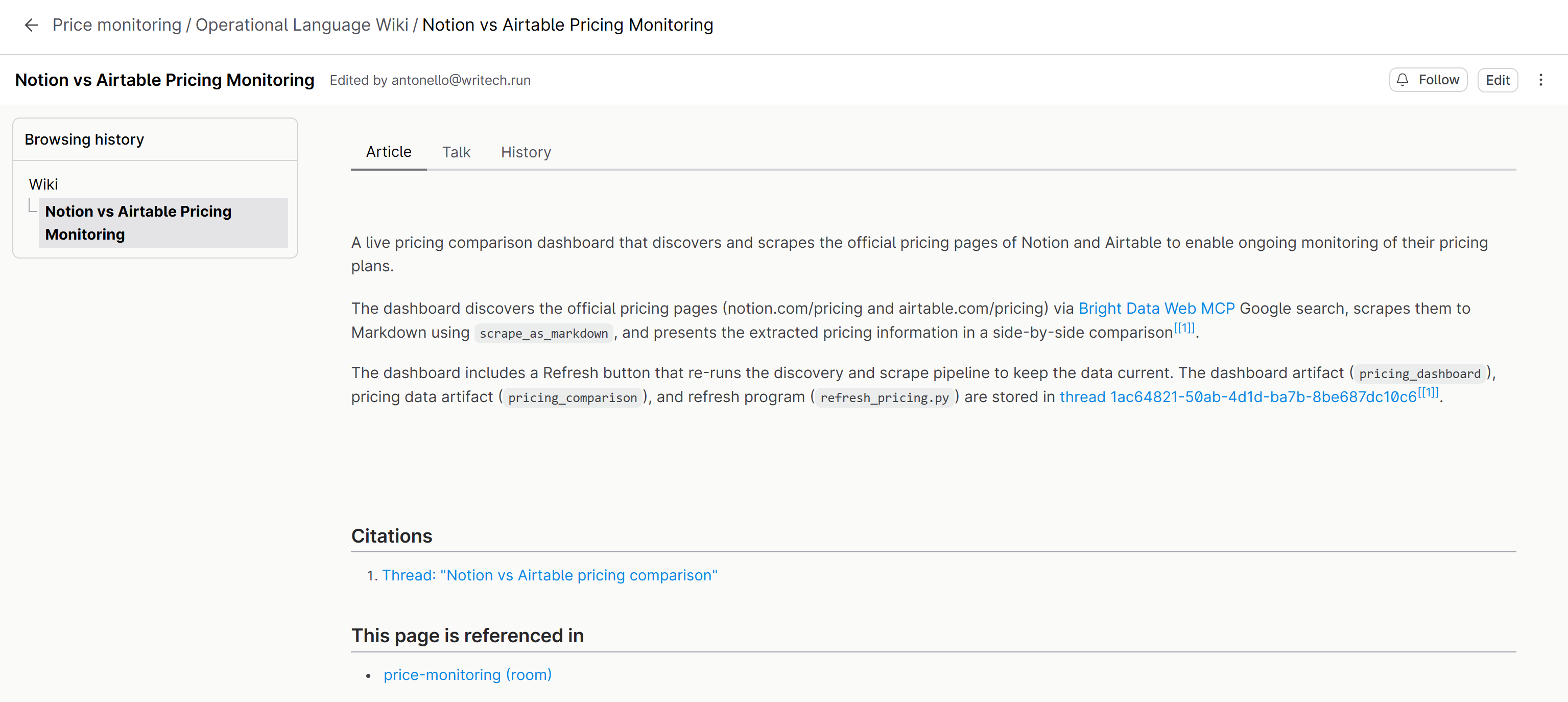
Awesome! This confirms PromptQL’s ability to deliver repeatable AI-driven workflows while preserving and organizing the underlying process context.
Step #5: Explore the Produced Output
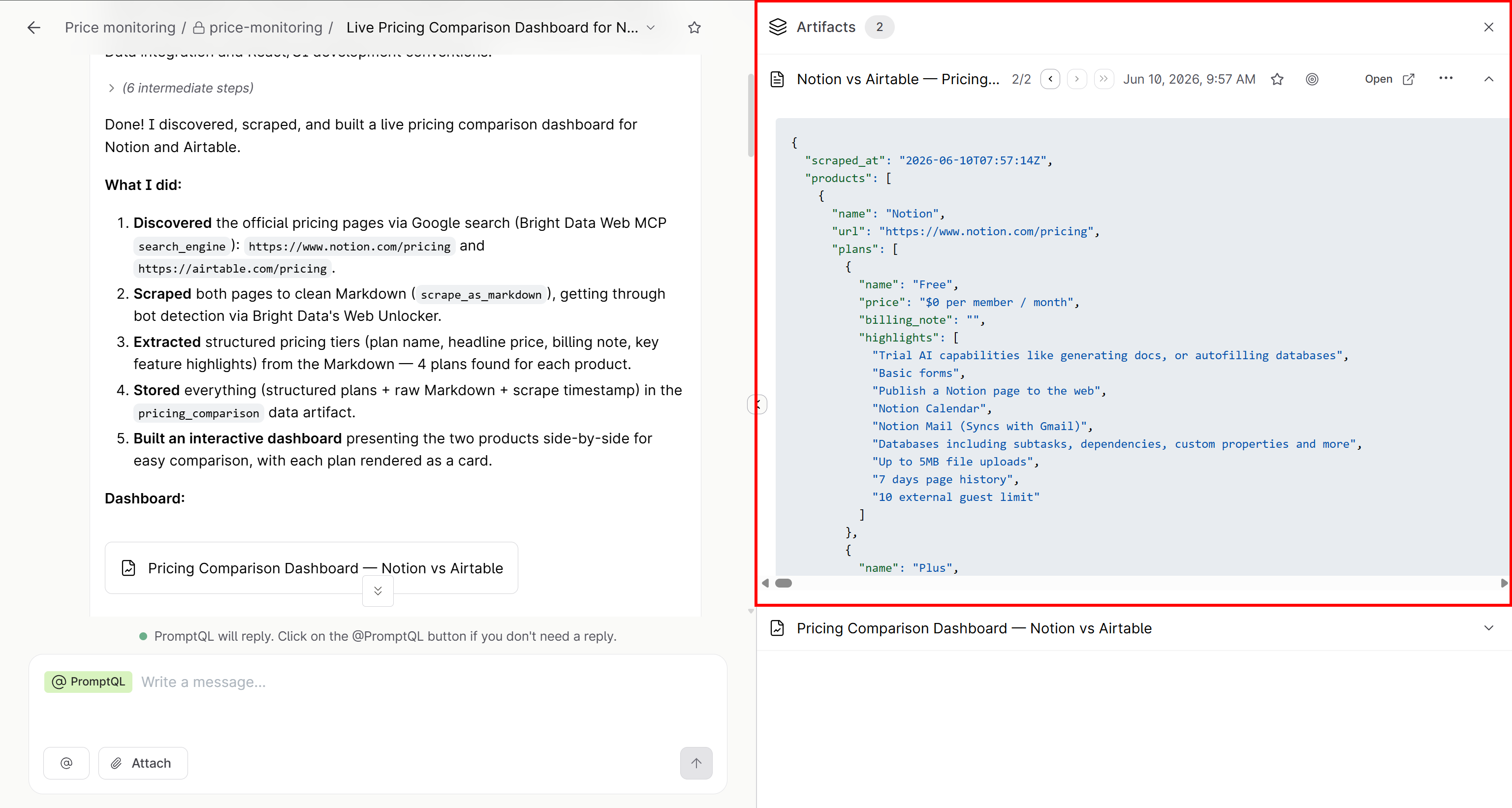
After the final output has been produced, you can now see the two generated artifacts on the right:
- “Notion vs Airtable Pricing Comparison” artifact: A JSON file containing structured pricing, retrieved via Bright Data MCP and normalized for comparison.
- “Pricing Comparison Dashboard” artifact: A React-based application generated by PromptQL that visualizes the pricing data in an interactive format.
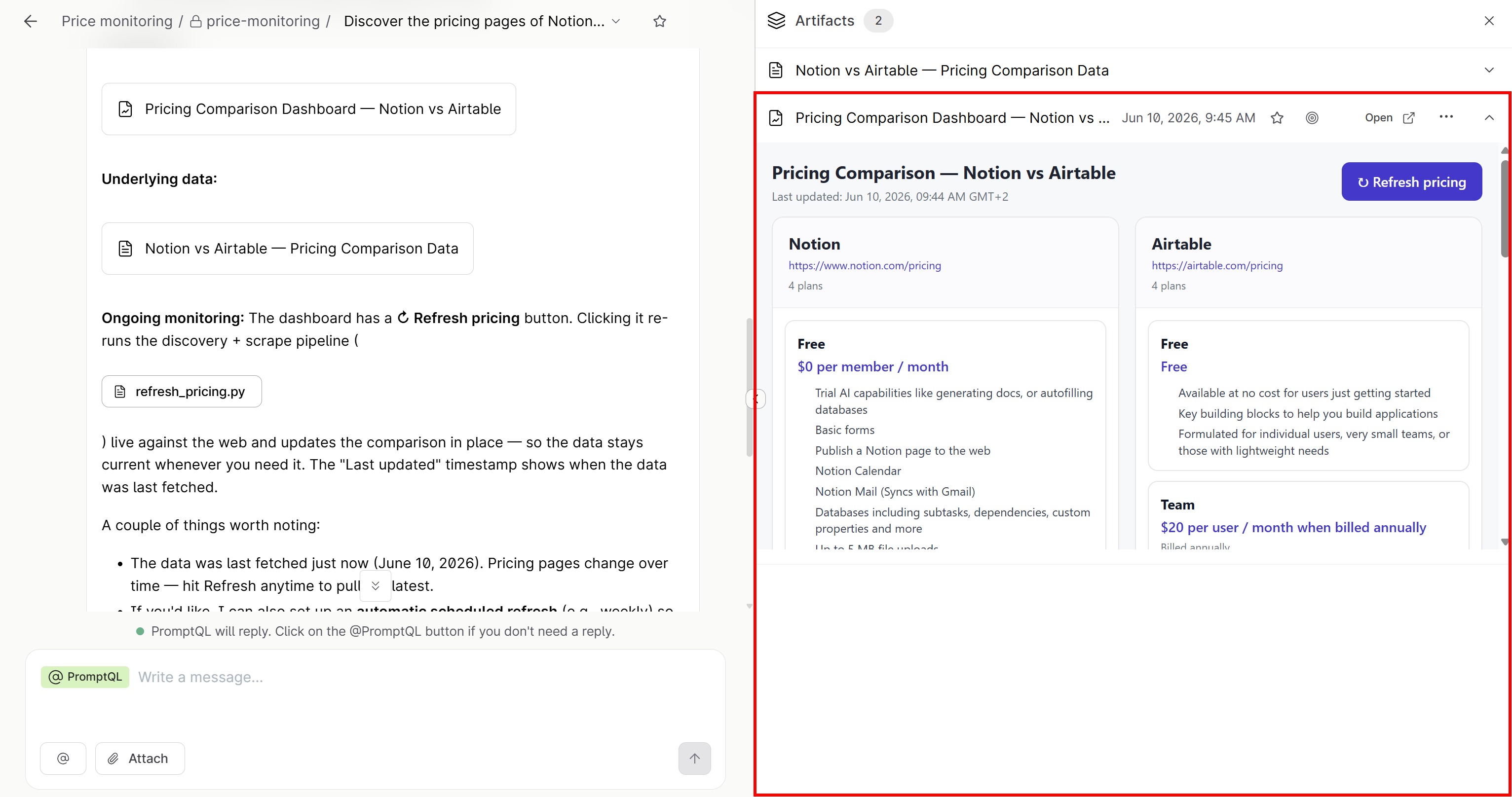
Note that the dashboard includes a “↻ Refresh pricing” button:
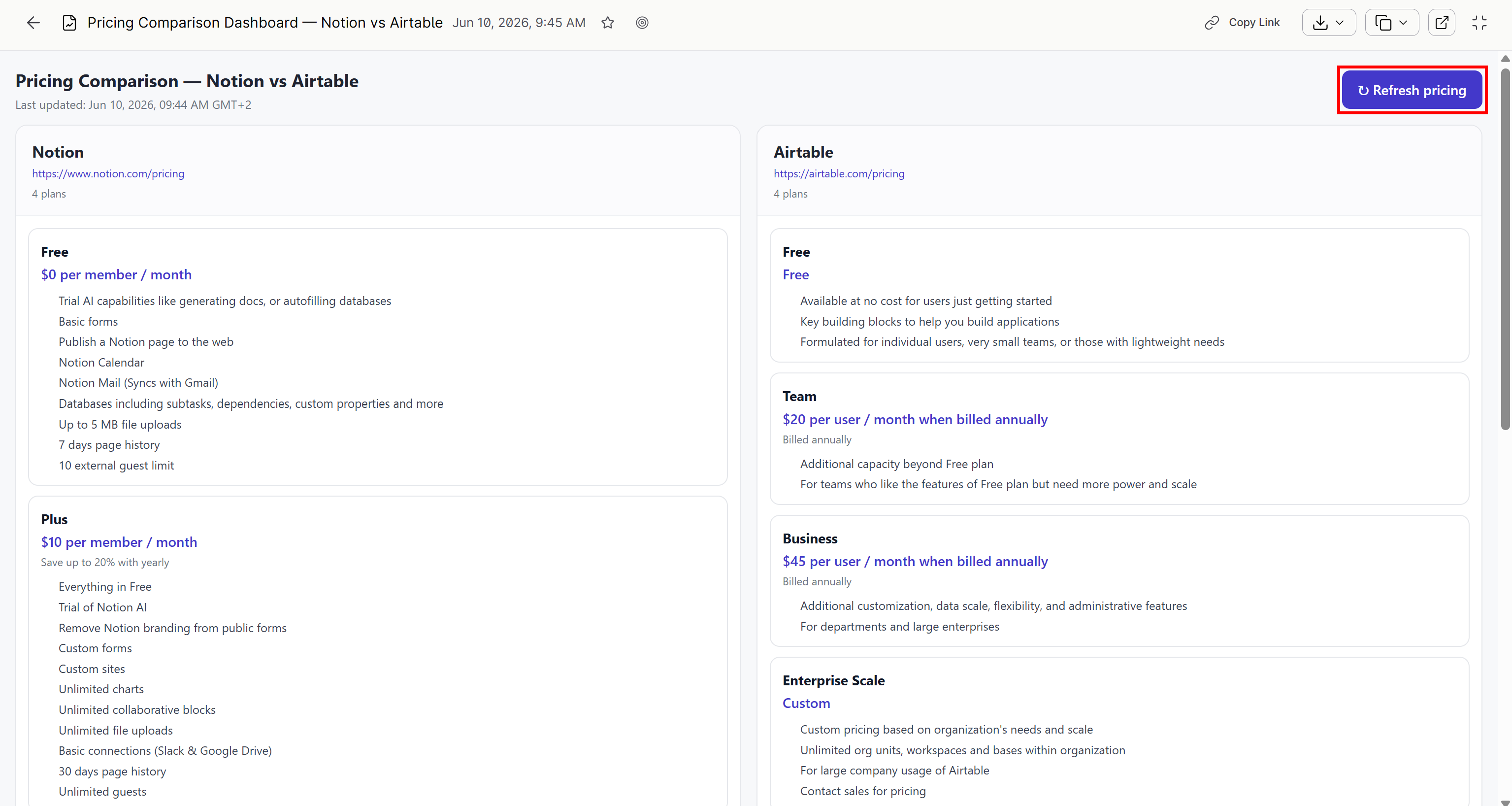
Clicking it reruns the full discovery and scraping pipeline, updating the comparison with live data.
Et voilà! This example showcases the power of the PromptQL + Bright Data integration. As you will see next, many other use cases and scenarios are also possible.
[Extra] Step #6: Store the Generated Dashboard as a PromptQL Program
Right now, the generated dashboard is only available in the thread chat history. To make it reusable across other chats, transform it into a PromptQL program.
PromptQL programs are Python-based workflows that read and write data through Python functions. These programs are generated by LLMs and executed inside the PromptQL Playground during interactive sessions. In the previous example, the dashboard generation logic can be converted into such a program.
To save your dashboard as a PromptQL program, send a prompt in the thread like:
Save this dashboard as a programThis is the result you should see:
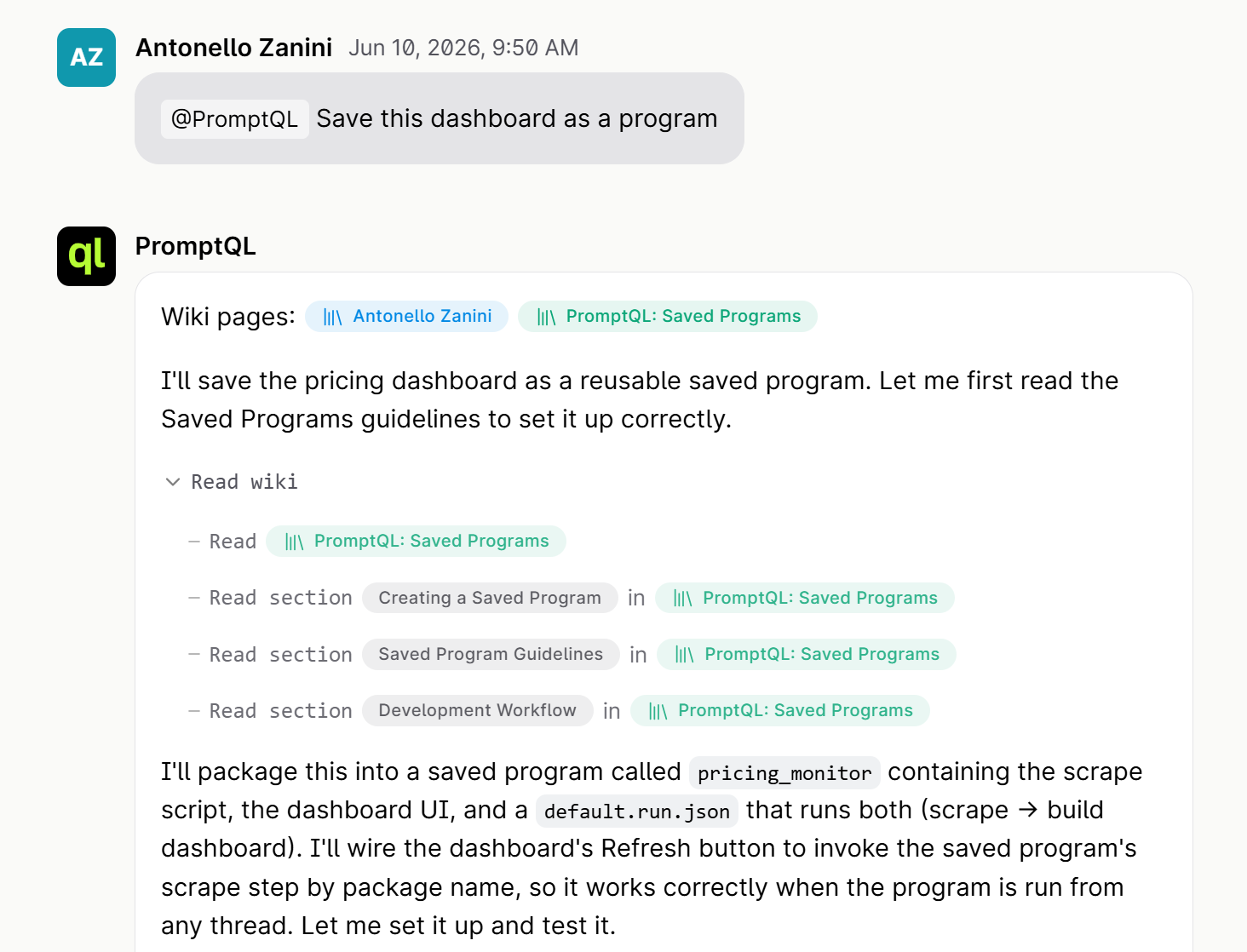
The PromptQL output will state that a pricing_monitor program has been saved.
Now, reach the “Programs” page from the left menu:
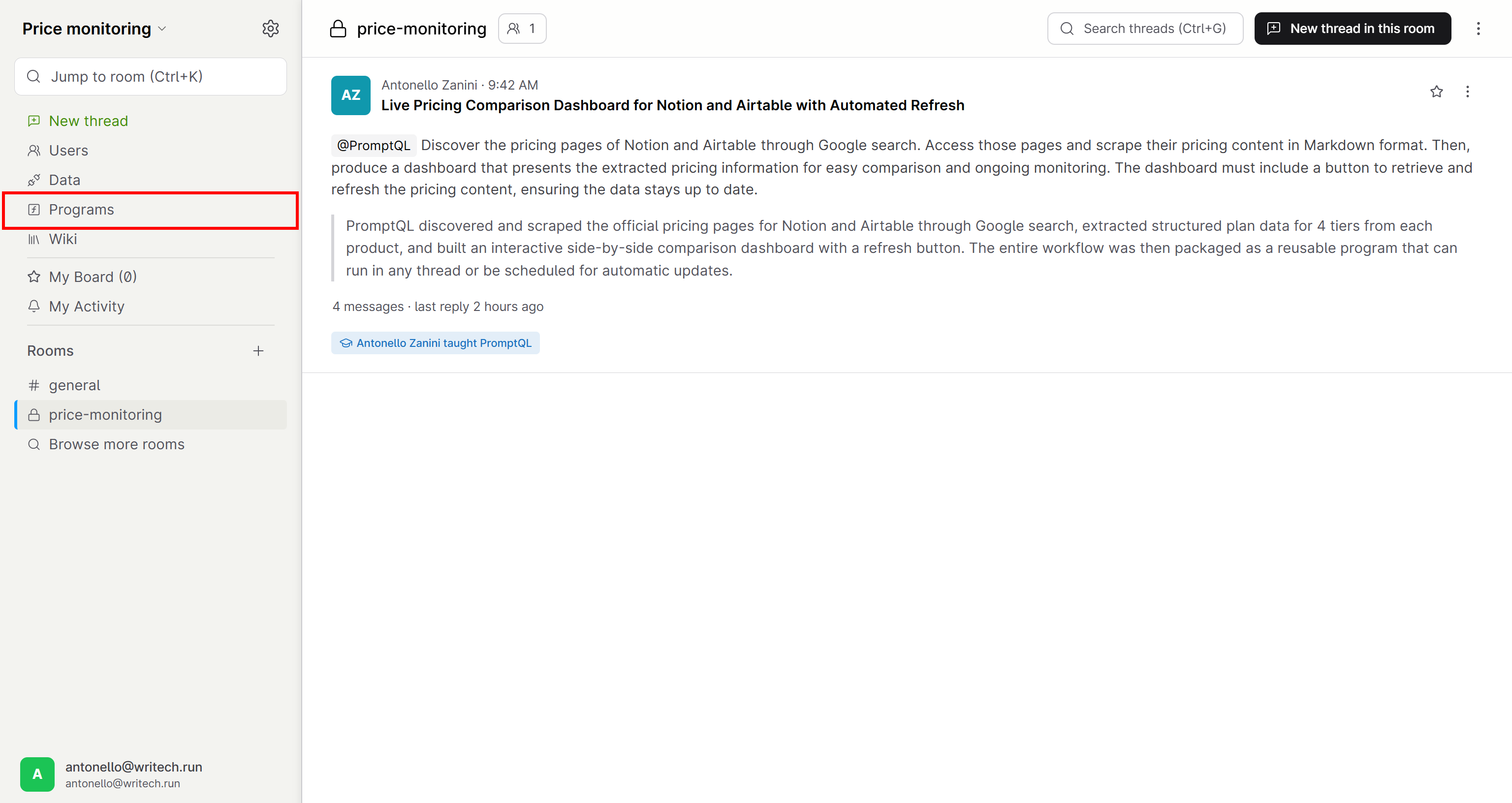
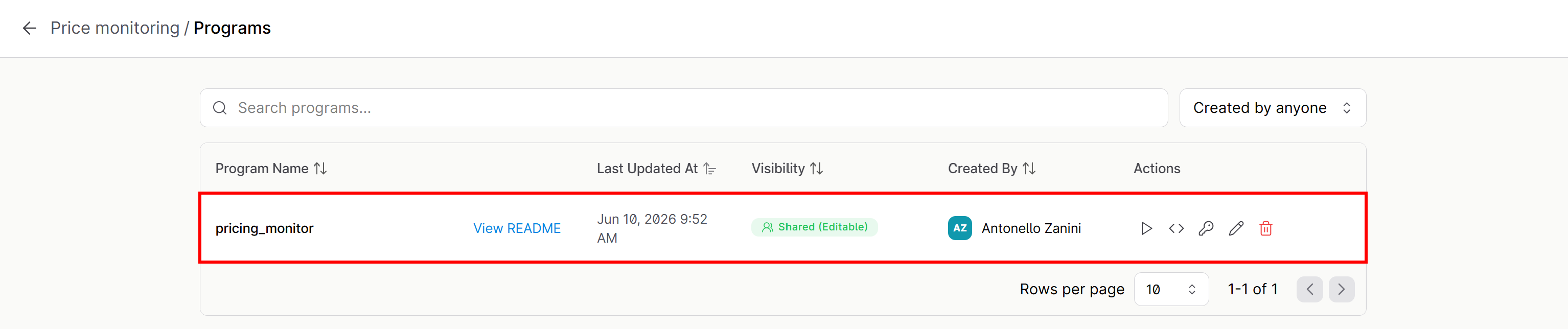
You will notice a program called pricing_monitor:
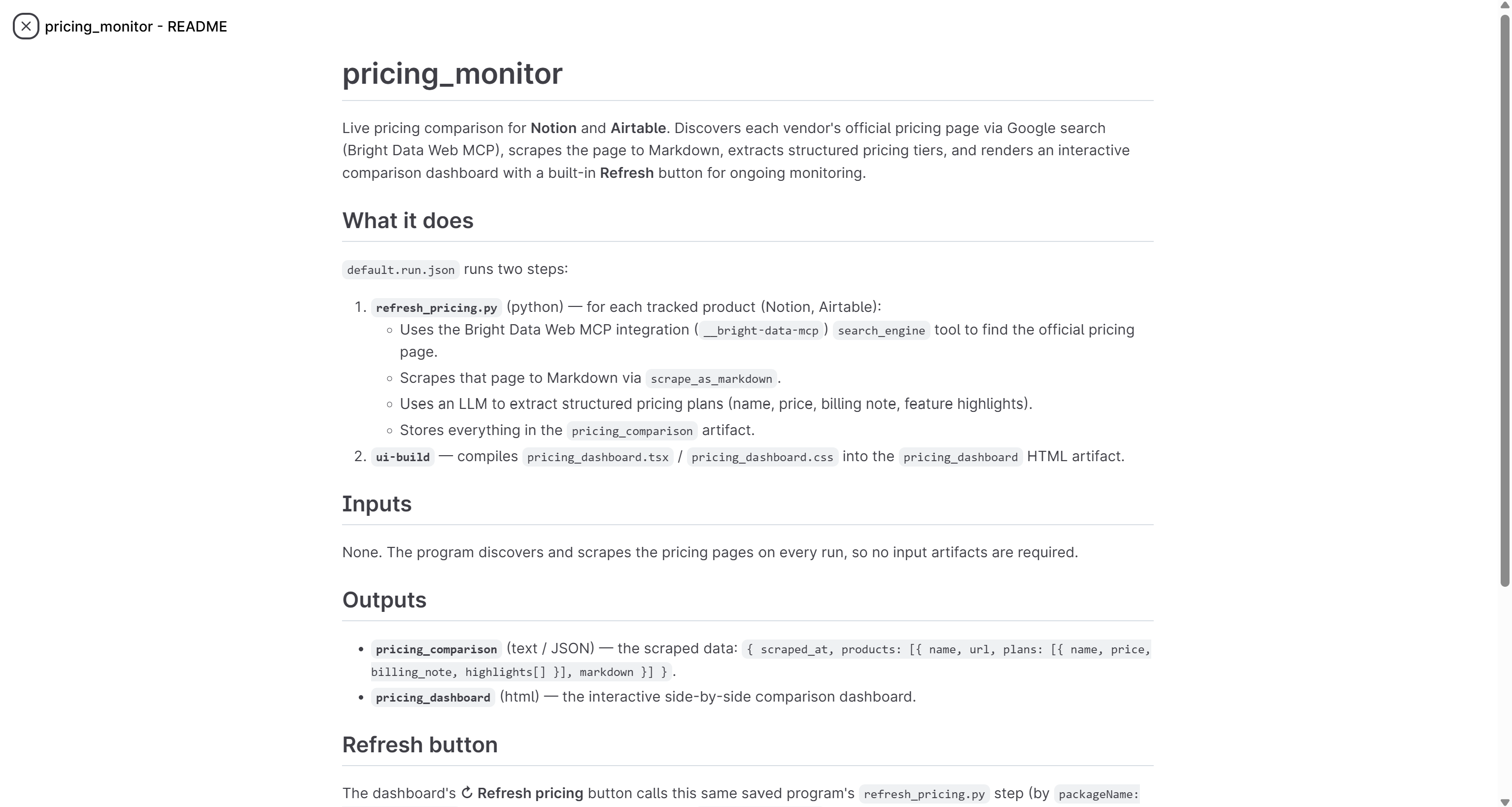
Open the README, and you will see a description of the Python files, inputs, and outputs that define the workflow.
You can now run the pricing_monitor program in any thread. When executed, it fetches fresh scraped data and regenerates the dashboard automatically. It can also be invoked on demand via the REST Program API, opening the door to integration with external systems and automated workflows.
Additional PromptQL + Bright Data Use Cases
The example above covered competitive price monitoring and market intelligence, but many other scenarios are possible. Explore additional PromptQL + Bright Data applications enabled by the Bright Data MCP connector!
Supply Chain Disruption Monitoring
Global supply chains depend on weather events, port congestion, strikes, retailer stockouts, or shipping delays. PromptQL can combine internal logistics systems with live web intelligence from Bright Data.
Possible workflow:
- Monitor regional disruption news and shipping updates via the Bright Data MCP
search_enginetool. - Collect information from logistics providers, retailer notices, or port authority websites through the
scrape_as_markdowntool. - PromptQL correlates those signals with internal SKU availability and shipment data to explain why products are trending out of stock or underperforming.
Typical external sources involved:
- Shipping carrier tracking pages (e.g., DHL, FedEx, Maersk).
- Port authority updates (e.g., Port of Los Angeles, Rotterdam Port).
- Logistics dashboards and retailer stock pages.
- News outlets reporting strikes or delays (e.g., Reuters, Bloomberg).
GTM Account Intelligence and Sales Research
Sales and customer success teams often waste time manually researching prospects before meetings. With a PromptQL + Bright Data setup, you can automate that process.
Possible workflow:
- Bright Data MCP’s
discovertool locates relevant company sources. search_engineretrieves recent news, hiring signals, funding announcements, product launches, or executive changes.scrape_as_markdownextracts content from company websites, investor pages, and blogs.- PromptQL combines this with CRM data to generate account plans, risk assessments, and upsell opportunities.
Typical external sources involved:
- Company websites and blogs.
- LinkedIn company pages and hiring signals.
- News sites (e.g., TechCrunch, Crunchbase, Reuters).
- Investor relations pages and press releases.
Financial Services and Explainable Customer Recommendations
Banks, fintech companies, and credit unions usually need to enrich internal recommendation systems with real-time external context. Instead of relying only on historical transaction data, PromptQL can augment recommendations with fresh public signals and alternative data.
Possible workflow:
- Bright Data MCP’s
search_enginetool searches for local housing trends, lending conditions, or public business signals. scrape_as_markdowngathers relevant financial information.- PromptQL aggregates all data with customer profiles to deliver explainable recommendations for loans, credit products, or financial services, while showing exactly how the reasoning was constructed.
Typical external sources involved:
- Housing and mortgage listing platforms.
- Central bank and economic indicator sites.
- Business registry databases.
- Financial news sources (e.g., Bloomberg, Financial Times, Yahoo Finance).
Brand Monitoring and Reputation Analysis
Consumer brands can use the PromptQL + Bright Data setup to track how products, campaigns, or executives are discussed online.
Possible workflows:
- PromptQL invokes
search_engineto monitor news, review sites, and Reddit posts discussing your products. scrape_as_markdownis called to convert unstructured web pages into clean Markdown pages for AI analysis.- PromptQL summarizes sentiment trends, identifies recurring complaints, and surfaces emerging reputational risks before they escalate into larger business problems.
Typical external sources involved:
- Review platforms (e.g., Trustpilot, G2, Capterra, App Store / Google Play reviews).
- Reddit discussions and community threads.
- Social media posts and comment threads.
- News articles and blog coverage.
Regulatory, Compliance, and Policy Monitoring
Highly regulated industries tend to struggle to stay updated on changing regulations across markets. The Bright Data MCP tools can help you automate policy monitoring workflows in PromptQL.
Possible workflow:
search_enginelooks for regulator websites, government announcements, and industry updates.scrape_as_markdownextracts policy text.- PromptQL compares new policies against internal procedures, summarizes changes, flags potential compliance risks, and stores the resulting reasoning as reusable knowledge for auditability.
Typical external sources involved:
- Government and regulator sites (SEC, FDA, EU Commission).
- Industry compliance bulletins.
- Legal databases and policy trackers.
- Official press releases and amendments.
Conclusion
In this blog post, you learned what PromptQL is. You now know what it brings to the table as a platform that deeply understands your data and can act on it with precision. You explored how PromptQL works and how it becomes even more powerful through its built-in Bright Data MCP integration.
That integration connects PromptQL to Bright Data’s web search, discovery, and scraping capabilities exposed through Bright Data MCP. The result is a web-aware AI system that can autonomously retrieve live web data, ground its reasoning in up-to-date information, and produce more accurate, actionable insights.
If you need help integrating Bright Data MCP with PromptQL or want guidance on designing web-aware AI workflows, reach out to the Bright Data team for support and onboarding assistance.
Sign up for a Bright Data account for free and start integrating our AI-ready web data solutions!



Technical Writer
 5.5 years experience
Antonello Zanini is a technical writer, editor, and software engineer with 5M+ views. Expert in technical content strategy, web development, and project management.