
In this article, you will see:
- What Cursor plugins are and what they represent.
- How to evaluate Cursor plugins to select the best ones.
- A list of the best Cursor plugins.
- How to get started with the Bright Data plugin in Cursor to extend AI agents with web access for more accurate responses.
Let’s dive in!
What are Cursor plugins?
Cursor plugins are modular packages that extend Cursor’s AI capabilities by bundling multiple components, including:
- Rules: Define persistent AI guidance and coding standards (for example,
.mdcfiles). - Skills: Provide specialized AI capabilities for handling domain-specific tasks.
- Agents: Predefined AI configurations with instructions and behavior patterns.
- Commands: Executable actions that can be triggered by the AI or the user.
- MCP servers: Connect external tools and services using the Model Context Protocol.
- Hooks: Event-driven scripts that automate actions based on specific triggers.
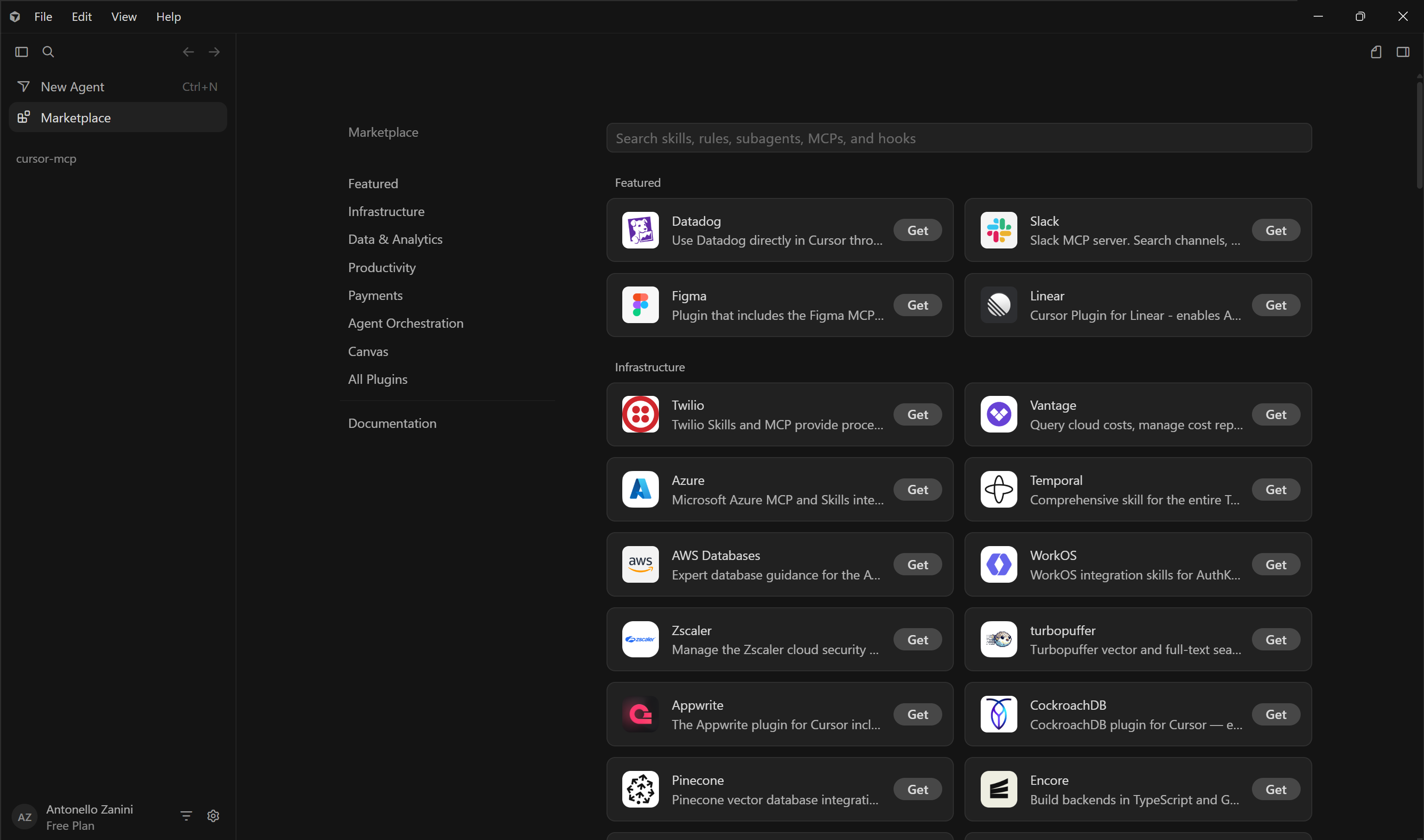
Plugins are distributed through Git repositories and installed via the official Cursor marketplace. Once installed, they extend the development environment by adding structured workflows, external tool integrations, and customized AI behaviors directly inside Cursor.
TL;DR: Summary Table of the Top Cursor Plugins
Here is the comparison table for the best Cursor plugins:
| Cursor Plugin Name | Category | Use Case | Added MCP Servers | Added Rules | Added Skills | Added Commands |
|---|---|---|---|---|---|---|
| Bright Data | Data & Analytics | Provides real-time web data, scraping, search, and structured extraction for AI coding agents | 1 | N/A | 6 | 7 |
| Slack | Featured | Enables AI-driven team communication, message search, and Slack actions inside Cursor | 1 | N/A | N/A | N/A |
| Notion | Productivity | Manages documentation, tasks, and knowledge bases through AI-assisted Notion workflows | 1 | N/A | 14 | N/A |
| Snyk | All Plugins | Adds security scanning, vulnerability detection, and dependency remediation in code workflows | 1 | N/A | 1 | 2 |
| MongoDB | Infrastructure | Enables AI-assisted database querying, schema design, and MongoDB/Atlas management | 1 | N/A | 7 | N/A |
| Postman | Data & Analytics | Supports API testing, documentation, mocking, and lifecycle management inside Cursor | 1 | 1 | 3 | 8 |
| Vercel | Infrastructure | Handles deployment, AI app development, CI/CD, and infrastructure management | 1 | N/A | N/A | 6 |
| Cloudflare | Infrastructure | Builds and deploys edge apps, Workers, and AI agents with observability tools | 4 | 1 | 9 | 2 |
| Figma | Productivity | Connects design systems with code via design-to-code and UI generation workflows | 1 | N/A | 9 | N/A |
| Sentry | Infrastructure | Provides debugging, error tracking, and production observability for applications | 1 | N/A | 28 | 1 |
| Supabase | Infrastructure | Enables full-stack backend development with Postgres, auth, storage, and APIs | 1 | N/A | 2 | N/A |
| Context7 | Agent Orchestration | Fetches up-to-date documentation and code examples for accurate AI-assisted coding | 1 | N/A | 1 | 1 |
Aspects to Consider When Evaluating Cursor Plugins
The Cursor plugin marketplace currently lists more than 100 plugins. To identify the best options, you need to compare them across common criteria such as:
- Best for: The primary use cases or scenarios the plugin is designed for.
- Category: The official plugin category in the marketplace.
- Features: The rules, skills, agents, commands, MCP servers, and hooks that the plugin adds to Cursor.
- Installation command: The command required to install the plugin in Cursor.
Important: The “best Cursor plugins” ultimately depend on your specific needs. Some plugins stand out in particular categories, while in other cases a single plugin may already be the best available option. For example, if you need a Slack integration and there is only the official Slack plugin, that naturally becomes the top choice for that scenario.
Best Cursor Plugins: Top 12 Options
Let’s now compare the best Cursor plugins according to the criteria presented earlier.
1. Bright Data
The Bright Data plugin connects Cursor to a full web intelligence stack, enabling the AI agent to search the web, scrape pages, extract structured datasets, and automate browsers through MCP-powered tools, skills, commands, and subagents.
The Bright Data Cursor plugin is critical because it directly solves the core weakness of LLM-based coding agents: outdated knowledge. In fast-moving development environments, models alone may suggest deprecated APIs, incorrect best practices, or miss recent framework changes.
The plugin gives agents real-time, verifiable web data, grounding their outputs in current reality. This dramatically reduces hallucinations and improves reliability. Among search integrations, it stands out as the best Cursor plugin because it supports the underlying AI coding agent with a large-scale, enterprise-grade web data infrastructure:
| Skill | Command | Bright Data product |
|---|---|---|
bd-search |
/bd-search |
SERP API |
bd-scrape, bd-batch-scrape |
/bd-scrape |
Web Unlocker API |
bd-browser |
/bd-browser |
Browser API |
bd-structured-data |
/bd-data |
Web Scraping API |
🎯 Best for: Providing Cursor AI agents with web search, web scraping, structured data extraction, browser automation, and reliable access to live web data.
🔗 GitHub reference URL: brightdata/brightdata-cursor-plugin
🏷️ Category: Data & Analytics
⚙️ Features:
- 1 MCP server:
– Bright Data Web MCP: Connects Cursor to Bright Data’s web intelligence platform, enabling search, scraping, browser automation, and structured data workflows.
- 1 subagent:
– web-researcher: Autonomous agent that combines search, scraping, and structured data extraction to produce multi-source, cited research answers.
- 7 commands:
– /bd-setup: Configures the Bright Data Web MCP connection and verifies that API credentials are correctly set.
– /bd-search: Runs a live web search query and returns structured results.
– /bd-scrape: Scrapes a single URL and returns extracted content.
– /bd-browser: Launches an interactive browser session for navigating dynamic or JavaScript-heavy web pages.
– /bd-data: Retrieves structured dataset output from supported platforms like Amazon, LinkedIn, TikTok, and many others.
– /bd-status: Checks MCP connection health and displays available Bright Data tools in the current session.
– /bd-code: Generates ready-to-run integration code for Bright Data APIs in Python or Node.js.
- 6 skills:
– bd-search: Performs real-time web searches across major search engines and returns structured results.
– bd-scrape: Extracts and cleans content from a single URL while bypassing bot protection, CAPTCHAs, and geo-restrictions.
– bd-batch-scrape: Scrapes multiple URLs in parallel to speed up large-scale data extraction workflows efficiently.
– bd-browser: Automates a real browser via CDP for interactive JavaScript-heavy pages.
– bd-structured-data: Fetches ready-to-use structured JSON data from 100+ platforms like Amazon, LinkedIn, TikTok, and Reddit.
– bd-code: Generates production-ready Python or Node.js code for integrating Bright Data APIs and services.
📥 Installation command:
/add-plugin bright-data2. Slack
The Slack Cursor plugin brings Slack directly into AI-assisted workflows through an MCP server. It enables you and the AI agent to search channels, send messages, and perform core Slack actions without leaving Cursor. This integration boosts productivity by reducing context switching and streamlining real-time team communication within the development environment.
🎯 Best for: Searching channels, sending messages, and integrating team communication directly into Cursor.
🔗 GitHub reference URL: slackapi/slack-mcp-plugin
🏷️ Category: Featured
⚙️ Features:
- 1 MCP server that provides access to your Slack content and workspaces, enabling the AI to search messages, retrieve information, and perform actions on your behalf.
📥 Installation command:
/add-plugin slack3. Notion
The Notion Cursor plugin connects your Notion workspace with Cursor, supporting direct interaction with pages, databases, tasks, and documentation. It allows AI-assisted creation, search, and organization of workspace content, making it easier to capture knowledge, manage tasks, and turn ideas into structured documentation without leaving the development environment.
🎯 Best for: Taking care of documentation, task management, and knowledge capture in Cursor.
🔗 GitHub reference URL: makenotion/cursor-notion-plugin
🏷️ Category: Productivity
⚙️ Features:
- 1 MCP server that enables page creation, database querying, task management, and workspace search.
- 14 skills for:
– Creating and managing Notion pages, database rows, and tasks with structured, context-aware formatting.
– Searching and retrieving content across Notion workspaces using natural language queries or keyword matching.
– Transforming conversations, specs, and discussions into structured documentation and knowledge bases.
– Generating implementation plans, task breakdowns, and structured project workflows from Notion content.
– Preparing meeting materials, research documents, and summaries enriched with workspace context.
– Synchronizing and tracking task execution directly within Notion databases.
📥 Installation command:
/add-plugin notion-workspace4. Snyk
The Snyk Cursor plugin integrates security-first development directly into AI-assisted coding workflows. It brings vulnerability scanning, dependency analysis, and automated remediation into Cursor, helping you detect and fix security issues as you code. This increases software safety and reliability while reducing manual security reviews and strengthening dependency hygiene throughout development.
🎯 Best for: Security scanning, vulnerability remediation, and dependency health monitoring.
🔗 GitHub reference URL: snyk/studio-recipes
🏷️ Category: All Plugins
⚙️ Features:
- 1 MCP server that enables security scanning, vulnerability detection, and remediation workflows directly from Cursor.
- 1 built-in skill for secure dependency health checks, helping evaluate package safety, maintenance quality, and vulnerability exposure before adoption.
- 2 security commands for automated vulnerability fixing workflows, including batch remediation and guided fix-and-validate operations with optional PR creation.
📥 Installation command:
/add-plugin snyk-secure-development5. MongoDB
The MongoDB Cursor plugin connects your development workflow directly to MongoDB through an MCP server and a set of agentic skills. It enables you to query, design, optimize, and manage MongoDB data and Atlas features using natural language. The main benefit is faster, safer backend development with fewer context switches and built-in best practices for data modeling, performance, and AI-ready database interactions.
🎯 Best for: Database exploration, querying, and AI-assisted NoSQL development.
🔗 GitHub reference URL: mongodb/agent-skills
🏷️ Category: Infrastructure
⚙️ Features:
- 1 MCP server to connect Cursor with MongoDB and Atlas services, enabling database access, configuration, and AI-assisted operations.
- 7 skills for:
– Managing querying, schema design, connection tuning, search and AI features, query optimization, MCP setup, and Atlas stream processing workflows.
– Natural-language query generation for MongoDB find queries and aggregation pipelines.
– Query optimization tools to improve performance and indexing strategies.
– Schema design guidance for data modeling, migrations, and best practices.
– Search and AI capabilities, including Atlas Search, vector search, and hybrid retrieval workflows.
– Connection management utilities for troubleshooting and optimizing MongoDB client performance.
📥 Installation command:
/add-plugin mongodb6. Postman
The Postman Cursor plugin brings full API lifecycle management directly into the development workflow. It connects Cursor with Postman workspaces through an MCP server, enabling API discovery, testing, documentation, and code generation without leaving the IDE.
🎯 Best for: API testing, API lifecycle management, mocks, and client code generation.
🔗 GitHub reference URL: Postman-Devrel/cursor-postman-plugin
🏷️ Category: Data & Analytics
⚙️ Features:
- 1 MCP server that enables API exploration, collection syncing, testing, mocking, documentation, and security analysis.
- 1 subagent for API readiness analysis, assessing OpenAPI specs across multiple dimensions, and providing improvement recommendations.
- 8 commands to generate typed client code from Postman collections, create and improve API documentation, and more.
- 1 rule containing best practices for Postman-managed APIs.
- 3 skills for:
– Routing API-related requests (collections, specs, tests, mocks, docs, and security) to the appropriate Postman workflows.
– Understanding Postman MCP tool usage and improving tool selection during API development tasks.
– Evaluating APIs for AI-agent readiness and compatibility with structured OpenAPI specifications.
📥 Installation command:
/add-plugin postman7. Vercel
The Vercel Cursor plugin connects Vercel’s deployment and AI development ecosystem directly into Cursor. It helps build, deploy, and manage web applications and agents while leveraging Vercel’s advanced tooling for AI SDKs, deployments, storage, and authentication. This enhances productivity by unifying development, deployment, and infrastructure workflows directly within the coding environment.
🎯 Best for: Deploying and managing modern web apps and AI applications.
🔗 GitHub reference URL: vercel/vercel-plugin
🏷️ Category: Infrastructure
⚙️ Features:
- 1 MCP server that allows deployment management, environment variable handling, and project configuration.
- 25 skills for:
– Building AI-powered applications, including chat interfaces, agents, streaming, and tool calling.
– Deployment and CI/CD workflows such as preview deployments, production releases, rollbacks, and build optimization.
– Integrating authentication providers like Clerk, Auth0, and Descope.
– Working with Edge Config, Blob storage, and integrations like Neon and Redis.
- 3 subagents for AI-assisted code review, performance optimization, deployment troubleshooting, and architecture guidance.
- 2 hooks for session lifecycle events (start and end).
- 6 commands for bootstrapping projects, deploying applications, managing environment variables, installing marketplace integrations, and checking project status.
📥 Installation command:
/add-plugin vercel8. Cloudflare
The Cloudflare Cursor plugin offers a unified development interface for building and operating applications on the Cloudflare platform. It bundles MCP servers and specialized skills for Workers, Durable Objects, Agents SDK, and observability tooling. This enables you to build, deploy, and optimize cloud-native applications, AI agents, and edge workloads directly within Cursor while following Cloudflare best practices.
🎯 Best for: Edge deployments, Workers, MCP integrations, and performance optimization.
🔗 GitHub reference URL: cloudflare/skills
🏷️ Category: Infrastructure
⚙️ Features:
- 4 MCP servers for Cloudflare Docs, bindings, build pipelines, and observability, enabling access to documentation, runtime resources, deployment systems, and system telemetry.
- 9 skills covering Workers development, Durable Objects, AI agent creation (Agents SDK), MCP server implementation, Wrangler CLI usage, web performance analysis, sandboxed execution, and Workers best practices.
- 2 commands for generating Cloudflare AI agents and remote MCP servers with built-in tooling and OAuth configuration.
- 1 rule set enforcing best-practice Cloudflare Workers development, prioritizing official documentation and correct platform patterns over generic assumptions.
📥 Installation command:
/add-plugin cloudflare9. Figma
The Figma Cursor plugin adds design workflows directly into your development environment through a dedicated MCP server and a suite of design-focused skills. It lets the Cursor AI agent interact with Figma files to generate UI, sync design systems, and translate between design and code. That leads to faster UI implementation and reduced friction in turning visual ideas into real-world interfaces.
🎯 Best for: Design-to-code workflows and collaborating with design systems inside Cursor.
🔗 GitHub reference URL: figma/mcp-server-guide
🏷️ Category: Productivity
⚙️ Features:
- 1 MCP server to interact with Figma files, generate designs, manage components, and support design-to-code workflows.
- 9 skills for:
– Creating, editing, and structuring Figma files, including design generation, diagram creation, and FigJam support.
– Code Connect tooling for mapping Figma components to code implementations.
– Design system generation and maintenance, including tokens, variables, themes, and component libraries.
– Design-to-code and code-to-design workflows for building or updating UI in either direction.
– Diagram generation and structured visual documentation inside Figma.
– Safe and consistent execution of Figma MCP operations through mandatory workflow constraints.
📥 Installation command:
/add-plugin figma10. Sentry
The Sentry Cursor plugin embeds real-time debugging and error monitoring into AI-assisted development workflows. It connects Sentry’s observability platform directly to Cursor, enabling automatic issue detection, stack trace analysis, and guided fixes across applications. This helps you identify and resolve production issues faster while maintaining higher code quality and system reliability.
🎯 Best for: Debugging, error tracking, and production issue investigation.
🔗 GitHub reference URL: getsentry/sentry-for-ai
🏷️ Category: Infrastructure
⚙️ Features:
- 1 MCP server that supports issue tracking, debugging, and production error analysis directly within the IDE.
- 1 command for querying Sentry insights using natural language to investigate errors and understand system behavior.
- 28 skills for:
– Setting up Sentry SDKs across major platforms including Node.js, Python, Go, JavaScript, React, Next.js, NestJS, Flutter, .NET, PHP, Ruby, Elixir, Android, iOS, and more.
– Debugging and resolving production issues using stack traces, breadcrumbs, and error context.
– Configuring observability features such as tracing, logging, profiling, session replay, and AI monitoring.
– Reviewing code and pull requests with Sentry insights and automated issue detection.
– Creating alerts, workflows, and notifications across services like Slack, PagerDuty, and email.
– Managing OpenTelemetry integrations and telemetry pipelines for distributed systems.
📥 Installation command:
/add-plugin sentry11. Supabase
The Supabase Cursor plugin gives you access to your Supabase projects directly in Cursor. It opens the door to seamless database management and backend operations from within the IDE. Thanks to it, the AI agent can manage tables, run queries, handle authentication workflows, and inspect configuration without switching tools.
🎯 Best for: Full-stack backend development with Postgres, auth, and storage.
🔗 GitHub reference URL: supabase-community/cursor-plugin
🏷️ Category: Infrastructure
⚙️ Features:
- 1 MCP server that enables access to databases, configurations, and backend services directly from the AI agent.
- 2 skills for:
– Supabase end-to-end usage across Auth, Database, Storage, Edge Functions, Realtime, and migrations within development workflows.
– Adding Postgres best practices to optimize queries, schema design, and database performance.
📥 Installation command:
/add-plugin supabase12. Context7
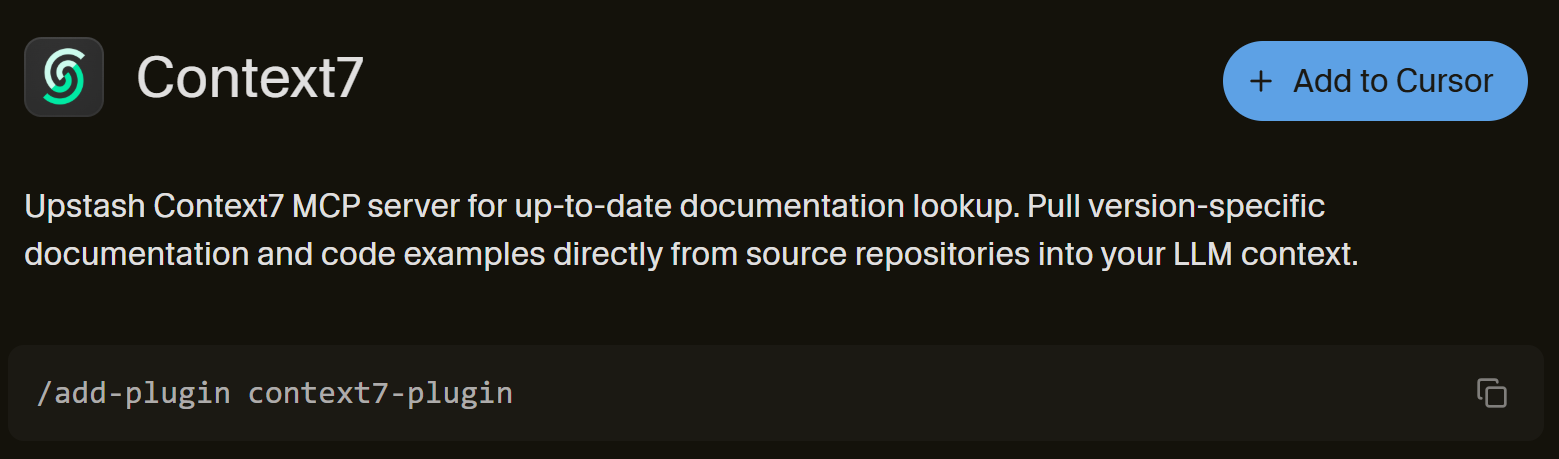
The Context7 Cursor plugin provides real-time access to up-to-date library documentation and code examples. It helps bridge the gap between external documentation and your coding environment by retrieving version-specific references from source repositories. The main benefit is more accurate implementation, fewer outdated assumptions, and faster integration of modern frameworks and APIs.
🎯 Best for: Retrieving up-to-date, version-specific documentation directly into the AI context.
🔗 GitHub reference URL: upstash/context7
🏷️ Category: Agent Orchestration
⚙️ Features:
- 1 MCP server to fetch and deliver up-to-date documentation and code examples directly into Cursor.
- 1 lightweight docs-researcher subagent for extracting relevant documentation without cluttering conversation context.
- 1 documentation search command for quick access to library references and API details.
- 1 skill for retrieving framework and library-specific guidance, including setup instructions and usage patterns.
📥 Installation command:
/add-plugin context7-pluginHow to Get Started with the Cursor Bright Data Plugin: Setup and Example
In this guide section, you will see how to install the Bright Data Cursor plugin and use it in a realistic example.
Prerequisites
To follow along with this tutorial section, make sure you have:
- Cursor installed locally and connected to your Cursor account.
- The Bright Data Web MCP configured in Cursor.
⚠️ Important: For complete setup instructions, refer to the “Extending Cursor AI Capabilities via Bright Data Web MCP” blog post.
Step #1: Install the Bright Data plugin in Cursor
Open Cursor and navigate to the “Marketplace” page. Search for “bright data” and click the “Get” button on the “Bright Data” plugin to install it:

Alternatively, install it directly from the Cursor Agent chat by running the following command:
/add-plugin bright-data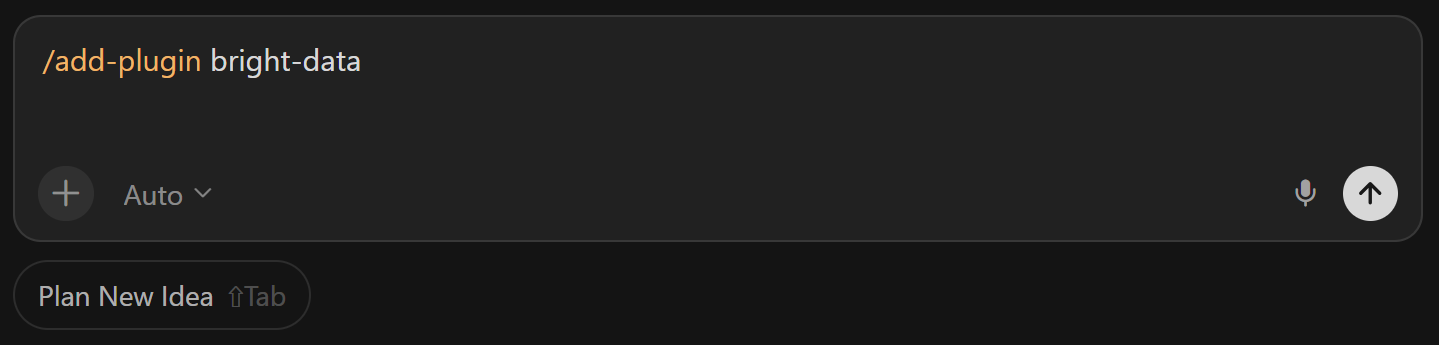
The installation may take a while, so wait until the process completes.
Well done! The Bright Data plugin has been successfully installed in Cursor.
Step #2: Verify That the Plugin Works
After installation, the “Get” button will change to “Try”:
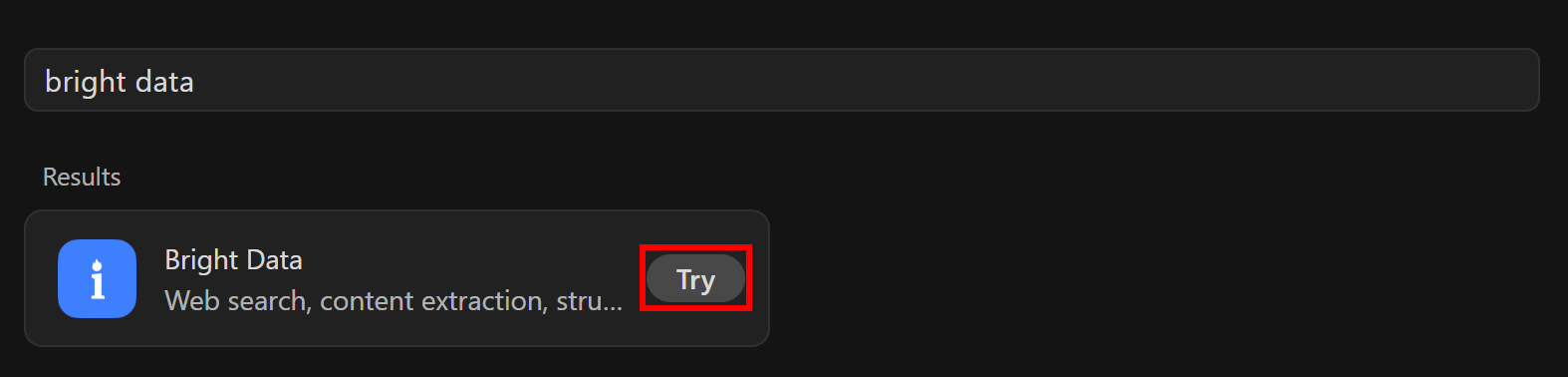
Press it to launch a default prompt and verify that the plugin is working correctly. You should receive a response similar to this:
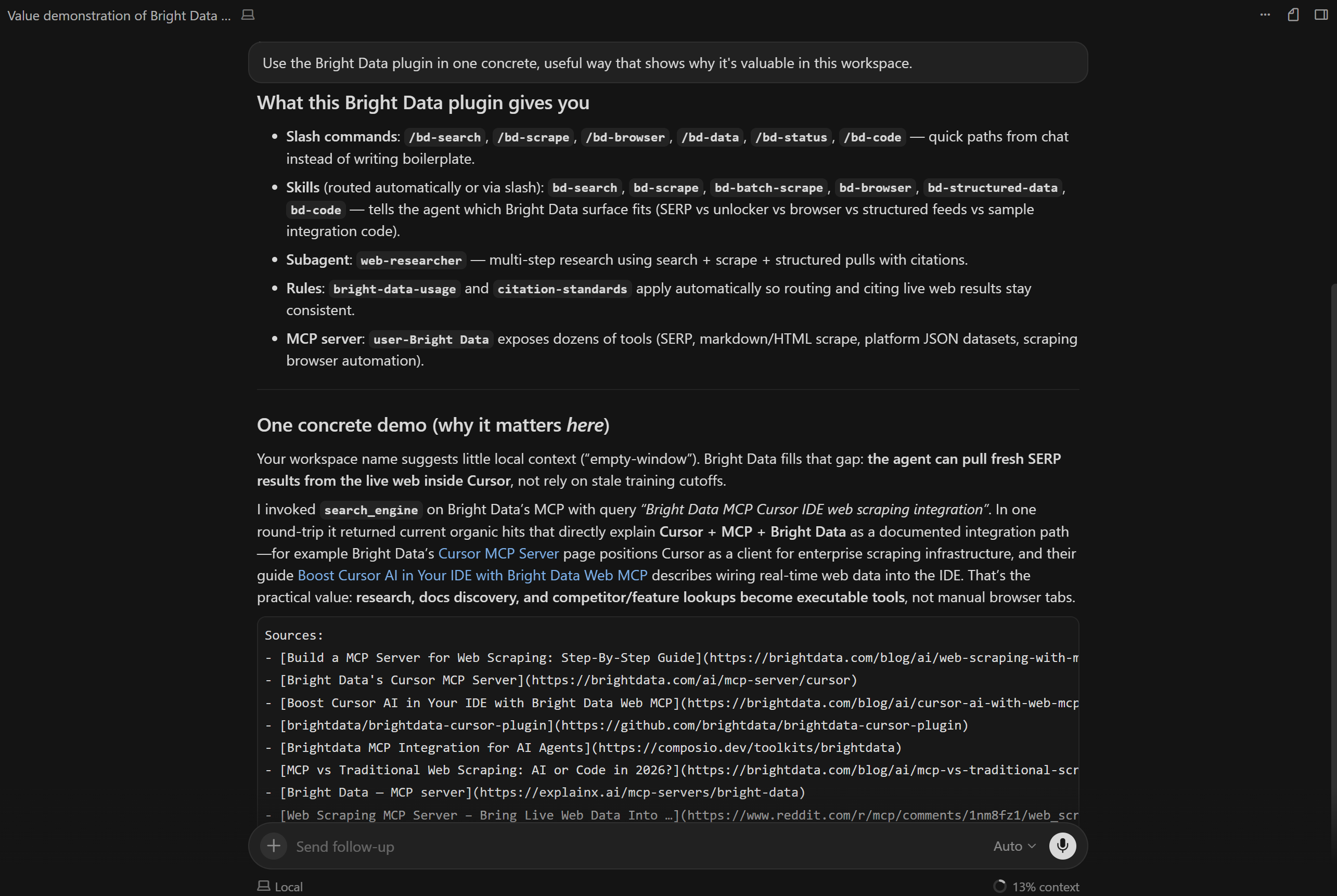
Notice how the response includes an overview of what the plugin provides, along with instructions on how to use it and links to relevant resources.
In the Cursor Agent chat, type /bd, and you will now view the commands exposed by the Bright Data plugin:
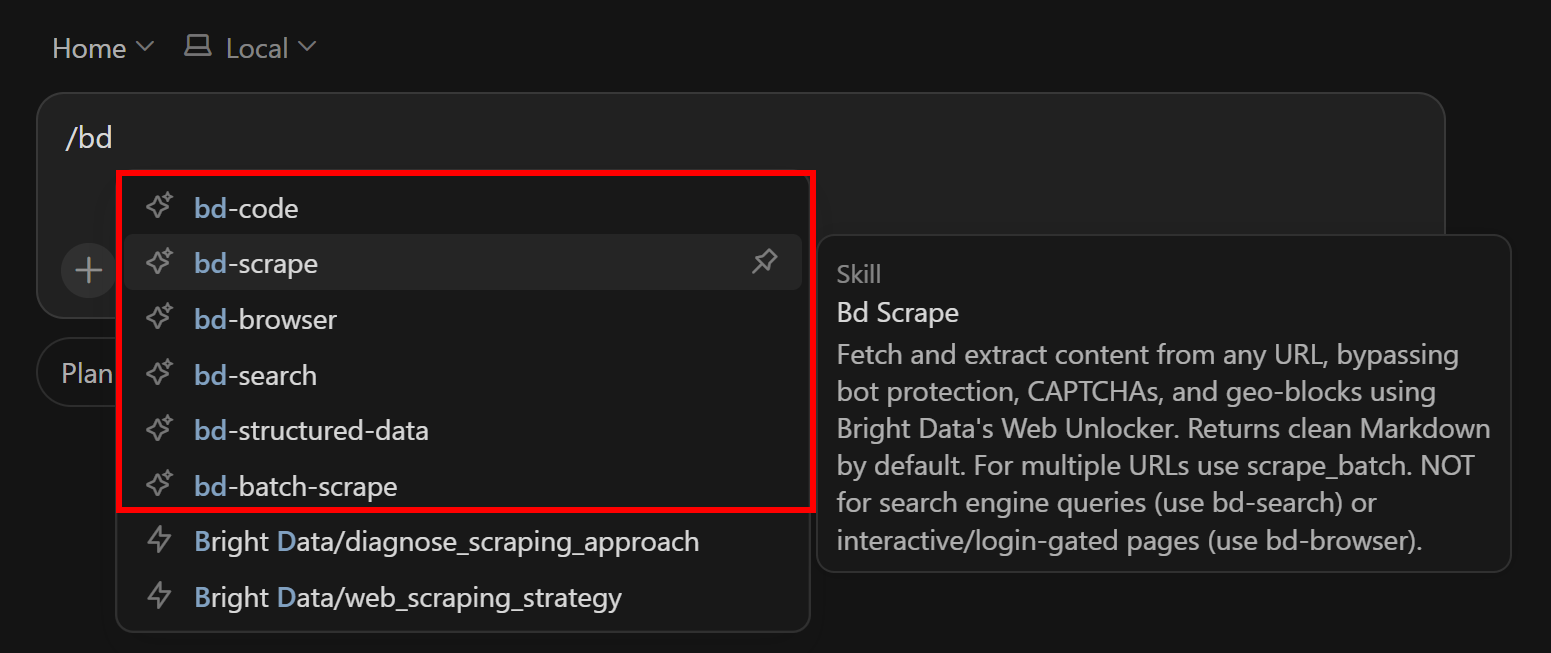
To verify that the Web MCP integration is configured correctly, or to set it up, run the /bd-setup command:
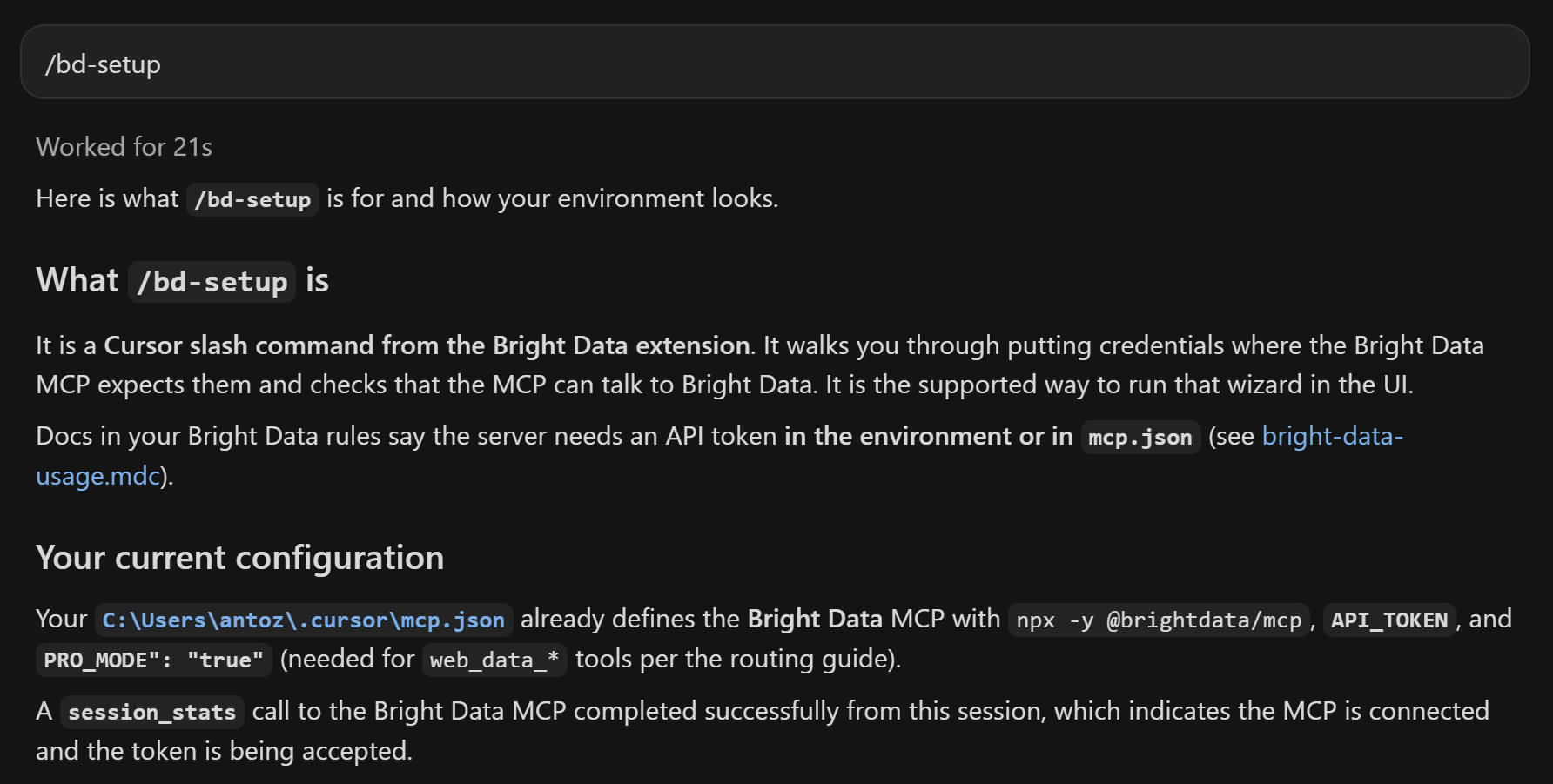
This command attempts to call the session_stats Web MCP tool to confirm that the server is reachable. If the check succeeds, the Web MCP server is correctly connected. Otherwise, the setup flow will guide you through the required configuration steps.
Great! The Bright Data Cursor plugin works like a charm.
Step #3: Test the Plugin
To verify that the Bright Data plugin works correctly, try a prompt like this:
Write a scraper in Python that integrates with Bright Data to deliver production-ready, high-performance scraping results. The script should execute the same search query on both Google and Bing, collect the SERP results from each engine, and return them in a structured JSON object containing both result sets. Finally, save the combined data to a local file named output.json.Launch the prompt, and this is what you should see:
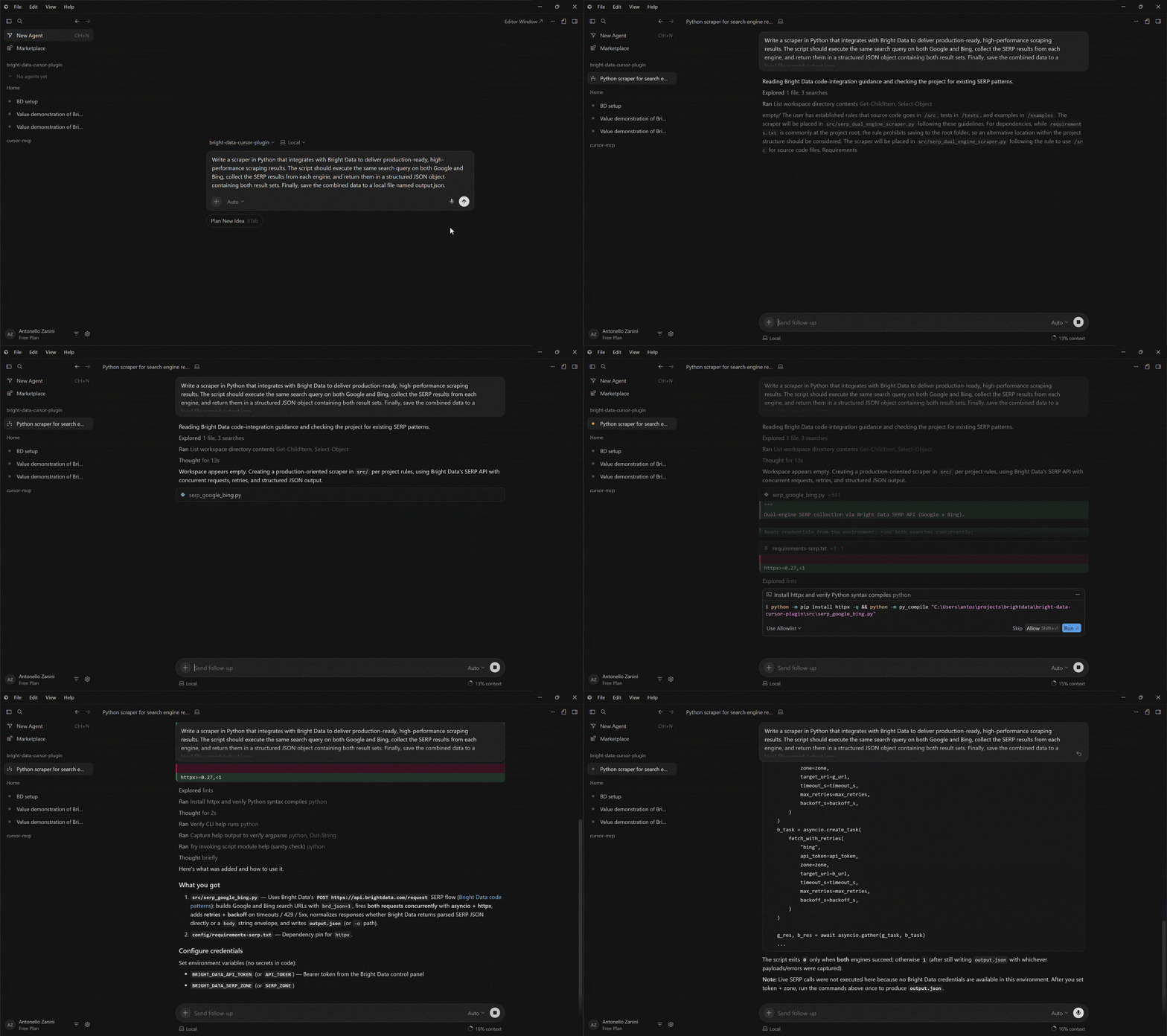
Notice how the AI agent:
- Invokes the
bd-codeskill to learn how to integrate with Bright Data solutions. - Generates a Python scraper with retry logic and support for command-line arguments. This integrates directly with the Bright Data SERP API to scrape both Google and Bing results.
In this example, the generated project structure is:
your-project
├── config
│   └── requirements-serp.txt # Python dependencies required by the scraping script
└── src
    └── serp_google_bing.py # Google and Bing SERP scraper integrated with Bright Data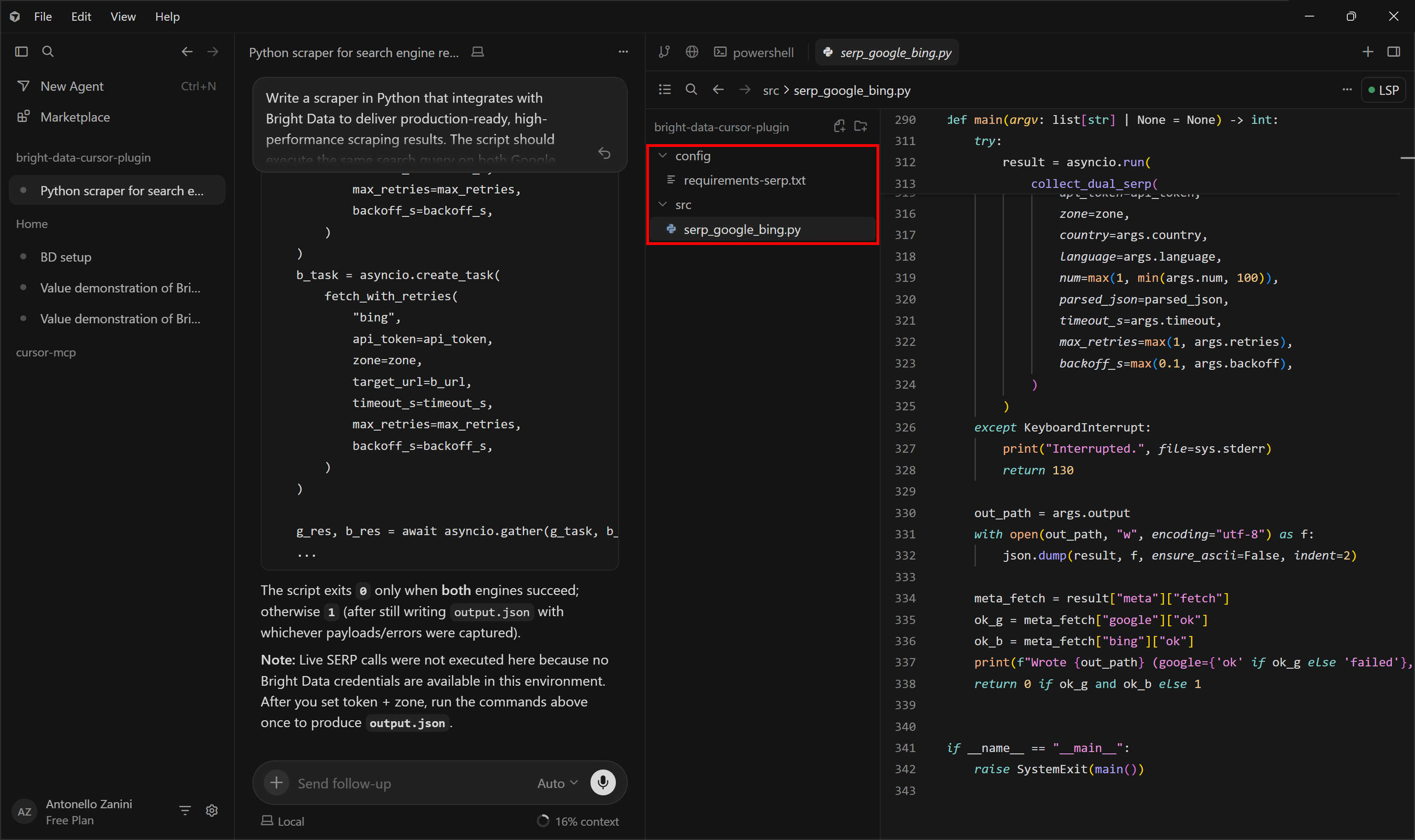
Specifically, the serp_google_bing.py file contains production-ready Google SERP scraping and Bing SERP scraping logic that integrates with Bright Data’s SERP API for optimized and scalable data retrieval.
The output produced by the AI agent also explains how to launch the script:
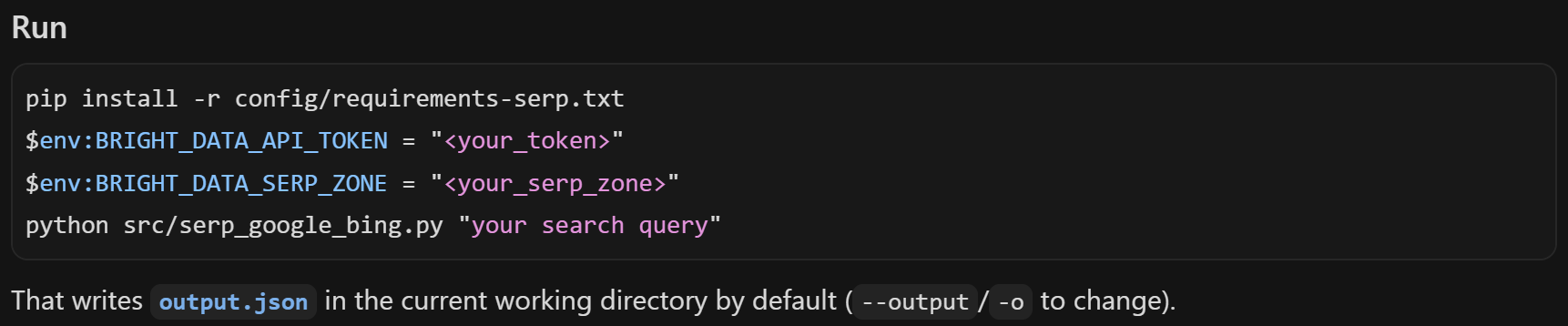
After adding your Bright Data API token and SERP API zone to the environment variables, you can run the script with:
python src/serp_google_bing.py "<YOUR_SEARCH_QUERY>"For example, suppose you want to scrape results for the “best llms 2026” search query. Running the script will produce an output.json file containing structured SERP data collected from both Google and Bing:
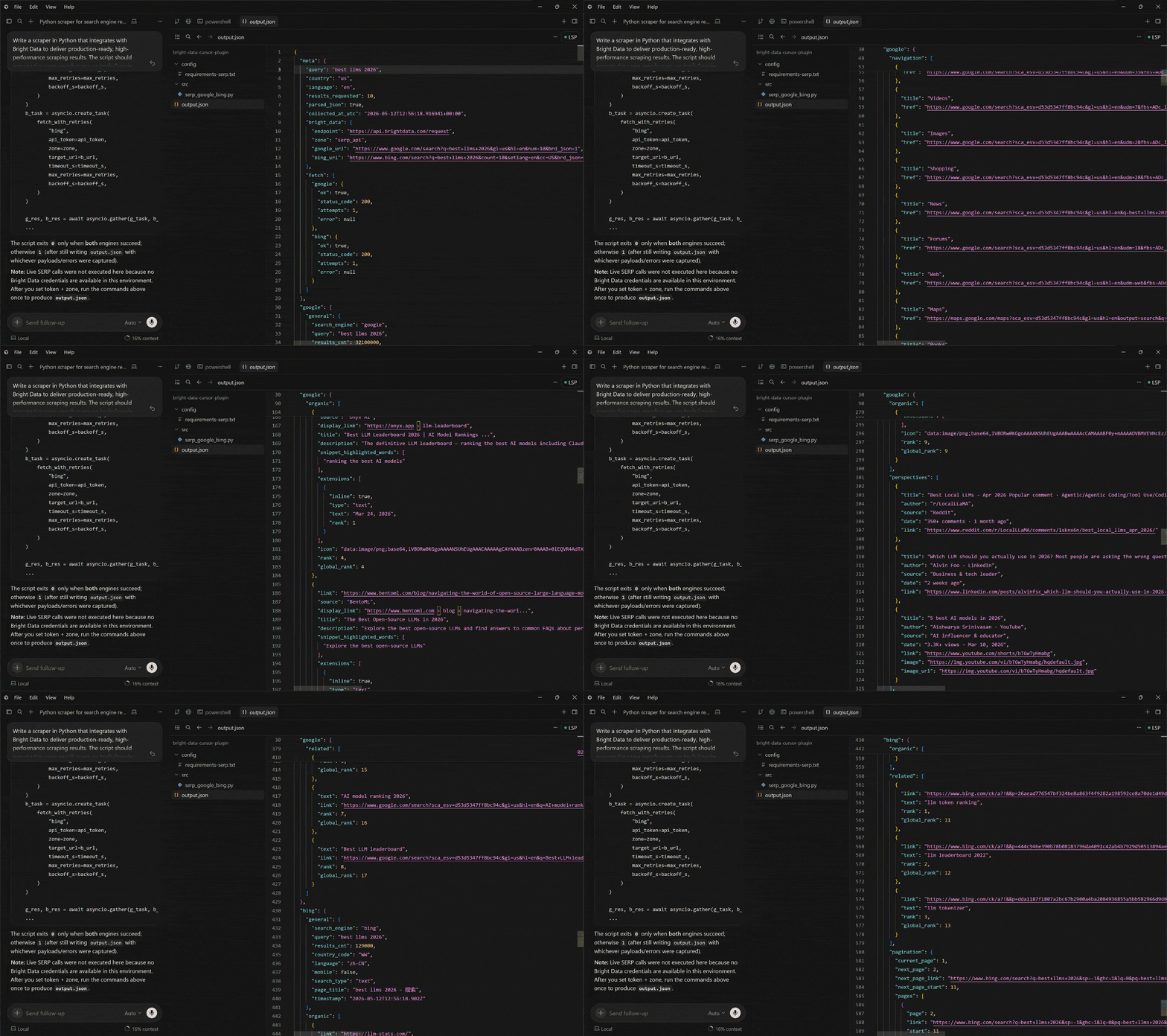
Et voilà! This is just a simple example showcasing one of the many use cases supported by the Bright Data Cursor plugin. Your Cursor AI agent can now integrate directly with Bright Data Web MCP to search and scrape the web, enabling more accurate and up-to-date responses.
The plugin also exposes direct commands for scraping, searching, browser automation, and more. In addition, it includes knowledge of the Bright Data architecture, allowing the AI agent to integrate Bright Data APIs into your scripts for enterprise-grade web data retrieval workflows.
Conclusion
In this blog post, you learned what Cursor plugins are and how they allow you to extend your AI-powered IDE with additional capabilities. You also explored some of the best Cursor plugins available today, and saw why the Bright Data plugin stands out as one of the most powerful options.
As demonstrated here, the Bright Data Cursor plugin enables Cursor to perform live web searches, extract structured data, consume dynamic web data feeds, and even automate browser interactions, all directly from within your coding environment.
Under the hood, the Bright Data plugin exposes specialized commands and skills powered by the Bright Data Web MCP.
Sign up for a free Bright Data account today and integrate our AI-ready web data tools into your development workflows!



Technical Writer
 5.5 years experience
Antonello Zanini is a technical writer, editor, and software engineer with 5M+ views. Expert in technical content strategy, web development, and project management.