








 254+
254+ 1+
1+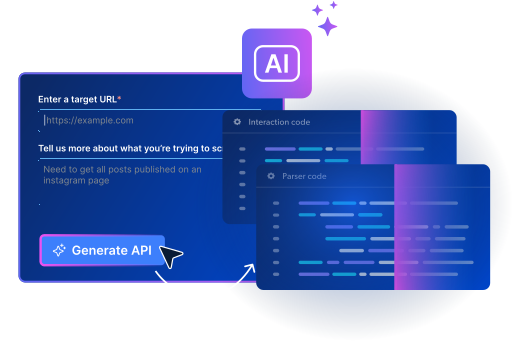


- Build requests in any language
- Automate with schedulers and webhooks
- JSON, NDJSON, or CSV delivery


Naver Maps Scraper API
Scrape Naver Maps places and business listings. Collect Naver Maps data such as place name, place ID, category, address, coordinates, business status, opening hours, phone number, price range, menu, ratings and review counts, photos, and nearest transit.
5K free records/month · Credit card not required
Trusted by 50,000+ customers worldwide


Available Naver Maps scrapers
Pick a Naver Maps scraper and call it. Every Naver Maps scraper lists its output fields, delivery volume, and live success rate.
Explore thousands of production-ready scrapers
Pay only for successful results, no surprises – Proxies, unlocking, browsers and retries are built in.
#1
Ranked (by AIMultiple)
99.2%
Avg. success rate
100M+
Requests weekly
400M+
Proxy IPs built in
GDPR & CCPA
Compliant
Pricing
Naver Maps Scraper API Pricing
Only pay for what’s successfully delivered. No hidden fees, no charges for failed deliveries.
Records per month: 5K
$/mo
$
per 1,000 records
Your whole bill. Proxies, unblocking, parsing included.
Get started
- Pay only for success, no hidden fees
- Start free with 5,000 monthly credits
- No upfront commitment, cancel anytime
- 24/7 expert support and enterprise features
We accept these payment methods:

Just want data? Skip scraping. Purchase a Naver Maps dataset
How it works
From zero to Naver Maps data in 3 steps
No proxies to configure, no infrastructure to manage. Pick, call, and receive.
-
Pick a scraper
Choose from the Naver Maps scrapers above or create your own with AI in minutes.
-
Call the API
One API call with up to 5,000 target URLs. Python and Node.js SDKs, CLI, MCP server, or any HTTP client.
-
Get structured data
Receive clean, parsed Naver Maps data in JSON, NDJSON, or CSV. Delivered via API, webhook, or cloud storage.
Scraper API Call
curl -H "Authorization: Bearer API_TOKEN" -H "Content-Type: application/json" -d '[{"url":"https://map.naver.com/p/entry/place/13349962"},{"url":"https://pcmap.place.naver.com/restaurant/1894238534/"}]' "https://api.brightdata.com/datasets/v3/trigger?dataset_id=gd_mu43dtjq1dkcx739ag&format=json&uncompressed_webhook=true"
Response payload
[
  {
    "timestamp": "2026-10-18",
    "url": "https:\/\/map.naver.com\/p\/entry\/place\/2094870321",
    "place_id": "2094870321",
    "place_type": "restaurant",
    "name": "브루싱커피",
    "category": "카페",
    "all_categories": [
      "카페"
    ],
    "category_code": "221212"
  },
  {
    "timestamp": "2026-10-18",
    "url": "https:\/\/map.naver.com\/p\/entry\/place\/2021705701",
    "place_id": "2021705701",
    "place_type": "restaurant",
    "name": "해월당 문현점",
    "category": "베이커리",
    "all_categories": [
      "베이커리"
    ],
    "category_code": "221161"
  },
  {
    "timestamp": "2026-10-18",
    "url": "https:\/\/map.naver.com\/p\/entry\/place\/2079079288",
    "place_id": "2079079288",
    "place_type": "restaurant",
    "name": "차백도 부산해운대점",
    "category": "카페,디저트",
    "all_categories": [
      "카페,디저트"
    ],
    "category_code": "101106"
  },
  {
    "timestamp": "2026-10-18",
    "url": "https:\/\/map.naver.com\/p\/entry\/place\/2071120778",
    "place_id": "2071120778",
    "place_type": "restaurant",
    "name": "피보",
    "category": "베이커리",
    "all_categories": [
      "베이커리"
    ],
    "category_code": "221161"
  },
  {
    "timestamp": "2026-10-18",
    "url": "https:\/\/map.naver.com\/p\/entry\/place\/2088603503",
    "place_id": "2088603503",
    "place_type": "restaurant",
    "name": "그레이핍플 남천힐스테이트점",
    "category": "카페,디저트",
    "all_categories": [
      "카페,디저트"
    ],
    "category_code": "1006630"
  }
]
TERMINAL
Tell your agent:
Read https://brightdata.com/SKILL.md and get structured JSON for this Amazon product via the amazon_product pipeline: https://www.amazon.com/Quencher-FlowState-Stainless-Insulated-Smoothie/dp/B0CRMZHDG8Or run it yourself:
npx -p @brightdata/cli bdata loginbdata pipelines amazon_product "https://www.amazon.com/Quencher-FlowState-Stainless-Insulated-Smoothie/dp/B0CRMZHDG8"Or connect over MCP:
https://mcp.brightdata.com/mcp?token=YOUR_API_KEY
For coding Agents
Plug Naver Maps scrapers into your agent
Your agent picks from Naver Maps scrapers we already maintain. Let it run whenever you need, and every run delivers real-time web data straight to your storage. Works in Claude Code, Codex, Cursor and any other coding agent.
- Runs with npx, nothing to install
- bdata login opens browser auth, no key to paste
- Name a scraper, get JSON back
- Delivers to AWS · GCP · Azure · Snowflake · Webhook
World's #1 scraping platform
Everything you need, built in
You pay for results. Proxies, rendering, concurrency, and delivery are always included, on every plan.

Go straight to the source
Every request runs on Bright Data infrastructure. 400M+ IPs, unlocking and browsers are built in.

Scale to millions of pages instantly
Send unlimited concurrent requests - no infrastructure to manage, no configs to change.

Scrapers auto-fix when sites change
AI-powered self-healing detects site changes and repairs scrapers. Your pipelines keep running.

Thousands of verified scrapers
Every scraper is built, tested, and maintained by Bright Data. No community guesswork.

Pay per result, nothing extra
One price per record . Proxies, retries, rendering, unblocking - all included, no surprises.

Compliant and fully supported
GDPR & CCPA compliant. 24/7 human support on every plan, including free.
Choose your path
Start collecting Naver Maps data in minutes
Call the API from code, click through the control panel, or hand it to your AI agent.


Use cases
Naver Maps data scraping use cases
Real-time Naver Maps intelligence for your business.
Local business dataset building
Name
Category
Address
Opening hours and status monitoring
Open hours
Business status
Permanently closed
Review and rating analysis
Rating
Visitor reviews count
Review topic tags
Location intelligence
Lat
Lon
Nearest transit
By data type
Explore more Naver Maps scrapers
Compare Bright Data to others
Web Scraper API vs other providers
Capability
Bright Data
Other scraping providers
Auto-scaling infrastructure
Unlimited
Partial
Anti-bot & CAPTCHA bypass
Built-in
Partial
Residential proxy network
400M+ IPs
Limited pool
Pre-built scrapers
1,400+
50–200
Auto-maintenance (site changes)
24/7
Depends on who built it
Pricing model
One all-in price per record
Compute, proxy, and storage metered separately
Failed requests
Free, pay only for success
Often billed
Custom sites (no pre-built scraper)
AI builds it in minutes, self-healing included
Community-built scrapers, no SLA
Compliance (GDPR, CCPA, SOC 2)
Full
Partial
Structured output (JSON/CSV)
Automatic
Support
24/7 experts, even on the free tier
Community forum
Free tier
5K records/mo
Varies
compliance
Leading the way in ethical web data collection
Only publicly available data. ISO 27001 certified, SOC 2 controls, GDPR & CCPA compliant. Every use case is reviewed by a dedicated Compliance & Ethics team, backed by a documented Know Your Customer process and Acceptable Use Policy.

Bright Data is used by world's top brands













Naver Maps Scraper API FAQs
What is the Naver Maps Scraper API?
The Naver Maps Scraper API is a powerful tool designed to automate data extraction from the Naver Maps website, allowing users to efficiently gather and process large volumes of data for various use cases.
How does the Naver Maps Scraper API work?
The Naver Maps Scraper API works by sending automated requests to targeted website, extracting the necessary data points, and delivering them in a structured format. This process ensures accurate and quick data collection.
Is the Naver Maps Scraper API compliant with data protection regulations?
Yes, the Naver Maps Scraper API is designed to comply with data protection regulations, including GDPR and CCPA. It ensures that all data collection activities are performed ethically and legally.
Can I use the Naver Maps Scraper API for competitive analysis?
Absolutely! The Naver Maps Scraper API is ideal for competitive analysis, allowing you to gather insights into your competitors' activities, trends, and strategies.
How can I integrate the Naver Maps Scraper API with my existing systems?
The Naver Maps Scraper API offers flawless integration with various platforms and tools. You can use it with your existing data pipelines, CRM systems, or analytics tools to improve your data processing capabilities.
Is there a free tier available for the Naver Maps Scraper API?
Yes! Every new Bright Data account automatically includes 5,000 free credits per month (approximately $7.50 in value) — no credit card required, no promo code, no commitment. These credits apply to Scrapers (including the Naver Maps Scraper API), as well as the Unlocker API and SERP API. Credits renew on the 1st of each month, and you can start making API calls immediately after signing up.
What happens when my free credits run out while using the Naver Maps Scraper API?
When your 5,000 free monthly credits are exhausted, behavior depends on your account balance. If you have pre-deposited funds, usage continues seamlessly at standard PAYG rates with no interruption. If you have no deposited funds, requests will return an error until you add funds or until your credits renew on the 1st of the following month. Note that unused free credits do not roll over.
To avoid interruptions, you can enable auto-recharge in your billing settings at brightdata.com/cp/billing/settings.
What are the usage limits for the Naver Maps Scraper API?
There are no specific usage limits for the Naver Maps Scraper API, offering you the flexibility to scale as needed.
Do you provide support for the Naver Maps Scraper API?
Yes, we offer dedicated support for the Naver Maps Scraper API. Our support team is available 24/7 to assist you with any questions or issues you may encounter while using the API.
What delivery methods are available?
Amazon S3, Google Cloud Storage, Google PubSub, Microsoft Azure Storage, Snowflake, and SFTP.
What file formats are available?
JSON, NDJSON, JSON lines, CSV, and .gz files (compressed).
Can AI agents use the Naver Maps Scraper API?
Yes. Connect any agent through the hosted MCP server, point a coding agent at brightdata.com/SKILL.md to set itself up, or use the CLI. Agents authenticate once with browser OAuth and can run any of the Naver Maps scrapers.