





- Build requests in any language
- Automate with schedulers and webhooks
- JSON, NDJSON, or CSV delivery


Fetch API
Turn any public URL into Markdown, plain text, raw HTML and JSON-LD with one API call. Bright Data handles proxies, CAPTCHAs and blocking, so you get page content ready for your LLM or parser.
5K free records/month · Credit card not required
Trusted by 50,000+ customers worldwide


How it works
From URL to clean data in 3 steps
No proxies to configure, no infrastructure to manage. Connect, send a URL, and read the page.
-
Pass your URLs
Provide the public URLs you want to fetch.
-
Call the API
One API call with up to 5,000 target URLs. Python and Node.js SDKs, CLI, MCP server, or any HTTP client.
-
Get the page back
Receive the page as clean Markdown, raw HTML, or JSON, with blocks, CAPTCHAs, and retries handled for you.
Choose your path
Start collecting web data in minutes
Call the API from code, click through the control panel, or hand it to your AI agent.


Pricing
Fetch API Pricing
Only pay for what’s successfully delivered. No hidden fees, no charges for failed deliveries.

Records per month: 5K
$/mo
$
per 1,000 records
Your whole bill. Proxies, unblocking, parsing included.
Get started
- Pay only for success, no hidden fees
- Start free with 5,000 monthly credits
- No upfront commitment, cancel anytime
- 24/7 expert support and enterprise features
We accept these payment methods:

Scraper API Call
curl -H "Authorization: Bearer API_TOKEN" -H "Content-Type: application/json" -d '[{"url":"https://example.com"},{"url":"https://example.com/1"}]' "https://api.brightdata.com/datasets/v3/trigger?dataset_id=gd_m6gjtfmeh43we6cqc&format=json&uncompressed_webhook=true"
Response payload
[
{
"timestamp": "2025-02-24",
"markdown": null,
"url": "https:\/\/www.mindat.org\/loc-419686.html",
"final_url": null,
"html2text": null,
"page_html": "\u003C!DOCTYPE html\u003E\n\u003Chtml\u003E\u003Chead\u003E\n \u003CMETA HTTP-EQUIV=\u0022Content-Type\u0022 CONTENT=\u0022text\/html; charset=UTF-8\u0022\u003E\n \u003Clink rel=\u0022appl...",
"ld_json": null,
"page_title": null
},
{
"timestamp": "2025-04-20",
"markdown": null,
"url": "https:\/\/www.thesoullux.com\/",
"final_url": null,
"html2text": null,
"page_html": "\u003C!doctype html\u003E\r\n\u003Chtml lang=\u0022en-US\u0022\u003E\r\n\u003Chead\u003E\r\n \u003Cmeta charset=\u0022UTF-8\u0022\u003E\r\n \u003Cmeta name=\u0022viewport\u0022 content=\u0022width=devic...",
"ld_json": null,
"page_title": null
},
{
"timestamp": "2025-02-24",
"markdown": null,
"url": "https:\/\/www.mindat.org\/loc-416126.html",
"final_url": null,
"html2text": null,
"page_html": "\u003C!DOCTYPE html\u003E\n\u003Chtml\u003E\u003Chead\u003E\n \u003CMETA HTTP-EQUIV=\u0022Content-Type\u0022 CONTENT=\u0022text\/html; charset=UTF-8\u0022\u003E\n \u003Clink rel=\u0022appl...",
"ld_json": null,
"page_title": null
},
{
"timestamp": "2025-03-31",
"markdown": "[Skip to content](#theme-main) \n\n[  79.6K+
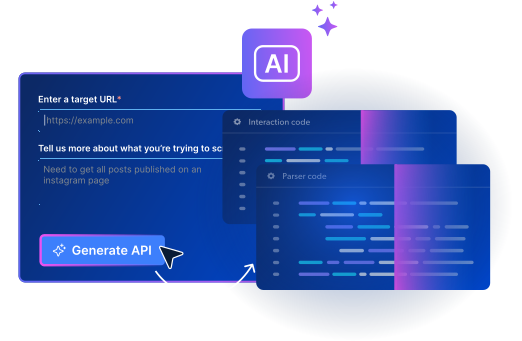
Explore thousands of production-ready scrapers
Pay only for successful results, no surprises – Proxies, unlocking, browsers and retries are built in.
TERMINAL
Tell your agent:
Read https://brightdata.com/SKILL.md and use Fetch to read
this Nike Vomero Plus product page as Markdown:
https://www.nike.com/t/vomero-plus-mens-road-running-shoes-5npsVBwT/IM8336-100
Or run it yourself:
npx -p @brightdata/cli bdata scrape "https://www.nike.com/t/vomero-plus-mens-road-running-shoes-5npsVBwT/IM8336-100" -f markdownOr connect over MCP:
https://mcp.brightdata.com/mcp?token=YOUR_API_KEY
For coding Agents
Give your agent the whole web with Fetch API
Your agent passes any URL to Fetch API and gets the page back clean, ready to read. Bright Data handles blocks, CAPTCHAs and retries, so every call returns real-time web data instead of an error page. Works in Claude Code, Codex, Cursor and any other coding agent.
- Runs with npx, nothing to install
- bdata login opens browser auth, no key to paste
- Name a scraper, get JSON back
- Delivers to AWS · GCP · Azure · Snowflake · Webhook
compliance
Leading the way in ethical web data collection
Only publicly available data. ISO 27001 certified, SOC 2 controls, GDPR & CCPA compliant. Every use case is reviewed by a dedicated Compliance & Ethics team, backed by a documented Know Your Customer process and Acceptable Use Policy.

World's #1 scraping platform
Everything you need, built in
You pay for results. Proxies, rendering, concurrency, and delivery are always included, on every plan.

Go straight to the source
Every request runs on Bright Data infrastructure. 400M+ IPs, unlocking and browsers are built in.

Scale to millions of pages instantly
Send unlimited concurrent requests - no infrastructure to manage, no configs to change.

Scrapers auto-fix when sites change
AI-powered self-healing detects site changes and repairs scrapers. Your pipelines keep running.

Thousands of verified scrapers
Every scraper is built, tested, and maintained by Bright Data. No community guesswork.

Pay per result, nothing extra
One price per record . Proxies, retries, rendering, unblocking - all included, no surprises.

Compliant and fully supported
GDPR & CCPA compliant. 24/7 human support on every plan, including free.
Compare Bright Data to others
Fetch API vs other providers
Capability
Bright Data
Other scraping providers
Auto-scaling infrastructure
Unlimited
Partial
Anti-bot & CAPTCHA bypass
Built-in
Partial
Residential proxy network
400M+ IPs
Limited pool
Pre-built scrapers
1,400+
50–200
Auto-maintenance (site changes)
24/7
Depends on who built it
Pricing model
One all-in price per record
Compute, proxy, and storage metered separately
Failed requests
Free, pay only for success
Often billed
Custom sites (no pre-built scraper)
AI builds it in minutes, self-healing included
Community-built scrapers, no SLA
Compliance (GDPR, CCPA, SOC 2)
Full
Partial
Structured output (JSON/CSV)
Automatic
Support
24/7 experts, even on the free tier
Community forum
Free tier
5K records/mo
Varies
Bright Data is used by world's top brands












Fetch API FAQ
What is Fetch API?
Fetch API (formerly Crawl API) turns any public URL into Markdown, plain text, raw HTML and JSON-LD in a single record. Bright Data handles proxies, CAPTCHAs and blocking, and returns page content ready for an LLM or a parser.
How is Fetch API different from Web Unlocker API?
Both unblock public web pages. They differ in how you call them and what you get back:
- Web Unlocker API is called at
/requestwith a Web Unlocker zone and returns the target page's raw response. - Fetch API is called at
/datasets/v3/scrapeor/datasets/v3/triggerwith a dataset ID and needs no zone. Each URL comes back as one record with Markdown, plain text, raw HTML and JSON-LD together, and it works with Scraper API batch jobs and delivery options.
What formats does Fetch API return?
Each record includes markdown (headings, lists and links kept), html2text (visible text only), page_html (the full HTML source) and ld_json (schema.org metadata, when the page has any), plus url, final_url, page_title and country. Results can be downloaded as JSON, NDJSON, JSON lines, CSV or Parquet.
How many URLs can I fetch per request?
We recommend single URL request use synchronous request. For larger volumes, use the async /trigger endpoint, which accepts unlimited URLs (up to 1 GB of input per job).
Is the page fetched in real time?
Yes. Every request fetches the live page, with no cached copy. A synchronous request waits up to 1 minute. If the fetch takes longer, it returns a snapshot_id and finishes in the background.
Can I fetch a page from a specific country?
Yes. Add a two-letter country code in uppercase, for example US or DE, to any input URL, and the page is fetched from that country.
Which websites does Fetch API work on?
Any public URL on any domain. Fetch API returns page content, not site-specific fields such as prices or follower counts. For those fields, use one of our pre-built scrapers.
Can I use Fetch API to interact with or navigate a browser?
No. Fetch API returns page content from a URL. If you need to control a browser with Puppeteer, Playwright or similar tools, check out our Browser API.
How much does Fetch API cost?
You pay only for successful records. New accounts get 5,000 free credits every month, with no credit card required.
Does Fetch API handle CAPTCHAs and anti-bot systems?
Yes. Proxies, CAPTCHAs and blocking are handled automatically on every request, with no configuration needed on your side.