






- Enable Claude to retrieve real-time public Bloomberg data for any ticker, company, market index, or economic indicator worldwide
- Target specific sectors, market caps, or time periods for localized financial insights and market analysis
- Fetch relevant quotes, news articles, earnings reports, and analyst commentary for Claude to analyze, compare, or monitor further
MCP Server for Bloomberg Data Extraction
Use Bright Data’s enterprise-grade MCP Server to scrape public Bloomberg data. Extract, analyze, and process public market quotes, financial news, company profiles, earnings data, analyst ratings, economic indicators, and market commentary across Bloomberg’s public web properties quickly, reliably, and at scale.
Want to try the Bloomberg MCP without setting up anything?
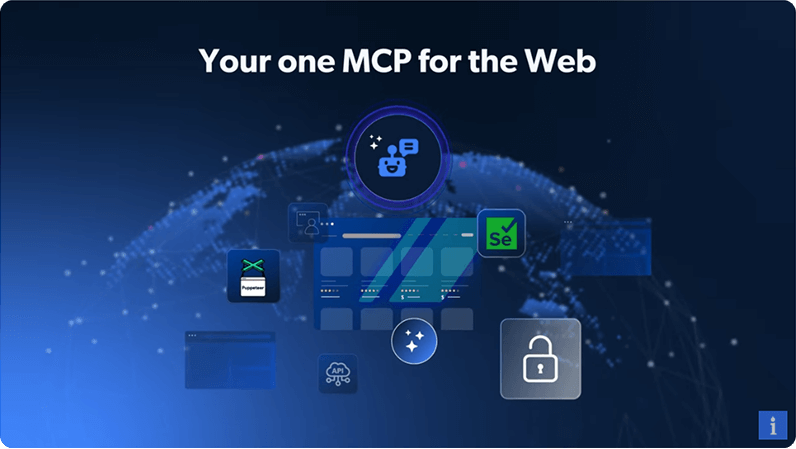
One MCP for the Web
- Let Claude crawl and extract complete company profiles, market data, and financial news, not just headline quotes
- Output public Bloomberg data in Claude-ready formats for seamless LLM integration
- Effortlessly scale financial data and market intelligence extraction for Claude, no matter the project size
- Give Claude reliable access to any public Bloomberg market quote, news article, or financial data point
- Bypass geo-restrictions and CAPTCHAs automatically for uninterrupted Bloomberg data extraction by Claude
- Render JavaScript to retrieve dynamically loaded market data, charts, and real-time economic indicators for Claude's use
- Automate Claude agent workflows to extract Bloomberg data from interactive market searches, filters, and financial data tables
- Power remote browser sessions for Claude to streamline large-scale financial news and market data scraping
- Mimic real user behavior for Claude to bypass advanced anti-bot protections on Bloomberg
See what people are building
Ready to Supercharge Bloomberg Scraping?
Get started with Bloomberg MCP Server in minutes. No setup required.
Bloomberg MCP Server FAQs
What is the Bloomberg MCP Server?
The Bloomberg MCP Server is a specialized integration that empowers your AI agents to access real-time public data from Bloomberg. It acts as a bridge, allowing tools like Claude, Cursor, and custom LLMs to search, extract, and interact with Bloomberg content dynamically.
How does the integration handle blocking and CAPTCHAs?
Built on Bright Data's robust infrastructure, the Web MCP Server handles the complexities of web data extraction behind the scenes. It automatically manages proxy rotation, CAPTCHA solving, and unlocking technology to ensure your AI receives structured, reliable data from Bloomberg without getting blocked.
Is the data from Bloomberg live or cached?
The data is completely real-time. Unlike databases that can become outdated, the Bloomberg MCP fetches live content directly from the source at the moment of request, ensuring your AI agents act on the most current pricing, posts, or profile information available.
Is there a free tier for the Bloomberg MCP?
Yes! We offer a generous free tier that includes 5,000 requests per month. This allows developers and businesses to test the Bloomberg MCP Server, build prototypes, and perform light data extraction at no cost before scaling up.
Can the Web MCP Server perform actions like clicking or scrolling?
Yes. Beyond retrieving static data, the server supports full browser automation. Your agents can be instructed to navigate Bloomberg pages, click buttons, handle infinite scrolling, and even take screenshots, enabling complex workflows that simulate real user behavior.
Do I need to host the server myself?
You have the choice. You can use our fully managed Remote MCP for instant access with zero infrastructure setup, or you can deploy the Local MCP if you require on-premise control and custom environment configurations for your Bloomberg projects.
Which AI tools are compatible with this server?
Our Web MCP Server is designed for seamless integration with popular AI clients. It works natively with Claude Desktop, Cursor, Windsurf, and diverse agentic frameworks like LangChain, making it easy to add Bloomberg data capabilities to your existing workflows.
What is the difference between Rapid and Pro modes?
Rapid mode is free and ideal for everyday tasks like SERP lookups and basic text extraction. Pro mode unlocks premium capabilities for Bloomberg, including deep structured data extraction and advanced browser automation tools designed for large-scale production environments.
Is the Bloomberg MCP Server compliant with data regulations?
Absolutely. The Bloomberg MCP Server is built with strict adherence to data protection regulations, including GDPR and CCPA. We only access publicly available web data, ensuring your AI operations remain compliant and ethically sound.
What data formats does the server output?
The server delivers data in clean, AI-ready formats. Depending on your specific needs, you can retrieve Bloomberg data as structured JSON objects for precise analysis or as simplified Markdown text optimized for LLM context windows.